Weather app
- 23.28K
- 4.7
- Installs
- 10.00M
- Price
- Free

Screenshots
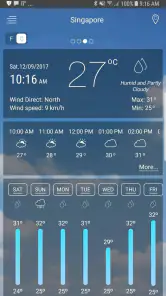
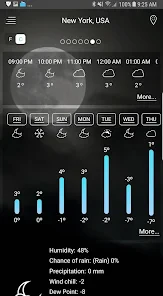
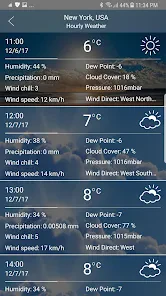
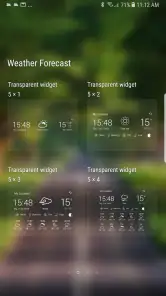
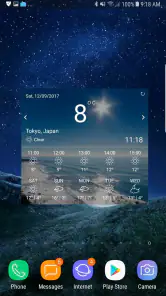
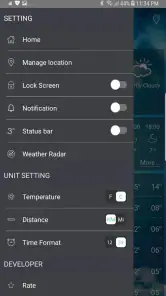
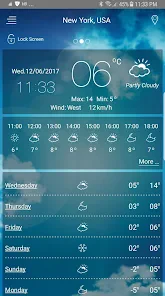
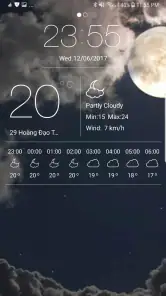
Analysis by Reviewed
I judge a weather app less by how many screens it offers than by whether it helps me make a better everyday choice: what to wear, when to leave, and whether an outdoor plan needs a backup. This one is free to try, and its mix of a daily outlook, saved places, and a radar map gives me more ways to check conditions than a bare temperature tile. I would treat it as a practical companion, not as a promise that every forecast will match every street.
Cost and the decision to try it
Weather is a free weather app from Accurate Weather Forecast & Weather Radar Map, so there is no upfront purchase to weigh against its usefulness. For me, that makes trying it alongside the forecast I already use a reasonable, low-commitment choice. Its 4.7 average from around 225,000 ratings and more than 10 million installs show that it has attracted a substantial audience, but those figures cannot establish how well it works in any one neighborhood.
It is rated for Everyone, runs on Android 5.0 or later, and its current version is 7.6. That gives people with an older compatible Android phone a useful starting point when checking whether they can install it. I would still judge it by how clear its forecasts are for my location and whether I actually use the extra views, rather than by popularity or compatibility alone.
What the extra views are worth
The clearest benefit over a simple glance at a temperature is having a radar map alongside the broader forecast. I find that combination useful when the question is not just “Will it rain today?” but “Should I head out now, or wait and check again?” The daily outlook helps set expectations; the map adds a visual way to inspect weather developing in a wider area. I would use the map as context, not a street-level guarantee.
Saved locations also have practical value when my day spans more than one place. Keeping home and a regular destination handy means I can compare them before leaving instead of searching from scratch. That is a small but worthwhile habit for a commute, a visit to family, or a weekend trip. If I only need the temperature where I am, though, saving several places may add setup without much benefit.
A useful routine, not a substitute for judgement
One sensible workflow is to check the daily outlook while deciding what to wear, then open the radar map only when rain timing could change a plan. For a drive, I would look at saved destinations or check the places that matter along the way, rather than assuming the weather at my starting point describes the whole route. I would also compare the screen with conditions outdoors; a forecast is guidance, and conditions can change.
Notifications for severe weather alerts can make the app more useful when I do not want to keep opening it just to check for a warning. I would treat an alert as a prompt to pay attention and follow relevant local guidance, especially if the situation could affect safety. A general weather app is not the right sole source for decisions with serious consequences.
More From Our News Desk

Weather by Xiaomi Review: Clear at a Glance, Less Clear Up Close

X Under Pressure: Can It Recover When Posting Goes Wrong?

Clash of Clans Is Won Between the Battles

Android Auto Makes the Case for Quieter Car Software

MobiOffice: Transforming Mobile Productivity with Seamless Integration

EA SPORTS FC™ Mobile Soccer: Redefining Mobile Sports Gaming
First Impressions and Interface
Right off the bat, the Weather app greets you with a sleek and intuitive design. The interface is user-friendly, with everything laid out in a way that feels natural. You don't have to be a tech wizard to navigate through the options, which is always a plus. From the moment I opened it, I was impressed by how quickly it loaded and displayed the current conditions. No lagging or waiting around, which is a relief when you're in a rush.
Features That Stand Out
One of the standout features of this app is its real-time weather updates. It’s incredibly accurate, and the forecasts are updated frequently to keep you informed. Whether you're planning a picnic or a road trip, you can trust the app to provide reliable data.
Another highlight is the radar map. This nifty feature lets you see weather patterns across different regions, which is perfect for those who love tracking storms or just want to know what's happening in nearby cities. I found myself checking the radar map even when I didn't really need to, just because it's so fascinating to watch.
Getting more from the forecast
For me, the most useful way to combine these tools is to check the daily outlook first, then use the radar map when timing matters. If I am deciding whether to leave for a walk now or wait, the broad forecast gives context while the map can help me see what is developing nearby. I would not treat a radar view as a guarantee about the exact weather on one street, though; it is better used as an extra clue than as a promise.
Favorite locations are especially handy when the day involves more than one place. I would save home and a regular destination, then compare them before setting out, instead of repeatedly searching for each city. That makes the app more useful for commuting, checking on family in another area, or planning a weekend visit. It is a small workflow change, but it cuts down on last-minute switching between screens.
Personalized Experience
The app also allows for a personalized experience. You can set your favorite locations for quick access, and it even offers notifications for severe weather alerts. This means you can stay safe and prepared, no matter where you are. Plus, the daily weather summaries are a nice touch, giving you a quick overview of what to expect for the day ahead.
Where it fits among weather apps
Compared with relying on a phone’s built-in weather panel, this app’s combination of saved places and a radar map gives me a more hands-on way to explore conditions. That extra view can be worthwhile if you often check nearby areas or want to follow changing weather visually. On the other hand, if you only glance at the temperature once each morning, a built-in forecast may already be enough and require less setup.
My practical routine would be to check the summary before getting dressed, then revisit the radar before an outdoor plan if the sky looks unsettled. For a drive, I would check the places along the route rather than looking only at the starting point. That does not replace local judgement: forecasts can vary in usefulness by location, and a map is not a substitute for paying attention to changing conditions.
Who will get the most from it
I think this is a good fit for people who want a free, straightforward weather tool but appreciate having more than a single temperature reading. It is particularly appealing if you keep an eye on several locations, enjoy seeing weather patterns on a map, or want a quick daily overview alongside severe-weather alerts.
I would skip it if your needs are already met by a simpler forecast, or if you require a specialized source for professional decisions. For activities where weather has serious safety consequences, I would compare information from appropriate local authorities rather than depending on one general-purpose app. This is also the sensible approach when a forecast and what you see outdoors do not agree.
Everyday trade-offs to consider
Imagine I have a morning appointment across town and a chance of showers later. I can check the outlook before choosing clothes, compare my home location with the destination, and look at the radar before deciding whether to walk or take another option. The benefit is not that the app makes the decision for me; it puts several useful checks in one place. If the map looks unclear or the weather shifts, I would reassess rather than stick to an earlier plan.
That workflow also shows the main trade-off: more information is helpful only when it answers a real question. A radar view can draw me into watching weather without changing what I do, while saved places are only useful if I revisit them. I would keep the routine simple—daily summary for ordinary planning, radar for timing, and alerts as a reason to check conditions more carefully. That avoids turning a quick forecast check into needless screen time.
Which alternative makes more sense?
Against a phone’s built-in forecast, this app is more appealing when I want to explore a map or switch among several locations. The built-in option is often the easier choice for a quick glance because it is already on the device and may cover the basic question without extra steps. I would not replace a familiar option automatically: I would compare the forecasts over the places I actually visit and keep the one that is clearer and more useful to me.
Compared with a specialist weather service, a general-purpose app is a better fit for ordinary day planning than for decisions requiring detailed local expertise. The appeal here is convenience and a blend of summary, map, and saved places. If I were making a safety-critical call, planning work that depends on precise conditions, or responding to a warning, I would look to appropriate local authorities and specialist sources as well.
Who should pass, and who should install it?
I would recommend giving it a try if you regularly plan around weather, travel between familiar locations, or prefer seeing conditions on a map rather than reading a single forecast line. It can also suit someone who wants a free alternative to compare with the app already on their phone. Since the app is rated for Everyone, it is presented for a broad audience, although that does not change the need for adults to use sound judgement about severe conditions.
I would pass if all I needed were a quick temperature check and my phone already provides that clearly. I would also avoid relying on it alone for professional or high-risk decisions. The practical question is whether its extra tools earn a place in your routine: after trying it, if you only use the same basic glance you get elsewhere, there is little reason to maintain another weather app.
Ending Thoughts
In conclusion, the Weather app is a must-have for anyone who likes to stay on top of the weather. Its combination of accuracy, user-friendly design, and handy features make it stand out in a crowded market. So, if you haven't already, give it a try and see for yourself how it can make planning your days a breeze. Whether you're a casual user or a weather aficionado, this app has something for everyone. Stay dry, stay cool, and happy weather watching!
My verdict on the value
My bottom line is that its free access makes it easy to test, while the radar map and favorite locations are the parts most likely to justify keeping it. I would start with the places I check often, use the daily summary for routine plans, and open the map only when timing or nearby conditions matter. If that saves me a little uncertainty without adding fuss, it earns its spot; if I rarely use anything beyond the temperature, the simpler option is probably enough.
Weather app Frequently Asked Questions
Does the Weather app show a radar map, or is it limited to basic forecasts?
The Weather app’s description highlights weather radar and weather maps alongside forecasts, so it is intended to offer more than a simple temperature check. Radar views can help you follow weather patterns visually, while forecast information gives context for planning your day. Its short description is simply “Weather app,” reflecting its focus on everyday weather information.
Can I check weather forecasts by the hour and plan for the week ahead?
The Weather app offers hourly and weekly forecasts, which can be useful when you need to decide what to wear, plan an outing, or look ahead to upcoming days. Its updates include details such as temperature, humidity, wind speed, and precipitation. Together, these views make it easier to compare near-term conditions with the broader outlook.
Is the Weather app compatible with my Android device, and what age group is it intended for?
The Weather app is designed for Android devices running version 5.0 or later, and its content rating is Everyone. That makes it suitable for a broad audience, including families looking for a straightforward way to check the forecast. Before downloading, check your device’s Android version to make sure it meets the minimum requirement.
Who develops the Weather app, and how popular is it with users?
The Weather app is developed by Accurate Weather Forecast & Weather Radar Map. It has a 4.7 average from around 225,000 ratings, with about 23,000 written reviews, and has been installed over 10 million times. Those figures suggest that many people use it to check weather information, though individual experiences can vary.
What features does the Weather app offer for daily weather updates?
The Weather app provides real-time weather updates, including temperature, humidity, wind speed, and precipitation details. Users can also access hourly and weekly forecasts, customize alerts for severe weather conditions, and view radar maps for a comprehensive understanding of weather patterns. This ensures users are well-prepared for any weather conditions they may face.
Pros
- Accurate weather forecasts
- User-friendly interface
- Customizable alerts
- Interactive radar maps
- Supports multiple locations
Cons
- Ads can be intrusive
- Requires internet connection
- Limited free features
- Occasional loading delays
- Battery consumption
- Category
- Weather
- Version
- 7.6













