Pixel 4D™ Live Wallpapers
- 12.79K
- 4.7
- Installs
- 50.00M
- Price
- Free

Screenshots
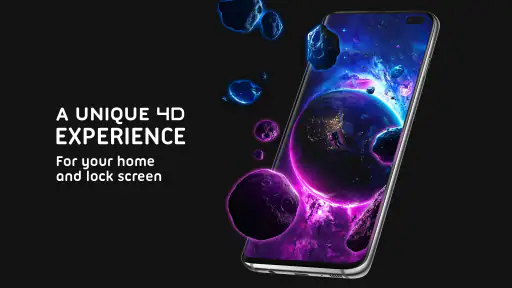
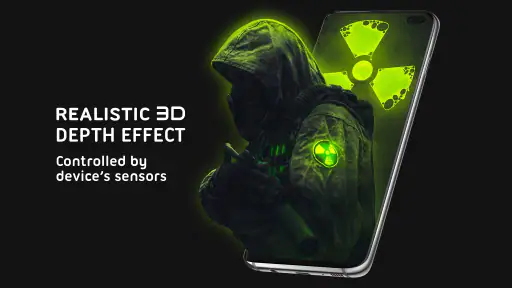
Analysis by Reviewed
Pixel 4D™ Live Wallpapers is a personalization app for anyone who wants their phone to feel less generic. I’d treat it as a visual change rather than a tool I need throughout the day: the main appeal is bringing movement and depth to the screen, not adding another complicated layer to everyday phone use.
A question of trust before choosing a wallpaper
Because this app changes the look of a device, I’d judge it first by the choices I can see and control, rather than assuming anything about its data practices. Pixel 4D™ Live Wallpapers is made by TarrySoft, is free to install, and is rated for Everyone. Its current version is 3.4.5, and it supports Android 6.0 and later. The app has a 4.7 average from around 1.1 million ratings and has been installed over 50 million times, which suggests that many people have tried it, but popularity alone isn’t a reason to ignore the choices shown on your own device.
Keep the setup deliberate
My practical advice is to take a moment when installing and setting up any live wallpaper app: read the permission prompts that appear, and only allow access that makes sense for the action you’re trying to take. I wouldn’t infer specific permissions or privacy controls without seeing them. If a prompt feels unrelated to selecting or applying a wallpaper, pause and decide whether you’re comfortable proceeding. That simple check is more useful than relying on assumptions based on the app’s category.
There are also ordinary data-sensitive moments to consider. Applying a wallpaper changes what appears on your screen, which may be visible to people nearby, especially when you unlock your phone in public or leave it on a desk. I’d preview a design in the context where I use my phone and consider whether a busy, bright animation is something I want others to notice. That’s a personal choice, but it’s worth making intentionally.
Captivating Visuals
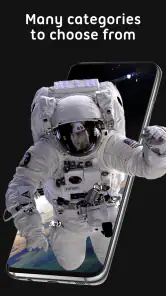
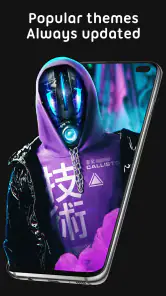
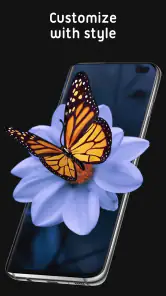
When you first dive into Pixel 4D™ Live Wallpapers, it's like stepping into a visual wonderland. The selection of live wallpapers available is nothing short of stunning. We're talking 3D effects that make your screen look as if it could reach out and grab you. I mean, who wouldn't want a dragon flying across their home screen or a serene beach scene with waves gently lapping at the shore? It's the kind of eye candy that makes you want to show off your phone to anyone willing to look.
For a useful first test, I’d try a wallpaper for a full day instead of judging it only from the preview. A design can look dramatic in a still moment yet feel distracting when you check the time or open your phone repeatedly. I’d also consider how its colors sit behind my icons: a high-contrast image may be striking, but a calmer background can make the home screen easier to scan. That’s a small choice that makes the customization feel practical, not just decorative.
Easy Peasy Setup
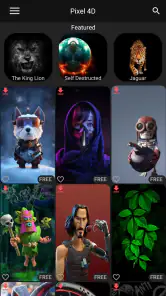
Installing and navigating through the app is as smooth as butter. Even if you're not the most tech-savvy person, you'll find it incredibly easy to set up. The interface is user-friendly, and choosing a wallpaper is as simple as browsing through a gallery and tapping on the one that catches your eye. Trust me, even if you're all thumbs when it comes to technology, Pixel 4D™ Live Wallpapers has got you covered.
More From Our News Desk

Weather by Xiaomi Review: Clear at a Glance, Less Clear Up Close

X Under Pressure: Can It Recover When Posting Goes Wrong?

Clash of Clans Is Won Between the Battles

Android Auto Makes the Case for Quieter Car Software

MobiOffice: Transforming Mobile Productivity with Seamless Integration

EA SPORTS FC™ Mobile Soccer: Redefining Mobile Sports Gaming
One thing I’d do before committing is check how the chosen image works on both the home screen and lock screen, if those options are presented during setup. A wallpaper that looks balanced on one can feel crowded on the other because the clock and icons occupy different areas. If your phone’s launcher offers its own crop or positioning controls, use those rather than settling for a composition that hides important details. This is especially helpful with portrait-style artwork and scenes where the focal point sits near an edge.
Pixel 4D™ Live Wallpapers is free to download, with optional in-app purchases ranging from $0.49 to $99.99 per item. I’d browse and preview before spending: the free starting point makes it easy to see whether the style suits me, while paid items may matter only if I want more choices. The app is a better fit for someone who enjoys changing their phone’s appearance than for someone who wants a purely functional screen and never thinks about wallpapers.
Battery Life Concerns
Now, I know what you're thinking. "Won't these live wallpapers drain my battery faster than my social media apps?" Surprisingly, the app is designed to be efficient. While it's true that live wallpapers can use more battery than static ones, Pixel 4D™ does an excellent job of managing resources. I noticed only a marginal dip in battery life, which, let's be honest, is a small price to pay for having a killer home screen.
Battery impact is one of those things I’d verify on my own phone rather than assume will be identical for everyone. Screen size, brightness, how often I wake the device, and the wallpaper itself can all shape my experience. If I have a long day away from a charger, I’d switch to a static image and see whether that trade-off feels worthwhile; if I’m mostly at home, a moving background may be an easy indulgence. This makes the app less appealing to people who prioritize every bit of battery life over appearance.
Customization Galore
If you're someone who loves to tweak and customize, you're in for a treat. The app offers a plethora of options to adjust the wallpapers to your liking. Whether it's changing the animation speed or tweaking the colors, you have the power to make the wallpaper truly yours. It’s like having a mini art studio right at your fingertips.
That flexibility is most useful when I want an effect without constant visual noise. I’d start with a slower animation and restrained colors, then adjust only if the result feels too subdued. A quick lock-screen glance is a good test: if the motion pulls my attention away from notifications or the time, I’d tone it down or choose a simpler image. For someone who likes a set-and-forget setup, the extra tweaking may feel unnecessary; a static wallpaper from the phone’s built-in gallery is simpler and avoids animation altogether.
Choosing the right kind of personalization
Compared with a standard static wallpaper, this app offers movement and a more dimensional look, while a built-in wallpaper gallery is usually the simpler choice for someone who wants minimal setup. Compared with broad personalization apps that focus on icons or themes, Pixel 4D™ is centered on animated backgrounds, so it makes sense when the wallpaper itself is the part of the phone you want to change. I wouldn’t choose it to solve a layout or productivity problem; its value is visual, and that’s enough if visual flair is what I’m after.
A realistic use case is changing the background before a weekend trip, then picking a quieter scene for workdays so the screen feels fresh without becoming a distraction. I’d preview it in ordinary lighting, check that app labels remain readable, and keep a static alternative ready for a low-battery day. If the moving effect still feels enjoyable after several unlocks, it’s probably earning its place; if I stop noticing it or find it distracting, switching back is easy in principle and doesn’t require rebuilding my phone’s whole layout.
Choosing with your eyes open
The practical question I’d ask before installing is not simply whether the artwork looks impressive, but whether I want motion to be part of a screen I glance at dozens of times. A live background can make a familiar device feel personal, yet it also competes with icons, the clock, and notifications. I’d start with a design whose main subject has clear space around it, rather than choosing the busiest image just because its preview catches my eye. That makes it easier to keep the screen legible once everyday information sits on top.
For a work phone, or a device I often leave face-up in meetings, I’d favor a subdued image and check the lock screen in the same lighting I use at work. Someone who uses a phone mainly for reading, navigation, or quick checks may prefer a still background because it keeps the interface visually quiet. By contrast, if I enjoy changing themes and showing friends a distinctive screen, the animated artwork is a more meaningful extra than a new icon pack. The right choice depends on how much attention I want the wallpaper to claim.
A sensible way to try it
I’d approach the first session as a short experiment rather than a commitment: browse, preview a few styles, apply one, and live with it through a normal routine. Notice whether movement remains visible when icons are on screen, whether the chosen colors make labels harder to read, and whether the animation feels pleasant after repeated unlocks. If the answer changes by context, keeping a static option in mind gives me an uncomplicated fallback without abandoning the personalization altogether.
There’s also a useful distinction between a wallpaper that looks good in a showcase and one that works in daily use. A bright, detailed image might be fun for a personal phone but a poor fit if I regularly show my screen to other people or rely on a quick glance to find an app. I’d choose for the least forgiving moment—bright daylight, a crowded home screen, or a low-battery day—rather than only for the best-looking preview. That small bit of restraint can make the result feel considered instead of merely flashy.
Who will enjoy the trade-off
I’d recommend trying it if you enjoy visual customization, want a more dimensional background, and are happy to spend a little time choosing and adjusting an image. It is also a reasonable option for someone who likes to refresh a phone’s look without changing its icons or overall layout. The free download makes exploring the style accessible, although optional purchases mean I’d check what I’m selecting before confirming any paid choice.
I’d skip it if my priority were the quietest possible screen, the simplest setup, or squeezing every possible bit of battery endurance from the phone. A built-in static wallpaper is a better match in those cases, and a broader theme tool makes more sense if the goal is to change icons and interface styling too. This app’s appeal is narrower: animated backgrounds are the point, so it works best when that specific change is what I actually want.
For anyone wondering whether to buy something immediately, I’d first decide whether the free selection gives me a style I’d genuinely keep. The optional purchases span a wide range, so I would avoid treating a preview as a reason to spend in a hurry. Choose an image, check how it looks with the real clock and icons, and only then decide whether exploring more choices is worth the cost. That workflow keeps the decision tied to how I use my phone, not just to the excitement of browsing.
In conclusion, Pixel 4D™ Live Wallpapers is a fantastic way to add some pizzazz to your phone. It's easy to use, offers a wide range of stunning visuals, and doesn't require you to sacrifice much in terms of battery life. If you're looking to impress your friends or simply want to enjoy a more vibrant interface, this app is definitely worth checking out. So go ahead, give your phone the makeover it deserves!
Pixel 4D™ Live Wallpapers Frequently Asked Questions
Can I preview wallpapers before applying one?
Yes. You can browse the available designs and preview a wallpaper before setting it as your background. This is useful for checking how its colors, animation, and parallax effect look on your display before making a change. If you are choosing a design for a lock screen, previewing it can also help you decide whether the visual style works well with your usual screen layout.
Does Pixel 4D™ Live Wallpapers include HD or 4K backgrounds?
The app’s collection includes HD and 4K live wallpaper options, as well as AMOLED visuals and animated 3D lock screen backgrounds. These formats give you different looks to choose from, whether you prefer a detailed animated scene or a darker style. You can browse and preview the available designs to find one that suits your display and personal taste.
Can Pixel 4D™ Live Wallpapers be used on both the home screen and lock screen?
The app’s animated backgrounds are designed for personalizing home and lock screens, with 3D and 4D parallax effects that add depth to the display. You can browse and preview wallpapers before applying one. How the wallpaper appears can depend on your device and its wallpaper settings, so it is worth checking the preview and available options on your phone.
What is Pixel 4D™ Live Wallpapers and how does it work?
Pixel 4D™ Live Wallpapers is an app that offers a vast collection of 3D and 4D live wallpapers for your Android or iOS device. It allows users to personalize their home and lock screens with high-quality animated backgrounds. The app uses advanced parallax effects to give a unique depth to wallpapers, creating a visually engaging experience. Users can easily browse through categories, preview wallpapers, and set them as their background with just a few taps.
Is Pixel 4D™ Live Wallpapers free to use?
Pixel 4D™ Live Wallpapers is available as a free download, providing access to a selection of wallpapers at no cost. However, it also offers a premium subscription service that unlocks additional features and exclusive content, such as an ad-free experience and access to a wider range of high-quality wallpapers. Users can choose between different subscription plans based on their preferences and needs. The app also offers in-app purchases, so check the purchase details shown in the app before choosing any paid option.
Pros
- Stunning 3D live wallpapers.
- Easy to navigate user interface.
- Wide variety of categories.
- Regular updates with new content.
- Customizable wallpaper options.
Cons
- Consumes significant battery life.
- Some content requires in-app purchases.
- Occasional app crashes reported.
- Ads can be intrusive at times.
- Limited offline functionality.
- Category
- Personalization
- Version
- 3.4.5













