GRUBL™ 4D Live Wallpapers + AI
- 8.84K
- 4.7
- Installs
- 10.00M
- Price
- Free

Screenshots
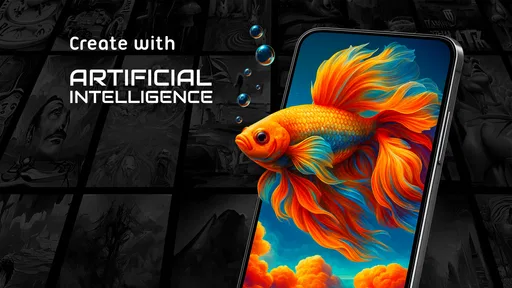
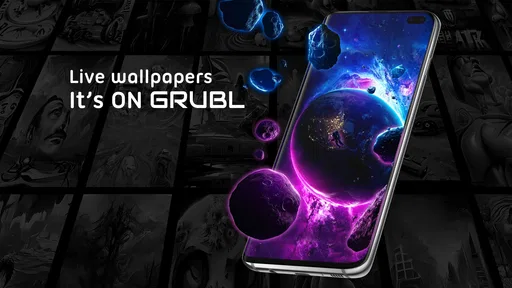
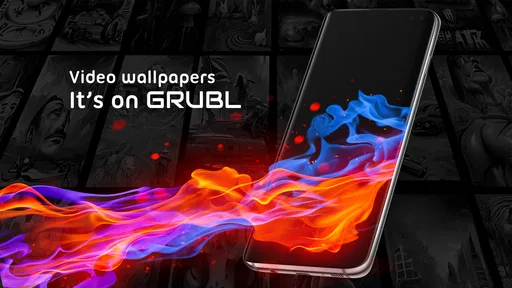
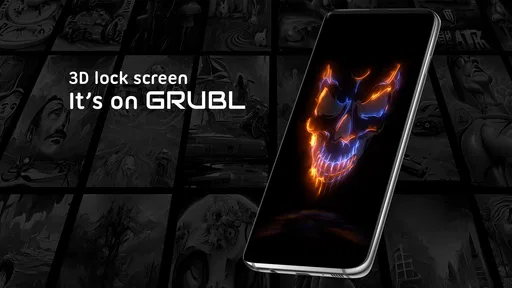
Analysis by Reviewed
I usually notice my wallpaper only when it gets in the way: a busy image makes app names hard to read, or an animation feels distracting when I’m checking something quickly. That’s why I judge a live-wallpaper app by more than its previews. GRUBL™ 4D Live Wallpapers + AI is for people who want their screen to feel more personal, but the real question is whether its moving designs and extra customization still feel comfortable during an ordinary day.
Speed starts with choosing the right effect
The first useful distinction is between browsing for a wallpaper and living with one. Browsing is about finding an appealing design; everyday performance depends on how that design behaves once it is set. A restrained scene is a sensible place to start if you care about a quick, uncluttered home screen. More elaborate motion may look more striking, but it is also the sort of choice I would test rather than assume will feel identical on every phone.
I wouldn’t use a dramatic preview as proof that the same effect will suit my routine. I’d apply one design, go through the usual pattern of unlocking, opening apps, and returning home, then decide whether the movement remains pleasant or starts to feel like visual noise. This small trial also helps separate a wallpaper that looks impressive for a few seconds from one I actually want to see repeatedly.
What changes when the wallpaper moves
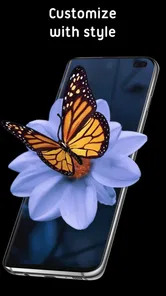
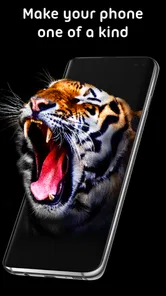
First off, let me tell you how blown away I was by the sheer variety of wallpapers. From mesmerizing 4D effects that literally pop out of your screen to the soothing AI-generated designs, GRUBL™ 4D Live Wallpapers + AI offers something for everyone. As soon as I installed the app, I found myself lost in a sea of vibrant colors and dynamic animations that make your screen come to life.
GRUBL is a free personalization app from TarrySoft, with optional in-app purchases ranging from $0.49 to $99.99 per item. It has a 4.7 average from around 405,000 ratings, and more than 10 million installs. The current version is 3.6.11, it was released on July 18, 2018, and its age rating is Everyone. Those figures suggest a well-established option, but they don’t tell me how a particular animation will feel on your phone: a simple background and a busy 4D scene can make very different demands.
Finding a look without getting lost
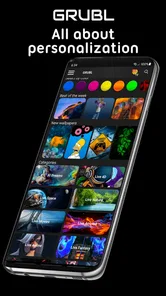
One thing I absolutely love is how user-friendly this app is. Even if you're not tech-savvy, navigating through the app is a breeze. The layout is clean, and all the categories are well-organized. Whether you're into abstract art, nature scenes, or futuristic designs, finding your perfect wallpaper is just a tap away.
For everyday use, I’d treat browsing as a quick shortlist rather than trying to pick a permanent favorite immediately. Save a few contrasting styles in mind, then preview them against the way you actually use your home screen. Fine detail that looks impressive on a full-screen preview may compete with icons or make text harder to read. If you like changing the phone’s mood with the seasons or simply get bored of a static image, the range of moving and still-looking designs gives you room to experiment. If you mainly want one quiet background that never changes, a basic wallpaper picker may be simpler.
More From Our News Desk

Weather by Xiaomi Review: Clear at a Glance, Less Clear Up Close

X Under Pressure: Can It Recover When Posting Goes Wrong?

Clash of Clans Is Won Between the Battles

Android Auto Makes the Case for Quieter Car Software

MobiOffice: Transforming Mobile Productivity with Seamless Integration

EA SPORTS FC™ Mobile Soccer: Redefining Mobile Sports Gaming
A useful test is to look at the design behind your most-used icons, not just at the center of the preview. If its brightest or busiest part sits beneath app labels, try a calmer option; visual contrast matters more when you glance at the screen repeatedly than when you inspect an image on its own. This is a practical reason to keep a couple of styles in mind rather than chasing the most detailed choice.
The practical speed question is less about opening the catalog and more about what happens after you apply a moving design. I wouldn’t assume every wallpaper feels equally light: intricate motion and visual effects can be more demanding than a restrained scene, and results depend on the device. I’d start with a favorite that has less movement, use the phone normally for a while, and then try a more elaborate effect. That makes it easier to decide whether the extra motion is worth it on your own screen.
AI suggestions, video backgrounds, and a useful way to browse
Now, the AI feature is where things get really interesting. The app uses artificial intelligence to suggest wallpapers based on your preferences. It's like having a personal designer who knows exactly what you're in the mood for. I was amazed at how accurately it picked designs that matched my style.
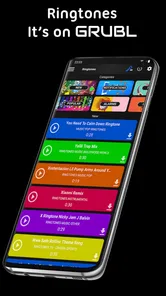
I’d use those suggestions as a starting point, not as a guarantee that the first result will be perfect. A useful approach is to notice which colors and visual themes you keep choosing, then compare the AI picks with the broader wallpaper selection. That gives you a way to discover a look you might not have searched for by name while still keeping control of the final choice. The app also includes video backgrounds in HD and 4K, plus ringtones, so it reaches beyond the usual static-wallpaper alternative; the trade-off is that more ways to customize can mean more browsing before you settle on a setup.
If you’re choosing between an AI suggestion and a video background, think about what you want from the screen rather than which option sounds more advanced. Suggestions are useful for finding a direction when you don’t have a particular image in mind. A video background is appealing when you already know you want motion. I’d avoid changing several things at once: pick a background first, live with it, and only then decide whether adding another kind of personalization makes the phone feel more like yours or simply busier.
A realistic routine might be to choose a more understated design for workdays, then switch to a bolder animated background when you have time to enjoy it. If you share a device or rely on a clean, consistent layout, frequent changes may be more distracting than fun. And if you prefer to avoid visual motion altogether, a static image from your phone’s standard wallpaper settings is likely the better fit.
Heavy-use moments and everyday reliability
We all know that live wallpapers can sometimes drain your battery faster than you'd like. Thankfully, the developers at GRUBL™ have thought this through. The app includes battery-saving options that optimize performance without compromising on the visual appeal. So, you can enjoy the stunning effects without constantly worrying about your phone dying on you.
Even with battery-saving options, I’d judge the effect by using the wallpaper for a normal day rather than relying on a general promise. If battery life matters most, choose a less active look and see whether it suits your routine before committing to a dramatic animation. That is also a sensible way to assess stability: apply one wallpaper, use the home screen and lock screen as usual, and notice whether the experience stays comfortable. If something looks wrong or feels sluggish, switching back to a simpler background is a straightforward first step; I wouldn’t keep a demanding visual just because it looked good in preview.
For a practical check, pay attention during the moments when you return to the home screen most often: after a message, between tasks, or when you’re checking the time before heading out. A wallpaper that feels smooth during a deliberate preview can seem less welcome when you’re in a hurry. If the screen feels cluttered or the movement draws your eye away from what you need, changing to a quieter design is a better response than trying to make yourself tolerate it.
Device compatibility matters too. GRUBL requires Android 8.0 or later, so it isn’t an option for an older Android version, and the same live effect may not feel identical across phones. Someone with a device that already struggles with everyday tasks may be better off with a static background. For a newer or more capable phone, the appeal is the chance to give the screen more personality without having to build a theme from separate tools. I’d still keep the home screen readable: a wallpaper should frame your icons, not fight them.
There is also a difference between an occasional pause while exploring a catalog and a problem that follows you back to the home screen. I’d first try a less complex background and see whether the everyday feel improves. That gives you a simple way to narrow down whether the visual choice is the issue, without turning a wallpaper experiment into a larger troubleshooting project. If a plain background is still your preference, there’s little reason to keep an animated effect just for the sake of using one.
Who will enjoy the extra motion
Overall, I would say that GRUBL™ 4D Live Wallpapers + AI is a must-have for anyone looking to add a bit of flair to their device. The app combines style, technology, and functionality in a way that's truly impressive. Whether you're looking to impress your friends or just enjoy a more dynamic home screen, this app has got you covered. So, why not give it a shot and see your phone transform like never before?
My enthusiasm does come with a condition: it’s a better fit for people who enjoy experimenting than for someone who wants the least noticeable option and never plans to revisit their wallpaper. The free starting point makes it approachable, while purchases are available for users who want to explore more; I’d browse and test the everyday feel before spending. With 8.7K reviews alongside its much larger pool of ratings, there is clearly plenty of user feedback to consider, but I’d still put more weight on how it behaves on your own phone. My verdict is that GRUBL is worth trying if moving art, AI-led discovery, and several kinds of personalization sound enjoyable to you. If dependable simplicity, minimal motion, or the lightest possible home screen is your priority, stick with a static wallpaper tool instead.
The clearest fit is someone who likes a phone to reflect their mood and is happy to spend a little time finding a style that works with their icons. It’s also useful if you tend to browse without a specific image in mind: AI suggestions can give you a starting point, while the wider selection lets you decide whether a suggested look is actually right. People who want a set-it-and-forget-it background, need the simplest possible screen, or dislike animation should skip the moving effects and use a standard static wallpaper instead.
My performance verdict is cautious but positive: the choice of visual style matters more than the headline appeal of 4D motion. Start with a calmer design, check readability and comfort during your normal routine, and move to a more active look only if the phone still feels right to use. That approach makes the app’s variety an advantage rather than a reason to over-customize, and it gives you a clear way to decide whether the extra movement earns a place on your home screen.
GRUBL™ 4D Live Wallpapers + AI Frequently Asked Questions
Is GRUBL™ compatible with my phone’s operating system?
GRUBL™ is a personalization app for Android, with a minimum operating system requirement of Android 8.0. If your phone meets that requirement, it can run the app. The app is designed around live wallpapers, video backgrounds, AI-created visuals, and ringtones, so you can consider whether those options suit the way you like to personalize your device.
What is GRUBL™ 4D Live Wallpapers + AI?
GRUBL™ 4D Live Wallpapers + AI is a dynamic application designed to enhance your device's aesthetics with stunning 4D live wallpapers. It utilizes AI technology to offer personalized wallpaper suggestions, ensuring your screen always looks fresh and unique. Available on Android and iOS, it provides a seamless user experience with a wide array of themes. The app is developed by TarrySoft and also offers 3D wallpapers, video backgrounds in 4K and HD, an AI Creator, and ringtones.
How does the AI feature work in GRUBL?
The AI feature in GRUBL analyzes your preferences and device usage patterns to suggest wallpapers that align with your taste. By leveraging machine learning algorithms, it continuously learns and updates its suggestions, offering a highly personalized experience. This ensures that the wallpapers are not only visually appealing but also resonate with your style. GRUBL also includes an AI Creator, giving the app an option for users interested in creating AI-assisted visuals.
Is GRUBL™ 4D Live Wallpapers free to use?
GRUBL™ offers a freemium model. Users can download the app for free and access a selection of wallpapers without any cost. However, for an enhanced experience, including premium wallpapers and features, users can opt for in-app purchases or a subscription plan, providing access to exclusive content and ad-free usage. In-app purchases range from $0.49 to $99.99 per item, so it is worth checking the purchase details before choosing paid content.
What devices are compatible with GRUBL™ 4D Live Wallpapers?
GRUBL™ 4D Live Wallpapers is compatible with most Android and iOS devices. It supports a wide range of smartphones and tablets, ensuring that users can enjoy the dynamic wallpapers regardless of their device model. It's recommended to have the latest operating system updates for optimal performance and compatibility. On Android, the app requires version 8.0 or later.
Pros
- Stunning 4D live wallpapers for customization.
- Regular updates with new wallpaper content.
- AI integration for dynamic wallpaper effects.
- Battery optimization reduces power usage.
- User-friendly interface with easy navigation.
Cons
- Limited free content; most require purchase.
- Occasional lag on older devices.
- High storage requirement for wallpapers.
- In-app ads can be intrusive.
- Requires internet connection for updates.













