PhotoApp - AI Photo Enhancer
- 3.67K
- 4.2
- Installs
- 10.00M
- Price
- Free
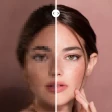
Screenshots
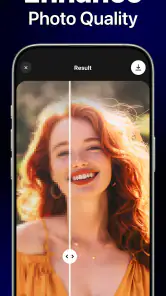



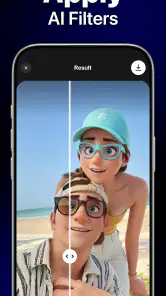
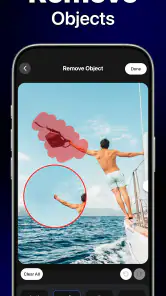
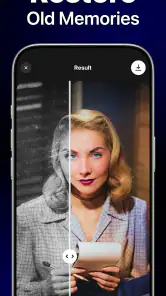
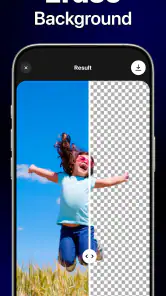
Analysis by Reviewed
Ever found yourself scrolling through your camera roll, reminiscing those good ol’ days, only to be disappointed by the blurry, grainy quality of your photos? Well, fret not, because PhotoApp - AI Photo Enhancer might just be the magic wand you’ve been searching for. This app promises to breathe life back into your photos with just a few taps. Let’s dive right into how it works and whether it’s worth your time and storage space!
Unleashing the Power of AI
Alright, let’s talk tech. The crux of this app lies in its use of artificial intelligence. Now, I know what you’re thinking: “AI? Isn’t that just for robots and sci-fi movies?” But hold up, because AI is revolutionizing how we edit photos. PhotoApp - AI Photo Enhancer leverages AI to analyze your photos and make smart enhancements. It’s like having a professional photo editor at your fingertips 24/7. Whether you want to sharpen the details, adjust the colors, or simply enhance the overall look, this app’s got you covered.
User-Friendly Interface
One of the things I personally love about this app is its user-friendly interface. No more fumbling around trying to figure out which button does what. Everything is laid out intuitively. You open up your photo, tap on the enhancement options you want, and voila, your photo gets a facelift! For those who might not be tech-savvy, don’t worry. The app guides you every step of the way, making the process as smooth as a freshly ironed shirt.
Why You’ll Want to Try It
So, what sets this app apart from the myriad of other photo enhancers out there? First off, it’s all about convenience. The app allows you to preview changes in real-time, so you’re not left guessing how your photo will turn out. Plus, it supports a variety of formats, which means you can enhance everything from your phone selfies to those high-resolution shots on your DSLR.
And let’s not forget about sharing. Once you’ve worked your magic, sharing your photos on social media is a breeze. The app integrates seamlessly with platforms like Instagram and Facebook, letting you show off your newly enhanced photos with the world at the tap of a button.
A Few Considerations
Now, while the app is mostly free to use, there are in-app purchases that unlock additional features. It’s worth considering if you’re someone who’s constantly editing photos and looking to make the most out of what the app offers. Also, depending on the original quality of your photos, results may vary. While PhotoApp - AI Photo Enhancer does an impressive job, it’s not a miracle worker for extremely low-resolution images.
Overall, PhotoApp - AI Photo Enhancer is a nifty tool for anyone looking to spruce up their photo collection without diving into the complexities of professional editing software. Whether you’re a casual snapper or a photo enthusiast, it’s worth giving this app a whirl. After all, who doesn’t want their photos to look their best?
Pros
- Enhances photo quality effectively.
- User-friendly interface.
- Supports batch processing.
- Quick processing time.
- Compatible with various formats.
Cons
- May require a subscription.
- Limited free features.
- Occasional processing errors.
- High-quality images take space.
- Requires stable internet connection.

- Category
- Photography
- Version
- 2.9.5











