Momo - AI Photo Generator
- 3.46K
- 4.5
- Installs
- 5.00M
- Price
- Free

Screenshots


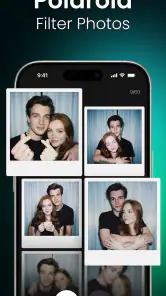





Analysis by Reviewed
Have you ever wondered what it would be like to bring your imagination to life with just a few taps? Well, let me introduce you to Momo - AI Photo Generator, the app that’s causing a buzz in the world of digital creativity. I’ve had the pleasure of exploring this app, and I’m here to give you the scoop.
Unleashing Creativity with AI
Right off the bat, Momo - AI Photo Generator stands out with its unique ability to transform ordinary photos into extraordinary pieces of art. The app uses advanced AI technology to analyze your photos and redesign them in a plethora of artistic styles. Whether you’re into watercolor, oil painting, or even abstract art, Momo’s got you covered.
Features That Make Momo a Must-Have
Let’s dive into some of the features that make this app a standout. First off, Momo offers an extensive library of artistic filters. You can easily switch between styles and find the perfect one that matches your mood or the message you want to convey. What’s more, the app is incredibly user-friendly. Even if you’re not tech-savvy, navigating through its features is a breeze.
Another cool feature is the real-time preview. This allows you to see how your photo will look after applying a particular style before you commit to the transformation. It’s like trying on clothes before buying them, but for your photos!
Why Momo is Worth Your Time
Now, you might be wondering, why should I choose Momo over other photo editing apps? The answer lies in its efficiency and the quality of its output. The AI not only transforms your photos quickly but does so with a level of detail that’s genuinely impressive. Plus, the app is regularly updated with new styles and features, so there’s always something fresh to try out.
Moreover, Momo supports high-resolution output, which means your photos will look just as stunning when printed as they do on your screen. This is perfect for those who love to showcase their art in physical form.
Final Thoughts
In a nutshell, Momo - AI Photo Generator is a fantastic tool for anyone looking to explore their artistic side without needing any special skills or equipment. It’s fun, intuitive, and it opens up a world of creative possibilities. Whether you’re an artist looking for inspiration, a social media enthusiast wanting to spice up your posts, or just someone who loves playing around with photos, Momo is definitely worth a try. So, go ahead, unleash your creativity, and watch as Momo turns your everyday photos into works of art!
Pros
- Generates high-quality AI images
- Easy to use and intuitive interface
- Offers a wide range of styles
- Fast image processing times
- Regular updates with new features
Cons
- Limited free features
- Occasional glitches in image rendering
- Subscription model can be pricey
- Requires internet connection
- Limited customization options

- Category
- Photography
- Version
- 2.7.6











