HD Camera
- 4.30K
- 4.6
- Installs
- 100.00M
- Price
- Free

Screenshots
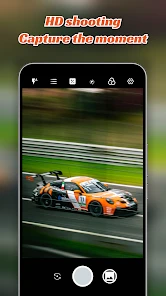
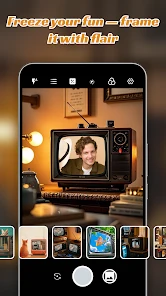
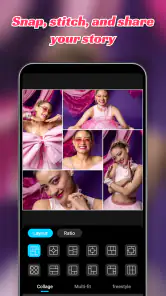
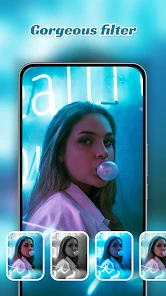
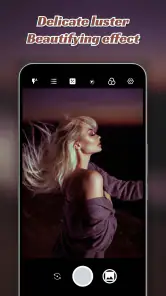
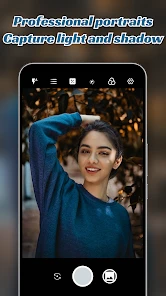
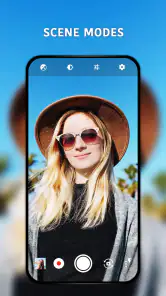

Analysis by Reviewed
When I’m deciding whether to use a camera app, I want to know more than whether it can take a sharp picture. I also care about whether its controls make sense at a glance, whether I can manage them comfortably, and whether the app fits the way I actually take photos. HD Camera is a photography app from HD Camera, and its appeal is a familiar camera experience with room to adjust a few settings. I’d see it as an option to try when the phone’s built-in camera feels limiting, while keeping in mind that comfort and results can depend on the device and the person using it.
Readability and navigation in a quick moment
When I open a camera, I’m often trying to catch something that will not wait: a friend waving across a room, a pet turning toward the window, or a short-lived change in the sky. A simple layout can help in those moments, but I wouldn’t assume that every control is equally easy to find for every user. Before relying on it for an important occasion, I’d spend a few minutes at home locating the settings I expect to use and checking whether their labels and placement are comfortable for me.
The most useful test is to practise a small routine: open the app, frame an ordinary object, adjust one setting, and take a picture. That shows whether switching between the viewfinder and controls feels manageable without the pressure of a one-time shot. If I regularly adjust exposure or white balance, learning where those controls sit beforehand is more practical than hunting for them outdoors.
Motor and sensory considerations
Camera use involves more than seeing the scene. Holding a phone steady, tapping a small control, and timing a shutter press can all be challenging in different circumstances. A useful approach is to keep the phone supported on a table, ledge, or other stable surface when the scene allows it, then compose the shot before changing settings. I’d also avoid making several adjustments while trying to follow a moving subject; choosing the basic setup first leaves more attention for framing.
Filters can change how a preview looks, so I’d compare the view with and without one before settling on an effect, especially when accurate colour matters. For a document, a sign, or a keepsake where faithful detail is the priority, a plain capture is usually the safer starting point. A filter may be more welcome for a casual portrait or a social post, where mood matters more than exact colour.
Why Choose HD Camera?
First off, the app is all about delivering high-quality photos without the fuss. The interface is super friendly, even for those who might not be tech-savvy. With just a few taps, you can adjust settings like ISO, white balance, and exposure, which are perfect if you want to get a bit creative with your shots.
Features That Stand Out
One of the features I absolutely love is the real-time filter option. You can see how your photo will look with a filter even before you snap it. This is particularly handy when you’re trying to get that perfect Instagram shot without the need for post-editing. The app also supports HD video recording, which is a huge plus if you're into vlogging or just want to capture life’s moments in high definition.
More From Our News Desk

Weather by Xiaomi Review: Clear at a Glance, Less Clear Up Close

X Under Pressure: Can It Recover When Posting Goes Wrong?

Clash of Clans Is Won Between the Battles

Android Auto Makes the Case for Quieter Car Software

MobiOffice: Transforming Mobile Productivity with Seamless Integration

EA SPORTS FC™ Mobile Soccer: Redefining Mobile Sports Gaming
Let’s not forget about the app's amazing focus modes. Whether you're shooting a bustling cityscape or a serene sunset, the auto-focus and manual focus settings ensure that your photos are always sharp and clear. The burst mode is another feature that deserves a shoutout – it’s great for action shots, especially if you have kids or pets who just won’t sit still!
Making the controls work for your situation
For a family gathering, I’d set up before the moment arrives: choose a framing, check focus, and leave burst mode ready for a quick sequence if someone is moving. That workflow is more dependable than trying to change several controls while a child is already running past. Burst shots can also create extra pictures to sort through, so I’d use them for brief action rather than every scene.
For a still subject, manual focus can be useful when the automatic choice keeps favouring the wrong detail, but it asks for patience and a steady hand. I’d take a test frame and inspect it before assuming the focus is right. Auto-focus is the easier choice for spontaneous scenes; manual adjustment makes more sense when I can pause and compose. That distinction matters more than treating one mode as universally better.
User Experience
Using the app feels intuitive and smooth. The app doesn’t lag, which is a relief because there’s nothing more frustrating than a camera app that freezes just as you’re about to capture the perfect moment. Plus, it doesn’t bombard you with ads, allowing you to focus on what really matters: taking great photos.
Another aspect worth mentioning is the app’s compatibility. Whether you’re on Android or iOS, the app is optimized for both platforms, ensuring you receive a consistent and high-quality experience no matter what device you’re using.
Choosing it over the usual camera options
Compared with a phone’s built-in camera, a separate camera app is most worthwhile when its controls suit your habits or its preview effects help you decide on a look before taking the shot. The built-in app may still be the better choice if you already know its layout, rely on its connection to other phone features, or need a familiar control at speed. I’d compare the two using the same subject and lighting rather than judging from one unusually good or poor picture.
For someone who mainly wants to point and shoot, the extra settings may not change much. For a curious beginner, being able to explore exposure, ISO, focus, and white balance offers a practical way to learn how small adjustments affect a photo. I’d change one setting at a time and keep a plain version as a reference; that makes the result easier to understand than changing several things at once.
Situational access and remaining barriers
The app is free, has an Everyone content rating, and its current version is 1.4.12. It has a 4.6 average from around 402,000 ratings and over 100 million installs, which suggests that many people have tried it, but popularity cannot tell me whether its controls suit my hands or eyesight. It was released on April 10, 2018, and lists Android 4.4 as its minimum operating system requirement, so I’d check that my device meets the requirement before installing.
One practical question is whether it will suit an older or less powerful phone. The minimum Android requirement gives a starting point, but I’d test it on the device I plan to use rather than assume that every camera option behaves identically across hardware. Another is whether it can replace a dedicated editing app: its live filters help preview a look, while someone who wants detailed edits after taking a picture may prefer a separate editor or the phone’s own camera-and-editing workflow.
For reading and control access, I’d judge the actual screen on my own phone. A bright outdoor setting, glare, small controls, or difficulty holding the device can make any camera harder to operate. If touching the shutter is uncomfortable, a stable support and a slower, still-subject workflow may help, but someone who needs specific assistive controls should first check whether those controls work reliably with this app on their device. I would not choose it on the assumption that it has a particular accessibility feature.
Everyday moments and a more deliberate workflow
A useful everyday test would be photographing a meal before it cools or capturing a quick clip at a family visit. In either case, I’d open the camera before the moment begins, check the framing, and decide whether a filter or focus adjustment is actually needed. That small pause can prevent fumbling with controls while people are waiting, and it gives me a chance to see whether the screen is readable in the room’s lighting.
For a small object such as a craft project or a handwritten note, I’d place it near even light, steady the phone, and take one plain image before experimenting with settings. If the text looks soft, I’d change the distance or focus and try again rather than assume a filter will make it clearer. This is a practical distinction: camera controls can help shape a capture, but they cannot compensate for poor light, movement, or an awkward angle.
Video is a different use case from a still photograph. Since the app supports HD video recording, it may suit a casual clip or a simple vlog, but I’d test the whole process before an event: framing, focus, and whether I can hold the phone comfortably for the intended duration. For longer recordings, a support can reduce fatigue and wobble. If I need a polished production workflow with extensive editing, a dedicated video tool may be a better fit than treating a camera app as a complete studio.
Who is likely to appreciate the extra control
I’d recommend trying it if you want to learn what exposure, ISO, white balance, and focus changes do without immediately moving to a dedicated camera. The best way to learn is to photograph the same stationary subject several times, changing one control at a time and comparing the results. That gives the settings a clear purpose rather than turning experimentation into a confusing stack of adjustments.
It is also a reasonable option for people who enjoy previewing a look before they take a picture. A live filter can help with casual portraits or social photos when the intended mood matters more than precise colour. I’d avoid relying on an effect for anything where accurate appearance is important, and I’d keep the unfiltered approach in mind for records, labels, and documents.
On the other hand, I’d skip it if the standard camera already gives you a fast, comfortable routine and you rarely touch manual controls. Extra choices are only useful when they solve a real problem; otherwise, another interface can add steps at the exact moment you want to take a quick picture. I’d also look elsewhere if a particular assistive method is essential and has not been tested with this app on your phone.
What to check before relying on it
People often want to know whether a separate camera app will make photos better automatically. I wouldn’t expect that. The outcome still depends on the phone’s camera hardware, the light, how steady the phone is, and the choices made while framing. The app’s appeal is its set of controls and preview options, not a guarantee that every result will surpass the built-in camera.
If you are wondering whether it can replace an editor, I’d draw a line between choosing a look before capture and making detailed changes afterward. The live filters are useful for previewing an effect, but a person who wants careful retouching or a complex edit may be happier keeping a separate editing app in their workflow. Likewise, anyone who mainly needs quick snapshots may prefer the familiar camera already on the phone.
For a first trial, I’d take the same simple picture in both apps, in similar light, then compare not only image appearance but also how many steps it took to get there. Try one still subject and one moving subject, because the convenience of manual controls can change when timing matters. If the screen is hard to read or a control is awkward to reach, that practical friction matters more than a feature list.
Final Thoughts
All in all, if you're in the market for a robust camera app that offers both simplicity and a suite of advanced features, the app should be at the top of your list. It's an excellent tool for anyone looking to elevate their photography game without needing to invest in an expensive camera. So, next time you’re out and about, give it a try and see how it transforms your photos from ordinary to extraordinary!
My recommendation is more specific: try it if you want hands-on camera controls and enjoy experimenting with focus, exposure, or filters, especially for planned portraits, still scenes, and informal video. I’d skip it if your priority is the least possible interaction, if you need a camera workflow already tailored to particular accessibility needs, or if your phone’s standard camera does everything you want. A quick comparison on your own device is the fairest test. For me, the app’s value is in having extra choices available when I want them, not in assuming that every photo needs more adjustment.
As a photography app developed by HD Camera, it is free to try, and its Everyone rating makes its intended audience broad. I’d still make the decision based on a short, personal test rather than its 4.6 average or large install count: do the controls feel clear, can you use them without strain, and do the extra options improve the pictures you actually take? If the answer is yes, it earns a place in your camera folder. If not, there is no reason to leave the built-in camera that already works for you.
HD Camera Frequently Asked Questions
Will HD Camera work on my Android device?
HD Camera is an Android photography app, and it requires Android 4.4 or later. Check your device’s Android version before downloading to make sure it meets that minimum. The app is intended for taking pictures, so your device also needs a working camera to use its central function. Compatibility with this minimum system requirement is a useful first step before deciding whether it suits your phone or tablet.
How much does HD Camera cost to download?
HD Camera is free to download, so you can try the app without paying an upfront purchase price. If you are comparing camera apps, it is worth considering whether you want a straightforward photography tool or one with a particular set of controls and extras. Downloading for free makes it easier to see how the app works on your device and whether its camera-focused approach fits your needs.
Who develops HD Camera, and what kind of app is it?
HD Camera is a photography app developed by HD Camera. Its store summary describes it as an incredible professional camera app, while its short description is simply “HD Camera.” That camera-focused identity may appeal if you are looking for an app centered on taking pictures rather than a social network or a general photo-editing service. The app is rated for Everyone.
Can I use HD Camera without creating an account?
HD Camera is a photography app built around taking pictures, so you can approach it as a camera rather than a social network. Before downloading, consider whether you want an app for direct shooting or a service that also organizes and shares photos online. The app is free, and its simple name and camera-focused purpose make it straightforward to identify in the photography category.
What features does the HD Camera app offer to enhance my photography experience?
The HD Camera app is designed to elevate your photography with features such as high-resolution image capture, various shooting modes including night, panoramic, and burst modes, and advanced editing tools. Additionally, the app supports real-time filters, ensuring you can see the effects before capturing the image. It also provides manual controls for focus, exposure, and white balance, catering to both amateur and professional photographers.
Pros
- High-resolution image capture
- User-friendly interface
- Wide range of filters
- Fast image processing
- Easy social media sharing
Cons
- Consumes significant battery
- Large app size
- Limited editing tools
- Ads in free version
- Requires modern hardware
- Category
- Photography
- Version
- 1.4.12