Gallery
- 6.76K
- 4.3
- Installs
- 1.00B
- Price
- Free

Screenshots



Analysis by Reviewed
I reach for a phone gallery most often when I need to find one image quickly, not when I’m planning a full creative project. That makes Gallery useful as a practical starting point: it brings everyday photos and videos into one place so I can review, sort, and decide what to keep or share. Google LLC makes this free photography app, and its straightforward role is appealing if you want a familiar way to browse your camera roll rather than a separate editing studio.
A useful starting point for everyday images
Gallery is aimed at the moment after you take a photo: checking whether it came out well, finding an older picture, or choosing a few images to send along. I can imagine using it after a family gathering to pick out the clearest shots, or while travelling to revisit the day’s pictures without digging through unrelated files. Its broad appeal is reflected in an average rating of 4.3 from around 541,000 ratings, and more than a billion installs. Those figures suggest a familiar tool with a large audience, though popularity alone can’t tell you whether it suits your own habits.
The app is free and rated Everyone, which makes it an easy option to try on a compatible device. It was released in 2019 and the current release is version 1.9.2.712403868; it requires Android 8.0 or later. Those details matter if you’re setting up an older phone or deciding whether this can be a shared, everyday gallery for a household. I’d still treat the app as a viewer and organizer first, and check that its actual tools match your workflow before relying on it for a more involved creative job.
The Latest on Gallery
From choosing a shot to sharing it
Have you ever found yourself lost in the sea of photos on your phone, desperately trying to find that one perfect shot from last summer’s beach trip? Well, fret no more, because Gallery is here to save the day! If you’re like me, your phone is probably overflowing with pictures from random brunches, sunsets, and those adorable pet pics. Gallery is a fantastic app that organizes all those memories in a snap, making it super easy to find exactly what you need when you need it.
Features That Make Your Life Easier
The first thing I noticed about this app is its clean and intuitive interface. It’s like walking into a well-organized room after a long day. You can sort your photos by date, location, or even customize your own albums. This flexibility is a real game-changer. Plus, there’s a neat feature that allows you to hide certain albums – perfect for keeping those surprise party pics under wraps!
Smart Organization
One of the standout features of Gallery is its smart organization. The app automatically categorizes your photos, which means less scrolling and more strolling down memory lane. It uses some impressive tech to recognize faces and places, making it a breeze to pull up all your photos from that epic road trip or your grandma’s birthday bash.
Making a sensible selection
For a practical workflow, I’d use albums as temporary workspaces rather than trying to turn the whole camera roll into a filing system. After a weekend away, for example, I can gather likely keepers into one album, compare similar shots, and choose a few for a family message. That also makes it easier to avoid sending a near-duplicate or an unflattering frame by mistake. Once the task is over, I can remove the temporary collection without needing to reorganize every photo on the phone.
More From Our News Desk

Weather by Xiaomi Review: Clear at a Glance, Less Clear Up Close

X Under Pressure: Can It Recover When Posting Goes Wrong?

Clash of Clans Is Won Between the Battles

Android Auto Makes the Case for Quieter Car Software

MobiOffice: Transforming Mobile Productivity with Seamless Integration

EA SPORTS FC™ Mobile Soccer: Redefining Mobile Sports Gaming
Date-based browsing is especially useful when I remember roughly when a picture was taken but not its filename or subject. Location sorting can help when location information is available, but I wouldn’t build a workflow that depends on it: images received from someone else or saved from another app may not have the same context as a camera photo. When a search matters, I’d keep a rough date in mind and use the album as a dependable second step rather than assuming every image will be recognized perfectly.
Backup and Sync
Another thing I love about this app is the peace of mind it offers with its backup and sync options. Never again will you have to panic about losing your precious memories if your phone decides to take an unexpected dip in the pool. Everything is safely backed up and can be accessed from any device. It’s like having your own personal cloud, minus the monthly fees!
Making an edit without losing the plot
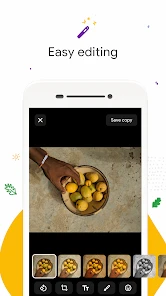
For a quick correction, an in-gallery editor can be convenient: I can inspect a picture, make a modest adjustment, and move on to sharing it. I’d keep the original untouched until I’m happy with the result, especially if the image is important or difficult to recreate. Before editing a whole batch, I’d test the steps on one photo and check how it looks after saving. That small trial helps reveal whether the available controls suit the job before I repeat the process across several images.
There’s a clear boundary between preparing a photo and producing a designed asset. If I need to combine images, add carefully aligned text, manage layers, or make consistent changes across a large set, I’d switch to a dedicated editor. A gallery is valuable because it keeps choosing and checking pictures simple; expecting it to replace a full creative suite would make the workflow clumsier, not more efficient.
Editing Tools
Now, let’s talk about the editing tools. They’re not just your run-of-the-mill filters. We’re talking about in-depth editing options that allow you to tweak brightness, contrast, and even remove those pesky red-eye effects. It’s like having a mini Photoshop right in your pocket. This means you can make your photos Instagram-ready in seconds, which is a huge win in my book.
But wait, there’s more! The app also supports a wide range of photo formats, so it doesn’t matter if your friend sent you a weird file type; Gallery has got you covered. It’s truly versatile and adapts to your needs, whatever they may be.
User Experience
Using Gallery feels like having a personal assistant who knows exactly where everything is. The app is fast, responsive, and doesn’t drain your battery, which is crucial for someone who’s always on the go. And if you ever run into any issues, their customer support is top-notch. They genuinely care about making sure you have the best experience possible.
Everyday use and practical limits
A realistic use for me is sorting photos while waiting for a train: I can revisit the day’s shots, set aside the ones I may want to share, and delete obvious mistakes when I’m sure I don’t need them. That’s a lighter task than editing at a desk, and it’s where a phone gallery earns its place. I’d avoid doing a rushed clean-up when storage pressure is making me impatient; it’s easy to remove a photo that seemed unimportant in the moment but matters later.
For privacy, hiding an album can reduce the chance that someone casually browsing sees its contents, but it should not be mistaken for strong protection. I’d use it for keeping a surprise or a personal collection out of ordinary view, not as a secure vault. If other people use the phone, the safer habit is to keep sensitive material off a shared device or use a dedicated, clearly protected option.
Compared with a phone’s built-in gallery, Gallery is worth trying if its browsing and album approach feels more natural to you; the preinstalled option may still be better if it already fits your routine or works more closely with your device. Compared with a cloud-focused photo service, it serves a different purpose. Seeing an image in a gallery doesn’t by itself prove that another copy exists elsewhere, so I’d check the backup workflow and confirm that important pictures can be reached from another device before treating them as protected.
Making a clean handoff
For a simple share, I’d use the gallery to select the image, make any small adjustment I need, and then pass it to the app or person I’m sending it to. That keeps the gallery in its lane: it helps me locate and prepare a photo, while a dedicated editor or publishing app can take over when I need layers, typography, batch work, or precise control over a finished asset. If a post matters professionally, I’d also inspect the exported image in its destination before publishing, rather than assuming that a quick in-gallery edit is the final quality check.
Where it fits—and where it doesn’t
Compared with the gallery that comes preinstalled on a phone, the practical question is whether this one makes browsing and album handling feel clearer for you. Compared with a cloud-photo service, a local gallery is a different kind of tool: don’t assume that seeing pictures here means they are backed up somewhere safe. If keeping another copy matters, check the backup settings and confirm that the images you care about are actually available from another device. That small check is more dependable than treating any gallery as a substitute for a backup plan.
A useful habit is to make a temporary album for a specific task—such as selecting pictures for a family message or gathering reference shots for a project—then remove the album when you’re done if you no longer need it. This keeps your main camera roll from becoming a project folder. Hiding an album can help keep casual browsing private, but I wouldn’t treat that as a secure vault for sensitive images; it is a convenience, not a reason to store anything you would not want exposed on an unlocked phone.
The right tool for the right creator
I’d recommend Gallery to someone who mainly wants to browse, sort, and make modest edits without learning a complex creative suite. It’s less suited to a photographer who needs detailed cataloguing, non-destructive editing, or a dependable publishing workflow, and it may not be the best fit if your preferred phone gallery already does everything you need. On a busy day, though, being able to find a clear picture, make a small correction, and share it without opening several tools is a real convenience.
If you’re choosing a gallery for a family phone, I’d focus less on the number of editing controls and more on whether everyone can comfortably find and select the pictures they need. If you’re choosing one for regular creative work, ask whether it helps you keep source images separate from selections and finished versions. Gallery is strongest as an accessible bridge between taking a photo and sending it somewhere; it is not the whole production chain.
A grounded creator verdict
In conclusion, if you’re tired of sifting through endless photos and want a reliable, efficient way to store and manage your memories, Gallery is the app for you. It’s packed with features that not only simplify your life but also enhance how you interact with your digital memories. So go ahead, give it a try, and see how it transforms your photo-viewing experience!
Gallery Frequently Asked Questions
Does Gallery work offline, and can I browse media stored on my device without an internet connection?
Gallery is described as a photo and video gallery, so its core purpose is browsing media. Whether you are at home or away from a network, a gallery app can be useful for viewing files already available on your device. If you rely on online services for other tasks, those services may have separate connectivity requirements.
Can I use Gallery to share photos and videos with other people?
The published description presents Gallery as a way to browse photos and videos, and the app’s interface may make it convenient to choose media when you want to share it. Sharing options can depend on the other apps installed on your device and the services you use. Consider those preferences when deciding whether Gallery fits your routine.
Is Gallery free to download, and which devices can run it?
Gallery is a free photography app from Google LLC, with a light and fast approach to browsing photos and videos. It is intended for devices running Android 8.0 or later, so checking your device’s operating system before downloading can help avoid compatibility surprises. The app is rated for Everyone, making it suitable for a broad audience.
What features does the Gallery app offer to organize photos and videos?
The Gallery app provides a range of features for organizing your photos and videos, such as customizable albums, tagging, and sorting options. It includes a powerful search function that lets you find images by date, location, or even by the people in the photos, thanks to AI-based recognition technology. Additionally, you can easily share photos directly from the app to social media platforms.
Is the Gallery app secure for storing personal photos and videos?
Yes, the Gallery app prioritizes user privacy and security by offering encrypted storage and a secure folder feature. This feature allows you to lock sensitive photos and videos with a password or fingerprint authentication, ensuring that only you can access them. Regular updates also ensure any potential security vulnerabilities are promptly addressed.
Pros
- User-friendly interface design.
- Fast and responsive performance.
- Supports various image formats.
- Cloud backup for photos.
- Secure with fingerprint lock.
Cons
- Limited editing tools.
- Ads in free version.
- No video editing support.
- Requires internet for backup.
- Occasional sync issues.
- Category
- Photography
- Version
- 1.9.2.712403868 release