BeautyPlus-Selfie Film Camera
- 31.68K
- 4.6
- Installs
- 100.00M
- Price
- Free

Screenshots



Analysis by Reviewed
When I consider an editing app, I care about more than whether it can make a selfie look polished. I also want to know whether its style suits the way I actually take pictures, how much work it adds to a quick edit, and whether I can make choices that still feel like me. That is the lens I bring to BeautyPlus-AI Photo/Video Edit, a photography app from PIXOCIAL LABS PTE. LTD. It has been around since July 14, 2013, and its broad mix of selfie adjustments and creative tools gives it a clear place among mobile photo editors.
What to consider before sharing personal photos
BeautyPlus is designed around portraits and creative edits, so the pictures people choose to bring into it can be personal. I find it useful to think about that before opening any editing app: a casual selfie and a close-up portrait of a child or friend do not necessarily call for the same level of care. I would choose images deliberately, especially when they include other people, and avoid treating a quick enhancement as a reason to upload or share a picture more widely than I intended.
Trust is not something I can judge from a filter or a polished result. I look instead at the choices presented while using an app and at the privacy information and permission prompts available on the device. If I am unsure why a permission is being requested, I pause and check rather than accepting automatically. That habit is useful with any portrait editor, but it matters particularly when the app’s main appeal is working directly on faces.
Keeping control of the result
The most meaningful control during an edit is often a small one: deciding whether a face adjustment should be subtle, whether a filter fits the scene, and whether the final picture still resembles the person in the original. I recommend comparing the edited image with its starting point before saving or sharing. That quick check helps me catch changes that seemed minor while I was focused on individual sliders but look stronger when viewed as a whole.
I also like to decide what the photo is for before editing. A picture intended for a private chat can tolerate a playful look that might feel out of place on a work profile. When I want to keep the image natural, I limit myself to one or two adjustments and stop as soon as the picture feels clear and presentable. Choosing the finish rather than accepting a preset by default is a simple way to keep the result personal.
What the editing experience is best suited to
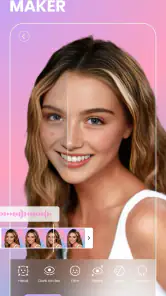
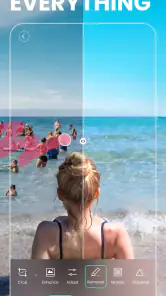
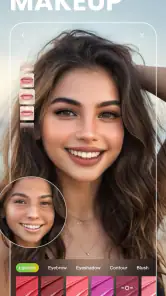
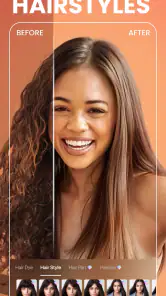
First off, let’s talk about the sheer range of features this app offers. Whether you’re looking to touch up a selfie or add some pizzazz to a video, BeautyPlus-AI Photo/Video Edit has got you covered. The app is packed with an array of tools that allow you to smooth skin, whiten teeth, shape your face, and even enlarge your eyes. It’s like having a mini Photoshop in your pocket, but way easier to use!
That range is most useful when I want one app for a few different jobs, rather than a separate editor for every kind of post. Someone making casual portraits, short social clips, or pictures for a group chat can start with a light correction and decide whether anything more dramatic is actually needed. The practical trick is to make one adjustment at a time and check the result at normal viewing size. A change that looks subtle while editing can become much more obvious once the photo is shared.
More From Our News Desk

Weather by Xiaomi Review: Clear at a Glance, Less Clear Up Close

X Under Pressure: Can It Recover When Posting Goes Wrong?

Clash of Clans Is Won Between the Battles

Android Auto Makes the Case for Quieter Car Software

MobiOffice: Transforming Mobile Productivity with Seamless Integration

EA SPORTS FC™ Mobile Soccer: Redefining Mobile Sports Gaming
Filters Galore
One of the standout features for me was the filters. There are just so many to choose from, each offering a different vibe and aesthetic. Whether you’re going for that moody noir look or a bright and airy feel, there’s a filter for every occasion. And the best part? You can adjust the intensity of each filter to suit your style. It’s like having a personal stylist for your photos!
I find filter strength especially worth checking when editing a set of pictures taken in different light. Applying the same look at full force can make one image feel overprocessed while another still looks natural. I would choose a filter for the mood, then lower its intensity until skin, clothing, and the background still belong together. For a profile picture or a family photo, that restraint often matters more than stacking on extra effects.
Video Editing Made Simple
Now, I’m no video editing pro, but the video editing capabilities in this app are seriously impressive. From trimming clips to adding music and text overlays, you can do it all with just a few taps. The AI-powered editing tools are incredibly intuitive, making it easy for anyone to create professional-looking videos without the steep learning curve.
For a realistic everyday use, imagine filming a short clip before heading out, then wanting to remove the awkward start, add a small caption, and share it without opening a desktop editor. This kind of quick sequence is where an all-in-one mobile workflow can save time. I would still watch the finished clip from beginning to end before posting: a trim that feels right on the editing screen can cut off a useful moment, and text needs to remain readable against changing backgrounds.
And let’s not forget about the beauty effects for videos. Just like with photos, you can apply all those fabulous beauty effects to your videos, ensuring you look your best from every angle. It’s perfect for those who love to vlog or post stories on social media.
The trade-off is that face-focused effects are not automatically the right choice for every clip. In a close-up talking video, a small adjustment may help the image feel more finished; in a moving scene with friends, strong reshaping can distract from the moment or make the result feel unlike the people in it. I’d use these tools selectively, especially when lighting changes or faces move quickly, and keep an untouched original if I might want a more natural version later.
Easy to Use Interface
For an app that offers so much, it’s surprisingly user-friendly. The interface is clean and intuitive, making it easy to navigate through all the features. Whether you’re a seasoned editor or just starting out, you’ll find everything you need right at your fingertips. Plus, the app runs smoothly without any glitches, which is always a plus in my book.
BeautyPlus is free to download, has an Everyone content rating, and its current version is 7.24.0, with Android support from version 8.0. It has a 4.6 average from around 5.1 million ratings and over 100 million installs, so it is clearly a familiar choice for many mobile editors. Optional in-app purchases range from $0.10 to $99.99 per item, which is worth keeping in mind if you prefer to avoid spending inside free apps. I would check any purchase prompt carefully and decide whether the specific tool on offer is something I’ll use, rather than treating every upgrade as necessary.
On trust, I prefer to separate visible editing choices from assumptions about privacy. The controls I can judge while using the editor are the adjustments I choose to apply and whether I want a stronger or softer result. Before importing personal portraits or granting access to device features, I’d review the permission prompts and the app’s privacy information, then allow only what makes sense for my use. I would not assume that a beauty effect tells me how an image is handled behind the scenes; that is a separate question to check directly.
Where it fits among photo editors
Compared with a basic gallery editor, BeautyPlus is more oriented toward selfies, face adjustments, and expressive looks; a simple built-in editor may be quicker if all I need is a crop or a small exposure correction. Compared with a desktop photo suite, this app favors approachable mobile edits over a more involved, precision-led workflow. I’d skip it if I want every portrait to remain completely untouched, if I mainly need detailed color work, or if I don’t want to navigate optional purchases. For casual creators who like having beauty and video tools together, the convenience is the stronger argument.
There is also a practical middle ground between this app and a full desktop editor. If I am preparing a batch of images with consistent color, careful masking, or exact tonal adjustments, a dedicated photo editor gives me more room to work. If I only need a quick portrait edit before sending a picture, BeautyPlus is a more direct fit. I would not choose it just because it has many tools; I would choose it when its selfie-oriented shortcuts match the job.
Who will get the most from it
I think the strongest audience is someone who regularly takes portraits on a phone and wants a quick way to try different finishes without learning a complicated editing workflow. It can also suit a casual creator who alternates between still images and short social clips, since the app brings several kinds of editing into one place. The value is less obvious for someone who rarely edits, prefers the phone’s built-in camera output, or wants fine control over every color and detail.
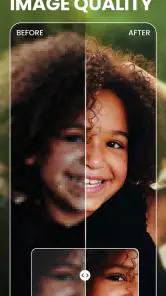
A useful way to avoid over-editing is to make a “before and after” check part of the routine. I would first correct only what distracts me, then step away from the screen or view the picture at a smaller size. If I still notice the effect before the person or the moment, I would dial it back. This is particularly helpful with face shaping and eye adjustments, where a change can feel appealing up close but alter the overall expression.
For a quick morning portrait, for example, I might choose a filter to set the mood, soften its intensity, and make only a modest face adjustment before sending the picture to friends. If I were making a clip for a story, I would trim it, add a short caption, and watch the whole result once before sharing. Those are straightforward tasks that benefit from a phone-first editor; they do not require me to turn a casual post into a lengthy project.
Small choices that make edits more useful
One workflow I find practical is to settle the crop and overall framing before touching face effects. Cropping changes how prominent a face feels, so making beauty adjustments first can lead me to overcorrect and then discover that the tighter composition already gives the picture the emphasis I wanted. I would also check the image against its intended destination: a close-up avatar and a photo viewed full-screen do not reveal the same details equally.
For several portraits from one outing, I would avoid assuming that one preset will suit every frame. Instead, I’d choose a general visual direction, then make small individual corrections for each picture. This takes a little longer, but changing light and background colors can make the same filter look quite different across a set. If consistency matters more than speed, a dedicated editor with more deliberate batch tools may be a better choice.
Another useful boundary is to separate a playful edit from a documentary one. If I am making a funny post, a more noticeable effect can be part of the point. If the picture is meant to preserve a family occasion or show a product accurately, I would keep face reshaping and strong filters restrained. The app’s flexibility is useful precisely because I can decide how far to go; it does not mean every image benefits from every treatment.
Questions I would ask before making it a regular tool
If you are wondering whether it costs anything to get started, the app is free to download, while optional purchases are available. I’d treat those as choices rather than a requirement and check the details on any offer before confirming it. Someone who only wants occasional basic edits may be perfectly content staying within the free experience; a frequent user should decide whether a paid option solves a real need rather than buying on impulse.
For someone asking whether it is suitable for a first-time editor, I think the portrait focus and quick adjustments make it approachable. Still, easy controls can make it tempting to keep adding effects. My advice is to start with one change, inspect the whole image, and save only when the result feels intentional. If the goal is precise color correction across a large set, though, a more technical editor is likely the better starting point.
People concerned about personal images should make a separate decision about permissions and privacy information before using the app with sensitive portraits. I would not treat a convenient editing workflow as evidence about how images are handled. Review the prompts, grant access selectively, and consider whether the particular photo needs to be edited in an app at all. That is a sensible approach whether the image is yours or includes someone else.
And if you are choosing between BeautyPlus and the phone’s built-in editor, the answer depends on the job. For a crop, a quick brightness correction, or an untouched look, the built-in option is often simpler. For selfie-specific adjustments, expressive filters, and a short video edit in the same mobile setting, BeautyPlus offers a more focused set of tools. I would keep both options available rather than forcing every photo through one editor.
If you’re someone who loves to experiment with their photos and videos, or just want to enhance them a bit before sharing, this app is definitely worth a try. It’s like having a professional editing suite right in your pocket. So go on, download it, and let your creativity shine!
My own recommendation comes with one simple boundary: use the effects to support the picture, not to chase a single idea of a perfect face. Start with a light touch, compare the edit against the original, and keep the version that still feels believable to you. With that approach, BeautyPlus can be a handy, approachable choice for quick portraits and social videos; if you want understated corrections only, a simpler editor may fit better.
BeautyPlus-Selfie Film Camera Frequently Asked Questions
Does BeautyPlus work well for taking selfies in different lighting conditions?
BeautyPlus is centered on selfie enhancement, with AI auto-beautification intended to give portraits a polished look. Lighting still has a major effect on the photo itself, so a well-lit image is a good starting point. After taking a selfie, try the automatic enhancement and then compare it with the original; small manual adjustments can help keep the result balanced rather than overly processed.
Can I preview BeautyPlus filters and effects before saving an image?
BeautyPlus offers filters and effects as part of its editing approach, giving you ways to change the look of a portrait or other image. A practical workflow is to try an option, inspect how it changes the photo, and compare the result with the original before deciding what to keep. This helps you choose an effect that suits the image instead of committing to a style too quickly.
Does BeautyPlus let me adjust edits after using AI auto-beautification?
BeautyPlus’s AI auto-beautification is a quick starting point rather than the only way to edit a selfie. The app also offers retouching, filters, and effects, which can help you refine the appearance after an automatic enhancement. If the first result feels too strong or incomplete, compare it with the original and use the available editing choices to move toward the look you prefer.
Can I use BeautyPlus to prepare portraits for sharing online?
BeautyPlus is designed around selfie and portrait enhancement, so it can be useful when you want to polish an image before sharing it. Its editing options include AI auto-beautification, retouching, filters, and effects. You can review the finished image before sharing and decide whether the changes feel right for the audience and setting. The app also supports direct sharing of edited content to social platforms.
Is BeautyPlus suitable for people who prefer subtle photo edits?
BeautyPlus can suit users who want subtle changes as well as those looking for a more polished style. AI auto-beautification offers a quick result, while retouching, filters, and effects give you options for further editing. To keep a photo looking natural, begin with restrained adjustments and check the result against the unedited image before saving or sharing it.
Pros
- Intuitive and user-friendly interface.
- Wide variety of editing tools.
- Offers high-quality filters.
- Quick photo enhancement features.
- Supports both photo and video editing.
Cons
- Contains in-app purchases.
- Occasional ads can be intrusive.
- Requires internet for certain features.
- Large app size impacts storage.
- Some features need subscription.
- Category
- Photography
- Version
- 7.24.0












