DanceHit: AI Dance Generator
- 300.00
- 4.6
- Installs
- 100.00K
- Price
- Free

Screenshots
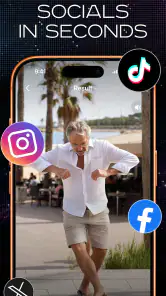
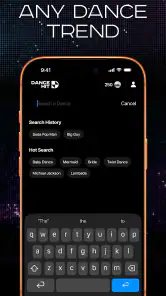
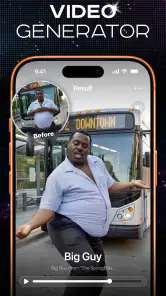
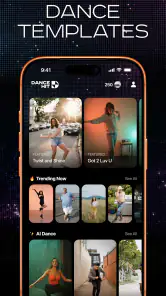
Analysis by Reviewed
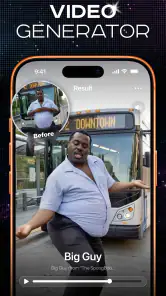
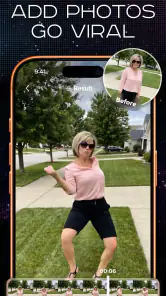
I can see the appeal of DanceHit: AI Dance Generator in a household where someone spots a funny photo and wants to turn it into a quick social post. Rather than asking everyone to learn a video editor, the app starts with a still image and aims to make the result feel lively. I’d treat it as a playful creative tool, not a full editing studio: its value is in the short leap from photo to dancing clip, especially when the source image is already chosen and the goal is to share a light moment.
A quick test for whether a photo will work
Before opening the app, I’d take a moment to consider the image itself and the audience for the finished clip. A clear, well-lit portrait is a safer starting point than an image chosen only because it is funny to the people who took it. That simple check helps set expectations: DanceHit is most appealing when the photo has one obvious subject and the transformation is meant to be playful, rather than when you are trying to rescue a confusing or low-quality image.
For a shared phone, I would also agree on who gets to make the final call about sharing. One person can enjoy generating a clip while the person pictured has the last word on whether it goes into a group chat or onto a public social profile. That division keeps a quick experiment from turning into an awkward household discussion after the fact.
One photo, several people at the screen
DanceHit is a photography app from ScaleUp, built around a specific kind of transformation: making a person, pet, or baby appear to dance. That narrow focus is useful in a shared setting. One person can choose a picture, another can suggest the mood or social platform, and someone else can decide whether the result is funny enough to keep. The creative decision happens before the export, so the app can become a small group activity without requiring everyone to operate a complicated timeline.
A realistic use case is a family gathering where someone has a clear portrait of the dog on their phone. Instead of passing the phone around to hunt through editing tools, the group can agree on one suitable image, generate a dance-style clip, and judge whether it feels amusing or awkward. For a shared device, that makes the app easy to understand at a glance. It is less suited to a household trying to maintain separate, carefully organized video projects, because its central idea is a quick effect rather than a broader media workspace.
The best results begin with a photo chosen for the transformation, not simply the most recent picture in the camera roll. I would pick an image with one clear subject, a visible face, and enough separation from the background to make the person or animal easy to read. A busy group shot may be meaningful to the family but harder to interpret as a single dancing subject. This small bit of preparation can matter more than spending time tweaking a clip afterward.
Choosing what belongs on a shared phone
Because the app turns personal images into shareable video, I would make the photo choice a deliberate step when several people use the same phone or tablet. Before generating anything, agree whose image it is and whether that person would be comfortable seeing it turned into a joke or posted publicly. This is particularly sensible for candid pictures, school-related images, or photos taken in someone else’s home. A funny effect can change how a photo comes across, and a quick laugh among relatives is not automatically permission to publish it.
More From Our News Desk

Weather by Xiaomi Review: Clear at a Glance, Less Clear Up Close

X Under Pressure: Can It Recover When Posting Goes Wrong?

Clash of Clans Is Won Between the Battles

Android Auto Makes the Case for Quieter Car Software

MobiOffice: Transforming Mobile Productivity with Seamless Integration

EA SPORTS FC™ Mobile Soccer: Redefining Mobile Sports Gaming
I also recommend keeping the source image and the generated clip conceptually separate. Decide first whether the original is suitable for the intended audience; then consider whether the animated version adds anything. If the result is only for a family chat, the threshold may be different from a public account. That simple pause helps avoid the common shared-device problem where a harmless experiment is mistaken for content everyone has agreed to distribute.
DanceHit is free to install, but it includes in-app purchases priced from $11.99 to $39.99 per item. On a household device, I would check the purchase settings before letting a child or guest explore it. The useful distinction is that trying the app and paying for optional items are separate decisions. If several people take turns, make clear who is allowed to approve a purchase rather than assuming that everyone sharing the screen has the same spending authority.
How to coordinate without turning it into a project
For a group, I’d keep the workflow simple: choose one image, agree on the intended audience, make a first version, and review it together before sharing. That avoids a parade of near-identical attempts and gives everyone a chance to flag an image that feels too personal. It also makes the app easier to use when one person is less comfortable with social media. They can help choose the picture and assess the result without needing to manage an account or a complicated editing process.
There is a trade-off here. The app’s focused premise can make it faster to reach a playful outcome than opening a general-purpose editor and building an animation manually. But a conventional photo or video editor is a better choice if the household wants precise control over timing, captions, sound, framing, or a sequence of multiple shots. DanceHit is for the transformation itself; it should not be mistaken for a replacement for every tool used to finish a polished social video.
For posting, I would review the clip on the device before sending it anywhere. Check that the subject still looks recognizable, that the crop has not made the image feel strange, and that the joke works for people who do not know the backstory. This is especially useful when the photo was selected by one person but the post will be seen by a wider group. The person who finds the effect amusing may not be the person represented in the image.
Age, comfort, and reasonable expectations
The app is rated for Everyone, which makes its general content positioning accessible, but that should not be treated as a substitute for household judgment. A child may enjoy seeing a pet dance, while a parent may still want to supervise photo selection, social posting, and any purchase prompts. The most important boundary is not whether the effect itself is playful; it is whether the people shown in the source image are comfortable with the result and its destination.
I would also explain the basic idea before handing the phone to someone unfamiliar with AI effects. The output is a stylized transformation, not a recording of the person or animal actually performing those movements. That distinction helps younger users understand what they are looking at and makes it easier to decide whether a clip should be presented as a joke rather than as an authentic moment.
For an adult who wants privacy and predictable file organization above all else, a standard editor may be the more comfortable option. Dance-focused image generation naturally encourages experimentation with personal photos, so I would use it with images I am happy to transform and share, not with sensitive or embarrassing material. In a household, a quick check with the person pictured is a better practice than relying on everyone to infer the intended boundaries.
What the app does well—and where I would look elsewhere
DanceHit’s strongest point is its clear creative purpose. It is not trying to be a general camera, a complete social network, or a detailed editing suite. If the specific idea of animating a still portrait into a dance clip is what you want, the focus can save effort and make the result approachable for someone who would never build an effect from scratch. The store summary centers on people, pets, and babies, so those are the natural subjects to consider rather than expecting a broad range of unrelated photo-editing jobs.
The limitation is the same focus. If your aim is subtle retouching, a polished family montage, color correction, or exact control over how a person moves, this is not the tool I would reach for first. Nor is it ideal when the source image is low quality, crowded, or visually confusing; a narrow effect cannot make every photo a good candidate. Think of it as a novelty with a defined use, not a magic fix for a weak picture.
Its public reception is encouraging: DanceHit has a 4.6 average from around 12,000 ratings, with over 100,000 installs. Those figures suggest many people have found the concept worth trying, but they do not tell me whether a particular household will like the look of its own results. I’d use them as a reason to consider the app, not as a guarantee that every photo will animate convincingly.
The current version is 1.0.10, and it requires Android 12 or later. That makes compatibility an important first check if you are installing it on an older shared phone. It is free to get started, with paid in-app items, so I’d separate the install decision from the spending decision and let the person responsible for the device handle any purchase choice.
Making a clip that feels right outside the app
I would think about the destination before choosing a photo, not only after seeing the animation. A clip for relatives who already know the subject can lean on a shared joke; one intended for a wider audience needs to make sense without private context. That difference can guide the image choice and help avoid posting something that seems amusing at home but confusing or unkind elsewhere.
Another useful habit is to keep the first attempt as a test rather than treating it as a finished post. Look at the result with the sound on and off, and check it at the size it will appear on a phone screen. If the subject is hard to recognize or the movement distracts from the photo, I would try a simpler source image instead of repeatedly pushing the same picture toward a result it may not support.
My household verdict
I’d recommend DanceHit: AI Dance Generator to people who enjoy making quick, silly social clips from portraits and want a focused alternative to editing an animation by hand. It can work particularly well as a shared-device activity when everyone agrees on the photo and someone takes responsibility for checking the finished clip before it leaves the phone. The best payoff comes from treating it as a playful extra, not as a serious production tool.
I would skip it if you need detailed editing controls, want to work with complex group scenes, or are not comfortable turning personal photographs into novelty videos. I would also avoid putting a child in charge of public sharing or optional purchases just because the app’s age rating is broad. A little coordination around images, posting, and spending makes the experience more comfortable without requiring elaborate household rules.
For the right audience, the idea is easy to understand and enjoyable to try: choose a suitable photo, see whether the dance transformation lands, and share only if the people involved are happy with it. That is the balance I like here. The app offers a distinctive shortcut to a lighthearted result, while the household still decides which images are appropriate and whether a different editor would better serve the job.
DanceHit: AI Dance Generator Frequently Asked Questions
What is DanceHit: AI Dance Generator?
DanceHit: AI Dance Generator is an app designed to turn photos or other supported inputs into AI-generated dance videos. Its main appeal is the chance to create a short, shareable clip without learning choreography or recording a full dance yourself. Available features can vary by app version, so check the current listing for details about supported inputs, video length, and creation options before downloading.
How do I create a dance video with DanceHit?
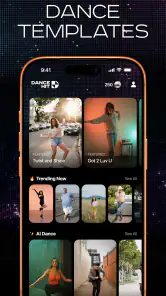
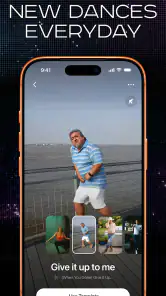
The usual workflow for an AI dance generator is to select or upload an image, choose a dance effect or template, and let the app process the result into a video. Follow the on-screen prompts, and use a clear, well-lit image with the subject fully visible for the best chance of a convincing result. Exact steps and available templates may differ between versions of DanceHit.
Is DanceHit: AI Dance Generator free to use?
The app may be available to install without an upfront payment, but that does not necessarily mean every feature is free. AI processing, premium effects, removing watermarks, or exporting additional videos may require in-app purchases or a subscription. Review the store listing and the payment terms shown inside the app before starting a trial or confirming a purchase, especially if a subscription renews automatically.
What should I know about privacy before uploading a photo?
Creating a video may require granting access to selected photos or uploading an image for AI processing. Before sharing personal pictures, review DanceHit’s privacy policy and the permissions requested by the app. Avoid uploading images of other people without their consent, and consider whether you are comfortable with the app handling your image to generate a video. Data storage and deletion options may depend on the developer’s policies.
Can I share or save videos made with DanceHit?
DanceHit is intended to help users make clips that can be saved or shared, but export options, video quality, watermarks, and available sharing destinations can depend on the version and your plan. Check the finished video and export screen before posting it. Also consider whether the people shown have agreed to the upload, and follow the rules of the social platform where you share AI-generated content.
Pros
- Turns a single photo into a short AI-generated dance video.
- Offers a quick
- beginner-friendly way to create shareable clips.
- Can make still portraits feel more lively and entertaining.
- Useful for playful social posts and personalized greetings.
- No dance skills or video-editing experience are needed.
Cons
- Results can look distorted
- especially around faces and limbs.
- Output quality depends heavily on the source photo.
- Some templates or features may require payment or credits.
- AI processing can take time
- depending on the effect and connection.
- Uploading personal photos may raise privacy concerns.
- Category
- Photography
- Version
- 1.0.10












