Mirror Link
- 394.00
- 3.2
- Installs
- 1.00M
- Price
- Free
Screenshots
Analysis by Reviewed
I’d treat Mirror Link as a possible bridge between an Android phone and a car display, not as a guarantee that every phone and dashboard will work together. That distinction matters before you plan a commute around it: the benefit depends on the devices already in your car and the connection working as expected. For someone who wants a familiar phone interface within reach of the dashboard, that idea is appealing; for someone expecting a universal upgrade, it calls for a little caution.
Check the car-phone match before relying on it
The first practical question is compatibility. Before installing, check whether your particular car system supports the connection method you intend to use and whether your phone can take part in it. A matching cable or a successful charge is not, by itself, proof that screen mirroring will work. I’d test the setup while parked, before depending on it for directions or a longer drive.
That test is useful even if the app itself is easy to open. Car systems differ, and a phone may connect for one purpose without showing its screen on the dashboard. If you mainly want hands-free calls or built-in navigation, your car’s existing controls may already be the simpler option. Mirror Link makes more sense when your specific equipment supports the link and you have a clear reason to bring phone content onto the display.
Connectivity changes what feels convenient
Mirroring a screen and getting useful content from an app are not quite the same thing. Maps and streaming services may rely on their own network connections and account settings, so a dashboard view does not automatically remove the need for mobile data. I’d check a route or audio app on the phone first, then confirm it behaves as expected through the car display while stationary.
This matters most on unfamiliar trips. If a route depends on current traffic information, the phone’s network connection can shape what you see; if reception drops, that service may become less current even though the display connection remains in place. I wouldn’t make the mirrored screen my only plan in a place where losing navigation would be stressful. Knowing the route’s general direction and keeping the phone available as a fallback are sensible habits.
A useful test drive, not a moving experiment
For a realistic first use, I’d set everything up at home or in a parked car, choose a short familiar trip, and check three things: whether the display appears, whether the controls respond in a way that feels manageable, and whether audio or navigation behaves normally. That small trial helps separate connection problems from app or network problems without adding pressure while driving.
If something fails, I’d stop safely before troubleshooting. Check the car’s selected input, the cable connection if one is being used, and whether the phone is still connected to the intended system. Reopening the app or reconnecting may help, but repeatedly changing settings on the move is a poor trade-off. The safest recovery plan is to use the car’s regular controls or pull over, rather than trying to rescue the mirrored view in traffic.
Who benefits, and who may prefer another route
This approach is most attractive to drivers whose existing car and phone are already compatible and who want a dashboard view of familiar phone functions. It may also suit someone who would rather test a free app before considering a different in-car setup. On the other hand, if your car has a reliable built-in navigation system or a supported platform designed specifically for its display, that native option may be more predictable and require less fiddling.
There is also a practical trade-off between flexibility and simplicity. A mirrored phone can make familiar apps easier to reach, but it can bring the phone’s changing interface and network-dependent behavior into the car. A built-in system may offer fewer choices while being easier to operate consistently. I’d choose based on what works reliably in your own vehicle, not on the promise of seeing more apps on a larger screen.
A commute that puts the trade-offs in perspective
Picture a weekday drive to an unfamiliar appointment. Before leaving, I’d connect the phone while parked, set the destination, and confirm that the dashboard shows the view I need. I’d also check that the route is usable on the phone itself, because the car display is only one part of the chain. If the connection drops at a junction, knowing the next turn and having the car’s ordinary controls available can keep a minor glitch from becoming a stressful distraction.
This is where the app can be genuinely useful: not because it makes every drive effortless, but because a compatible setup can put a familiar phone view where it is easier to glance at. It is less compelling for a short drive on roads you already know, especially if connecting the devices takes longer than using the car’s own system. I would save the setup for trips where the larger display offers a real benefit.
For someone who changes vehicles or phones often, a repeatable pre-drive check matters more than a one-time successful connection. Confirm the display, the audio route, and the app you plan to use after any change in equipment. That small routine helps identify whether a problem comes from the phone-car link or from the individual app, without trying to diagnose it under pressure.
Have you ever wished you could project your smartphone screen onto your car’s infotainment system? Well, say hello to Mirror Link, the app that promises to do just that! Whether you’re stuck in traffic or going on a road trip, this app aims to make your driving experience more fun and connected. I’ve taken it for a spin, and here’s the scoop.
What is Mirror Link?
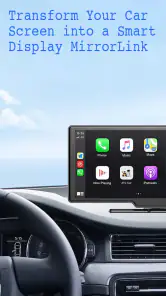
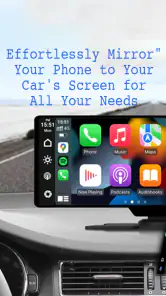
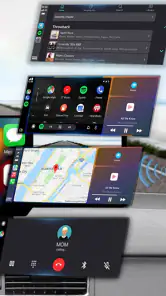
Mirror Link is essentially a connectivity protocol that lets you mirror your smartphone's display on your car's dashboard screen. Imagine having access to your favorite apps, music, and maps right there on your car's touch screen! It’s like having your phone and car become best friends. The app is compatible with a variety of smartphones and car systems, promising a seamless integration.
Setting It Up
Getting started with Mirror Link is pretty straightforward. You’ll need a compatible smartphone and a car that supports the Mirror Link protocol. Once you’ve checked those boxes, it’s as simple as downloading the app, connecting your phone to the car via USB, and following the on-screen prompts. In no time, your phone’s interface will pop up on your car’s touch screen, ready for action.
User Experience
One of the first things I noticed was how intuitive the interface is. The icons are large and easy to tap, which is a big plus when you’re trying to keep your eyes on the road. Navigating through apps is smooth, and there’s minimal lag, which is crucial when you’re switching between navigation and music apps.
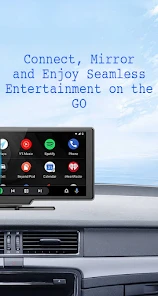
Music lovers rejoice! With Mirror Link, you can access your playlists directly from the car’s screen. Whether you’re jamming to Spotify or tuning into a podcast, the audio quality is top-notch, and the controls are conveniently placed for easy access.
Navigation and Safety
For those who rely heavily on navigation apps, Mirror Link has got you covered. You can use your favorite navigation apps, like Google Maps or Waze, and get real-time updates right on your dashboard. This not only enhances your driving experience but also keeps your phone out of your hands, which is a win for safety.
Speaking of safety, the app’s design prioritizes it. The larger icons and simplified interface mean less distraction, allowing you to focus more on driving. Plus, the voice command feature is a handy addition for those moments when you need to keep your hands on the wheel.
Final Thoughts
So, is Mirror Link worth it? If you’re someone who spends a lot of time in your car and loves the idea of having your smartphone and car integrated, then absolutely! It’s a nifty app that bridges the gap between your phone and car, making your driving experience more connected and enjoyable.
However, it’s worth noting that not all car models are compatible, so it’s essential to check if your vehicle supports Mirror Link before getting too excited. But if it does, you’re in for a treat!
In conclusion, Mirror Link offers a blend of convenience, entertainment, and safety, making it a smart choice for tech-savvy drivers. So, why not give it a try and see how it transforms your commute?
Where this app fits among car-display options
Mirror Link sits in the practical, connection-focused corner of the Libraries & Demo category. It is developed by Flavapp, is free, and is rated for Everyone. Its current version is 40.0, and it runs on Android 6.0 or later. The app has an average rating of 3.2 from around 23,000 ratings, with roughly 394 written reviews and over one million installs. Those figures suggest plenty of people have tried it, but I would still put more weight on a successful test with your exact car and phone than on broad popularity.
Compared with using a phone mount, screen mirroring can make compatible content easier to see on the car display, while a mount avoids the need for a compatible dashboard system. Compared with a car’s built-in navigation, the phone route can feel more familiar, but it may be less dependable if the connection or mobile service is unreliable. These are different compromises rather than a single universal winner: a mount is a straightforward fallback, and a native system can be the calmer choice when it already meets your needs.
Small habits that make a real difference
One useful habit is to separate setup from the drive. Pair or connect the devices while parked, open the app you intend to use, and check that its most important screen is visible before setting off. If the journey includes a place where mobile coverage may be weak, consider how much you need live information and keep a familiar route or other safe fallback in mind. That is more useful than assuming that a mirrored display guarantees uninterrupted maps or audio.
I’d also keep the dashboard task narrow. Pick navigation or audio before moving, and avoid browsing through phone apps just because they appear on a larger screen. A display can reduce the temptation to hold the phone, but it cannot make every interaction distraction-free. If a control is awkward to reach or a prompt is confusing, leave it alone until the car is parked.
What to expect when choosing it
Mirror Link is for Android users on a supported setup who value bringing familiar phone content into the car and are willing to verify the connection first. Someone changing phones or cars should repeat that check rather than assume yesterday’s setup will transfer; compatibility can depend on the combination, not just the app. If your priority is predictable operation with minimal setup, your car’s own system or a phone mount may be the better fit.
My bottom line is that Mirror Link is worth considering as a compatibility-dependent option, not as a guaranteed replacement for every car interface. I’d install it if the phone and vehicle are a match, try it on an ordinary short drive, and keep the car’s standard controls available. That approach gives you a fair chance to enjoy the convenience without making an unfamiliar connection the only way to navigate or manage audio.
Mirror Link Frequently Asked Questions
Does Mirror Link need an internet connection to connect my phone to a car screen?
Mirror Link is presented as a way to connect a phone to a car screen, but the connection itself depends on the phone, vehicle, and their supported connection methods. Before downloading, consider where you expect to use it and check your car’s infotainment instructions for its connection requirements. Do not assume that installing the app alone will provide every feature or remove the need for a compatible connection.
What Android version do I need to install Mirror Link?
Mirror Link is listed for Android devices running version 6.0 or later. If your phone uses an older Android version, it may not meet the app’s listed requirements. Meeting that minimum does not ensure that the app will work with every phone or car, so it is sensible to check both your device and your vehicle’s infotainment system before depending on the connection.
Who developed Mirror Link, and what kind of app is it?
Mirror Link is an app by Flavapp in the Libraries & Demo category. Its stated focus is helping connect a phone to a car screen, rather than serving as a general-purpose entertainment or navigation service on its own. That distinction matters before downloading: the usefulness of the app depends on whether your phone and vehicle can work together for the intended connection.
Is Mirror Link free to download, and what should I know before installing it?
Mirror Link is a free app from Flavapp, listed in the Libraries & Demo category. Before downloading, remember that installing this app does not by itself guarantee that your phone will connect to your car: your smartphone and the vehicle’s infotainment system need to support the relevant connection features. Check your device’s compatibility and permissions before relying on it for a trip.
What is Mirror Link and how does it work?
Mirror Link is a technology that connects your smartphone to your car's infotainment system, allowing you to access apps and features directly from your car's display. It works by mirroring your phone's screen onto the car's display, enabling control through the car's interface, which is ideal for navigation, music, and more. The app’s purpose is to help with that phone-to-car-screen connection.
Pros
- Seamless phone-to-car screen mirroring
- Compatible with major car brands
- Easy setup and user-friendly interface
- Supports various media formats
- Enhances driving safety with hands-free use
Cons
- Limited app compatibility
- Requires a stable internet connection
- May have latency issues
- Not available on all smartphones
- Can drain phone battery quickly
- Category
- Libraries & Demo
- Version
- 40.0