PGT: GFX, Launcher & Optimizer
- 2.02K
- 4.5
- Installs
- 10.00M
- Price
- Free

Screenshots
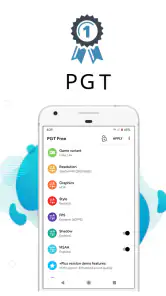
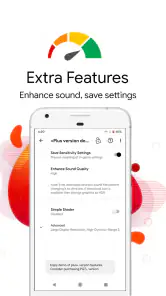

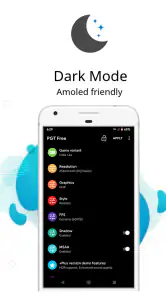
Analysis by Reviewed
When I want to improve a mobile game, I first ask whether the problem is how it looks or how it runs. Those are related, but they are not the same thing, and changing visual settings can trade smoother play for a less detailed picture. PGT: GFX, Launcher & Optimizer is a gaming utility from Trilokia Inc. aimed at players who want to adjust graphics for supported FPS games. I’d approach it as a tool for testing settings, not as a guaranteed speed boost: the right result depends on the game and the phone.
Decide what you want to improve first
Before opening a graphics utility, I find it useful to name the actual problem. Is the image too blurry, are busy scenes hard to follow, or does play become uneven after a while? Those issues can call for different choices, and a setting that makes the picture more detailed may not help if the real priority is consistency. PGT makes the most sense when I have a specific goal and am willing to judge the result in the game itself.
That distinction is especially useful for someone who has never adjusted mobile-game graphics before. I wouldn’t begin by trying to make every visual option as high as possible. Instead, I’d decide whether clarity or steadier play matters more for the next session, then make a modest change and compare. This keeps the process understandable and makes it easier to return to a setting that felt comfortable.
Set expectations before changing graphics
The appeal is having a place to experiment with game visuals instead of accepting the default balance. A sharper or more elaborate image may look better, but it can also ask more of a device. If my priority is steady play on a phone that already struggles, I’d begin conservatively and change one setting at a time. That makes it easier to notice whether a change actually helps, rather than confusing a visual difference with a performance improvement.
The app is free and has a 4.5 average from around 187,000 ratings, with more than 10 million installs. Those figures suggest it has reached a broad audience, but they don’t tell me whether a particular setting will suit a particular phone. The useful question is still practical: can I find a configuration that feels better in the game I actually play?
Making graphics changes work for your device
First things first, if you’re a gamer who’s all about those graphics, then this app might just be your new best friend. PGT: GFX, Launcher & Optimizer allows you to tweak the graphics settings of your mobile games with impressive precision. From adjusting the resolution to unlocking HDR graphics, it gives you control over how your games look. It’s like having a mini graphics card upgrade right in your pocket! You know that feeling when you move from standard to HD on a TV? It's kind of like that, but for your games.
What happens in demanding sessions
Beyond just looking good, games need to play well. Lag and stuttering are the arch-enemies of any gamer, and this is where PGT shines. The app boasts a game booster that optimizes CPU and GPU usage, ensuring your device runs smoother than butter. It’s like giving your phone a shot of espresso, waking it up to perform at its best. Whether you're in the middle of a fast-paced shooter or navigating complex strategy games, the performance boost is palpable.
More From Our News Desk

Clash of Clans Is Won Between the Battles

Android Auto Makes the Case for Quieter Car Software

MobiOffice: Transforming Mobile Productivity with Seamless Integration

EA SPORTS FC™ Mobile Soccer: Redefining Mobile Sports Gaming

How Microsoft OneDrive Became a Mobile Productivity Giant

How Google Translate Breaks Language Barriers Effortlessly
In a real session, I’d test a change in a repeatable situation: use the same game mode, play for a similar amount of time, and compare how the game feels rather than relying on a quick first impression. A busy fight or a crowded scene is more revealing than standing still in a quiet area. If the picture becomes clearer but play feels less consistent, I’d revert that adjustment. This one-change-at-a-time approach is a useful safeguard because it shows which tweak caused the difference.
Make comparisons fair, not just quick
A practical test doesn’t need special equipment. I’d play a familiar section before changing anything, then return to a similar section afterward, paying attention to whether aiming, movement, and visual readability feel more comfortable. If network conditions or the match itself are very different, I wouldn’t treat that session as a clean comparison. That distinction matters in online games: connection-related delays can feel like poor performance, but a graphics adjustment is not a substitute for a dependable connection.
I’d also avoid judging a setup from the first few seconds. A phone may feel fine in a short test and become less comfortable during a longer session. For that reason, I’d try a new configuration during casual play before relying on it for a competitive match. This is a small habit, but it helps separate a promising first impression from a change that holds up under normal use.
Ease of use, with a little care
You’d think that an app offering so many customization options would be complicated to use, but PGT keeps things refreshingly simple. The interface is intuitive, with settings that are easy to find and adjust. Even if you’re not the most tech-savvy person on the planet, you’ll find it a breeze to navigate. This simplicity means you spend less time fiddling with settings and more time enjoying your games.
Moreover, the app integrates seamlessly with most games, so you don’t have to jump through hoops to get it to work. Just set it up once, and it remembers your preferences for next time. It’s like having a personal assistant who already knows how you like your coffee.
That convenience is best treated as a starting point, not a reason to stop checking. After changing settings, I’d launch the game and confirm that the result is still comfortable on my device. If an update to the game or a change in how it behaves makes the old setup feel worse, returning to a simpler configuration is more sensible than piling on further adjustments. Keeping a note of the settings that felt good also makes it easier to undo experiments.
A routine for safer experimenting
My preferred workflow is deliberately boring: note the starting setup, change one thing, test it in ordinary play, and keep or undo the change before moving on. If the game launches differently than expected, I’d return to the last configuration I know worked rather than making several more edits in a hurry. This is useful when trying to identify whether a particular visual choice is responsible for a new problem.
There’s also a good reason not to chase the most dramatic-looking option. The goal is a game that remains readable and comfortable, not a screenshot that looks impressive while standing still. In a fast shooter, a clear view and dependable controls may matter more than richer effects. For someone who mostly enjoys exploring scenery, the balance may be the opposite. PGT is most helpful when the player chooses that balance intentionally.
Where PGT fits among the alternatives
For a supported game, PGT offers a more focused place to experiment than simply leaving every setting at its default. That extra control is appealing if I want to compare visual trade-offs, but it also means I take responsibility for checking the results. Changing graphics inside a game is usually the more straightforward option when it already exposes the choices I need. Defaults are the least fiddly route, while a dedicated utility is more attractive to someone who wants to explore beyond a basic setup.
Neither route wins in every situation. If the game’s own settings already give me a stable, readable result, I’d stay there rather than add another step. If I’m curious about adjusting supported FPS games and comfortable with careful testing, a dedicated tool can make that process more deliberate. I would not choose PGT expecting it to solve unrelated problems such as a weak connection, an aging battery, or a game that is not supported by its intended use.
Who benefits, and when another option makes sense
In the world of mobile gaming, where every frame and every millisecond counts, having that extra edge can make all the difference. PGT: GFX, Launcher & Optimizer not only enhances your gaming visuals but also turbocharges your device’s performance. It's like turning your everyday smartphone into a gaming powerhouse. If you’re serious about mobile gaming, this app is worth a try.
I’d recommend it most to players of supported FPS games who enjoy tuning image quality and are willing to test settings patiently. It’s less compelling for someone who wants a one-tap fix, plays games that don’t work with its intended use, or is already happy with the game’s built-in options. Compared with changing settings inside a game, a dedicated utility can make experimentation feel more focused; compared with leaving everything at default, it offers more room to tailor the experience. But neither approach is automatically better: in-game controls may be the simpler choice, while defaults avoid the extra step of troubleshooting a changed setup.
A realistic use case is someone who plays the same shooter during a commute or after work and notices that distant details are difficult to read on their current setup. They could use a quiet, casual session to try a conservative visual adjustment, then check how it feels in a familiar match before keeping it. If the change makes the view clearer but makes play less consistent, they have a clear reason to back it out. The value is in that informed comparison, not in expecting the utility to produce the same outcome on every phone.
On the other hand, I’d skip it if I’m looking for a general phone-cleaning tool, a fix for every kind of lag, or a way to improve games outside its intended FPS use. It is also not the right choice if I don’t want to troubleshoot after experimenting. Someone who prefers not to adjust anything can reasonably stick with the game’s own controls and defaults; that simpler route is often better when the existing experience is already good.
Device limits matter, too. A settings change cannot turn older or modest hardware into a newer gaming phone, and pushing visual quality is not always the best choice when heat, battery life, or consistent play matters more to you. I’d avoid making several aggressive changes just before an important match. Try them during a casual session first, and keep a stable fallback so you can restore a comfortable setup quickly if the game looks wrong or feels less reliable.
Stability, device limits, and recovery
When deciding whether a setting is worth keeping, I’d consider the whole session rather than just its opening moments. If the phone becomes uncomfortable to hold or the game feels less dependable over time, that is a practical reason to return to a lighter configuration. The right balance depends on the device and the game, so I would not assume a more demanding visual choice is automatically an improvement just because it appears sharper.
If a change causes trouble, the sensible response is to undo the latest adjustment and test again, not to add several more in an attempt to compensate. That approach limits guesswork and gives me a clear recovery path. I’d keep my preferred baseline in mind, especially if I’m experimenting before a session where consistency matters. This is less exciting than chasing maximum graphics, but it makes trial and error much less frustrating.
A balanced verdict on speed and reliability
PGT is a free app in the Libraries & Demo category, rated for Everyone, and its current version is 0.20.9; it runs on Android 7.0 or later. It was released on May 24, 2018, and has around 2,000 written reviews. I see its value in the control it offers, rather than in any promise that every phone will become faster. Resource demands and stability can vary with the device, the selected settings, and the game, so a careful test is more useful than assuming a boost will be universal.
My speed expectations are therefore measured: PGT can help me explore graphics choices for supported games, but I would judge any performance improvement on my own device instead of taking it for granted. Its best audience is a patient player who knows what feels wrong and is prepared to compare settings. For that person, the utility can make experimentation more accessible; for someone seeking effortless, universal acceleration, the usual in-game controls or a stable default setup are likely the better fit.
In conclusion, whether you’re battling it out in an intense online match or just enjoying a relaxing game, having the right tools can enhance your experience significantly. With PGT: GFX, Launcher & Optimizer, you have a powerful ally in your pocket, ready to help you game like a pro. So, go ahead, give it a whirl, and see how it transforms your gaming world.
PGT: GFX, Launcher & Optimizer Frequently Asked Questions
Does PGT: GFX, Launcher & Optimizer work with the specific FPS game I play?
PGT is intended for specific FPS mobile games, rather than every title on Android. Its usefulness depends on whether your game is compatible and allows graphics settings that the app can adjust. Before downloading, consider whether you play an FPS game and whether you want to experiment with its visual settings; support and results can vary by game and device.
Will using PGT: GFX, Launcher & Optimizer guarantee higher FPS or better graphics?
No app can guarantee the same improvement on every device and game. PGT offers graphics-related adjustments that may help you tailor a compatible game to your device, but the result depends on the game, available settings, and your hardware. Changes aimed at smoother play or sharper visuals may involve trade-offs, so it is sensible to test settings gradually and keep the configuration that feels best.
Is PGT: GFX, Launcher & Optimizer free, and which devices can install it?
PGT: GFX, Launcher & Optimizer is free to download. It is an Android app with a minimum operating system requirement of Android 7.0, so check your device’s software version before installing. The app is developed by Trilokia Inc. and is rated for Everyone. Its broad availability makes it worth considering for Android gamers, though whether its tools help will depend on your device and the games you play.
What is PGT: GFX, Launcher & Optimizer and what does it do?
PGT: GFX, Launcher & Optimizer is a powerful tool designed for Android devices that enhances gaming performance by optimizing graphics settings. It allows users to unlock higher graphics settings, boost FPS, and customize the gaming experience according to their device capabilities. This app is particularly popular among gamers who want to improve the visual quality and smoothness of their games without upgrading their hardware. Its store summary describes it as an essential GFX utility developed for specific FPS mobile games, so it is intended for compatible titles rather than every game.
Is PGT: GFX, Launcher & Optimizer safe to use on my device?
Yes, PGT: GFX, Launcher & Optimizer is safe to use as long as it is downloaded from a reputable source like the Google Play Store. The app is developed by a reliable developer and has been reviewed by thousands of users. It modifies graphics settings within the limits of your device, ensuring that your hardware is not pushed beyond its safe operating limits. However, users should always exercise caution and back up their data before making significant changes to system settings.
Pros
- Enhances game graphics significantly
- User-friendly interface
- Supports a wide range of games
- Improves game performance
- Customizable settings
Cons
- May drain battery quickly
- Not compatible with all devices
- Requires in-app purchases for premium features
- Can be complex for beginners
- Potential for overheating during prolonged use
- Category
- Libraries & Demo
- Version
- 0.20.9