Super Hearing: Spy Hearing App
- 357.00
- 4.7
- Installs
- 500.00K
- Price
- Free

Screenshots
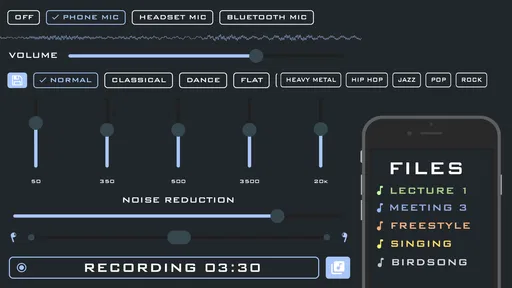
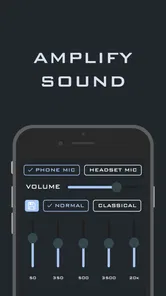
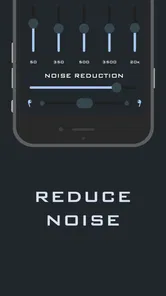
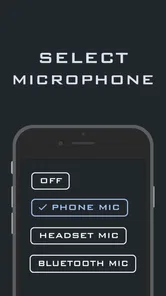
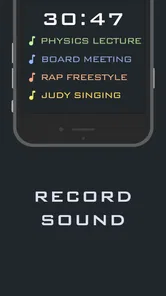
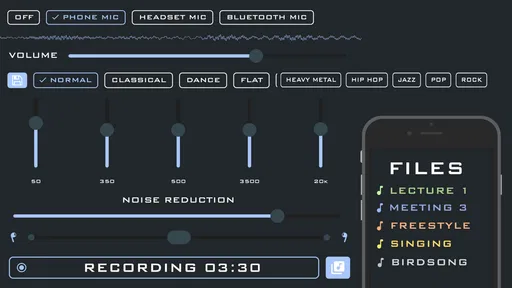
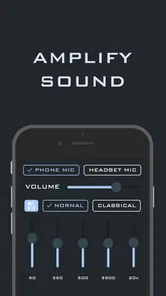
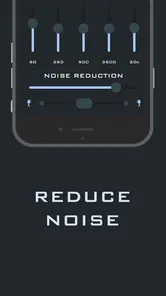
Analysis by Reviewed
I tested Super Hearing: Spy Hearing App as a practical sound-amplification tool rather than treating it like a replacement for professional hearing equipment. It belongs to the Music & Audio category, but its real appeal is everyday listening: making nearby speech, room sounds, or a television easier to hear through a phone and connected headphones. The idea is simple, yet the useful question is whether that simplicity helps in real situations or merely adds another layer between you and the sound.
My overall impression is that it can be handy when you need a quick listening boost and already have suitable headphones. It is free to install, has an Everyone content rating, and comes from Wallet Passes Alliance. At the same time, I would not confuse an amplified phone microphone with a medical hearing aid. The result depends heavily on the phone, the headphones, the room, and how close the microphone is to the sound you want to hear.
How Super Hearing works in everyday use
The basic workflow is easy to understand. You open the app, allow it to use the phone’s microphone when prompted, connect headphones, and listen to the amplified sound through them. The phone becomes the pickup point, while the headphones deliver the result. That makes the position of the handset more important than it might first appear.
For example, if I were sitting in a living room and struggling to follow a quiet television, placing the phone near the television would generally make more sense than leaving it beside me. If I wanted to hear a conversation, I would keep the microphone facing the person speaking, while avoiding contact with the table or clothing. This is one of the app’s less obvious trade-offs: it can improve access to a sound source, but only if I manage the phone like a small external microphone.
That setup also explains why wired headphones or low-latency wireless headphones can matter. Any delay between the sound in the room and the amplified version can feel distracting, especially during conversation. The app may be useful with the equipment already in your drawer, but the experience is not determined by the app alone. Headphone fit, microphone placement, background noise, and the phone’s own audio hardware all influence whether the result feels natural.
I would use it for short, controlled situations rather than leaving it running without thought. A quiet room, a nearby sound source, and moderate listening volume give it the best chance of being comfortable. In a busy café, on a street, or beside loud machinery, amplification can raise unwanted noise along with the sound you actually want.
A realistic evening scenario
Imagine watching a film with family while finding some dialogue difficult to catch. Instead of turning the television up for everyone, I could place the phone closer to the television, connect headphones, and listen privately. That may help me follow the dialogue without making the room uncomfortably loud for other people. It is a clever use of a phone because it changes the listening position rather than simply increasing the television’s volume.
More From Our News Desk

Weather by Xiaomi Review: Clear at a Glance, Less Clear Up Close

X Under Pressure: Can It Recover When Posting Goes Wrong?

Clash of Clans Is Won Between the Battles

Android Auto Makes the Case for Quieter Car Software

MobiOffice: Transforming Mobile Productivity with Seamless Integration

EA SPORTS FC™ Mobile Soccer: Redefining Mobile Sports Gaming
There is a practical limitation, though. The phone must remain close enough to the television, and I need to keep an eye on battery use and headphone comfort during a long session. If I want to move around freely, this arrangement becomes less convenient. A dedicated assistive listening device or a television’s accessibility audio features may be a better long-term solution.
What the free access means
The app is free to download, so trying its basic experience does not require an upfront payment. That is important for anyone who wants to test whether phone-based amplification suits their hearing needs before spending money on dedicated hardware. The free entry point also makes sense for occasional use, such as a quiet evening at home or a temporary listening problem.
There are in-app purchases listed from $0.99 to $99.99 per item. I would therefore approach the purchase screen carefully and judge any optional payment against a specific benefit I can identify in the app. The free installation is not the same thing as unlimited paid value, and a high-priced option should not be assumed to provide the reliability, tuning, or safety of clinical equipment. If the free experience already solves an occasional problem, paying may not add enough value for you.
For me, the sensible order is to test the app with the headphones and phone I actually intend to use, in the room where I need it most. Only after that would I consider spending money. This avoids paying based on the promise of stronger hearing when the real limitation may be microphone placement, wireless delay, or background noise.
Where it delivers useful value
The strongest value is convenience. Most people carry a phone, and many already own headphones. That means the app can turn equipment already available into a temporary listening aid without requiring a separate device immediately. It is especially appealing when the need is occasional rather than constant.
Another useful angle is privacy. In a shared home, increasing the television volume can affect everyone. Listening through headphones lets one person adjust their experience without changing the room for others. The same principle can apply to a quiet recording or a nearby speaker, provided the phone can be positioned appropriately.
I also see value for people experimenting with different listening arrangements. Moving the microphone closer to a sound source can reveal whether distance, room acoustics, or general volume is the main problem. That does not diagnose anything, but it can help a user understand which everyday situations are hardest to follow.
The app’s current version is 2.1.0, and it supports devices running Android 5.0 or later. That broad system compatibility may help people using an older phone, although compatibility alone does not guarantee an equally good experience on every handset. Older microphones, weaker batteries, or outdated Bluetooth hardware can still affect comfort and responsiveness.
Important trade-offs before relying on it
The biggest trade-off is selectivity. Amplifying a microphone is not the same as separating one voice from every other sound. In a quiet room, that may be perfectly acceptable. In a crowded restaurant, the app can make clattering dishes, nearby conversations, and room noise more prominent too. I would not choose it as my main solution for complex acoustic environments.
Feedback is another concern. If the phone’s microphone picks up sound from the headphones or speaker output, an unpleasant loop can develop. Keeping the phone away from the headphones and using a sensible volume level can reduce that risk. I would also avoid placing the microphone directly against a hard surface, since handling noise and vibrations can become surprisingly noticeable.
There is a safety reason to be conservative with volume. More amplification is not automatically better, and listening too loudly can be uncomfortable or harmful. I would begin at a low level, raise it gradually, and stop if the sound becomes harsh or tiring. The app should be treated as a listening convenience, not a reason to push audio beyond a comfortable range.
Privacy also deserves ordinary common sense. Because the phone is being used as a microphone, I would not place it near private conversations or use it in a way that could make other people feel secretly recorded. The most appropriate uses are transparent ones, such as listening to your own television or asking someone close to you to speak through the phone’s microphone.
How it compares with usual alternatives
The nearest alternative is simply turning up the television, phone, or speaker. That option is cheaper and has no setup, but it changes the sound level for everyone and may still leave speech unclear. Super Hearing can be more personal because the amplified result goes to headphones, but it adds microphone placement and connection issues.
Another alternative is a phone’s built-in accessibility or sound-amplification feature. Depending on the device, those tools may integrate more smoothly with system audio or offer controls designed around the phone itself. I would compare them before paying for anything inside this app. If the built-in option already handles your main situation, a separate app may not provide enough improvement to justify extra complexity.
Dedicated personal sound amplifiers and professionally fitted hearing aids are stronger choices when hearing difficulty is frequent, uneven, or affecting important conversations. They are designed around more than raw loudness and may provide a more consistent fit. Super Hearing is better understood as a low-commitment experiment or occasional helper. It is not the option I would rely on for work meetings, driving, alarms, or situations where missing information could create danger.
Who is most likely to benefit
I think the best match is someone who experiences occasional difficulty hearing nearby audio, already owns headphones, and wants to test a simple phone-based approach. It may also suit a family member who needs a private boost for television dialogue without making the whole house louder. The free starting point makes experimentation relatively straightforward.
It can be useful for students or remote listeners who need to hear a speaker in a quiet setting, but I would be careful about using it during live classes or meetings. A delayed signal can interfere with natural conversation, and the phone’s position may be awkward. For recorded audio, pausing and repositioning the handset is easier than it is during a live exchange.
I would skip it if you need dependable amplification all day, strong background-noise handling, or a discreet device that works without keeping a phone pointed toward the sound source. I would also skip paid upgrades unless the free experience clearly helps and the additional purchase offers a benefit you personally need. The listed purchase range is wide enough that casual curiosity should not turn into an expensive impulse decision.
Practical tips for getting a cleaner result
- Start in a quiet room so you can judge the app without competing background noise.
- Place the phone near the sound source, but keep the microphone clear of tables, fabric, and your hand.
- Begin with low headphone volume and increase it slowly rather than starting at maximum.
- Test wired headphones and wireless headphones separately if both are available, because delay and comfort can differ.
- For television listening, keep the phone stable and close enough to the screen’s speakers, then adjust your seating around the headphone cable or connection.
- Use the app for transparent, respectful listening situations and avoid placing the phone near private conversations.
These steps do not transform the app into professional equipment, but they make the test fairer. If the result is poor in a quiet room with careful placement, changing to a noisier environment is unlikely to solve the underlying problem. Conversely, if it works well only when the phone is extremely close to the source, that tells me the convenience has limits.
My purchase decision
Super Hearing: Spy Hearing App has a clear place as a free, accessible experiment for occasional sound amplification. Its average rating is 4.7 from around ten thousand ratings, and it has passed half a million installs, which suggests that many Android users have found the concept worth trying. Those figures do not guarantee that it will suit my hearing, phone, or headphones, so I would still judge it through a personal test rather than popularity alone.
I like the way it can solve a specific household problem: private television listening, a nearby quiet speaker, or a short-term need when dedicated equipment is unavailable. I also appreciate that the phone can be moved closer to the sound source, since that can be more effective than simply increasing volume from a distance.
My reservation is that the same flexibility creates friction. I must manage the phone’s position, headphones, volume, and surrounding noise. The app may amplify unwanted sounds, and it should not be treated as a substitute for hearing care or a dependable safety tool. Those are not minor details; they determine whether the experience feels useful or awkward.
My verdict: try the free access first, and pay only when a clearly needed improvement justifies it. For occasional home listening, it is worth testing. For persistent hearing difficulty, noisy environments, or situations where reliable speech recognition matters, I would choose a purpose-built assistive option or seek professional advice instead. That makes this a practical convenience app, not a universal hearing solution.
Super Hearing: Spy Hearing App Frequently Asked Questions
What permissions does Super Hearing: Spy Hearing App need, and why?
The app needs microphone access to capture nearby audio and route it through the phone for amplified playback. You can review or change microphone permissions in your device settings, but denying access will prevent the core listening feature from working. Grant permission only when you are ready to use the app, and make sure you understand how microphone access fits your privacy preferences.
Will Super Hearing: Spy Hearing App work without an internet connection?
The main listening function relies on the phone’s microphone and audio playback, so an internet connection may not be necessary for that basic use. However, downloading the app, checking for updates, or accessing any online features can require connectivity. If you plan to use it somewhere with limited service, install it and test it beforehand, then check how it behaves on your device.
What is Super Hearing: Spy Hearing App and how does it work?
Super Hearing: Spy Hearing App is designed to amplify nearby sounds through a compatible smartphone and headphones or earbuds. After granting microphone permission, the app captures audio and plays it back with adjustable volume or amplification controls. Its usefulness depends on the phone, microphone, headphones, surroundings, and app settings, so results can vary considerably between devices and listening environments.
Can Super Hearing: Spy Hearing App be used as a hearing aid?
The app may help make some nearby sounds easier to hear, but it should not be considered a medical hearing aid or a replacement for professional hearing care. It is intended for general listening assistance and experimentation rather than diagnosing or treating hearing loss. Anyone experiencing persistent difficulty hearing should consult an audiologist or doctor before relying on an amplification app.
Does the app require headphones, and is it compatible with Android and iPhone?
Headphones or earbuds are generally recommended because they provide clearer playback and help reduce feedback from the phone’s microphone and speaker. Compatibility can depend on the operating system, device model, audio accessories, and available permissions. Before downloading, users should check the current store listing for supported Android or iOS versions and confirm that their headphones work properly with the phone.
Pros
- Amplifies nearby sounds through your phone’s microphone.
- Simple interface makes the app easy to start using.
- Useful for checking room noise or hearing softer conversations.
- Works with headphones for more focused listening.
- Portable alternative to carrying a separate listening device.
Cons
- Results depend heavily on your phone’s microphone quality.
- Audio delay can make conversations feel unnatural.
- Background noise may also be amplified and become distracting.
- Extended use can drain the battery quickly.
- Not a replacement for a medically approved hearing aid.













