Hacker: Secret Codes & Ciphers
- 333.00
- 4.0
- Installs
- 5.00M
- Price
- Free

Screenshots
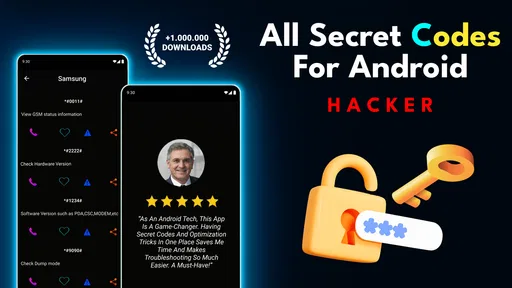

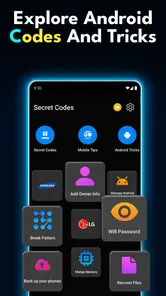

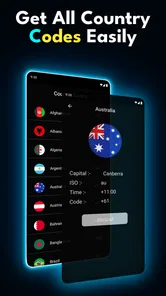
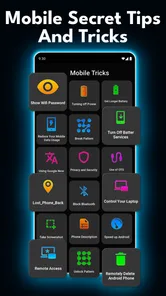
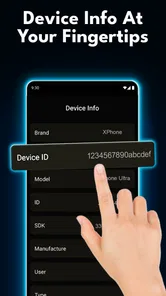
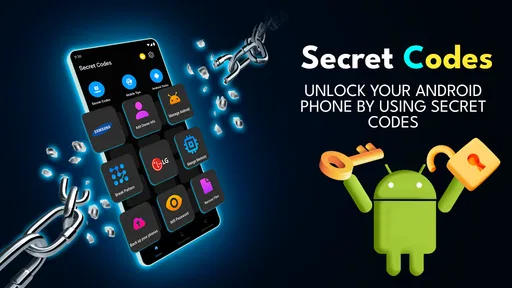
Analysis by Reviewed
Have you ever wanted to feel like a real-life spy or codebreaker? Well, the Secret Codes and Ciphers app might just be your ticket to that thrilling world. This app takes you on a journey through the fascinating realm of cryptography, offering both educational insights and engaging puzzles that will keep your brain on its toes. Let's dive into what makes this app tick and why it might be the perfect addition to your digital library.
Start with the right expectations
I’d approach this as a compact way to explore classic code puzzles, not as a tool for protecting private messages or diagnosing problems with your phone. That distinction matters because the word “secret” can suggest security features that a cipher-learning app is not meant to provide. If you want to understand how a historical code works, it fits the task; if you need to keep conversations confidential, use a dedicated secure messaging option instead.
The most satisfying way to use it is to treat each puzzle as a small experiment. Make one guess about the method, test it against a short part of the message, and then adjust only when the result gives you a reason to. This keeps the exercise focused and makes the explanation more useful than simply reading it after the answer is already known.
Crack the Code: An Adventure Awaits
The first thing you'll notice about the Secret Codes and Ciphers app is its user-friendly interface. It doesn’t matter if you’re a seasoned cryptographer or just starting out; the app is designed to cater to all skill levels. Right from the get-go, you’re met with an array of features that are both educational and entertaining. You can learn about famous ciphers like the Caesar Cipher or the Enigma machine while trying your hand at cracking some codes yourself. It's like having a cryptography class in your pocket!
Educational and Fun
One of the standout features of this app is how it combines education with entertainment. The app includes a variety of puzzles and challenges that are not only fun but also improve your logical thinking and problem-solving skills. Whether you’re trying to decode a message or create your own secret code, there’s always something new to learn. Plus, with each level you complete, you gain a deeper understanding of the history and application of different ciphers throughout time.
Features and Functionality
Once you dive into the app, you'll find a range of features that are designed to enhance your cryptographic journey:
- Interactive Tutorials: Step-by-step guides that make learning about ciphers both easy and engaging.
- Challenge Mode: Put your skills to the test with progressively harder puzzles.
- Custom Code Creation: Create and share your own codes with friends, adding a social element to the fun.
The app also provides detailed explanations for each cipher type, so you’re not just playing – you’re learning!
More From Our News Desk

Weather by Xiaomi Review: Clear at a Glance, Less Clear Up Close

X Under Pressure: Can It Recover When Posting Goes Wrong?

Clash of Clans Is Won Between the Battles

Android Auto Makes the Case for Quieter Car Software

MobiOffice: Transforming Mobile Productivity with Seamless Integration

EA SPORTS FC™ Mobile Soccer: Redefining Mobile Sports Gaming
Why It Stands Out
In a world full of apps, what makes Secret Codes and Ciphers stand out is its dedication to both education and fun. You’re not just mindlessly tapping away; you’re engaging in a meaningful activity that enhances your cognitive abilities. Whether you’re using it as a learning tool or just for a bit of fun, it’s an app that has something for everyone.
Where a codebreaking app fits into your day
I find this kind of app works best as a short, focused activity rather than something to leave running in the background. For example, you might open it while waiting for a bus, try a puzzle, then use the explanation to understand why a clue points toward a particular cipher. That small loop—attempt, check, learn—is more rewarding than guessing randomly until a message happens to make sense.
It can also be a useful starting point for a parent or teacher who wants to make a lesson about historical codes more hands-on. I’d treat it as an introduction, not a substitute for a full cryptography course: historical ciphers are engaging puzzles, but they are not a guide to securing modern messages. If your goal is practical digital privacy, a dedicated encrypted messaging tool is the more appropriate choice.
Making a puzzle session work for different ages
For a younger learner, I’d start together rather than handing over a challenging message and expecting the app to explain everything on its own. Ask what the person notices first: repeated letters, familiar word lengths, or a pattern in the examples. Then let them try one idea at a time. The shared reasoning is often the best part, and it gives an adult a chance to distinguish a historical puzzle from real online security.
For an adult who already enjoys logic games, the value is different. I’d use the app to break up a commute or a quiet evening, setting a small goal such as understanding one cipher rather than completing as many challenges as possible. That approach makes the learning stick and reduces the temptation to treat a wrong answer as a failure. A puzzle is useful even when it exposes a mistaken assumption, provided you take a moment to see why.
Where setup and expectations can trip you up
The app is in the Libraries & Demo category, and Vidmark Inc. presents it as a free download for everyone. It has a 4.1 average from around 20,000 ratings and over 5 million installs, which suggests it has reached plenty of curious users, though popularity alone doesn’t tell me whether every puzzle will suit your taste. The current version is 1.1.21, and it requires Android 7.0 or later. Check your device’s Android version before installing; if it is older, the app may not be the right fit.
Free to download does not necessarily mean every part of the experience is free: in-app purchases are listed from $9.99 to $99.99 per item. I’d look carefully at any purchase screen before confirming anything, especially if a child is using the phone. The Everyone age rating makes the app broadly approachable, but it doesn’t remove the need for an adult to manage spending settings when appropriate.
One practical tip is to read a cipher’s explanation before you repeatedly retry a puzzle. It helps you identify what kind of transformation to look for, rather than treating every message as a mysterious jumble. For custom codes, agree on the method with your friend first and test it on a short, harmless message; a code that is fun to solve can still be confusing if one person applies the rule differently.
A simple routine for getting unstuck
When I’m unsure where to begin, I separate what I know from what I’m guessing. I look for a rule in the lesson or example, apply it to a small portion, and check whether the output resembles anything plausible before continuing. If it doesn’t, I go back to the rule rather than changing several letters at once. That small discipline makes it easier to spot whether I misunderstood the cipher or simply made a local mistake.
When creating a code for a friend, keep the first test short and agree on punctuation and spaces as well as the main letter rule. Those details can cause needless confusion even when both people understand the central method. I’d also avoid using a puzzle code for passwords, personal details, or anything that needs genuine protection; these activities are for learning and play, not a substitute for modern encryption.
Recovering when a puzzle stops making sense
If you get stuck, I’d first revisit the instructions and check whether you’re applying the cipher in the same direction the example uses. For a substitution-style puzzle, a single mistaken letter can make the rest look impossible, so work through a short section and verify each step before continuing. Taking a pause can help too: returning with fresh eyes is often better than changing several guesses at once.
If the app itself seems unresponsive, close and reopen it, then check that your device has a stable connection if the task you’re attempting appears to depend on one. These are general troubleshooting steps, not a promise that they will fix every issue. Avoid deleting the app as a first reaction if you care about progress; check what the app currently shows and consider whether you can afford to lose locally stored activity before reinstalling.
It also helps to separate a puzzle problem from an app problem. If the screen responds normally but the decoded text looks wrong, return to the cipher instructions and test a smaller section. If the interface itself is not responding, try a simple restart of the app before changing device settings. I wouldn’t reset the phone or remove other apps just because one puzzle session has gone badly; those steps are disproportionate for a problem that may be limited to a single session.
When the phone, not the puzzle, is the obstacle
Before troubleshooting, check the basics that can affect any app: confirm that your device runs a compatible Android version, that it has enough room to install or update apps, and that the screen is responding as expected. These checks don’t guarantee a fix, but they can quickly rule out common device-side friction. If you’re helping someone else, ask what they tapped just before the issue began rather than repeating actions at random.
If a particular task appears to need a connection, testing another ordinary online activity can help you tell whether the issue is broader than this app. If other apps work normally and only one screen here is troublesome, restarting the app is a sensible first move. I’d avoid changing permissions or other system settings without a clear reason; unnecessary adjustments can create new problems without helping you solve the cipher.
Choosing between an app, a website, and a book
Compared with a basic cipher website or a printed puzzle book, an app can put explanations and challenges together in one place, which is convenient when you want to learn by trying. A website may be better if you want to compare several references side by side, while a book can be more comfortable for a longer puzzle session away from a screen. I’d choose this app for an accessible, portable introduction, not for advanced codebreaking tools or secure communication.
It may not be the right choice if you dislike puzzle-based learning, want a strictly ad-free or purchase-free experience, or need a tool for real-world encryption. I’d also avoid expecting every historical cipher to feel equally intuitive: some methods click quickly, while others need careful reading and patience. Its appeal is the combination of learning and play, so it is strongest when you’re curious enough to slow down and understand the method.
A practical difference from a general-purpose puzzle app is the subject matter: here, the challenge is tied to understanding codes rather than solving an unrelated riddle. That focus is useful if you want a little history alongside the problem-solving. On the other hand, someone who mainly wants a large variety of puzzle genres may be happier with a broader collection, and a learner seeking rigorous technical study will need more than short cipher exercises.
Who is likely to enjoy it
I’d recommend giving it a try if you’re curious about classic ciphers, enjoy working through a clue at your own pace, or want a low-pressure activity to share with a child or friend. It also suits people who learn better by testing a rule than by reading a long explanation first. The strongest use case is a short session where you can focus, try a method, and then check what the explanation teaches you.
I’d skip it if you’re looking for a practical phone utility, a secure way to exchange sensitive messages, or a puzzle experience with no purchase prompts at all. It may also frustrate you if you prefer every answer to be immediately obvious or dislike pausing to study instructions. Knowing that before installing helps set a fair expectation: the appeal is curiosity and practice, not instant results.
A practical verdict
For a casual evening, I might choose one cipher, read its explanation, and then invite a friend to make a short message using the same rule. That turns the app into a small shared activity rather than an endless stream of tapping. If a puzzle feels confusing, I’d stop and review the example instead of assuming I need more hints or making random changes. The method matters more than speed.
Hacker: Secret Codes & Ciphers is a free app for exploring code puzzles in an approachable, educational format, with optional in-app purchases and a broad age rating. I see it as a niche choice with a clear purpose: a portable introduction to historical ciphers and a handy source of short brain teasers. If that is what you want, it is worth trying; if you need real privacy, a broad puzzle library, or a more formal course, another tool will serve you better.
In conclusion, if you’ve ever been curious about the world of cryptography or simply enjoy a good brain teaser, the Secret Codes and Ciphers app is definitely worth checking out. It’s an educational tool wrapped in a fun package, offering endless hours of entertainment and learning. So why not give it a try? Who knows, you might just find your inner codebreaker!
Hacker: Secret Codes & Ciphers Frequently Asked Questions
What is Hacker: Secret Codes & Ciphers, and what can it help me do?
Hacker: Secret Codes & Ciphers is an app focused on secret codes and hidden phone menus. Its central idea is to give users a way to explore codes associated with mobile devices, rather than serving as a general-purpose hacking tool. If you are curious about phone menus or want to learn what secret codes are used for, its description gives you a quick sense of the app’s purpose before you install it.
Who is likely to find Hacker: Secret Codes & Ciphers useful?
The app may interest people who like exploring mobile-device features, learning about secret codes, or browsing apps in the Libraries & Demo category. It can also suit curious users who want to understand the idea of hidden phone menus. Its focus is specific, so it is most relevant if secret codes are what you are looking for rather than a broad collection of phone utilities.
Is Hacker: Secret Codes & Ciphers free to download, and does it include in-app purchases?
Hacker: Secret Codes & Ciphers is free to download, so you can try its secret-code content without paying upfront. It also offers in-app purchases, with items ranging from around ten dollars to around one hundred dollars. Check the purchase options in the app before buying, especially if you are downloading it for a child or prefer to avoid extra spending.
What devices can install Hacker: Secret Codes & Ciphers?
The app is listed for Android devices running Android 7.0 or later. It is categorized as a Libraries & Demo app and is intended for exploring secret codes and hidden phone menus. Before downloading, check your device’s Android version and available storage in the app store to make sure installation is suitable for your phone or tablet.
What is the main purpose of the Secret Codes and Ciphers app?
The Secret Codes and Ciphers app is designed to teach users about various coding and decoding techniques, including classic ciphers like Caesar and Vigenère, as well as modern encryption methods. It is ideal for anyone interested in cryptography, whether for educational purposes or just for fun. The app offers interactive tutorials and challenges to enhance learning.
Pros
- Enhances problem-solving skills
- Fosters creativity and imagination
- Fun for all age groups
- Rich variety of ciphers to explore
- User-friendly interface
Cons
- Limited free content
- Requires internet connection
- Ads can be intrusive
- No offline mode
- Occasional bugs reported