Multi Web Chat - Read Secretly
- 306.00
- 3.8
- Installs
- 5.00M
- Price
- Free

Screenshots

Analysis by Reviewed
I find Multi Space - Web Scan & Sync most useful when I want to keep separate app accounts accessible without constantly signing out. Its appeal is practical rather than flashy: it brings account separation and web-related tools together in one Android app. The experience is shaped by connectivity, though, so I’d think of it as a companion for connected routines—not a replacement for every app’s own account switcher.
When a web session is part of the routine
The connection matters most when I’m using the web-facing tools, because a scan or synced session is useful only if the relevant service and devices can communicate. I’d plan those tasks around a stable connection rather than assume a page or chat will remain ready after moving between networks. If I’m about to rely on a web session for something time-sensitive, I’d open it beforehand and make sure it is still active.
That distinction helps set expectations: the app can bring convenient tools into one place, but it cannot remove the ordinary dependency on the service being reached. For a quick one-off task, using the website directly may be more straightforward. For a routine that involves switching accounts and returning to web chats, keeping the workflow in one app may save repeated navigation.
Keeping separate accounts within reach
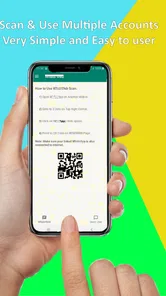
Ever found yourself constantly logging in and out of different accounts on the same app? Well, Multi Space has you covered. With its app cloning feature, you can easily create a duplicate version of your favorite apps. This means you can run two accounts simultaneously without any hitches. For instance, if you’ve got a personal and a work account on social media, this app lets you keep both open at the same time. It’s like having a twin phone right in your pocket!
That setup is especially handy when I need to check a work account during a break but don’t want it mixed into my personal app routine. I’d start by choosing the one app where account switching causes the most friction, then see whether a second instance fits my needs before building a whole folder of duplicates. Cloning is a convenience, not a guarantee that every app will behave identically: some apps may restrict parallel sessions or handle notifications differently. If an app’s own account switcher is reliable, that simpler option may be easier to maintain.
Web tools depend on the connection
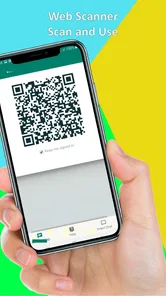
One of the standout features of Multi Space is the Web Scan & Sync capability. Imagine being able to scan QR codes or web pages and sync them across your devices effortlessly. It’s a lifesaver for those who are always on the go. This feature ensures that you have all your important links and info handy, no matter where you are. It's perfect for business folks or anyone who loves to stay organized.
The web-focused part makes the most sense when the phone has a dependable connection and the other device or service you want to work with is available. A realistic use is scanning a web session at your desk, then keeping that workflow accessible while moving around. I’d avoid treating a scan as a backup: if a network drops or a session needs refreshing, the useful next step may be to reconnect and scan again. For a single device and a single account, the original app or browser is often the more direct choice.
More From Our News Desk

Weather by Xiaomi Review: Clear at a Glance, Less Clear Up Close

X Under Pressure: Can It Recover When Posting Goes Wrong?

Clash of Clans Is Won Between the Battles

Android Auto Makes the Case for Quieter Car Software

MobiOffice: Transforming Mobile Productivity with Seamless Integration

EA SPORTS FC™ Mobile Soccer: Redefining Mobile Sports Gaming
Small-screen routines and setup choices
When it comes to user experience, the app really shines. It’s designed with a clean, intuitive interface that’s easy to navigate, even if you’re not tech-savvy. Installing and setting up your apps takes just a few taps, and the instructions are clear and straightforward. Plus, the app runs smoothly without any noticeable lag, making multitasking a breeze.
On a phone, the benefit is less about doing everything at once and more about reducing repeated account changes during short gaps in the day. I’d keep only the clones I genuinely use, give myself a clear habit for which instance handles work, and test notifications before relying on a second account for something time-sensitive. That small check helps reveal whether the arrangement suits your routine instead of assuming every cloned app will feel exactly like its original.
Moreover, the developers have ensured that the app remains lightweight, so it doesn’t hog your device's memory or battery. This is especially important if you’re running multiple apps at the same time. You’ll appreciate this efficiency when you’re deep in the weeds of work or play.
Moving between places and networks
A realistic day might mean opening a personal chat at home, checking a separate work account between errands, and returning to a web session later at a desk. The useful habit is to decide which account belongs to each context before opening a conversation. That reduces the chance of replying from the wrong profile, an easy mistake when both instances look familiar on a small screen.
Network changes can also interrupt the rhythm even when the account setup itself is fine. If a page does not load while I’m on the move, I’d first check whether the connection is working elsewhere, then retry the web task once it is stable. I wouldn’t keep tapping through several screens or assume a stalled session means the account has disappeared. Separating “the account needs attention” from “the network is struggling” makes troubleshooting less confusing.
Limits, privacy-minded habits, and recovery
While Multi Space is pretty fantastic, it’s worth mentioning that not all apps support cloning. This isn’t a deal breaker, but it’s something to keep in mind if there are specific apps you’re hoping to duplicate. Additionally, while the app is free, some features may require in-app purchases for full functionality.
For a calmer setup, I’d avoid cloning sensitive or rarely used apps until I know how the separate instance behaves, and I’d be deliberate about which account I open before sending a message. The app’s secret-mode positioning may appeal to people seeking separation, but I wouldn’t treat that phrase as a substitute for checking an app’s own privacy and account settings. If a clone stops working, the sensible first checks are whether the original app still works, whether the connection is active for web tasks, and whether signing in again resolves the issue. I’d keep important links or account recovery details somewhere dependable rather than relying on a synced session alone.
When something goes wrong, I’d change one thing at a time. First I’d try the original app, which helps distinguish an account issue from a problem limited to the duplicate. Then I’d check the network if the task involves scanning, syncing, or web chat. If the original works but the clone does not, signing into the separate instance again is a reasonable next step. Keeping the original app available during this check gives me a fallback while I work out where the snag is.
Using it without creating extra clutter
Cloning is most worthwhile when it removes a recurring annoyance, not simply because the option exists. I’d make a short list of the accounts I actually switch between in a normal week, then create only the instances that solve a clear problem. This keeps the home screen manageable and makes it easier to remember which profile is active. It also gives me a fair way to judge whether the extra layer is earning its place.
For people who share a phone or handle work conversations on a personal device, account separation can make daily routines feel more deliberate. It does not automatically make a shared device private, though: anyone with access to the phone may still be able to reach apps that are open or signed in. I’d use the account’s own security controls and the phone’s lock rather than treating a separate instance as a privacy barrier.
Multi Space - Web Scan & Sync is in the Libraries & Demo category, and World Scan & Cleaner develops it. It is free to install, rated for Everyone, and has a 3.8 average from around 72 thousand ratings, with over 5 million installs. Version 12.5 is listed for Android 6.0 and newer, and optional in-app purchases range from $2.99 to $29.99 per item. Those purchase options are worth considering if you only need basic account separation; I’d first decide whether a paid feature solves a specific problem rather than upgrading out of curiosity.
Overall, Multi Space - Web Scan & Sync is a nifty tool for anyone looking to streamline their digital life. Whether you’re a multitasker by nature or just someone who wants to keep their work and personal life separate, this app is definitely worth checking out. It’s efficient, easy to use, and offers a range of features that can make your smartphone experience more enjoyable. Give it a shot and see how much easier managing your apps can be!
Where it fits best
Its Store summary points to web chat, secret mode, download status, video and photo chats, and message syncing, so I’d approach it as a collection of connected-use conveniences rather than a universal account manager. That mix may suit someone who regularly moves between chats and web sessions. If your priority is simply duplicating one messaging app, a built-in dual-app feature from your phone maker—when available—or that app’s own multi-account controls may involve fewer steps.
Before relying on it during a commute or a busy workday, I’d try the exact sequence I expect to use: open the right instance, confirm the account, test the web connection, and check that the relevant chat or status is visible. This is a useful way to spot friction while there’s time to fix it. People who rarely juggle accounts, prefer a minimal home screen, or need predictable behavior from a single official app may be happier skipping an extra layer.
Choosing between the app and simpler alternatives
The usual alternatives solve slightly different problems. An app’s own account switcher is often the cleanest route when it handles both profiles well; it avoids managing a second instance. Some phone makers also offer built-in app duplication, which can be preferable if all I need is a second copy and the feature is available on my device. A browser is the direct option for occasional web access, while this app is more appealing when account separation and web-oriented routines belong together.
I’d be cautious about choosing it just to chase a long list of features. If I mainly need reliable access to one account, or if my work depends on consistent notifications from a single official app, fewer layers are usually easier to troubleshoot. It is a better fit for someone comfortable testing a workflow and keeping track of separate instances than for someone who wants every account to behave identically without setup.
Final connectivity verdict
Multi Space is best for someone who values convenient separation and is willing to make a little room in their routine for checking which account and connection they’re using. Its web-oriented functions make connectivity part of the experience, while cloning can reduce repetitive sign-ins when supported. I’d try it for a specific, recurring account problem, keep expectations measured, and stick with the original app or a built-in alternative when that already does the job cleanly.
My practical recommendation is to start with one account pair and one web task, then see whether the whole sequence feels easier over several ordinary days. Check that the right profile is open before sending messages, and keep another route to essential account details in case a session needs attention. If those small precautions feel like too much overhead, the app’s extra flexibility may not be worth it; if repeated sign-ins are the daily irritation, it can be a useful connected companion.
Multi Web Chat - Read Secretly Frequently Asked Questions
Is Multi Space - Web Scan & Sync free to download?
Yes. Multi Space - Web Scan & Sync is free to download, though it also offers optional in-app purchases. Those purchases range from $2.99 to $29.99 per item. You can start with the free experience and decide whether any paid option is useful for you; check the purchase details in the app before buying so you know what each option includes.
Can I use Multi Space - Web Scan & Sync to keep personal and work chats separate?
The app is intended to help users manage multiple accounts on one device, which may be useful when you want to keep personal and work chats apart. Its features include web chat, message syncing, and Secret Mode. Whether it fits your setup depends on the accounts and services you use, so consider what you want to manage before installing it.
What is the minimum operating system requirement for Multi Space - Web Scan & Sync?
Multi Space - Web Scan & Sync requires Android 6.0 or later, so check your device’s operating system before downloading. The app is intended for managing web chats and syncing messages, with features such as a secret mode and download status. Whether those tools fit your needs will depend on how you use web chat and which accounts you want to access.
What is Multi Space - Web Scan & Sync and how does it work?
Multi Space - Web Scan & Sync is an app designed to help users manage multiple accounts of the same app on a single device. It allows you to scan QR codes, sync web data, and switch between different accounts without logging out. This app can be useful for keeping work and personal accounts separate or managing multiple social media profiles. Its store summary also highlights web chat with Secret Mode, download status, video and photo chats, and message syncing.
Is Multi Space - Web Scan & Sync safe to use?
Yes, Multi Space - Web Scan & Sync is safe to use. It prioritizes user privacy and data security by ensuring that your account information and personal data are kept secure. The app does not store any of your personal information or data on its servers, meaning your details remain confidential and protected at all times.
Pros
- Seamless cross-device syncing
- User-friendly interface
- Efficient performance
- Supports multiple platforms
- Secure data handling
Cons
- Limited free features
- Occasional sync delays
- Requires stable internet
- May drain battery
- Ads in free version