Galaxy S9 Plus Ringtones
- 2.82K
- 4.6
- Installs
- 5.00M
- Price
- Free

Screenshots
Analysis by Reviewed
I tend to notice a phone’s default sounds most when they interrupt something: a call during a quiet afternoon, or an alarm that has become too familiar to wake me properly. A dedicated ringtone library can make those small moments feel less impersonal, and Galaxy S9 Plus Ringtones is aimed at people who want a ready-made collection rather than a complicated sound-editing project. It is free, and its focus is straightforward: browse sounds and choose ones that suit calls, alerts, or alarms.
Why the first week feels appealing
The immediate draw is having a selection in one place instead of searching around for individual audio files. The app is listed in the libraries and demo category, and ZenTint Creations has kept its purpose easy to understand: it is a sound library, not a full phone-personalization suite. That narrow focus is useful if you simply want to replace a default tone without learning an editor or building a playlist.
It is not limited to owners of the Galaxy S9 Plus. The sounds can appeal to people using other Samsung phones or another Android brand, so the name need not determine whether it is relevant to your device. I would still treat compatibility as something to check on your own phone when applying a sound: Android settings and manufacturer interfaces can differ, and a tone that is easy to select on one device may take an extra step on another.
A quick way to decide what belongs on your phone
In the first few days, I would avoid treating the whole collection as a set of sounds to install. Instead, listen with a purpose: choose one option for calls, one for routine alerts, and perhaps an alarm only if the current one has become ineffective. That small shortlist makes comparison easier and prevents a burst of enthusiasm from turning into a phone full of tones I never use.
A useful test is to play each candidate at the volume and in the setting where it will matter. A sound that seems clear while browsing in a quiet room may be too soft in a busy café, while a loud, bright tone can feel intrusive in a shared office. I would also consider whether a ringtone has a distinctive opening; if the identifying part takes too long to arrive, I may miss the moment when I need to recognize a call.
Exploring the Galaxy of Sounds
First off, let me tell you that this app is not just for the Galaxy S9 Plus users, despite what the name might suggest. It's like they decided to share the stellar audio experience with everyone. So, whether you're on a different Samsung model or even another brand, you can still tap into this rich universe of sounds.
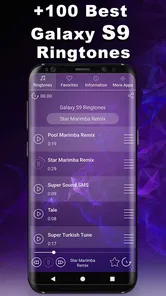
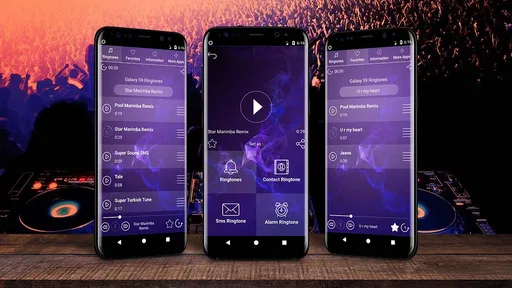
When I first launched the app, I was greeted with a vibrant and straightforward interface. It's super easy to navigate, which is a huge plus in my book. You don't want to spend ages just trying to find the ringtone section, right?
More From Our News Desk

Weather by Xiaomi Review: Clear at a Glance, Less Clear Up Close

X Under Pressure: Can It Recover When Posting Goes Wrong?

Clash of Clans Is Won Between the Battles

Android Auto Makes the Case for Quieter Car Software

MobiOffice: Transforming Mobile Productivity with Seamless Integration

EA SPORTS FC™ Mobile Soccer: Redefining Mobile Sports Gaming
Personalization at Its Best
The app offers a plethora of ringtones, notifications, and alarm sounds. I was like a kid in a candy store! From classic phone ringtones to modern tunes and even some quirky sounds, there's something for everyone. And the best part is that they are all high-quality. None of that scratchy, low-volume nonsense.
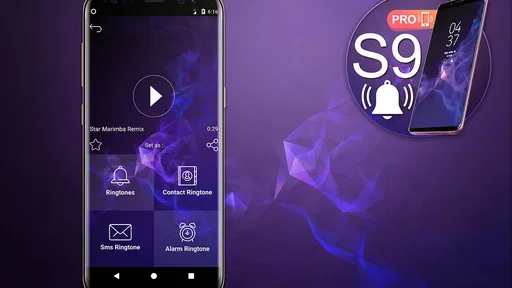
One cool feature is the ability to assign different ringtones to different contacts. I mean, who doesn't want a special tune when their best friend calls? It's a great way to add a personal touch to your phone and make sure you're never caught off guard.
Make the sounds useful, not just novel
A small practical tip is to test a candidate sound in the setting where you will actually hear it. A gentle tone may be pleasant at home but easy to miss in a noisy place; a sharp alert can cut through noise but become irritating when it repeats throughout the day. I would start with one change—perhaps a distinct call tone—then live with it before changing every alert at once. That makes it easier to tell whether the new sound is genuinely helpful or merely exciting on the first listen.
There is also a trade-off in assigning different tones to contacts. It can help me recognize an important caller without looking at the screen, but too many personalized sounds are hard to remember and can make an otherwise quiet phone feel busy. I would reserve individual tones for a few people I need to identify quickly, then keep a consistent sound for everyone else.
Putting contact tones to work in everyday life
Imagine I am cooking dinner with my phone on the counter and my hands occupied. A distinct tone for a family member whose call I usually need to answer can tell me who is ringing before I reach for the screen. That is a practical reason to personalize a contact; assigning a special sound to every person in the address book would add little value if I still had to stop and identify each one.
There is a small habit worth forming after assigning a contact sound: place a test call or ask that person to call when convenient, then confirm the tone is recognizable at the volume I normally use. Contact-specific settings can be easy to forget later, especially after changing a general ringtone. Checking the important few avoids assuming a call will sound a certain way and discovering otherwise at a bad moment.
The User Experience
Now, let's talk about the user experience because, let's be honest, that's where many apps fall short. The app's performance was smooth as butter. I didn't experience any lags or crashes, which is a major win. And downloading a ringtone was as simple as tapping a button. Plus, it doesn't bombard you with ads every two seconds, thank goodness!
Another thing that stood out to me was the regular updates. The developers seem committed to keeping things fresh, which is necessary in the ever-evolving world of mobile apps. It's always exciting to see what's new with each update.
Keeping the setup manageable
My preferred approach is to make a short note of what each sound is doing: one for calls, one for general notifications, and an alarm if I genuinely want a different wake-up cue. This is less about maintaining a formal list and more about keeping the phone’s sound choices understandable. If I change several settings at once, it becomes harder to work out which one is responsible when an alert is too quiet or unexpectedly distracting.
It also helps to distinguish a ringtone from a notification sound before making a change. Calls and short alerts happen in different contexts and at different frequencies. A tone that feels lively for an occasional call might become tiresome for routine messages. I would keep notifications restrained and save a more distinctive sound for the event I most need to notice.
Living with a ringtone library month after month
The lasting value depends less on how many sounds I browse on day one and more on whether I find a few I still like after the novelty wears off. For example, if I use one tone for calls, a quieter one for routine notifications, and a different alarm, the collection can serve several everyday purposes without requiring constant tinkering. A realistic routine is to choose a call sound on the weekend, check that it is audible during a normal workday, and only revisit it if I keep missing calls or find it distracting.
This is where the app differs from the usual alternatives. A phone’s built-in sound settings are simpler and avoid installing another app, but they offer only the sounds already on the device. A general audio editor gives more control if I want to trim or shape a personal recording, though that is unnecessary effort when I just want a ready-to-use option. This library sits between those approaches: browse first, then pick a sound, rather than create one from scratch.
That middle ground is most appealing when I want a change without turning phone customization into a project. If I already have a sound file I love, the built-in settings or an editor may suit me better, depending on whether I need to locate or edit it. If I have no particular sound in mind and would rather browse a collection, a dedicated library is the more direct starting point. The trade-off is that browsing can invite repeated switching, so I would decide on a small number of roles for the sounds before I start.
The app has an average rating of 4.6 from around 136,000 ratings, with about 2,800 written reviews, and it has passed five million installs. Those figures suggest that many Android users have found the idea appealing, but they cannot tell me whether a particular tone will suit my hearing, environment, or taste. I would use them as context, not as a substitute for trying a sound myself.
Maintenance and the point where I would move on
For a simple sound library, the maintenance burden should be modest: select a tone, make sure it is assigned where intended, and revisit the choice if it stops working for your routine. The app is free, rated for Everyone, and its current version is 1.1.12; it supports Android 5.0 and later. I would check the phone’s own sound settings after choosing a tone, especially if I want different sounds for calls, notifications, and alarms, because those are separate jobs and can be easy to mix up.
For someone using an older Android phone, the stated minimum operating-system requirement makes it worth checking the device’s software before trying to install it. On a newer phone, the more relevant question is how that manufacturer handles sound selection. If the chosen audio does not appear where expected, I would first revisit the phone’s ringtone or notification settings rather than assume the sound itself is unusable. That simple check can prevent unnecessary browsing for a second copy of the same kind of tone.
Fatigue is the main drawback I would watch for. A sound that feels funny or distinctive at first may become grating when it repeats, while a very subtle one can disappear into background noise. The collection is also a poor fit if I want to compose custom audio, manage a large personal sound archive, or avoid installing a dedicated ringtone app altogether. In those cases, the phone’s built-in options or an editor may be the better tool.
Another possible source of friction is expectation. The Galaxy name may make someone assume the app is a full Samsung customization tool, but its appeal is centered on sounds. I would choose it for listening and selecting tones, not as a way to change icons, themes, or the broader look of a phone. If the goal is an extensive visual makeover, a different kind of personalization app is a more appropriate place to start.
Who will get the most from it
I would recommend this to Android users who enjoy trying different tones, want a ready-made selection, or need a simple way to give a few important calls a recognizable sound. It may also suit someone setting up a phone for a relative who finds the default alert easy to miss: choosing a clearer call tone can be more useful than changing several visual settings. In that case, I would keep the setup restrained and ask the person to listen to the final choice in the places they normally use the phone.
I would skip it if the phone’s existing sounds already work well, if I rarely hear alerts because the phone is usually muted, or if I want to create and organize custom audio rather than select from a library. People who dislike adding single-purpose apps may also prefer to stay with their built-in options. The right choice depends less on the size of a collection than on whether I have a recurring reason to change or distinguish sounds.
Final Thoughts
So, would I recommend Galaxy S9 Plus Ringtones? Absolutely. It's a solid app that does exactly what it promises. Whether you're looking to change your ringtone for the umpteenth time or just want to explore new sounds, this app has got you covered. It's like having a personal DJ for your phone.
In a world where customization is key, having an app that offers both variety and quality is a breath of fresh air. So go ahead, give it a whirl and let your phone ring with personality!
My longer-term verdict is that this earns space if I actually use its sounds to make calls, alerts, and alarms easier to tell apart. If I change tones once, enjoy the novelty, and never revisit them, the built-in library on my phone is probably enough. But for someone who likes choosing from a dedicated collection and wants a low-effort way to make a familiar Android phone feel a little more personal, it is a reasonable app to try—then keep only if the sounds remain useful after the first week.
Galaxy S9 Plus Ringtones Frequently Asked Questions
Does Galaxy S9 Plus Ringtones let me preview a sound before choosing it?
Being able to listen before setting a tone is useful when you are choosing an alert you may hear throughout the day. Galaxy S9 Plus Ringtones is presented as a collection of Galaxy-inspired ringtone and notification sounds, and the app description highlights browsing and previews. You can explore the available sounds and decide which ones suit your calls, messages, or other alerts.
Can I use different sounds for calls, notifications, and alarms?
The app is intended for personalizing your device with Galaxy-inspired sounds, and its described features include setting a tone as a default ringtone, notification alert, or alarm sound. That gives you the option to choose a sound for different kinds of alerts rather than using one tone for everything. Your Android device’s settings may also affect how tone choices are applied.
Is Galaxy S9 Plus Ringtones compatible with my Android version?
Galaxy S9 Plus Ringtones is an Android app for devices running Android 5.0 or later. Before downloading, check your phone’s Android version in its settings to make sure it meets that requirement. The app is listed in Libraries & Demo and is intended for people who want Galaxy-inspired sounds on their device.
Who developed Galaxy S9 Plus Ringtones, and what is its age rating?
The app is developed by ZenTint Creations and is rated Everyone, so its content is intended for a general audience. Its focus is on ringtone and notification sounds rather than a game or social platform. These details may help families and other users decide whether the app suits their device and intended use.
What are the main features of Galaxy S9 Plus Ringtones app?
The Galaxy S9 Plus Ringtones app offers a wide selection of high-quality ringtones and notification sounds inspired by the popular Samsung Galaxy S9 Plus smartphone. Users can easily browse through various categories such as classical, pop, rock, and custom sounds. The app allows you to set these tones as your default ringtone, notification alert, or alarm sound, providing a personalized auditory experience for your device.
Pros
- High-quality sound effects
- Wide variety of ringtone options
- Easy to navigate interface
- Regular updates with new ringtones
- No internet required after download
Cons
- Ads can be intrusive
- Limited customization options
- Some ringtones are too short
- Occasional app crashes
- No option for custom ringtone creation