GPS Navigation Live Map Road
- 237.00
- 4.2
- Installs
- 10.00M
- Price
- Free

Screenshots

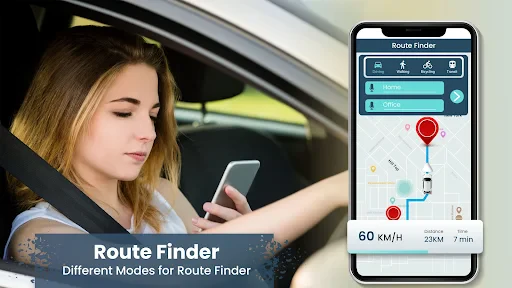
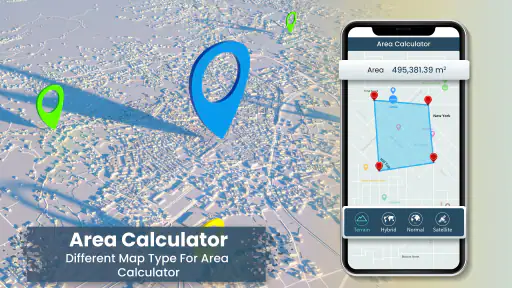
Analysis by Reviewed
When I’m heading somewhere unfamiliar, I want directions I can understand quickly without needing to study a map at every junction. GPS Navigation Live Map Road is a travel and local app from Map Zone Studio, and its straightforward navigation focus makes it easiest to judge as a practical driving companion. The free app has an average rating of 4.2 from around 31,000 ratings and more than 10 million installs. It is rated for Everyone, with optional in-app purchases ranging from $0.99 to $99.99 per item, so I’d check the purchase screen carefully if I plan to use it regularly.
I’d think of it as a phone-based guide for everyday driving rather than a tool that should make every decision for me. It is most appealing when I want spoken directions, a visible route, and a way to look for nearby places in one place. If I’m choosing between navigation apps, I’d focus less on the number of features and more on whether I can hear its prompts, understand the map at a glance, and trust the route enough to follow it calmly.
Getting Started with Ease
From the moment I downloaded the app, the user-friendly interface caught my eye. With a few taps, I was able to set up my profile and punch in my destination. The app's design is sleek, and I could tell that a lot of thought went into making sure everything was just a tap away. For someone like me who isn’t exactly tech-savvy, GPS Navigation Live Map Road was a breeze to navigate.
A Routine That Makes Trips Easier
My most useful habit with a navigation app is to enter the destination before setting off, then take a moment to check that the route looks sensible. For a familiar commute, that quick look helps me catch an unexpected detour before I’m already moving. For a new address, I also make sure I can recognize the destination and nearby streets, rather than relying on a last-second guess at the entrance.
On an ordinary evening, I might leave work for a grocery stop and then head home through busy streets. I’d set the first destination while parked, listen to the spoken guidance, and only revise the route after pulling over if plans change. That small routine matters more than tapping through menus while driving: no navigation app can replace attentive driving, and I would never handle the phone at a junction or in traffic.
Real-Time Navigation
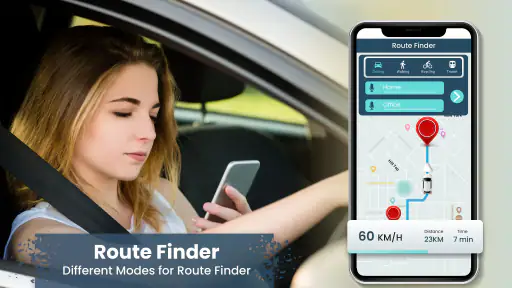
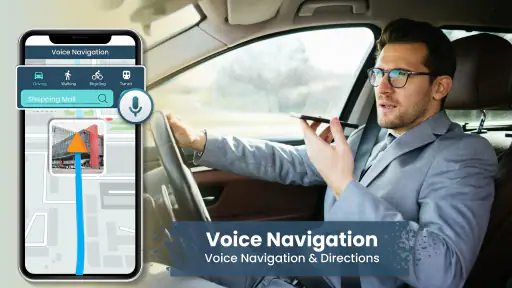
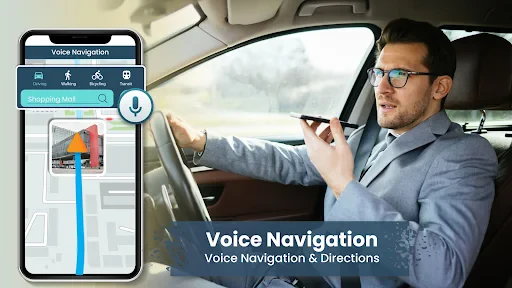
Now, here’s where the app truly shines. The real-time navigation feature is something to write home about. As I drove through busy streets and winding country roads, the app kept me updated with turn-by-turn directions. The voice navigation was crisp and clear, ensuring I never had to take my eyes off the road. It even alerted me about traffic jams ahead, which saved me a ton of time!
For a new driver or someone making an occasional trip across town, voice prompts can be more useful than a crowded screen: they let me keep attention on the road instead of repeatedly checking the map. I’d still listen for the actual street and turn, not just react to a prompt’s timing. In a dense area, a quick instruction can arrive amid other traffic demands, so it helps to know the next turn before the final moment whenever the route is unfamiliar.
More From Our News Desk

Clash of Clans Is Won Between the Battles

Android Auto Makes the Case for Quieter Car Software

MobiOffice: Transforming Mobile Productivity with Seamless Integration

EA SPORTS FC™ Mobile Soccer: Redefining Mobile Sports Gaming

How Microsoft OneDrive Became a Mobile Productivity Giant

How Google Translate Breaks Language Barriers Effortlessly
Settings Worth Checking Before You Go
Before relying on voice guidance, I’d check the phone’s sound level and confirm that spoken directions are easy to hear over the cabin noise. If I’m using Bluetooth, I’d test the audio while parked instead of assuming directions will come through the car speakers. These are simple checks, but they prevent a frustrating first turn when the phone is connected differently than expected.
Traffic guidance is most useful when I treat it as information to evaluate, not an order to follow blindly. A suggested change can look quicker on a screen but still involve awkward turns or roads I would rather avoid. I compare the broad route with what I know about the area and stay with a clear, safe option if a last-minute reroute would distract me.
I’d also make a simple pre-drive checklist part of my routine: confirm the destination, set a comfortable volume, and check that the phone is positioned where I can hear directions without needing to reach for it. This is especially useful when someone else has recently used the car or changed the audio connection. If the prompt is hard to hear, I’d stop and adjust things safely rather than trying to troubleshoot while moving.
Interactive Maps
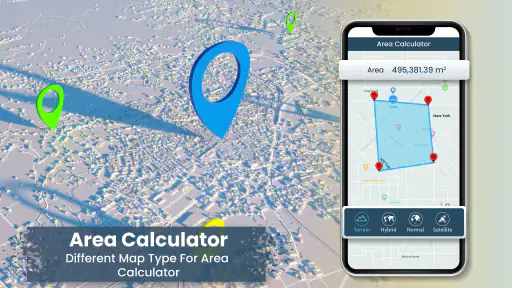
I must say, the interactive maps are a game-changer. The maps are detailed and come with 3D views, which made it feel like I had my personal co-pilot by my side. Plus, the offline maps feature meant I could keep navigating even when I found myself in areas with sketchy network coverage. Talk about reliability!
Where Its Map Approach Helps—and Where It Doesn’t
For me, the map view is most helpful before a turn or when I need to understand the shape of a route, while voice prompts are better once I’m moving. I’d use that combination on an unfamiliar drive: glance at the map while safely stopped, then rely on spoken guidance rather than trying to follow every visual detail in motion. Offline navigation can be reassuring in patchy coverage, but I’d prepare before leaving reliable service rather than wait until the signal has already dropped.
Offline support is best treated as a backup plan, not a reason to leave preparation until the last minute. Before a drive through an area with unreliable service, I’d get the route ready while connected and make sure I understand the starting point. That reduces the chance of discovering a coverage problem just as I need to choose a turn. If a trip depends on highly precise local details, I’d also keep a broader sense of the route in mind instead of assuming the phone will resolve every uncertainty.
Compared with the usual choice of a built-in car navigation system or a general-purpose map app, this app’s appeal is its direct focus on GPS guidance and live map use. A built-in system may suit drivers who prefer not to mount or handle a phone; a familiar map app may be better for someone who depends on its established routines. I’d choose this one when I want a dedicated navigation option, but I wouldn’t switch from a setup I already trust without first testing it on a short, low-pressure trip.
That comparison matters most for people who already have a dependable routine. A familiar general-purpose map app may be the better choice if it already fits how you plan journeys, while built-in navigation can be more comfortable if you dislike having a phone in view. I see this app as a sensible alternative for drivers who want a dedicated navigation experience on their phone, not as a guaranteed upgrade over every other option. A low-stakes test tells me more than choosing by feature labels alone.
Additional Features
Besides the basic navigation, the app also offers a host of additional features. There’s an option to find nearby gas stations, ATMs, and restaurants, which came in handy during my longer drives. The speed limit alert feature was a neat addition, ensuring I stayed within limits and avoided any unexpected fines.
Nearby searches are particularly useful when a plan changes mid-trip: I can look for a practical stop instead of trying to remember what was along the route. I’d still check the results before setting off toward one, especially if I’m unfamiliar with the area. Speed alerts are a reminder, not a substitute for watching posted signs, since limits and road conditions can change from one stretch to the next.
A useful way to handle a stop is to decide on it before moving again. If I realize I need fuel or a break, I’d pull over, choose a nearby place, and review the route from there. This keeps the search from becoming a distraction and gives me a moment to judge whether the suggested stop is actually convenient for my direction of travel. Nearby results can save time, but I wouldn’t assume the first one is automatically the best fit.
Faster Patterns for Repeat Trips
Experienced users can save time without needing hidden shortcuts: keep destination entry to the moments before departure, use voice directions to reduce screen checking, and make one deliberate route review rather than repeatedly reopening the map. On a regular trip, I’d pay attention to where a suggested detour tends to appear and decide in advance whether that kind of route is acceptable. That makes a traffic prompt less of a surprise and helps me avoid rushed decisions.
For repeat journeys, the biggest efficiency gain is a consistent process, not constant interaction. I’d check the route once before leaving, then let the guidance do its job unless there is a genuine reason to stop and reconsider. If traffic prompts often arrive at a difficult intersection, I can be especially deliberate there: follow the road safely first, then reassess only when I’m parked. That is a practical trade-off—possibly accepting a less convenient route in exchange for less stress.
The app is a reasonable fit for drivers who want spoken directions, a live map, and practical nearby places in one travel tool. Someone who rarely drives, strongly prefers a vehicle’s built-in navigation, or wants a route planner centered on a different routine may be happier with another option. I’d also avoid treating any app’s estimated guidance as guaranteed: traffic can shift, a phone can lose reception, and unfamiliar turns still deserve care.
What to Expect from Regular Use
The current version is 5.1.0, and the app supports devices running Android 8.0 or later. I’d check compatibility before installing it on an older phone and try the core navigation before depending on it for a long journey. Since the app is free but includes optional purchases, I’d review any paid prompt before confirming it and make sure the features I actually need are available in the way I expect.
The purchase range is broad enough that I would not tap through a payment prompt casually. I’d first work out whether the free experience covers my normal trips, then decide whether any offered purchase solves a real problem for me. That is a useful distinction for occasional drivers: a feature can sound appealing but still be unnecessary if the app already handles the routes they take most often.
One practical question is whether I can count on it in an area with weak mobile coverage. The offline maps described in the app can help, but the sensible approach is to prepare while connected and not assume every part of a trip will behave identically. Another is whether it can replace a dedicated navigation device: for my needs, it can serve as a phone-based guide, but drivers who want a separate screen and controls may prefer hardware designed for the car.
Another question I’d consider is whether it suits someone who drives only occasionally. I think it can, especially for straightforward trips where spoken guidance and a clear route view are enough. But an occasional user should take a few minutes to get comfortable with the interface before relying on it somewhere stressful. A long, unfamiliar drive is a poor first test of any navigation tool; a short local journey gives me room to learn how its prompts and map presentation feel.
For regular commuters, the value comes from fitting the app into a repeatable routine rather than expecting it to remove every inconvenience. For someone who needs detailed planning for complex journeys, or who prefers a vehicle interface with dedicated controls, another option may be more comfortable. I would also choose a familiar, dependable setup over experimenting when time is tight or the road conditions are demanding.
Moreover, the app integrates seamlessly with my car’s Bluetooth system, making the whole experience hands-free and safe. It's these little details that make GPS Navigation Live Map Road a standout choice for any driver.
In conclusion, if you're someone who loves hitting the road but hates getting lost, this app is definitely worth a try. It's like having a knowledgeable friend in the passenger seat, always ready to guide you. So, next time you plan a road trip, don’t forget to download GPS Navigation Live Map Road and let it lead the way. Happy driving!
My recommendation is to start with a short, familiar journey, check the voice and Bluetooth behavior while parked, and see whether the maps and route suggestions suit the way you drive. If that trial feels comfortable, it can become a handy everyday guide; if its prompts or workflow do not fit your habits, sticking with a trusted alternative is the smarter choice.
GPS Navigation Live Map Road Frequently Asked Questions
Can I use GPS Navigation Live Map Road for planning trips as well as driving?
GPS Navigation Live Map Road is a Travel & Local app focused on GPS directions, route finding, and traffic locating. Its stated purpose makes it relevant both when you are preparing to travel and when you need guidance on the road. You can consider whether those navigation tools fit your plans, while remembering that driving directions should always be followed with attention to road signs and conditions.
Who develops GPS Navigation Live Map Road, and what age group is it intended for?
Map Zone Studio develops GPS Navigation Live Map Road, which has an Everyone content rating. That rating makes it suitable for a broad audience, although the app’s main purpose is practical navigation rather than entertainment. It is designed for people seeking GPS directions and travel assistance, so anyone using it while driving should set up a route before setting off and avoid handling a phone in motion.
Is GPS Navigation Live Map Road free to download, and does it include in-app purchases?
GPS Navigation Live Map Road is free to download, so you can try its navigation tools without paying upfront. It also offers optional in-app purchases, with items ranging from $0.99 to $99.99. If you prefer not to make purchases, check your device’s purchase settings before using the app, especially if other people can access your phone.
Is GPS Navigation Live Map Road suitable for everyone, and who publishes it?
The app has an Everyone content rating, making it suitable for a broad audience. It is published by Map Zone Studio and belongs to the Travel & Local category. Its focus is GPS navigation, so it is aimed at people looking for map-based directions and travel assistance, whether they are planning a journey or finding their way while on the road.
What features does GPS Navigation Live Map Road offer?
GPS Navigation Live Map Road provides real-time GPS navigation, live traffic updates, and voice guidance for a seamless driving experience. Users can explore detailed maps with street views, discover nearby points of interest, and receive lane guidance to ensure accuracy while on the road. The app also supports offline map access, making it convenient for areas with limited connectivity.
Pros
- User-friendly interface with intuitive controls.
- Accurate real-time traffic updates.
- Offline maps available for remote areas.
- Customizable route options for convenience.
- Voice-guided navigation enhances safety.
Cons
- Consumes significant battery power.
- Frequent ads can be distracting.
- Limited features in the free version.
- Occasional map update delays.
- Requires a stable internet for optimal use.
- Category
- Travel & Local
- Version
- 5.1.0