Holy Quran Offline Reading
- 79.00
- 4.3
- Installs
- 5.00M
- Price
- Free

Screenshots
Analysis by Reviewed
One decision worth making before relying on a phone reader is whether you want it to be your main copy or a convenient second one. I’d start with the second role: it lets you test the page layout and offline access in ordinary moments without changing a reading routine that already works. If it earns a place in that routine, you can decide later whether it deserves more frequent use.
That distinction matters most for readers who move between devices and print. A quick note of the chapter and verse can bridge formats more reliably than trying to remember a page number, since a phone display and a paper edition may not divide the text in the same way. It is a small habit, but it prevents a practical convenience from becoming an interruption.
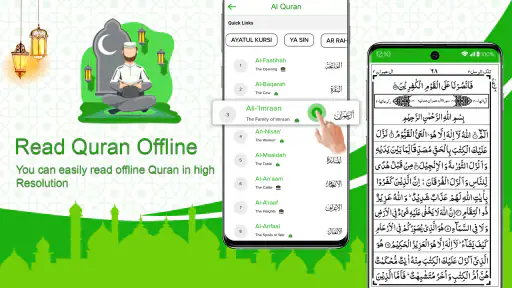
Al Quran Offline Reading is aimed at a simple need: opening the Quran on a phone and reading without relying on an internet connection. I find that focus appealing, especially for people who want a digital copy available during a commute, while travelling, or somewhere a connection is unreliable. It belongs to the libraries-and-reference side of app stores rather than the broader world of Islamic lifestyle tools, so I would judge it mainly by whether it makes reading practical and dependable—not by expecting a full suite of study or worship features.
Developed by JedyApps, Holy Quran Offline Reading is free to install, though it offers in-app purchases. It is rated for Everyone, and it has a 4.3 average from around 194,000 ratings, with over 5 million installs. Those figures suggest that many people have tried it, but they cannot tell you whether its reading format suits your eyes or habits. The useful question is whether you prefer a phone-based Quran that is ready offline over a printed copy or a more feature-rich Quran app.
Getting past the first reading hurdles
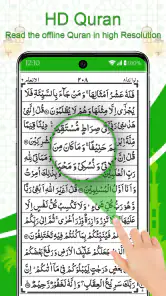
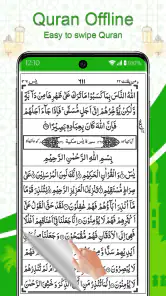
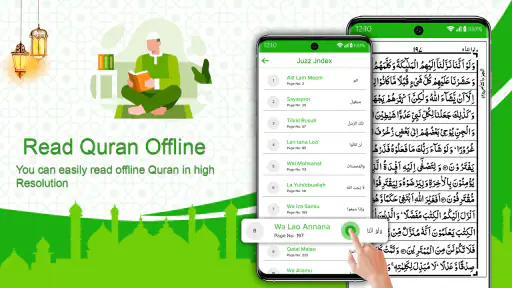
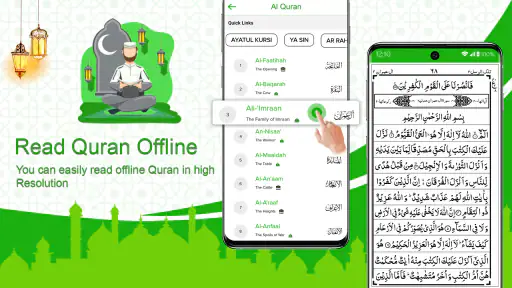
The first point I would check is the app’s identity and purpose: it presents itself as a Quran reader, not an online library that happens to include Quran content. That matters if you are installing it because you expect to download books, browse commentary, or switch among multiple translations. Its central appeal is reading the Quran in an offline format, with a page-based feel intended to resemble using a physical book.
Offline reading is helpful, but it is easy to misunderstand what it guarantees. It means you can use the reading material without needing a live connection; it does not automatically mean every screen, optional item, or purchase-related part of the app behaves the same way offline. I would open the app and check that the text is available before leaving home, rather than waiting until I am underground or travelling. That small test is more useful than assuming an app is ready simply because “offline” appears in its name.
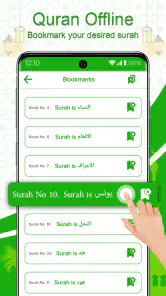
Another source of friction is expectation. Someone who is used to a printed mushaf may want a familiar page layout and a steady reading rhythm. Someone accustomed to digital text may instead expect adjustable typography, search, bookmarks, audio recitation, translation choices, or detailed navigation. I would not assume those tools are present just because other Quran apps offer them. If any of those functions is essential to your practice, check the app directly before making it your main reader.
More From Our News Desk

Weather by Xiaomi Review: Clear at a Glance, Less Clear Up Close

X Under Pressure: Can It Recover When Posting Goes Wrong?

Clash of Clans Is Won Between the Battles

Android Auto Makes the Case for Quieter Car Software

MobiOffice: Transforming Mobile Productivity with Seamless Integration

EA SPORTS FC™ Mobile Soccer: Redefining Mobile Sports Gaming
The physical-book approach has a real advantage: it can make reading feel less like browsing a website and more like sitting down with a book. The trade-off is that page-oriented reading can be less flexible than flowing text on a small screen. If you enlarge text often or rely on a screen reader, test a few pages before settling into a long session. A design that feels comfortable at a glance can become tiring when you read for longer stretches.
A sensible first-use check
On first opening, I would take a few minutes to confirm that the app launches properly, that the pages are legible at your usual screen brightness, and that you can return to the passage you were reading after closing and reopening it. These are simple checks, but they answer practical questions early: can you read comfortably, can you find your place again, and does the app work in the conditions where you plan to use it?
If you are installing it for a trip, prepare while you still have a connection. Open the reading view, move through several pages, and confirm the material you need is accessible. This is not a complicated setup ritual; it is a sensible precaution for any reader you intend to use offline. It also helps distinguish an app problem from a device issue such as insufficient storage or a temporary installation hiccup.
The listing identifies the current release as version 2.2.3 and says it supports devices running Android 9 or later. That is useful if you are checking compatibility on an older phone. The app is free to start using, with optional purchases priced from $1.99 to $14.99 per item. I would treat those as optional rather than assume payment is necessary for basic reading; review any purchase screen carefully and decide whether its contents are relevant to you.
Recovering your place and keeping a useful routine
For a daily reading habit, the most valuable workflow is often the simplest one: choose a comfortable place to read, keep the phone’s display settings consistent, and make a note of where you stopped if you are unsure the app will preserve your position. I find a written marker—such as a chapter and verse reference—more reliable than relying on memory when switching between a phone and a printed Quran.
If the app appears to lose your place, first return to the passage manually and check whether you are reopening the same reading view. Avoid immediately clearing app data or reinstalling; those actions can remove local information in many apps, and they are disproportionate as a first response to a navigation problem. Closing and reopening the app, then checking the page again, is a safer first step. If the issue persists, make a note of the device and what happened so you can seek relevant support without guessing.
A practical, slightly less obvious use is keeping the app as a backup reader even if paper remains your preference. For example, you might read from a physical copy at home and use the phone when waiting for an appointment or during a journey. To make that switch painless, record the passage before putting the book away. The phone is then a convenient continuation tool rather than a replacement you have to reorganize your routine around.
Another useful trade-off concerns attention. A phone is easy to carry, but it is also full of notifications and distractions. Before a reading session, I would silence alerts or use the device’s focus controls if available. That advice is about managing the phone, not a special feature of this app. It can make more difference to a calm reading session than repeatedly changing apps or searching for a more elaborate digital setup.
When a problem may be outside the reader
Because offline access is a central reason to choose this app, connection problems need a little diagnosis. If reading works at home but not in a particular location, the issue may be the network rather than the text itself. Conversely, if pages fail to appear even in a familiar setting, check that the installation completed and that the phone has enough free space to run normally. Restarting the device can also help with a temporary system-level problem.
Battery restrictions and device settings can affect how any app behaves in the background. If you expect to return to a reading session after leaving the app, avoid assuming the phone will keep it active indefinitely. Reopen it and verify your place before relying on it during an important journey. This is a general phone-use precaution, not a claim that the Quran reader needs special permissions or background access.
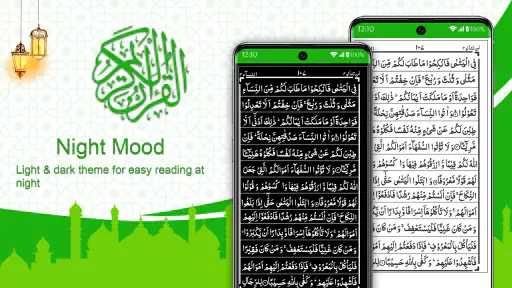
If the text is difficult to read, first try ordinary display adjustments such as brightness and the phone’s accessibility settings. The right solution depends on whether the difficulty comes from glare, small text, contrast, or the page layout itself. If the layout remains uncomfortable after those checks, a reader with stronger text customization—or a printed edition—may be a better fit. It is worth choosing the format that supports careful reading instead of forcing yourself to adapt to a screen that does not work for you.
How it compares with paper and broader Quran apps
Compared with a printed Quran, this app wins on portability and the convenience of having a reader on a device you may already carry. Paper, however, avoids screen glare, notifications, and battery concerns, and its physical pages can be easier to follow for readers who value a stable layout. I would keep both options open: a phone copy is especially useful away from home, while paper can be more comfortable for longer, focused sessions.
Compared with a feature-heavy Quran app, this one’s narrow reading purpose may be a strength if you want a straightforward offline book-like experience. The other side of that simplicity is that people seeking a study companion may want a different tool, particularly if they need audio, several translations, tafsir, searchable text, or structured progress tracking. These features should be treated as requirements to verify rather than assumed capabilities here. Choosing the app that matches your actual reading method is more important than choosing the one with the longest feature list.
It may also suit someone who wants a no-cost starting point without committing to a subscription. Still, optional in-app purchases mean it is sensible to check what is being offered before tapping a purchase button. If your aim is simply to read offline, begin with that basic task and only consider paying if an optional item clearly addresses a need you have.
Who will benefit, and who should choose differently
I would recommend trying it if you want a Quran reader that can serve as a portable, offline option and you are comfortable reading from a phone in a page-based format. It makes particular sense for commuters, travellers, and people who want a backup when carrying a printed copy is inconvenient. A realistic everyday example is reading a few pages while waiting for a ride, then continuing at home from a book after noting the passage where you stopped.
I would look elsewhere if your reading depends on a specific feature such as adjustable text, recitation playback, translation comparison, or advanced study tools. I would also hesitate to make it your only copy before checking how comfortably it displays on your device. Readers who find screens tiring, or who need a highly customized presentation, may be better served by paper or a reader built around those accessibility and study needs.
The app has been available since March 23, 2023, and its Everyone age rating makes it suitable for a broad audience. Those facts are reassuring context, but they do not replace a quick personal test. Since the experience is fundamentally about reading, legibility, navigation, and dependable offline access matter more than popularity alone.
My practical verdict
My view is that Holy Quran Offline Reading is most convincing as a convenient Quran reader to keep on hand, not as an all-purpose Islamic reference library. Its offline focus and book-like presentation address a real everyday need, and its free entry point makes it easy to see whether that approach fits. The main caution is to avoid expecting the broad toolset of a dedicated study app or assuming every reading preference will work equally well on a phone screen.
Before depending on it, install it on your device, read a few pages in the conditions where you expect to use it, and confirm that you can return to your place. If that test feels comfortable, it can be a useful travel companion or backup for your regular Quran. If you need richer study tools, extensive text controls, or a screen-free experience, choose a more specialized alternative instead. That is the fairest way to judge this reader: by whether its simple, offline role fits your own routine.
A small decision that makes the trial more useful
When comparing it with another reader, I would use the same passage and reading conditions in both rather than judging from a quick glance at their menus. Check whether the text is comfortable after several minutes, whether navigation feels intuitive, and whether you can resume without extra effort. This simple side-by-side test keeps the choice grounded in your actual reading needs instead of in a longer feature list.
Holy Quran Offline Reading Frequently Asked Questions
What is Holy Quran Offline Reading, and what can I do with it?
Holy Quran Offline Reading is an app intended for reading Quranic text on a mobile device. Depending on the version, it may include features such as browsing surahs and verses, changing text size, bookmarking a place, or using translation and recitation options. Available tools can vary between releases, so check the app listing and in-app menus to confirm which features are included in the version you plan to install.
Can I use Holy Quran Offline Reading without an internet connection?
The app is described as supporting offline reading, which can be useful when travelling or when a reliable connection is unavailable. Offline access may depend on downloading or installing the required text and other content first. Some optional features—such as downloading audio, viewing online material, or sharing content—may still require internet access. To avoid surprises, open the app while connected and check whether the content you need is available offline.
Does the app include translations, transliteration, or audio recitation?
The exact language and audio options depend on the app version and the content supplied by its publisher. Some Quran-reading apps offer translations, transliteration, or recitations alongside Arabic text, while others focus mainly on reading. Review the store description and available settings before downloading if you need a particular translation, reciter, or display format. If audio is offered, check whether it can be saved for offline listening.
Is Holy Quran Offline Reading free, and does it contain ads or in-app purchases?
Pricing, advertisements, and optional purchases can differ by platform, region, and app release. Check the Google Play or App Store listing for the current price and any disclosures about ads or in-app purchases before installing. Also review the app’s privacy information and permissions, especially if you are concerned about data collection. Do not assume that every feature is free or that an offline-reading app never displays advertisements.
How can I check whether the Quran text and app are reliable and suitable for my device?
Before downloading, confirm that the app is published by a source you trust, read recent user reviews, and check its update history and stated device requirements. If accurate script, diacritics, or a specific translation matters to you, compare a sample with a trusted printed edition or established reference. Install only from an official app store, and check the permissions requested; basic reading generally should not require access unrelated to the app’s stated features.
Pros
- Works without an internet connection after the Quran is downloaded.
- Makes it easy to read the Quran while travelling or away from Wi-Fi.
- Can be a practical option for readers who want scripture on their phone.
- Offline access helps avoid interruptions from weak or unavailable signals.
- A dedicated Quran app keeps reading material readily accessible.
Cons
- Check that the downloaded edition matches your preferred translation or recitation.
- Offline audio may require additional downloads and storage space.
- Text can be harder to read on small screens or without adjustable display settings.
- An offline-only experience may lack current content or online study resources.
- Availability of bookmarks
- search
- and reading progress tools may vary by version.
- Category
- Libraries & Demo
- Version
- 2.2.3