Cardboard
- 5.12K
- 3.5
- Installs
- 10.00M
- Price
- Free

Screenshots
Analysis by Reviewed
I find Cardboard most interesting as a low-cost way to sample phone-based virtual reality, rather than as a replacement for a dedicated headset. Its appeal depends on having a compatible viewer and content that works well in a split-screen, head-tracked format. When those pieces line up, even a short demonstration can make a familiar phone feel like a window into somewhere else. When they do not, the experience can be more fiddly than immersive.
When connectivity shapes the experience
Network access matters most when you are finding or loading VR experiences beyond the basic app. I would treat the app as a starting point for a wider ecosystem, not assume that every experience is ready to use the moment the viewer is assembled. Before planning a demo for friends or a class, I would open the content I intend to show and check that it launches as expected. That small check avoids spending the first few minutes troubleshooting while everyone waits.
A practical workflow is to choose one short experience, test it while connected, and keep the phone charged before passing it around. VR makes people focus on the view rather than the phone, so a stalled load or an unexpected switch to another screen can break the illusion quickly. For a quick introduction, one prepared example is usually more effective than searching through options with the viewer already on someone’s face.
Where phone VR fits into everyday life
This is easiest to enjoy in a calm place where you can sit or stand safely and keep the phone steady. I would use it at home after dinner to show a visitor an immersive scene, or as a brief classroom demonstration when a visual journey could make a topic more vivid. It is less suited to a commute, a crowded room, or any situation where you need to watch your surroundings. A viewer blocks much of your normal view, so a clear space and a nearby seat are sensible precautions.
It also helps to think of sessions as short visits rather than a long, hands-free activity. The phone is doing the work, and comfort depends on the device, viewer fit, and the particular experience. If someone feels dizzy, strained, or simply uncomfortable, I would stop instead of encouraging them to push through. That makes Cardboard a better fit for curious newcomers and occasional demonstrations than for anyone seeking a polished, all-day VR setup.
Recovery, compatibility, and sensible preparation
When an experience fails to open or the image does not look right, I would first remove the phone and check that it is seated correctly, then reopen the app and try again. A viewer that is misaligned can make the picture feel wrong even when the app itself has started. If the issue is tied to a particular experience, testing another compatible option can help distinguish a content problem from a setup problem. These are simple checks, but they are easier to do before a group is waiting to take a turn.
Compatibility is also a reason to keep expectations modest. Cardboard is free, developed by Google LLC, and belongs to the libraries-and-demo side of apps rather than functioning as a complete VR store or headset operating system. It is rated for Everyone, has an average rating of 3.5 from around 163,000 ratings, and has passed 10 million installs. That reach makes it easy to understand why people try it, but it does not guarantee that every phone, viewer, or experience will feel equally smooth. Check that your phone and viewer work together before buying hardware specifically for it.
More From Our News Desk

Clash of Clans Is Won Between the Battles

Android Auto Makes the Case for Quieter Car Software

MobiOffice: Transforming Mobile Productivity with Seamless Integration

EA SPORTS FC™ Mobile Soccer: Redefining Mobile Sports Gaming

How Microsoft OneDrive Became a Mobile Productivity Giant

How Google Translate Breaks Language Barriers Effortlessly
Keeping data use and expectations in check
If you are mindful of mobile data, do the browsing and preparation before handing over the viewer, preferably on a connection you are comfortable using. I would not assume that every item in the wider VR ecosystem behaves the same way, so it is worth checking an experience in advance rather than discovering its network needs during a demonstration. This is especially useful when showing VR away from home, where a weak connection can turn a simple setup into a wait.
Compared with ordinary phone apps, Cardboard asks more of your space and attention: you need a viewer, a suitable phone, and a safe place to look around. Compared with a dedicated VR headset, it is a lighter, cheaper entry point, but the phone-based arrangement is less purpose-built and the experience varies with the equipment and content. I would choose it to satisfy curiosity or share a brief visual demo; I would choose another option if I wanted a consistent, deeply interactive VR system.
A sensible way to plan a first session
For a first try, I would separate the setup from the viewing. Confirm that the viewer holds the phone securely, launch the experience you intend to show, and check that the two halves of the picture sit comfortably in the lenses before inviting someone else to try it. This is a more useful test than merely seeing whether the app opens: the viewer fit and image alignment determine whether a person can look around without immediately wanting to take the phone back out.
In a casual gathering, I would keep the experience queue short and let each person know how to end their turn before they put the viewer on. That simple handoff matters because a newcomer may not know where the phone’s controls are once it is in the viewer. It also gives the next person a moment to adjust the fit instead of inheriting someone else’s position. Cardboard works best as a shared novelty when the host does a little preparation rather than treating it like a video everyone can start independently.
Who will get the most from it
I think the strongest audience is someone curious about VR who already has access to a compatible phone and viewer, but does not want to commit to a more involved setup just to see what immersive viewing feels like. It can also suit teachers, parents, or friends looking for a short visual supplement to a conversation. A virtual view of a place can prompt questions and make a topic tangible, although it is better treated as a visual aid than as a complete lesson or a substitute for reliable reference material.
On the other hand, I would skip it if your main goal is precise interaction, long sessions, or a dependable experience across several devices. A phone viewer is sensitive to fit and the phone doing the rendering, so two people can have noticeably different results. If you want a system built around frequent use, dedicated controls, and a more consistent headset experience, a purpose-built VR option is the more sensible direction. If you only want to watch ordinary videos, using the phone normally is simpler and avoids the extra viewer and restricted field of view.
What to expect from the app itself
It helps to distinguish the Cardboard app from the experiences people may launch through the broader ecosystem. The app is a useful doorway and demonstration point, but it is not a guarantee that every VR title will be available in one place or behave identically. That distinction answers a common practical question: installing it is only one part of getting a session working; the viewer, phone, and chosen content all have to suit one another.
The app is free, has been available since June 25, 2014, and its current version is 3.5. It supports Android 5.0 and later, so people using older devices should check their system version before planning around it. Those details make it approachable for many Android users, but they do not remove the need to confirm the specific phone-and-viewer pairing. The catalog sits in the libraries-and-demo area, which is a fair description of its role: it helps people explore and demonstrate, rather than promising a complete platform.
Its 5.1K reviews alongside around 163,000 ratings and a 3.5 average suggest a mixed reception, which matches my view of a tool whose success depends heavily on the surrounding hardware and content. More than 10 million installs show that plenty of people have been curious enough to try it, but popularity should not be mistaken for a guarantee of comfort or compatibility. For me, the deciding question is not whether the concept is appealing; it is whether you have a suitable viewer and a specific experience you are keen to try.
The Virtual Reality Experience
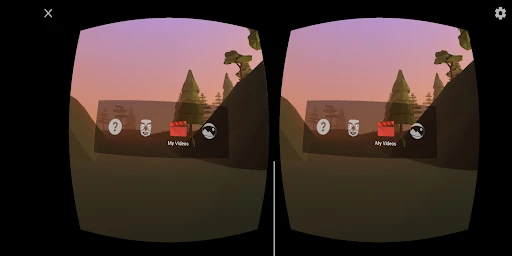
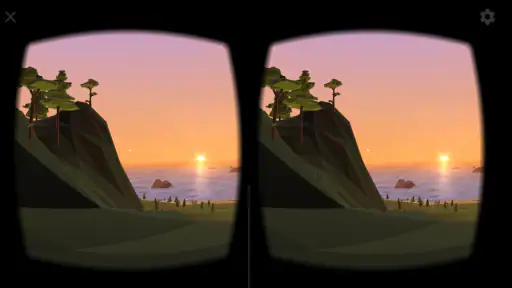
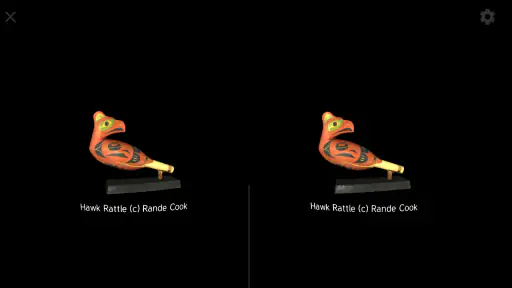
When I first heard about Cardboard, I have to admit, I was a bit skeptical. I mean, how could a piece of cardboard and an app possibly offer a real virtual reality experience? Boy, was I in for a surprise! The moment I slipped my phone into the viewer and looked through those lenses, I was genuinely amazed. It’s like your phone turns into a portal, whisking you away to immersive landscapes and thrilling adventures.
Setting up is a breeze. You just download the app, assemble your viewer (don’t worry, it’s easier than assembling a piece of IKEA furniture!), and you’re good to go. The app itself is very user-friendly, guiding you through the setup with ease.
Features That Stand Out
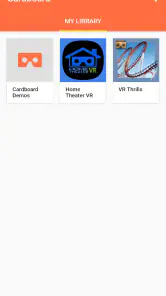
One of the features I love about Cardboard is its simplicity. There are no complicated settings or needless frills. Just pop your phone into the viewer, and you’re ready to explore. The app comes with a variety of demos, like Google Earth, where you can fly around the world, or the Arctic Journey, which lets you explore icy landscapes.
Another highlight is the app’s compatibility with a wide range of viewers and smartphones. Whether you’re using an Android or an iOS device, Cardboard has got you covered. Plus, the app supports a growing library of compatible apps, so there’s always something new to check out.
Immersive Adventures Await
Each time I use the app, I find myself lost in a new world. It’s truly an escape from reality, a perfect way to unwind after a hectic day. I’ve flown over the Grand Canyon, stood atop towering skyscrapers, and even swum with sharks. The experiences feel so real, I sometimes find myself reaching out to touch the virtual surroundings!
And if you’re a fan of educational content, Cardboard has plenty to offer. There are numerous apps that integrate educational experiences, making learning fun and interactive. Imagine taking a tour of ancient Rome or exploring the human body in 3D—all from the comfort of your living room.
In conclusion, if you’ve ever been curious about virtual reality but hesitant because of the cost of high-end equipment, Cardboard is your ticket to an affordable and entertaining VR experience. It’s simple, fun, and a fantastic way to dive into new worlds without breaking the bank. So go ahead, give it a try, and let your imagination run wild!
Making the experience work for different people
One practical advantage of a phone-based viewer is that it can make a quick demonstration feel approachable: you do not need to explain a complex control scheme before someone can look around. But I would still tailor the experience to the person. A first-time user may prefer a stationary scene over something that simulates fast movement, while a student may get more from a focused visual example than from browsing several unrelated demonstrations. Let the person decide whether to continue; immersion is not worth discomfort.
For a family or classroom setting, I would also plan turns rather than passing the viewer around without pause. Each person needs time to position the phone and settle into the view, and short turns make it easier to keep everyone comfortable and engaged. If someone wears glasses or finds the viewer awkward, do not assume the same fit will work for them as it did for you. The key trade-off is that the low barrier to trying VR does not make the physical setup equally comfortable for every face or phone.
Final word on this kind of VR
My recommendation is measured but positive: try it if you are curious, have a compatible setup, and can approach it as a compact introduction rather than a full VR system. A little planning—testing the content, choosing a safe place, and having a simple recovery plan—makes the difference between a fun shared moment and a frustrating search for what went wrong.
If you are deciding whether to install it today, ask yourself what you want to do with it. For a short demonstration, a virtual visit, or a first taste of head-tracked viewing, the free app is an easy experiment. For uninterrupted access to a rich catalogue, dependable performance on any phone, or extended interactive sessions, I would look elsewhere. That is not a failure of the idea; it is simply the boundary of what a phone-and-viewer setup does well.
Cardboard Frequently Asked Questions
Does Cardboard need an internet connection to use?
Before downloading, consider how you plan to use Cardboard and its compatible experiences. The app is intended to help you experience virtual reality on a smartphone, while VR content may come from separate apps. Whether a particular experience needs an internet connection depends on that app and its content, so check the requirements for anything you plan to use. Cardboard itself is a starting point for phone-based VR.
Do I need a separate Cardboard viewer, or can I use the app on its own?
Cardboard is designed to bring smartphone VR experiences to life, and a compatible viewer is generally part of that setup. The app is not a headset by itself: the viewer holds your phone and uses lenses to create the split-image effect associated with VR. You can download the app to explore its purpose, but a suitable viewer is needed to look through a headset-style setup.
Is Cardboard free, and what kind of app is it?
Cardboard is a free app in the Libraries & Demo category, developed by Google LLC. Its purpose is to help you experience virtual reality on a smartphone, typically alongside a compatible viewer. The app is rated for Everyone, so it is presented as suitable for a general audience. Before downloading, remember that the app is a starting point for phone-based VR rather than a headset by itself.
What is Cardboard and how does it work?
Cardboard is a virtual reality (VR) platform developed by Google that allows you to experience VR apps and games using your smartphone. By placing your phone into a cardboard viewer, you can immerse yourself in various VR environments. The viewer is equipped with lenses that split the display into two images, creating a 3D effect. It's an affordable way to explore VR content without needing expensive equipment.
Which smartphones are compatible with Google Cardboard?
Google Cardboard is designed to work with a wide range of smartphones. Typically, any Android or iOS device with a 4 to 6-inch display can be used with the viewer. However, it's important to ensure your phone has a gyroscope and accelerometer for the best VR experience. Check your phone's specifications to confirm compatibility before proceeding to download and use Cardboard apps.
Pros
- Immersive VR experience
- Compatible with many devices
- Affordable VR solution
- Easy to set up
- Wide range of VR apps
Cons
- Limited graphics quality
- Requires holding the device
- Not very durable
- Limited interactivity
- May cause motion sickness
- Category
- Libraries & Demo
- Version
- 3.5