 About Google Calendar
Google Calendar’s Quiet Growth Follows the Rush of Everyday Life
Google Calendar is not rising on the strength of a flashy reinvention. Its momentum comes from a less dramatic shift: more of daily life now needs coordinating, and people want one dependable view of what happens next. Work meetings, school pickups, appointments, shared plans and reminders collide on the same small screen. The app’s advantage is that it turns that steady pressure into a simple habit: check the day, add the commitment, move on.
That makes its growth story less about a single feature than about timing. Digital calendars have become the quiet infrastructure of modern routines, and Google’s version is positioned to benefit whenever a person already relies on a Google account, Gmail invitations or an Android phone. The product is familiar, widely available and quick to consult. Its strongest pitch is not that it can organize every corner of life, but that it can make the next hour legible without demanding much attention.
Why the calendar is gaining ground now
The pressure on personal schedules is easy to recognize. Hybrid work has blurred the boundary between office and home; recurring video calls sit beside errands and family plans; and even informal gatherings often arrive as digital invitations. People do not necessarily want a more sophisticated planning system. They want fewer missed appointments and less mental bookkeeping.
Calendar apps benefit from that need because their value compounds through repetition. A useful note-taking app may wait for a project; a calendar is consulted every morning, before a meeting and when someone asks, “Are you free Thursday?” Each glance reinforces the routine. Google Calendar fits that pattern particularly well because it is available across Android, iOS and the web, and because invitations sent through Gmail can appear in the schedule with little extra work.


There is no need to claim a sudden surge in downloads or a newly disclosed growth figure to understand the momentum. The more concrete signal is behavioral: calendars are increasingly expected to connect personal plans with work systems, shared schedules and automated reminders. The category is moving from a private datebook toward a coordination layer. Google’s broad reach gives its app a natural place in that transition.
Its low-friction entry matters, too. A user can start with a single appointment and gradually adopt recurring events, color-coded calendars and shared invitations. That gradual path is more persuasive than a feature checklist. The product can become useful before someone has made a deliberate decision to “get organized.”
What changed around the product
The central change is not a dramatic redesign but the environment around the calendar. People now expect a schedule to connect with the rest of their digital life. An invitation should be easy to accept, a location should be clear, and an event should arrive with a reminder at the right moment. Google Calendar has long been shaped by this expectation, and its place inside Google’s broader services gives it practical context: invitations, account access and collaboration are familiar parts of the same ecosystem.
Latest News



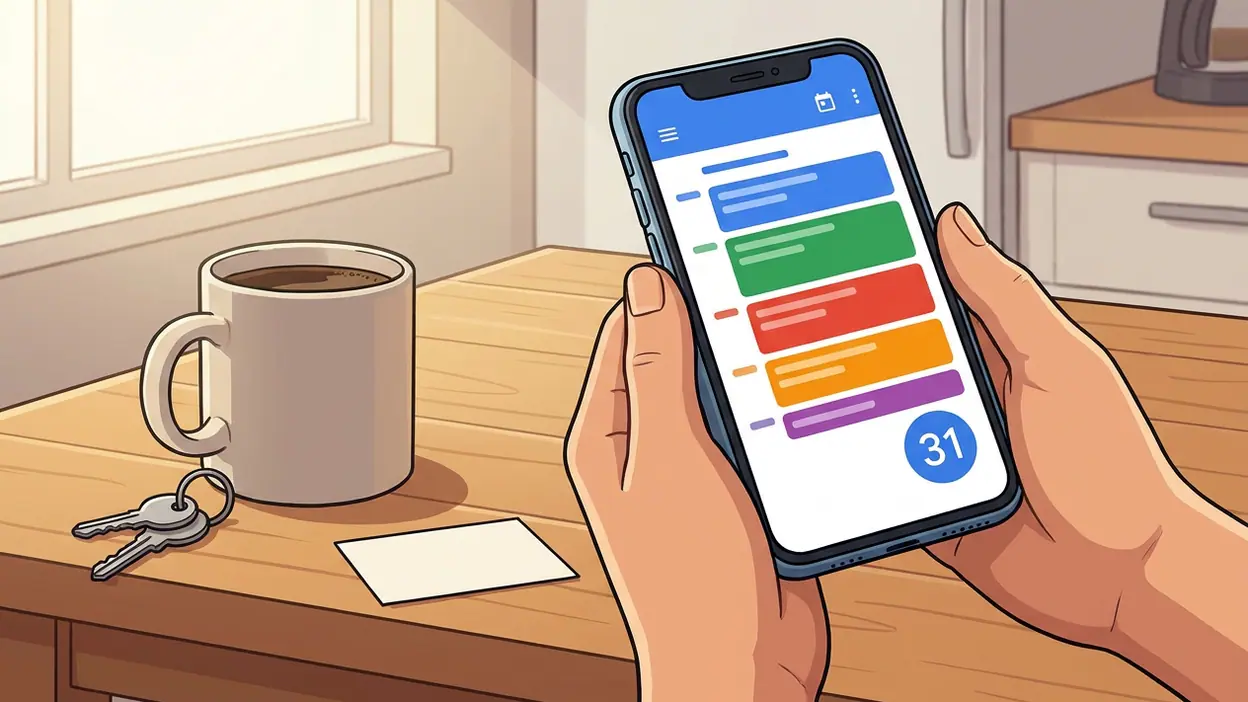
On mobile, the app’s everyday mechanics remain its most important product decision. The month view provides a broad scan, while the schedule and day views make immediate commitments easier to inspect. Creating an event is straightforward: enter a title, choose a time, add guests or a place, and set a notification. Color helps distinguish calendars at a glance, though the value depends on the user keeping those colors consistent rather than treating them as decoration.
That restraint is an asset. Some productivity products try to become a command center for every task, note and project. Google Calendar stays focused on time. It is not a full task manager, and its event editor is not a sophisticated project-planning tool. Instead, it makes the basic transaction of scheduling feel quick enough that users are more likely to record a commitment while it is still fresh.
Google has also made the calendar part of a broader assistant-led conversation about planning. Voice assistants and newer AI tools can help people find information or draft plans, but the schedule remains where commitments have to land. Google Assistant and Google Gemini may sit near that experience, yet the calendar’s value is ultimately tested by whether the event appears at the right time, in the right place, with a reminder the user can act on.
What user behavior says about its staying power
The clearest sign of a calendar’s usefulness is not how long someone spends inside it. It is how often they return for a few seconds, then leave with confidence. Google Calendar serves that brief-check pattern well. A commuter checks the next meeting; a parent looks for the pickup time; a freelancer scans the afternoon before accepting a new job. Those small visits are the product’s real engagement loop.
Recurring events make the habit stronger. Once weekly meetings, birthdays or school routines are entered, the calendar starts paying rent without further effort. Notifications extend that value beyond the app itself: the user does not have to remember to open the schedule at precisely the right moment. That is practical stickiness, rooted in reduced mental load rather than in an attention-grabbing feed.
There is also a quiet social effect. A calendar invitation turns a plan into a shared object, with a time, guest list and sometimes a place. That can reduce the back-and-forth of coordinating a group. The feature is ordinary, but ordinary is the point: a productivity tool becomes durable when it takes friction out of small tasks people repeat every week.
The app’s strongest momentum, then, is likely among people who already use Google accounts across devices or who need a simple shared schedule. It is less compelling for users who want a deeply customized planning method, but it does not require them to adopt one. That broad middle ground—people with busy lives but no appetite for a complicated system—is a substantial audience.
Category pressure and the limits of convenience
Google Calendar competes with more than other calendar apps. Microsoft’s calendar tools are deeply tied to Outlook and workplace routines, while Apple Calendar is a natural default for many iPhone owners. Those products can be the better choice when a person’s organization, family or device ecosystem already revolves around them. The category is sticky, and switching calendars means moving habits, invitations and sometimes shared access—not merely installing a new app.
Google’s counterweight is reach and familiarity. Its calendar works well for people who move between Android phones, iPhones and desktop browsers, and its ties to Gmail make incoming invitations easy to manage. That does not make it universally superior. A user living inside Microsoft 365 may find Outlook’s scheduling and work context more coherent. A household committed to Apple devices may prefer the convenience of Apple’s built-in services.
Other Google products sharpen the distinction. Google Docs is for collaborative writing; Google Drive and Microsoft OneDrive are for storing and sharing files. Google Calendar is not a substitute for either. Its role is narrower and more immediate: it answers when something happens, who is involved and what needs attention next. Keeping that boundary clear helps the app, though it also leaves room for users who want one unified workspace to look elsewhere.
The pressure is also coming from automation. Users increasingly expect software to identify conflicts, make scheduling suggestions and reduce manual entry. Calendar apps can add assistance, but automation becomes risky when it quietly guesses wrong. A polished suggestion is no substitute for a reliable event. In this category, trust is built through accuracy and control, not through the sheer number of generated recommendations.
Where the momentum is strongest—and what still feels fragile
The strongest experience is the daily scan. Open the app and the next commitments are arranged in a recognizable structure, with color and time providing quick cues. Adding a basic event takes little effort, and invitations make the app useful beyond an individual’s private list. On a phone, those details matter more than an elaborate desktop-style planning canvas. A calendar must be readable in a moment and forgiving when plans change.
What ordinary users notice is similarly plain. They notice whether a meeting is easy to find, whether a reminder arrives, whether an invitation can be answered without hunting through email, and whether the week looks manageable. Google Calendar generally handles those tasks without turning each one into a project. That is a real strength, especially for people who are tired of maintaining multiple lists.
But the simplicity has a ceiling. Event details can become cramped on a small screen, especially when a schedule is packed with guests, locations and notes. Color-coded calendars are helpful until there are too many of them. Notifications can also become background noise: too few and the app fails its basic promise; too many and users learn to dismiss them automatically. The best setup requires a little personal tuning, and that is not always obvious to a new user.
There is a larger fragility in the app’s dependence on the account and ecosystem around it. Shared calendars are only as useful as the people who maintain them, and an invitation that lands in the wrong account can create confusion. Google’s reach smooths many of these edges, but it does not eliminate the human side of scheduling. The app can show a commitment clearly; it cannot guarantee that everyone entered the right time or updated a changed plan.
Nor is Google Calendar a complete answer for people who need advanced resource booking, intricate project timelines or a highly tailored personal knowledge system. Its focus is an advantage for everyday planning and a limitation for specialist workflows. Users may pair it with a task manager or documents for the work around an event, but the calendar itself should not be mistaken for a universal productivity suite.
A broader mobile lesson
Google Calendar’s durability says something useful about mobile software: a product does not need to monopolize attention to become indispensable. Some of the most valuable apps are opened briefly, repeatedly and with a clear purpose. They reduce uncertainty at a moment when a person needs an answer. That makes reliability, speed and cross-device continuity more important than novelty for its own sake.
It also explains why established tools can keep gaining relevance without reinventing their identity. The calendar’s job has not changed—people still need to know when they are expected somewhere—but the number of overlapping commitments has. A phone that puts a dependable schedule within reach is therefore more useful than a calendar with a long list of rarely used tricks.
The final newsroom read is that Google Calendar’s momentum is credible because it follows a real shift in how people coordinate their days, not because the app has suddenly become something else. Its best qualities are modest and concrete: a quick daily overview, easy event entry, useful invitations and reminders that can take a little pressure off memory. Its weaknesses are equally clear: crowded schedules, notification fatigue and limited depth for users whose planning needs exceed a straightforward timetable.
That balance is why the app remains relevant. Google Calendar does not make a busy life simple, and it cannot prevent plans from changing. It makes the commitments easier to see and act on. In a category where people often choose the tool already closest to their routines, that dependable utility is not a small advantage. It is the whole growth story.