 About Free Fire: 9th Anniversary
Free Fire: 9th Anniversary — Sharper Controls, Smarter Fights
Free Fire: 9th Anniversary rewards quick thinking, but plenty of players give themselves a slower start by leaving every setting untouched. The game’s short matches and compact maps make each decision feel urgent; a poorly placed fire button or an overloaded backpack can cost more than a missed shot. My central advice is simple: treat the first few minutes as setup, not paperwork. Tune the controls, learn what your character and equipment actually do together, and the familiar scramble for survival becomes much more deliberate.
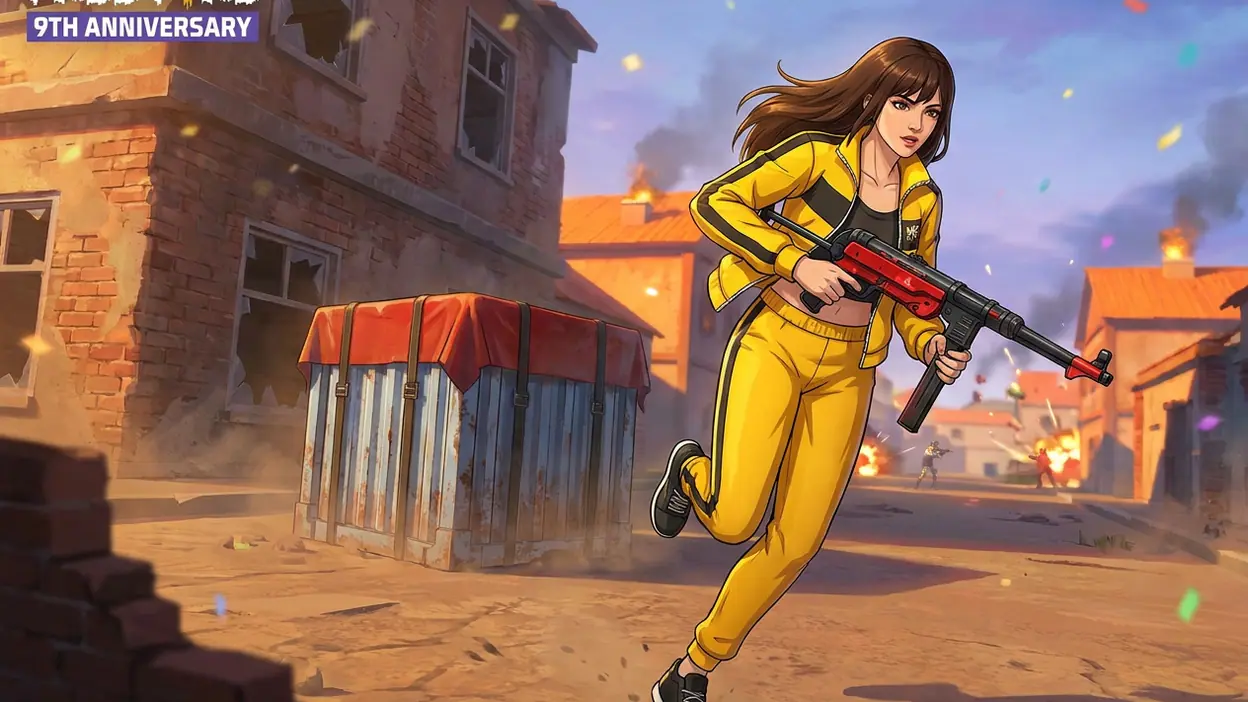
The anniversary label brings a celebratory frame to a game whose core appeal remains its brisk battle royale rhythm. You drop into a match, find weapons and supplies, read the shrinking safe zone, and decide whether to fight, rotate, or disappear. The loop is easy to understand and hard to master because encounters arrive quickly and rarely unfold the same way twice. The event presentation may change over time, but the useful habits below apply to the game’s enduring fundamentals. Exact event rewards and menus can vary with updates, so focus on systems you can verify in your current version.
Why most players barely use it well
Free Fire looks approachable: land, loot, shoot, survive. That apparent simplicity encourages people to accept the default control layout and then blame their aim when a close-range fight goes wrong. But the game asks you to perform several actions under pressure: move, aim, fire, switch weapons, use an item, and watch the zone. If those actions compete for the same thumb space, your hands become the bottleneck.
There is a second trap: confusing activity with progress. Running toward every gunfight may produce exciting clips, but it also gives you little time to understand why you lost. A better player notices the decision before the shot: the exposed crossing, the late rotation, the empty magazine, or the fight taken without cover. Free Fire’s pace makes those details easy to miss, which is exactly why a small amount of preparation pays off.


The fastest immediate win
Open the control settings and adjust the on-screen layout before changing everything else. Move the fire button to a position your thumb can reach without shifting your grip, then make the buttons you use most visible and comfortable. If you play with a multi-finger layout, add actions gradually rather than copying a complicated setup from a video. A layout is only an upgrade if you can use it reliably in a real fight.
Spend a few minutes in a practice area or a low-pressure match firing while moving, switching weapons, and using your chosen controls. This quick test exposes accidental taps and awkward reaches immediately. The fastest meaningful upgrade is reducing hand travel: fewer thumb movements mean less time with your aim drifting off a target. Keep the changes that feel natural; revert anything that makes basic movement less reliable.
Settings worth changing first
Next, tune sensitivity through testing rather than chasing someone else’s numbers. Start with a modest adjustment to the aiming sensitivity that affects your most common weapon use. Track a moving target, make short corrections, and see whether your aim stops cleanly or overshoots. Change one value at a time, then repeat the same exercise. Sensitivity that feels lively in a menu can be uncontrollable when an opponent appears at close range.
Latest News



Check graphics and performance settings as well. On a device that struggles during busy fights, stable performance is more valuable than visual polish. Lower demanding effects if doing so makes movement and aiming feel more consistent, and avoid running the battery or device temperature into the ground during long sessions. Audio deserves attention too: choose a comfortable level that lets you notice nearby action without turning every match into an exhausting volume contest.
Finally, inspect the HUD at your normal screen brightness and grip. Make sure essential buttons are not hidden beneath your fingers and that you can read the information you need without staring away from the action. These are not glamorous tweaks, but the point of a good setup is that it disappears once the match starts.
Build a better match workflow
Give each match a simple sequence: choose a landing plan, loot only what supports it, check your position against the safe zone, then decide whether your next move is a fight or a rotation. This keeps you from wandering through buildings for one more item while the zone closes. Before leaving cover, take a brief inventory of ammunition, healing supplies, and available space. You do not need a perfect backpack; you need enough to make your next decision safely.
At the start, pick a landing area based on the kind of match you want. A busy drop gives fast combat practice but can end before you learn much about your later-game decisions. A quieter landing gives you time to gather equipment and plan, though you may meet better-prepared opponents later. Switch between these approaches deliberately. If your aim needs work, seek controlled encounters; if you keep losing late, survive long enough to practise rotations and cover.
After a defeat, name one cause instead of making a vague judgment about your skill. Was the landing too crowded? Did you cross open ground? Did you reload at the wrong moment? That single observation gives the next match a purpose. Replaying with one small adjustment is more useful than changing your controls, character, landing spot, and tactics all at once.
Shortcuts that save time
Use the game’s preset and quick-access options where available, especially for controls and equipment choices. The goal is to spend less time rebuilding a familiar setup between sessions. Keep a short list of preferred weapons and the roles they serve: one option for close pressure, another for a range you can handle confidently. Do not pick up every appealing weapon just because it is there; switching to unfamiliar equipment in the middle of a match adds another problem to solve.
Learn the fastest safe route through your own routine, too. Check daily or event tasks only when you plan to pursue them, and avoid letting a side objective pull you across the map at a bad time. If a task fits naturally into your chosen landing and rotation, take it. If it demands a reckless detour, the match is usually worth more than the checklist.
Feature combinations that matter
Free Fire becomes more interesting when you think in combinations instead of isolated items. Character abilities, weapons, healing, and positioning can support one another, but the best pairing depends on your role and the current game balance. Read the ability descriptions in the live version, then choose a setup that solves a problem you actually face. A defensive choice may help you hold ground; a mobility-focused one may suit an aggressive rotation. Do not assume a popular combination is automatically right for your hands.
Pair equipment with a plan for the next encounter. A weapon you can control is more useful than a theoretically stronger pick you rarely hit with. Healing supplies matter most when you have cover and time to use them, so do not treat them as permission to take every fight. Likewise, a strong position is valuable only if you know where you can move when the zone shifts. The useful combination is often simple: readable cover, an exit route, and tools you can operate without hesitation.
During a fight, separate the job of aiming from the job of moving. Use cover to create a brief moment for a clean shot, then reposition before the opponent can answer. If your control layout lets you aim and fire without losing movement, practise that rhythm until it feels automatic. This is where settings, equipment, and decision-making meet: no single feature wins the match, but a coherent setup makes good decisions easier to execute.
Mistakes casual players make
The biggest mistake is looting after the useful part is over. Extra supplies do not matter if you are caught outside the safe zone or arrive at a fight without cover. Set a limit on how long you will search an area and leave when you have the essentials. Another common error is standing still to shoot when a small movement would break an opponent’s aim. Movement should support your shot, not become random bouncing that makes your own aim worse.
Players also change too many settings at once, then cannot tell which change helped. Keep a stable baseline and adjust one thing per session. Do not treat a loss as proof that your character or weapon choice is broken, either. Sometimes the issue is a bad angle or a rushed decision, not the loadout. And avoid chasing every sound: third-party fights can reward patience just as often as aggression.
Finally, do not confuse a flashy anniversary moment with a lasting improvement. Limited-time presentation can make a session feel fresh, but dependable controls and sound choices are what carry into ordinary matches. Enjoy the event, but build habits that remain useful after its decorations rotate out.
Who benefits most, and when it becomes useful
This approach is especially useful for returning players, anyone moving from casual taps to more deliberate aiming, and people who play on a phone whose screen or performance demands a little care. Newcomers benefit because a tidy layout prevents early frustration. Experienced players benefit because small inconsistencies become obvious once they start testing one variable at a time. It is less useful to someone who only wants a few unplanned rounds and has no interest in adjusting their routine; Free Fire can still provide quick entertainment without becoming a project.
The game becomes genuinely rewarding when you can explain your choices in the moment. You rotate because the zone makes a position valuable, not because you are wandering. You take a fight because you have cover and a weapon you trust, not because an opponent appeared. You stop looting because the next safe position matters more. That shift turns the match from a series of surprises into a fast tactical loop, while leaving enough uncertainty for each replay to feel different.
Final recommendation
Free Fire: 9th Anniversary is at its best when its speed is matched by a little preparation. Settle your HUD, tune sensitivity by feel, favour stable performance, and give each match one clear objective. The game still has rough edges: rapid encounters can punish small mistakes, event content changes, and crowded fights may feel chaotic on a device that struggles. But its compact match rhythm makes improvement easy to test, and a better setup can be felt within minutes. If you want a mobile battle royale that rewards quick decisions and repeat practice, it is worth returning to; just do not mistake default settings for the best way to play.