Future Self Face Aging Changer
- 752.00
- 3.5
- Installs
- 10.00M
- Price
- Free
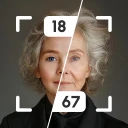
Screenshots
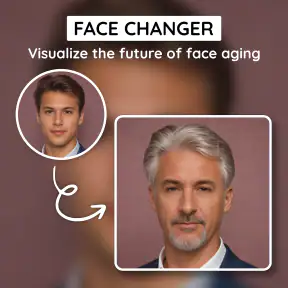
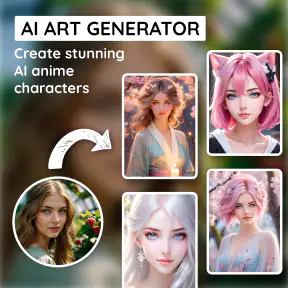
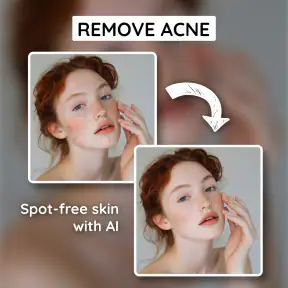
Analysis by Reviewed
Ever wondered what the future you might look like? That's where the Future Self Face Aging Changer app comes in, adding a sprinkle of curiosity and fun into our daily lives. Let me take you through my experience with this intriguing app.
A quick portrait experiment, not a prediction
The appeal here is easy to understand: a familiar face becomes a playful way to imagine time passing. I’d treat the result as a visual effect for a laugh or a conversation starter, not as a forecast of anyone’s appearance. A filter can suggest an older look, but it cannot tell you how your face will actually change.
That distinction matters if you are choosing an aging effect for a family photo or a group chat. The image is most enjoyable when everyone understands it as make-believe. If you want a realistic portrait for a professional project, a dedicated photo editor gives you more control over the final look.
First Impressions
Upon downloading the app, I was immediately struck by its user-friendly interface. The design is clean and intuitive, making it a breeze to navigate even for those who aren't particularly tech-savvy. The app's main feature, of course, is allowing users to see how they might age over the years, and it delivers this in a very straightforward manner.
It is a free Art & Design app from AMOBEAR TECHNOLOGY GROUP, with a 3.5 average from around 44,000 ratings and over 10 million installs. It is rated for Everyone, and the current version is 1.0.8.0_21112025. Optional in-app purchases range from $2.99 to $69.99 per item, so I’d check the purchase details before choosing anything that costs money. The app was released on July 12, 2024, and supports Android 8.1 and up.
Getting Down to the Nitty-Gritty
The app asks for a selfie or a photo from your gallery to get started. From there, it works its magic, using advanced algorithms to predict future aging. I must say, the results were both fascinating and a bit uncanny! It's like having a mini fortune teller in your pocket, but instead of reading your palm, it reads your face.
For a more useful comparison, I’d start with a clear, front-facing image and keep the lighting even. A dramatic shadow or an angled pose can make the transformation harder to judge, because the source photo itself already changes how facial features appear. If you are comparing different portraits, use similar poses and lighting; otherwise, you may be reacting to the photos rather than the effect.
More From Our News Desk

Weather by Xiaomi Review: Clear at a Glance, Less Clear Up Close

X Under Pressure: Can It Recover When Posting Goes Wrong?

Clash of Clans Is Won Between the Battles

Android Auto Makes the Case for Quieter Car Software

MobiOffice: Transforming Mobile Productivity with Seamless Integration

EA SPORTS FC™ Mobile Soccer: Redefining Mobile Sports Gaming
What I appreciate is the level of detail it provides. Not only does it show how your face might change, but it also includes features like adjusting for hair color changes and adding or removing facial hair. This attention to detail really sets it apart from other similar apps I've tried in the past.
One practical trade-off is that each extra visual change can make the result feel less like a single aging effect and more like a dressed-up character portrait. I’d adjust one element at a time, save the version I like, then try another variation. That makes it easier to tell which change gives the image its personality instead of piling on edits until the result feels hard to read.
For a small but useful workflow, I’d keep one untouched copy of the source photo and make each experiment from that same original. It prevents a chain of edits from becoming the new starting point, which can make comparisons confusing. If the app gives you several versions to choose from, judging them side by side is more informative than relying on memory of the first result. The best test is not which image looks most dramatic, but which one still looks recognizably like the person in the original.
Face angle can affect the experience more than people expect. A selfie taken from below, for example, can emphasize shapes that a straight-on portrait does not, while a broad smile changes the visible contours around the mouth. For a playful result, those quirks can be part of the fun. For a comparison you want to show someone else, choose a neutral expression and avoid strong filters already applied to the source image; otherwise, you are asking the aging effect to work on top of another transformation.
Fun Features to Explore
Beyond just aging predictions, the app offers several playful features. For instance, you can adjust the timeline to see yourself at different ages, from a spry 30 to a wise 80. It even allows you to tweak lifestyle factors that might affect your aging, like sun exposure or hydration, giving you a glimpse of how lifestyle choices impact our future selves.
Those controls are best treated as creative prompts rather than health guidance. If a lifestyle setting produces a surprising face, I’d take it as a reason to talk about the idea, not evidence that a particular habit will cause that exact appearance. That keeps the feature fun without confusing a stylized image with medical or scientific advice.
A simple everyday use is to make a few versions before a birthday dinner, then let friends guess which edit looks most convincing. I’d choose one photo, keep the original untouched, and share only the result everyone is comfortable seeing. That small bit of care matters with face photos, especially when the image includes someone who did not ask to be part of the joke.
For that kind of gathering, I’d avoid passing a phone around with a gallery full of unrelated personal pictures visible. Prepare the chosen portrait first, and ask before editing or sharing anyone else’s face. This is less about the filter itself than about making the activity comfortable for the group. A funny transformation can land badly if a friend feels their photo was used without permission, so a quick check is worthwhile even when everyone is joking.
The app works best as a short, shared activity rather than something that needs a long setup. One person can choose a portrait, try a couple of age or appearance variations, and invite the group to compare reactions. It is also an easy icebreaker for a family call: an older-looking version of a familiar face gives people something specific to discuss. I would not turn it into a contest about who looks “better” or “worse,” since the point is imagining a transformation, not rating anyone’s real appearance.
Compared with general-purpose photo editors, this app is more focused on the aging transformation and quicker to approach for that specific amusement. A broader editor is the better pick when you need precise retouching, layered composition, or a polished image for work. For quick curiosity and casual sharing, the focused approach is the point; for detailed art direction, it may feel limiting.
Additionally, there’s a social sharing option. It was a blast sending these future-faced photos to friends and family. Their reactions ranged from amused to downright spooked! This feature makes it a fun app to use at gatherings or just to break the ice.
There is a useful distinction between sharing a finished image and treating the app as a complete editing workspace. If you want to add text, arrange several portraits into a collage, or make careful local adjustments, you may find it easier to save or share the result and finish the job in a broader editor. I’d use the aging app to make the central visual idea, then move elsewhere only if the final image needs more composition work. That keeps the process simple without expecting a focused filter tool to replace a full creative suite.
One practical question is whether the free starting point is enough for casual use. I’d begin with the basic experience and only consider an optional purchase if a specific paid item clearly adds something I want. Since the listed purchase range reaches from $2.99 to $69.99 per item, the sensible approach is to read the price shown for the exact option before confirming it, rather than assume every extra is a small one-time add-on. If your goal is simply to try an aging effect once with friends, there is no reason to spend before you know you enjoy using it.
Who Will Enjoy It—and Who May Prefer Another Tool
I’d recommend it to people who enjoy playful selfie effects, want an easy visual gag, or are curious to see how different styling choices change an aged portrait. It also suits a low-pressure group activity because the idea is immediately understandable: pick a face, try a transformation, and compare reactions.
It can also appeal to someone who wants a quick creative prompt rather than a finished piece of digital art. You could use an aged portrait as a starting point for a character concept, a private joke, or a conversation about how styling changes someone’s impression. In that situation, I’d treat the app’s output as a draft or reference, not as a final asset: a design project may need more control over expression, clothing, background, and the exact balance between realistic and exaggerated.
I would skip it if you need a dependable picture of your future appearance, detailed professional retouching, or a serious way to assess the effects of lifestyle choices. Anyone uneasy about using personal portraits in an editing app may also prefer to avoid uploading a face photo. For a quick creative experiment, though, the low-effort format is appealing.
I’d also choose another option if my main aim were to retouch a portrait carefully or build a polished social post from several images. A general photo editor is usually a better fit for that kind of work because it gives you more room to control the overall composition. Likewise, someone who wants a scientifically grounded discussion of facial aging should look beyond a playful visual filter; an illustrated guess can be entertaining without being a reliable guide. Knowing what you want before opening the app helps keep the experience in the right lane.
For Android users, the stated minimum is Android 8.1, so checking the device’s software version is a sensible first step if the app is not available or does not run as expected. On a compatible phone, the straightforward portrait-focused approach should suit people who are comfortable choosing an image from a camera or gallery. I would be more cautious on a shared device or when selecting a photo that includes other people, simply because face images are personal. Choose a picture you are comfortable experimenting with, and think before sending the edited result beyond the people who will appreciate the joke.
One question people often have is whether the result should be taken literally. My answer is no: it is an imaginative edit, not a personal forecast. Another is whether a group needs to know how to use photo-editing tools to enjoy it; not really, since the basic idea is easy to grasp, though taking a well-lit, front-facing picture improves the comparison. And if the edit seems odd, I’d try a different source portrait before deciding the effect itself is the problem. A change in expression, angle, or lighting can alter how the face reads before any aging effect is applied.
Final Thoughts
In conclusion, the app is more than just a novelty. It’s an engaging way to ponder the passage of time and perhaps even inspire some healthier lifestyle choices. While it's primarily for entertainment, it does make you stop and think about the effects of aging. Plus, who doesn't love a good laugh with friends over a digitally aged photo?
If you're curious about what future you might look like or just need a fun app to share with friends, this one is definitely worth a download. Just remember, it's all in good fun—embracing our future selves, wrinkles and all!
Future Self Face Aging Changer Frequently Asked Questions
Can I try the app on a photo before deciding whether to keep it?
The app is free to download, so you can explore its future-self aging concept and background-removal idea before choosing whether to make a purchase. Paid options are available through in-app purchases, so take a moment to review any offer shown in the app before confirming it. That makes it easier to decide whether its creative tools suit what you want.
What kinds of photos are best suited to a face-aging filter?
A clear photo with the face easy to see is a sensible starting point when trying a face-aging effect. A well-framed image also makes it easier to judge the visual change for yourself. Future Self Face Aging Changer is built around an aging filter and also promotes background removal, so you can consider both ideas when choosing an image to edit.
Can I use Future Self Face Aging Changer to remove an image background?
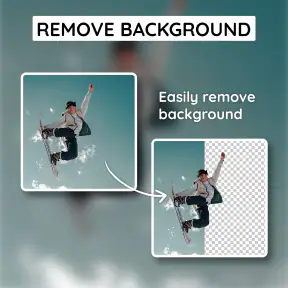
Yes. The app’s store summary highlights removing the background from an image as well as exploring a future-self face-aging filter. This makes it relevant if you want to experiment with an altered portrait or give an image a different look. The available description identifies these creative ideas, so check the in-app options to see how they fit your editing needs.
What can I expect to do with Future Self Face Aging Changer?
Future Self Face Aging Changer is an Art & Design app centered on a future-self face aging filter. Its short description is “Future Self,” and its store summary also highlights removing the background from an image to create a different look. These are the core creative ideas to consider if you want an app for experimenting with an aging effect or changing an image’s background.
What is the Future Self Face Aging Changer app?
The Future Self Face Aging Changer app is a fun and engaging mobile application that allows users to visualize how they might look in the future. By using advanced facial recognition and aging algorithms, it provides a realistic projection of your future appearance. It's particularly popular for its accuracy and entertaining features, making it a hit among users who are curious about aging effects.
Pros
- Realistic aging effects
- Easy to use interface
- Fast processing time
- Variety of editing tools
- High-quality image output
Cons
- Limited free features
- Ads can be intrusive
- Requires internet connection
- Some features need improvement
- Occasional app crashes
- Category
- Art & Design
- Version
- 1.0.8.0_21112025













