Cleanup Your Phone
- 924.00
- 4.4
- Installs
- 10.00M
- Price
- Free

Screenshots






Analysis by Reviewed
When storage starts feeling tight, I find it helps to separate a real cleanup need from the vague hope that an app can make every phone problem disappear. Cleanup Your Phone is a free personalization app from DOSA Apps, built around tidying a device’s storage. It has a 4.4 average from around 242,000 ratings and more than 10 million installs, so it is clearly a familiar option for people looking for a quick way to reclaim space.
What a storage cleanup can—and cannot—do
The useful question is not simply whether a cleaner can make a phone feel new; it is whether you can identify things you no longer need and remove them without losing anything important. I’d treat Cleanup Your Phone as a prompt to review storage, not as a substitute for deciding what belongs on your device. A cleanup is most valuable when your storage is genuinely crowded and you can recognize the files or content you are ready to part with.
That distinction matters because storage pressure and slow performance are not always the same problem. If your phone is sluggish because an app is misbehaving or the device is old, clearing space may not solve it. I would avoid repeatedly cleaning just for the sake of seeing a tidier screen; first check whether you actually need more room for photos, downloads, or an app you want to install.
A practical way to use it
My safest approach with any storage cleaner is to open it when I have a specific reason, look through what it identifies, and remove only items I understand. Before a cleanup, I’d make sure important photos and files are backed up through whatever method I already trust. That small pause helps prevent the common mistake of treating every suggested item as disposable.
A realistic moment to use it is before a trip: you want room to take photos or save documents offline, but your phone is already warning that storage is low. I’d review the cleanup suggestions at home, when I have time to check them, rather than tapping through them in a hurry at the airport. If the freed space is still not enough, the next step is to review large personal files or uninstall apps I no longer use, not to expect a cleaner to create unlimited capacity.
How it fits beside built-in storage tools
Android and iOS already include ways to review device storage, and those built-in screens are often the better starting point if you want a direct view of what is taking up room. A dedicated cleaner can feel more approachable when you want a focused cleanup flow, while the system settings may give you more confidence when you prefer to manage files and apps yourself. I see this app as an extra convenience, not something every phone owner needs to keep running.
One useful habit is to compare what you see in the app with your phone’s own storage view before removing anything substantial. If you are cleaning up because a particular app or download is consuming space, addressing that source directly may be clearer than doing a broad cleanup. This is especially true for people who keep work documents, family photos, or offline media on their phones.
You May Like

Clash of Clans Is Won Between the Battles

Android Auto Makes the Case for Quieter Car Software

MobiOffice: Transforming Mobile Productivity with Seamless Integration

EA SPORTS FC™ Mobile Soccer: Redefining Mobile Sports Gaming

How Microsoft OneDrive Became a Mobile Productivity Giant

How Google Translate Breaks Language Barriers Effortlessly
Who will get the most from it
I can see Cleanup Your Phone suiting someone who wants a simple, occasional way to tackle storage clutter and does not enjoy digging through device settings. It is less compelling for someone who already monitors storage comfortably, wants detailed manual control, or expects a cleaner to fix every kind of lag. The app is free to download, rated for Everyone, and its current version is 4.1.8; it supports Android 5.0 and later. In-app purchases range from $0.99 to $99.99 per item, so I would check the purchase screen carefully and stick to the free option unless a paid item clearly meets a need.
My main advice is to use it deliberately: run a cleanup when space is tight, inspect suggestions, and keep a backup of anything valuable. If you prefer not to grant a third-party app a role in managing your files, the built-in storage tools are a perfectly sensible alternative. Either way, a little attention to what is using space is more useful than expecting one tap to cure every performance complaint.
Getting Started with Cleanup Your Phone
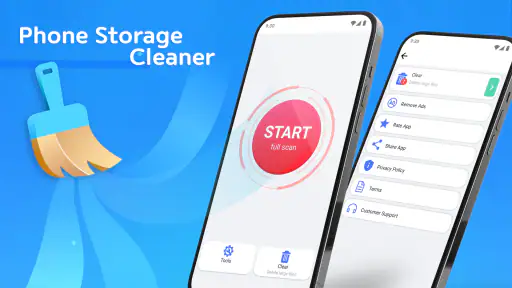
The first thing I noticed about Cleanup Your Phone was how easy it was to install and get started. It’s available for both Android and iOS, which is a huge plus for any app. Once I got it up and running, the interface was super friendly – even if you’re not a tech wizard, you’ll find your way around in no time.
The Features That Stand Out
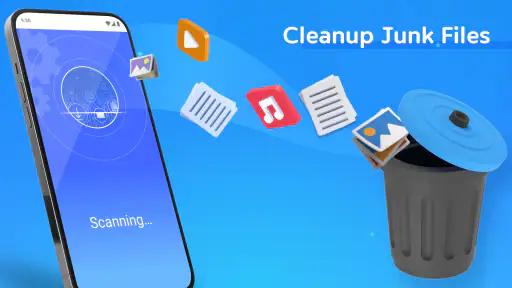
Now, let’s talk features because, honestly, this app is packed with them. One of the coolest things is the junk file cleaner. It scans your phone faster than a teenager scrolling through TikTok, and it finds all those random, useless files clogging up your storage. In just a few taps, you can clear them out and feel your phone breathe a sigh of relief.
Another handy feature is the memory booster. We’ve all had those moments when our phone just decides to take a nap mid-task. The memory booster gives it that much-needed caffeine kick to keep things running smoothly. It optimizes the background apps and processes, making sure your phone doesn’t slow down when you need it the most.
Security and Privacy
In today’s world, security is everything. Cleanup Your Phone doesn’t just clean your device; it also ensures your privacy is intact. The app comes with a built-in antivirus that scans for any malicious files or apps trying to sneak in. It’s like having a watchdog on your phone, which is pretty reassuring.
Does It Really Work?
After using the app for a week, I noticed a significant improvement in my phone’s performance. It was snappier, more responsive, and I didn’t have to deal with those annoying freezes anymore. Plus, I freed up a ton of storage space, which is always a win-win.
Cleanup Your Phone also provides you with usage statistics, so you can see what’s hogging your resources. This insight is invaluable if you’re trying to figure out what’s slowing down your device. Knowledge is power, right?
Final Thoughts
All in all, Cleanup Your Phone is a nifty little app that does exactly what it promises. It’s like having a personal tech assistant in your pocket, ready to jump in and save the day whenever your phone starts acting up. Whether you’re a tech newbie or a seasoned pro, this app is a must-have for anyone looking to keep their device in tip-top shape.
So, if you’re tired of dealing with a sluggish phone, give Cleanup Your Phone a shot. It might just be the tune-up your device has been begging for!
Making a cleanup fit your routine
I would use a storage cleaner as part of a small, occasional check rather than leave it to become a weekly ritual. Before opening it, decide what you need the space for: a system update, a batch of photos, or documents for a journey. That goal helps you judge whether the result is useful. If you only need a little breathing room, avoid turning a targeted check into a broad sweep of files you have not reviewed.
For example, after a family gathering, a phone can fill with duplicate-looking photos, short clips, and items shared in messaging apps. The tempting response is to delete everything that appears unnecessary. I’d instead sort the photos in the gallery first, keep the moments I care about, and then use the cleaner for the remaining clutter. This order makes the decision about personal content, where mistakes matter most, before an automated cleanup enters the picture.
Another practical habit is to avoid cleaning while distracted. A quick scan may seem like a low-stakes task, but removing a file can be difficult to undo if it was the only copy. If I am tired or in a rush, I would postpone it and come back when I can read the suggestions carefully. Convenience is valuable only when it does not encourage careless taps.
What to check before removing anything
When a storage warning appears, I first look for the source rather than assuming every category needs attention. If a large video or an offline download is responsible, deleting that specific item may solve the problem more cleanly than clearing broadly. If I am unsure what a suggested item is, I leave it alone until I can identify it. A few gigabytes of breathing room are not worth losing a document or a photo I cannot replace.
Backups deserve the same practical attention. Having a backup option is not enough if it has not finished syncing or if the file is not actually included. I would check that important items can be found in the backup location before removing local copies. This is particularly useful for people who move between devices or keep both personal and work material on one phone.
It is also worth checking storage again after a cleanup. If the available room barely changes, the main space users may be apps, downloads, or personal media that need separate attention. If space returns but disappears quickly, the underlying habit—such as saving lots of offline content—may matter more than another scan. That simple before-and-after check helps me decide whether the app solved the immediate issue or whether I need a different approach.
When the built-in option is the better choice
Phone settings are often the more reassuring route when I want to inspect storage category by category or remove one known app. They keep the task close to the system controls and avoid adding another utility to a device that is already crowded. A dedicated cleaner is more appealing when I want a guided place to start and do not know where to look; the system tools are preferable when I already know the culprit and want to act directly.
I would also choose the built-in route if I am managing sensitive work files or a large photo archive and want to make every deletion myself. Cleanup Your Phone may help organize the decision, but no cleaner can know which personal file has sentimental or practical value. In that situation, the extra control of manual review is not needless effort; it is the point.
Expectations, purchases, and fit
The free entry point makes it reasonable to try the app if storage management feels confusing, but I would not assume that every paid item is necessary. With in-app purchases spanning a wide range, I’d read each offer before confirming anything and consider whether the same need can be handled in the phone’s settings. If the free cleanup routine already addresses the problem, there is no reason to spend just because an option is visible.
There is also a difference between making room and making a phone faster. Storage can affect what you are able to save or install, but it is not a dependable cure for poor signal, an aging battery, an app crash, or a demanding app that struggles on the device. I would use the cleaner for the space problem it is meant to address, then troubleshoot other symptoms separately. That keeps expectations realistic and makes it easier to tell whether the tool is helping.
Overall, I’d recommend this app to someone who wants a guided nudge to review storage and is willing to make the final decisions themselves. It is less suited to anyone seeking a fully hands-off solution, a guarantee of faster performance, or a replacement for careful file management. Used with a clear goal and a quick backup check, it can make an annoying storage chore feel more manageable; used on autopilot, it is not the kind of shortcut I’d trust with important files.
Cleanup Your Phone Frequently Asked Questions
Is Cleanup Your Phone compatible with iOS, or is it for Android?
Cleanup Your Phone is an Android app, so it is intended for compatible Android devices rather than iPhones or iPads. Before downloading, check that your device runs Android 5.0 or later. If you use an Apple device, look for a cleanup app made for iOS instead of assuming this Android version will work there.
How much storage space can Cleanup Your Phone free up?
Cleanup Your Phone is described as an app for cleaning up your phone’s storage, but the amount of space it can recover will depend on what is taking up space on your particular device. A cleanup app cannot create storage out of nothing, so results are likely to vary. Review anything the app identifies before removing it, especially if you are unsure whether you still need it.
Will using Cleanup Your Phone delete my photos, documents, or other personal files?
Before using any storage-cleaning tool, take care to review what it proposes to remove. Keep important photos, documents, and other personal files backed up, and avoid deleting items if you are unsure what they are. This cautious approach helps reduce the risk of losing something you want to keep while using Cleanup Your Phone for its storage-cleaning purpose.
Does Cleanup Your Phone need internet access to clean storage?
The app’s stated purpose is to clean up your phone’s storage, but whether a particular task needs an internet connection can depend on how the app works at the time you use it. You can review the app’s requested permissions and any prompts shown during setup or use. Avoid granting access that you do not understand or feel comfortable with.
Is Cleanup Your Phone suitable for beginners?
Cleanup Your Phone is presented as a phone-storage cleanup app, so its basic purpose is straightforward for someone looking to manage storage. As with any tool that may suggest removing files or changing settings, take time to read the labels and review proposed actions before confirming them. If you are uncertain about a file or option, leave it untouched until you understand what it does.
Pros
- Boosts phone speed significantly.
- Intuitive and user-friendly interface.
- Effective junk file removal.
- Enhances battery performance.
- Regular app updates.
Cons
- Contains in-app ads.
- Limited features in free version.
- Occasional lag on older devices.
- Requires device permissions.
- Premium version is pricey.

- Category
- Personalization
- Version
- 4.1.8













