DSLR HD Camera : 4K HD Camera
- 246.00
- 4.5
- Installs
- 10.00M
- Price
- Free
Screenshots
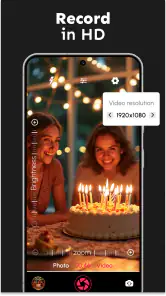
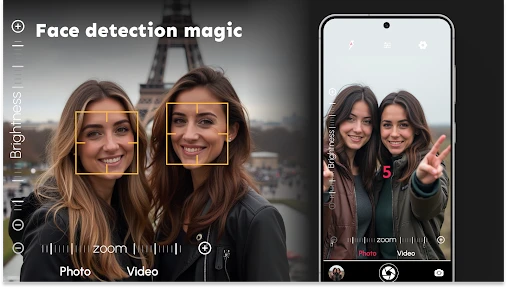
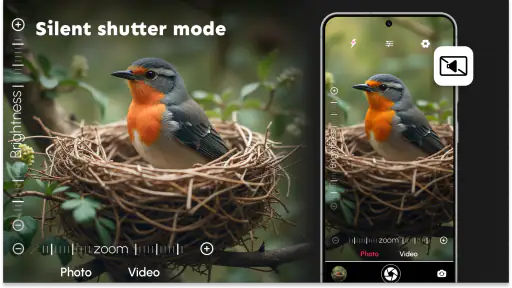
Analysis by Reviewed
When I want more control over a phone photo without turning a quick portrait into a long editing session, a dedicated camera app can be useful. DSLR HD Camera : 4K HD Camera is aimed at that space, bringing capture options and creative effects together. I’d approach it as an alternative way to take and shape everyday pictures, not as a guarantee that a phone will suddenly behave like a separate DSLR.
A sensible fit for portraits and close-up details
I see this as a camera app for people who want a little more creative control than their phone’s default camera offers, without making every photo session feel like a technical exercise. The beauty category may sound broad, but the practical appeal here is clear: portraits, close-up details, and quick images where a filter or blur effect can help shape the look before sharing. It is free to install, with optional in-app purchases ranging from $0.99 to $99.99 per item, so I’d check what any paid option actually offers before buying it.
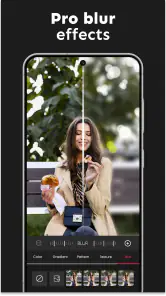
A useful everyday workflow is taking a few versions of a portrait: start with an unfiltered frame, then try a subtle filter and a blur treatment, and compare them before choosing what to keep. That small pause can prevent an effect from overpowering skin tones or making hair edges look unnatural. For makeup, accessories, or product details, I’d also move closer only as far as the phone can still focus cleanly; a macro label does not remove the physical limits of the phone’s lens.
Test the phone before an important moment
Camera apps work through the phone’s camera hardware, so a label such as 4K does not guarantee the same result on every device. Before an important shoot, I would record a brief test clip and inspect it, rather than assuming the phone supports every capture option. The same goes for manual controls: they can be helpful when a scene is tricky, but changing several settings at once makes it harder to tell what improved the shot. I’d adjust one control, take a test, and keep the default setting if the result is less consistent.
That approach matters especially in low light. A brighter-looking preview is not automatically a sharper photograph, and a longer exposure can make a moving subject blur. For a quick picture of a friend indoors, I’d favor a steady phone and a short capture over chasing a dramatic manual setting. If the built-in camera on your phone already gives dependable results, the strongest reason to try this app is its extra creative handling, not an expectation that software will replace a better sensor or lens.
First Impressions
Upon launching the app, you’re greeted with a user-friendly interface that doesn’t overwhelm you with too many options right off the bat. It’s clean, intuitive, and ready for you to dive into capturing those stunning shots you’ve been dreaming of. The app is designed to cater to both amateur photographers and seasoned pros, making it versatile for anyone looking to up their photo game.
Capture tools and creative effects
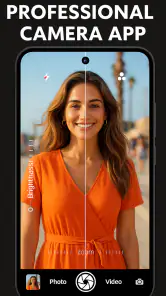
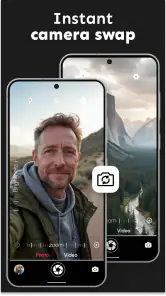
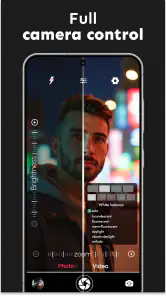
One of the first things I noticed was the array of features packed into this app. DSLR HD Camera : 4K HD Camera offers a variety of shooting modes including Panorama, Portrait, and Macro. The 4K video recording is a standout feature, letting you capture your favorite moments in crisp, ultra-high definition. For those who love to tweak settings, the manual controls for ISO, shutter speed, and exposure are a dream come true. It’s like having a mini DSLR right in your pocket!
You May Like

Clash of Clans Is Won Between the Battles

Android Auto Makes the Case for Quieter Car Software

MobiOffice: Transforming Mobile Productivity with Seamless Integration

EA SPORTS FC™ Mobile Soccer: Redefining Mobile Sports Gaming

How Microsoft OneDrive Became a Mobile Productivity Giant

How Google Translate Breaks Language Barriers Effortlessly
The real-time filters are another cool feature. You can apply them before snapping your shot, which is perfect for those who love to share on social media without spending hours editing. Plus, the app includes a nifty HDR mode that enhances your photos with vivid colors and better contrast.
Choosing it over the default camera or an editor
Compared with the usual choice of sticking to a phone’s default camera, this app’s appeal is having filters and creative controls together in a dedicated camera experience. That can make it convenient when I already know I want a particular look. A separate editing app may still be the better choice if I want to fine-tune a finished image, while the default camera is often the simpler option for quick snapshots or when its device-specific processing is the priority.
I would not treat the feature list as a reason to use every setting on every shot. For a family gathering, I’d keep the controls simple so I can react quickly; for a still object or a carefully framed portrait, I’d take time to compare exposure and filter choices. This distinction is useful: the app can offer more ways to shape a capture, but each extra decision can also slow down a moment that only happens once.
Where the shooting experience helps—and where it doesn’t
In terms of performance, the app really shines. I tested it in different lighting conditions, from broad daylight to low light scenarios, and it handled them like a champ. The images are sharp, colors are vibrant, and the noise is minimal even in darker settings. The autofocus is quick and precise, ensuring that you don’t miss a moment.
Battery consumption is another area where this app excels. Despite its robust features, it doesn’t drain your battery as quickly as other camera apps tend to do. This is a huge plus for those long shooting sessions!
A careful routine for portraits and video
For a day out, I’d make a quick test photo before relying on a particular filter or mode for a whole set. Real-time effects can make framing easier because I see the intended style while composing, but they can also make it harder to judge natural color. If the picture is for a record rather than a polished social post, I’d choose a restrained look and keep a clean version when possible. For video, a short test is equally worthwhile: check that the framing and sound suit the moment before recording something difficult to repeat.
The app is a better fit for casual creators, beauty-focused photos, and people curious about manual camera settings than for someone who needs a predictable professional workflow. If you depend on a particular phone-camera feature or need extensive post-processing, compare the results with your built-in camera and editing tools first. That is not a knock on this app; it is a sensible way to find out which part of the process it actually improves for your device.
Learning the controls without slowing down
What I loved about using this app is how it makes professional photography accessible to everyone. Whether you’re a beginner or a pro, the app’s easy-to-navigate interface ensures you spend more time capturing moments and less time fiddling with controls. The learning curve is minimal, which is always a bonus.
Additionally, the app is frequently updated, which means you can expect improvements and new features regularly. It’s always nice to know that the developers are actively working to enhance user experience.
Version context and what existing users can judge
DOSA Apps’ camera app has been available since November 29, 2017, and its current version is 7.1.2. That gives existing users a concrete version to check when comparing their installed copy with the one available to them now; I would not assume that every phone receives identical results just because the app version matches. It has a 4.5 average from around 67,000 ratings and over 10 million installs, suggesting it has reached a broad audience, though popularity alone cannot tell you whether its handling suits your particular phone.
It is free, rated Everyone, and requires Android 7.0 or later. For an existing user, the practical question is whether the current version continues to behave well on their device and whether its controls fit their routine. For someone deciding whether to install it, I’d watch for clear improvements in camera compatibility and reliability rather than judging progress by a longer feature list. The release history establishes that the app has been around; it does not tell me what future changes will bring, so I’d assess each available version on its actual performance.
Everyday situations where the extra control earns its place
Imagine I’m getting ready to meet a friend and want a quick portrait near a window. I can use the available portrait and filter options to explore a softer look, then compare it with a plain frame before sharing. The important practical point is to take a moment to check the edges around hair and clothing: blur can add separation, but if it looks uneven, a natural image is more flattering than an effect pushed too far. This kind of use suits the app better than trying to rescue a rushed, badly lit shot afterward.
It can also be handy when photographing a small beauty product or accessory for a personal post. I’d place it against a simple background, steady the phone, and test a close framing before relying on the result. If the text on packaging matters, I’d prioritize legibility over a dramatic filter or blur. That trade-off is easy to miss: a look that feels polished on a portrait may obscure the details that make a product photo useful.
Who should choose another approach?
If your main priority is the most dependable quick capture, start with the phone’s built-in camera and compare the results in the same light. Some default camera apps are closely tuned to their device, and switching apps may mean giving up a processing choice you already like. Likewise, anyone who edits carefully after taking a picture may prefer a dedicated editor, where the work can happen after the moment rather than while composing it.
I would also skip this as a first choice for a once-only event until I had tested the relevant mode on my phone. A manual shutter setting or a real-time effect can be useful, but the extra control is only an advantage when I know how it behaves. For spontaneous action, unfamiliar lighting, or a scene that will not repeat, reliability and speed matter more than having more options on screen.
What I would keep an eye on
For anyone already using it, the most useful measure of a new version is practical: does the camera open reliably, do the controls behave as expected, and do the results remain consistent on the device they use? For a new user, I’d start with an ordinary portrait and a short video test, then decide whether the app adds something the default camera and editor do not. That gives a clearer answer than judging it by the number of modes or the promise of a particular resolution.
The beauty of this app is its mix of capture and styling choices in one place, but that combination is not automatically right for every photo. I’d keep the effects subtle when realism matters, use manual controls only when I can compare test shots, and switch back to the built-in camera whenever it handles a fast moment better. Those habits make the extra options useful rather than distracting.
To wrap it up, if you’re looking to transform your smartphone into a powerful photography tool, DSLR HD Camera : 4K HD Camera is definitely worth checking out. It’s packed with features that cater to all levels of photographers, and it offers the kind of performance that doesn’t disappoint. So go ahead, give it a try and let your creativity shine!
DSLR HD Camera : 4K HD Camera Frequently Asked Questions
Can I use DSLR HD Camera to take pictures without an internet connection?
A camera app’s basic capture functions are typically used directly on the phone, which can be convenient when you are out taking pictures. DSLR HD Camera is described as a camera app for capturing photos with filters and blur editing. If you plan to use any optional features that involve purchases or other online services, make sure you have a connection when needed; you can still judge the core camera experience on your device.
What permissions should I expect to review before installing DSLR HD Camera?
Because DSLR HD Camera is designed to capture photos and video, camera access is central to using its main purpose. Your device may also request access to save media to storage or use the microphone when recording video. Read each permission prompt on your phone and allow only what you are comfortable with. You can usually review or change app permissions later in your device settings.
Can DSLR HD Camera replace my phone’s default camera app?
It may suit you as an alternative when you want to try filters, blur editing, or camera controls in one app. Whether it can fully replace the camera app that came with your phone depends on the functions you rely on and how well the app works with your device. Compare the results and controls in everyday use before making it your default choice; your phone’s built-in camera remains available.
Is DSLR HD Camera suitable for children and family use?
The app has an Everyone content rating, making it broadly suitable for users of different ages. Its photography tools can be used for ordinary creative projects, but parents may still want to supervise device permissions and any optional purchases. If a child uses the phone, consider setting purchase restrictions through the device’s controls and discussing when it is appropriate to take or share photos.
What does the “4K HD” description mean for the photos I take?
The app’s description promotes high-quality 4K HD picture capture alongside filters and blur editing. The wording is not a guarantee that every image will look the same across phones: the camera hardware, lighting, and selected settings all affect the result. Try a few shots in the conditions where you normally take photos, then compare them with images from your phone’s usual camera app.
Pros
- High-quality 4K video recording.
- User-friendly interface for easy navigation.
- Wide range of manual settings available.
- Supports RAW image format for flexibility.
- Fast and responsive autofocus feature.
Cons
- Consumes a lot of battery power.
- Large app size may affect device storage.
- Limited compatibility with older devices.
- Occasional lag while switching modes.
- Lacks advanced editing tools.
- Category
- Beauty
- Version
- 7.1.2