Chatbot App - AI Assistant
- 273.00
- 4.8
- Installs
- 500.00K
- Price
- Free

Screenshots
Analysis by Reviewed
I see Chatbot App - AI Assistant as a flexible writing and thinking aid, not an all-knowing digital companion. Its strongest appeal is bringing several AI models into one chat-based productivity app, so I can explore different approaches to a task without treating any answer as automatically correct. That makes it useful for getting work moving; the important part is still my judgment about what to trust, revise, or send.
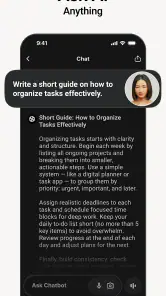
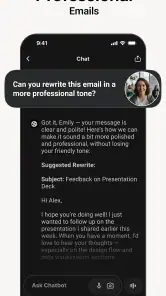
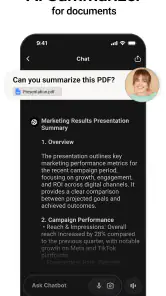
For a practical example, I’d use it to turn rough meeting notes into a concise recap, then ask for a short follow-up email and a list of open questions. Keeping those related requests in one conversation can make it easier to refine the result than starting from scratch at every step. I’d review names, dates, commitments, and sensitive wording before sending anything to a colleague.
A small but useful habit is to tell the assistant what the finished result should look like before pasting in material: “three decisions, five actions, and no invented details” is more actionable than “summarize this.” Clear constraints give me a better basis for judging whether the output did its job, and they make revisions more focused.
Getting Started with Ease
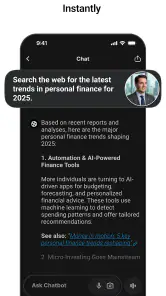
The setup for the Chatbot App - AI Assistant is a breeze. After downloading it from your go-to app store, you simply open it up and voila! The interface is clean and intuitive, which is refreshing in a world where some apps seem to have a cluttered mess of features right from the get-go. You don’t need a manual to figure this one out, which is a big plus in my book.
For a newcomer, the low-friction chat format makes experimentation straightforward: ask for a draft, request a simpler version, or add context when the first answer misses the point. I’d begin with a small, low-stakes task to learn how the app handles follow-up instructions before relying on it for business writing. Its developer is xStudios, and the app is free to install, with optional in-app purchases priced from $4.99 to $39.99 per item.
Once you’re in, the app greets you and asks how it can assist. Whether it's answering questions, setting reminders, or even just casual chit-chat, this app can pretty much do it all. It’s like having a Swiss Army knife of conversation and productivity right in your hand. Pretty cool, right?
I’d be cautious about interpreting that broad usefulness as proof that every task is handled directly inside the app. A conversational assistant can help plan a reminder or draft a message, but before depending on a specific connection to your calendar, email, or another service, check what the current version actually supports. For some people, that distinction matters: a helpful suggestion is not the same as an action completed in another app.
More From Our News Desk

Clash of Clans Is Won Between the Battles

Android Auto Makes the Case for Quieter Car Software

MobiOffice: Transforming Mobile Productivity with Seamless Integration

EA SPORTS FC™ Mobile Soccer: Redefining Mobile Sports Gaming

How Microsoft OneDrive Became a Mobile Productivity Giant

How Google Translate Breaks Language Barriers Effortlessly
This difference is worth testing early if you want an assistant to take action rather than simply advise you. Ask it to help plan a reminder, then confirm whether the result is something you must transfer yourself. That quick check prevents a common mismatch: expecting a chat tool to behave like a fully connected organizer when your real need is dependable scheduling.
Features That Stand Out
Now, let’s talk features. The Chatbot App - AI Assistant is armed with a ton of functionalities designed to make your life easier. One of the standout features is its ability to integrate with other apps and services. Need to send an email or check your calendar? No problem—this app can handle it seamlessly.
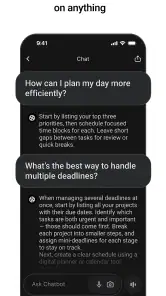
The most useful way to approach its business focus is to think of it as a drafting and reasoning partner. I’d ask it to produce a first-pass agenda, compare two versions of a customer reply, or turn a long brief into questions that still need answers. For repeated work, giving it a stable instruction—such as the audience, desired tone, and format—can reduce back-and-forth and make its output easier to reuse.
Another neat feature is its conversational skills. The AI is surprisingly witty and can keep up with a wide range of topics. Whether you’re discussing the latest movie releases or the weather, it feels like you're talking to a knowledgeable friend.
Its conversational tone is a genuine convenience when I’m trying to shape an idea rather than simply retrieve a fact. I can ask for a more direct version, a gentler version, or a shorter one and compare the results. The trade-off is that fluency can make a weak answer sound polished, so I would verify factual claims, especially anything involving money, law, health, or a promise to a customer.
- Natural Language Processing: The app’s NLP capabilities mean it understands and responds to queries with impressive accuracy.
- Task Management: From setting reminders to creating lists, this app helps keep you organized without breaking a sweat.
- Personalization: The more you use it, the better it gets at predicting your needs and preferences.
Those points are most useful when treated as a starting place, not a reason to hand over the whole workflow. I’d ask for a checklist or a prioritized set of next steps, then move the final items into the task manager I already rely on. For a solo worker, that can be a quick bridge from thinking to doing; for a team that needs shared ownership and clear status tracking, a dedicated project-management app will usually be the better home for the work.
A more demanding but revealing test is to give it a messy, low-risk brief containing a few competing priorities and ask it to separate decisions from open questions. I’d check whether it preserves uncertainty instead of quietly turning guesses into facts. That distinction is more valuable than a slick first draft when the source material is incomplete.
User Experience and Design
I can’t stress enough how important a good user experience is, and the Chatbot App - AI Assistant delivers on this front. The design is sleek and minimalistic, which makes navigation a breeze. I’ve used some apps that feel like you’re trudging through mud just to get to a basic feature, but not this one. It’s as smooth as butter.
A clean chat interface also makes it easy to lose track of which answer came from which model if you move between options. My practical tip is to keep each conversation focused on one job and label the request clearly in your own opening prompt: for example, “draft a neutral client update” or “summarize these notes into decisions and actions.” That habit makes later review less confusing and helps expose when a response has drifted away from the task.
The app also offers customization options, allowing you to tweak the settings to match your style. Want a different theme or to adjust the voice settings? Go for it. It’s all about making the app work for you, not the other way around.
For anyone wondering whether it replaces a conventional productivity suite, I wouldn’t make that leap. It is best considered an AI layer for generating and refining ideas, not a substitute for the dependable calendar, document editor, or task system you already use. If your main need is structured records, shared files, or reliable collaboration, those established tools are still the safer place to keep the final version.
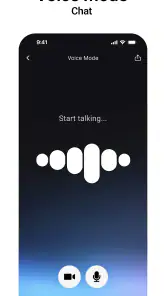
For a busy day, I can picture opening it between appointments, dictating or typing a rough outline for a client update, and asking for a calm, concise draft with the next steps separated out. I’d then check the details and paste the approved version into the tool where the team actually works. That workflow uses the chat for speed without letting it become the record of what was agreed.
Choosing It for the Right Work
The app is a strong fit for freelancers, small-business owners, students handling practical writing, and anyone who regularly needs to turn a blank page into a usable first draft. It can be especially handy between meetings: capture a rough thought, ask for a clearer outline, and leave with something easier to act on. People who want an AI chat for brainstorming and business-oriented writing may find more value here than someone looking only for a conventional notes app.
I’d skip it if you expect every answer to be correct on the first try, need a formal workflow with team approvals, or don’t want to review AI-written material before using it. It’s also sensible to avoid entering confidential client or company information unless you have checked the app’s current privacy terms and are comfortable with them. That is a general precaution for any AI service, not a reason to treat a chat window as a private filing cabinet.
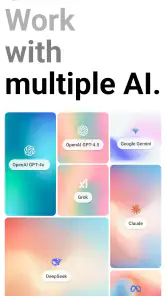
Compared with using a single general-purpose chatbot, having GPT-5, Gemini, Claude, and more available in one app offers a convenient way to explore different responses without making the chat itself feel like a specialist business platform. The advantage is choice; the cost is that more choice can mean more decisions about which answer to trust. If you already have a chatbot you like and use only occasionally, switching may not add much. If you often compare drafts or approaches, the multi-model setup is more compelling.
There is also a useful trade-off between this kind of chat and a traditional notes app. Notes are better for keeping information exactly as written and finding it later; a chatbot is more useful when I want that information reorganized, condensed, or turned into a draft. I would keep original notes intact and use a separate prompt to transform a copy, especially when accuracy matters. That simple separation makes it easier to spot what the assistant added or changed.
For quick calculations, current facts, or decisions with real consequences, I’d use an authoritative source or specialist tool first and bring the result into a chat only if I need help explaining it. The app is most persuasive when the challenge is expression or structure, not when the answer must be guaranteed. That boundary also helps avoid wasting time asking several models the same question when a direct source is more appropriate.
The app is aimed at general use, with an Everyone content rating, and its Android listing supports version 7.0 and later. If you’re deciding whether to pay for anything, I’d first identify a recurring task where the free experience already saves effort, then check the purchase terms before choosing. Occasional curiosity is a weaker reason to spend than a workflow you have tested and expect to repeat.
Endless Possibilities
One of the things I love most about the Chatbot App - AI Assistant is its potential for future growth. The developers are constantly updating it with new features and improvements, so it feels like the app is always learning and evolving. It’s exciting to think about what new capabilities might be added down the line.
For now, I’d judge it by the work it helps with today rather than by possible future additions. A useful test is to bring the same harmless prompt to two available models and compare clarity, structure, and how well each follows your constraints. Don’t assume that a longer answer is a better one; ask for a concise version and check whether the important caveats and actions remain intact.
And let’s not forget the community aspect. The app has a pretty active user base that shares tips and tricks, so you’re never alone in your journey to mastering this digital assistant. It’s like having a little club of fellow tech enthusiasts who are always ready to help out.
There are a few practical questions worth settling before making it part of a daily routine. The app is free to download, but optional purchases are available, so I’d check the purchase details in the app before committing to a paid option. Its content rating is Everyone, and it is listed for Android 7.0 and later; if you use a different operating system, check the relevant app-store page for compatibility. It has a 4.8 average from around 30,000 ratings, with over 500,000 installs, which suggests broad interest but doesn’t guarantee that every workflow will suit you.
The current version is 9.0.2, and the app was released on November 15, 2024. Those details give a useful point of reference when checking that you have the current build, but my recommendation is still to test it with a small task before making it central to work. AI tools are most helpful when you know what you want them to produce and take responsibility for checking the result.
In a nutshell, if you’re looking for an app that combines functionality, ease of use, and a touch of personality, the Chatbot App - AI Assistant is definitely worth checking out. It’s not just an app; it’s like having a little slice of the future right here in the present. So why not give it a try and see how it can brighten up your day?
My verdict is positive, with a clear boundary: I’d recommend it as a flexible assistant for drafting, brainstorming, and organizing the first pass of a task, not as an authority or a replacement for the tools that store your finished work. The strongest reason to try it is the chance to work with several well-known AI models through a chat-first productivity app. The main reason to be selective is that polished answers still need judgment, and optional purchases may matter if your use grows. Start with a modest, non-sensitive task; if it reliably saves you effort, it has earned a place in your routine.
Chatbot App - AI Assistant Frequently Asked Questions
Can I use Chatbot App - AI Assistant for quick answers as well as longer work tasks?
Yes. Chatbot App - AI Assistant is built around conversational AI, so you can ask direct questions or give it a broader task to work through. For business use, that might mean getting a quick explanation, developing an idea, or preparing a first draft. Treat responses as a helpful starting point and check important details before acting on them.
Does Chatbot App - AI Assistant require a recent Android device?
The Android version requires Android 7.0 or later, so it does not require one of the newest Android releases. If your device meets that minimum, you can consider installing it and trying its AI chat features. The app is also available on iOS, giving users a mobile option on either major platform.
Does Chatbot App - AI Assistant support work-related writing and planning?
Yes. Chatbot App - AI Assistant is presented as a productivity app for business tasks, so it can be useful when you want help drafting work messages, organizing ideas, or planning next steps. You can describe what you need in a conversation and use the response as a starting point, then review and adjust it to fit your task.
Which AI assistants are available in Chatbot App - AI Assistant?
The app’s business-focused offering includes access to GPT-5, Gemini, Claude, and other AI assistants. This gives users different options for chat-based help with work tasks. The available assistants and features may depend on the app experience you choose, so check the options shown in the app before relying on a particular assistant for an important task.
What platforms is the Chatbot App - AI Assistant available on?
The Chatbot App - AI Assistant is available for both Android and iOS platforms. It can be downloaded from the Google Play Store for Android devices and the Apple App Store for iOS devices. Make sure your device meets the minimum system requirements for optimal performance. The app requires Android 7.0 or later.
Pros
- Intuitive interface for seamless navigation
- Supports multiple languages effectively
- Offers personalized responses
- Integrates with various productivity apps
- Quick response time enhances efficiency
Cons
- Limited customization options
- Occasional inaccuracies in responses
- Requires constant internet connection
- Can drain battery quickly
- Subscription needed for premium features
- Category
- Productivity
- Version
- 9.0.2












