Clean Up Phone Storage: CleanX
- 831.00
- 4.4
- Installs
- 1.00M
- Price
- Free

Screenshots




Analysis by Reviewed
When I try to decide whether a cleanup app is worth keeping, I look at the decisions it helps me make, not just the promise of more free space. CleanX is a free tools app from TapSuite for people dealing with photo clutter alongside other small storage and inbox chores. Its most useful angle is helping me review unwanted and duplicate-looking pictures without relying only on a long, manual scroll through the gallery. I would use it as a guided place to begin, while keeping the final say over what stays.
Photo cleanup is the clearest reason to try it
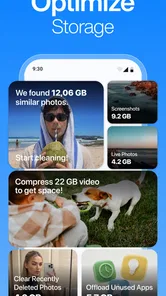
Among CleanX’s cleanup tasks, sorting through photos is the most relatable. Duplicate and unwanted images can be difficult to spot by scrolling through a camera roll, especially when similar pictures are separated by newer photos. A dedicated cleanup tool can make that review feel more focused than ordinary gallery browsing.
The practical value is not simply deleting more. It is making it easier to decide what deserves to stay: the sharp version of a group shot, the picture with everyone looking at the camera, or the accidental extra you would otherwise forget about. I’d treat CleanX as a review-and-delete helper, not something to trust with an automatic purge. Looking over suggested items before removing them is the sensible way to protect photos that matter.
That distinction matters because “duplicate” is not always the same as “unwanted.” Two pictures may look almost alike but capture different expressions or moments. A cleanup session is most useful when you are willing to make those small choices rather than expecting an app to know which memory is important.
Turning a cluttered camera roll into a manageable task
I would use the app in short, deliberate passes. Start with a category that is easy to judge, such as obvious repeats, then inspect the selections before deleting anything. If the results include images you want to keep, pause and refine your choices instead of treating the tool’s suggestions as instructions. This reduces the chance of clearing something you later wish you had saved.
A useful habit is to tackle one kind of clutter at a time. Clearing duplicate-looking pictures is a different decision from removing old downloads or sorting email. Keeping those jobs separate makes it easier to understand what you are deleting and why, and it avoids turning a quick maintenance session into a vague sweep through everything on your device.
For example, after a family gathering, you might have several versions of the same group photo mixed with screenshots and everyday pictures. Rather than manually hunting through the entire gallery, you can use CleanX to focus on the cleanup task, inspect the candidates, and keep the version you actually like. The gain is not only storage space; it is less time spent revisiting the same clutter later.
More From Our News Desk

Weather by Xiaomi Review: Clear at a Glance, Less Clear Up Close

X Under Pressure: Can It Recover When Posting Goes Wrong?

Clash of Clans Is Won Between the Battles

Android Auto Makes the Case for Quieter Car Software

MobiOffice: Transforming Mobile Productivity with Seamless Integration

EA SPORTS FC™ Mobile Soccer: Redefining Mobile Sports Gaming
Where it fits beside built-in tools
Phones already offer ways to browse and delete files, and a gallery app may be enough if you only need to remove a handful of pictures. CleanX is more appealing when you want one tool for several kinds of housekeeping instead of opening separate places to deal with photos, junk files, and email. That combined approach is its main practical distinction from simply deleting items by hand.
There is a trade-off. Built-in storage screens are familiar and may be preferable when you want to manage a specific file or understand exactly where it lives. A cleanup app is more convenient for a broad review, but convenience should not replace attention. If you have a carefully organized photo library or keep images for work, manually checking every proposed deletion may take enough time that your usual gallery workflow is the better choice.
Beyond pictures: useful, but worth doing selectively
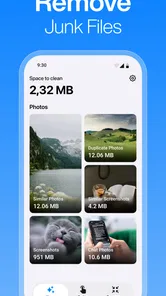
CleanX also covers junk files and email cleanup, which gives it a wider role than a photo-only utility. These tasks can be helpful when the clutter is spread across different areas, but they call for different levels of caution. An old file may be disposable, or it may be something you saved for a reason; an email that looks ready to remove may still contain a receipt or information you need.
My practical advice is to avoid combining all cleanup decisions into one hurried session. Use photo cleanup when you can recognize the images, review files when you have time to identify them, and approach inbox tidying with particular care if you rely on email for records. CleanX’s broad remit can save app-switching, but it does not remove the need to understand what you are clearing.
It is also worth separating routine maintenance from an emergency storage crunch. If your phone is warning that it is nearly full and you need room immediately, first inspect the largest files or items you already know you can remove. A broad cleanup pass can be more thorough, but it may take longer because reviewing borderline photos and files is precisely where care matters.
Small workflow choices that make cleanup safer
One non-obvious benefit of treating cleanup as a recurring, modest chore is that it keeps the decision load manageable. Instead of waiting until storage feels urgent, set aside a few minutes after a photo-heavy event or a burst of downloads. You can then recognize recent images and files more easily than you might months later, when their context has faded.
Another useful approach is to begin with things that have little personal value. If a suggested photo is an obvious accidental duplicate, removing it is straightforward. Save uncertain images for a second pass, and do not let the desire for a completely clean screen pressure you into deleting sentimental or useful material. The right result is a more usable phone, not the smallest possible library.
Finally, consider whether you need a general cleanup tool at all. If the only issue is a few unnecessary pictures, the built-in gallery is likely simpler. If clutter spans photos, files, and email, CleanX’s all-in-one focus has more value. That is a genuine distinction in how I would choose between it and the standard tools already on a phone.
Cost, compatibility, and what to expect
CleanX is free to install, with in-app purchases listed from $7.99 to $39.99 per item. I would start with the free experience and decide whether it suits your routine before spending anything. The paid range is a reason to check the purchase details in the app carefully rather than assuming every cleanup option is included at no cost.
The app is rated for Everyone and has an average rating of 4.4 from around 79,000 ratings, with more than 1 million installs. It was released on May 22, 2026, and version 1.0.6 is the current version. It requires Android 11 or newer, so anyone using an older Android release should look to the phone’s built-in storage tools or another compatible option instead.
Those figures provide context, but they do not tell me whether the app’s cleanup suggestions will match an individual person’s habits. The best test is a cautious first session: see whether the photo review is understandable, whether the other cleanup areas are useful to you, and whether the free experience covers the job you actually have. If it creates more uncertainty than it removes, stopping and using manual controls is a perfectly reasonable choice.
Who gets the most from it
I would recommend CleanX to someone whose phone has accumulated repeated photos and miscellaneous clutter, and who wants to review several cleanup areas without relying only on separate built-in menus. It is especially suited to people willing to inspect suggestions and make the final decisions themselves. The app’s value comes from organizing the chore, not from taking responsibility for what should be kept.
It is less compelling for someone who rarely takes photos, already keeps a tidy library, or prefers complete manual control over every file. It is also not the choice I would make for an urgent, one-off deletion when I know exactly what needs to go; the standard gallery or storage settings can be quicker in that situation.
A practical routine for different kinds of clutter
I would not treat every cleanup session as a hunt for the biggest possible deletion. A more useful routine starts with a clear question: am I trying to make the camera roll easier to browse, clear items I can identify, or reduce the spread of small chores across separate apps? That goal helps me decide which part of CleanX to use and when to stop. If I begin with photos but find myself unsure about most suggestions, there is little benefit in pushing through simply to finish every category.
For someone who takes lots of casual pictures, a good moment to review is soon after an event while the images are still familiar. I can compare near-repeats while I remember which shot has the expression I wanted, then leave the rest of the library alone. A person who downloads documents or screenshots for temporary tasks might instead review those files after the task is finished, when it is clearer what can go. These are different decisions, so keeping them in separate passes is a small but useful safeguard.
There is also a practical answer to the question of whether cleanup tools replace backups: I would not treat deletion as a backup strategy or assume that an item can be recovered later. Before removing anything that matters, make sure it is stored where you intend to keep it. That is especially sensible for family pictures, work images, and email records. CleanX can help organize a review, but deciding what is safely disposable remains your responsibility.
When an all-in-one approach helps—and when it does not
The usual alternative is a mix of the phone’s gallery, storage controls, and email app. Those built-in options are often the better fit if I know exactly what I want to remove or prefer to see the original location and context of each item. CleanX’s advantage is convenience across different kinds of clutter; it gives a person with several small cleanup jobs a single starting point rather than requiring a separate search in each place.
That convenience is not the same as a guarantee of better results. If I only want to remove a single screenshot, opening a general cleaner adds an unnecessary step. If I need to preserve a carefully sorted archive, direct management in the gallery may provide the control I value more. On the other hand, when similar photos and miscellaneous files have built up together, having a focused cleanup session can make the work feel less scattered. The choice comes down to whether I value a central workflow more than direct, item-by-item navigation.
People often wonder whether a cleaner will free enough space to solve a particular problem. I would avoid relying on any cleanup app as a promise of a specific result: the outcome depends on what is actually taking up room and what I decide is safe to remove. If the immediate issue is one known large item, finding and handling that item directly is more predictable. If the issue is many small bits of clutter, a broader review is more appropriate, even if it takes longer.
Good fit for patient reviewers, not hands-off deletion
The people most likely to appreciate CleanX are those who want help organizing the review but still want to make each meaningful choice. That includes frequent photographers who keep several takes, people whose downloads and inbox have become untidy, and anyone who finds separate cleanup menus easy to postpone. It is less suited to someone expecting a single tap to understand personal priorities, or someone who does not want to inspect suggested items before acting.
For a first try, I would keep the scope narrow: look at the photo suggestions, decide whether the way they are presented helps, and only then consider the other cleanup areas. I would also pay attention to any purchase prompts and check what is included before committing to an in-app purchase. With in-app items ranging from $7.99 to $39.99, it makes sense to establish that the app’s approach suits me before paying for anything.
The rating and install figures suggest that CleanX has found a substantial audience, but they are not a substitute for checking whether its workflow fits my own habits. A person who dislikes reviewing groups of candidates may find manual deletion more reassuring. Someone who enjoys a guided pass but wants final control may find that arrangement more comfortable. That difference in temperament matters as much as the number of cleanup categories.
Overall, CleanX makes the most sense as a practical cleanup companion rather than a substitute for good judgment. Its photo-focused workflow addresses a common source of clutter, while file and email cleanup broaden its usefulness for people who want one place to begin. If you approach deletion carefully and use it when several small cleanup jobs have accumulated, CleanX can make phone maintenance feel less scattered. If you expect it to decide what matters for you, or want a tool only for occasional manual deletions, the built-in alternatives may be enough.
Clean Up Phone Storage: CleanX Frequently Asked Questions
What does Clean Up Phone Storage: CleanX do?
Clean Up Phone Storage: CleanX is presented as a phone-cleaning utility intended to help users review storage and identify items they may want to remove, such as unnecessary files or duplicate content. Its exact tools can vary by version and device. Before using any cleanup option, check what it will delete and review the selected items rather than assuming every suggestion is safe to remove.
Can CleanX safely delete photos, videos, or other personal files?
A cleanup app may flag large, duplicate, or apparently unnecessary files, but it cannot always know which items matter to you. Review each selection carefully before confirming deletion, especially for photos, videos, downloads, and documents. If CleanX offers a recycle bin or recovery period, check how long deleted items remain recoverable; keeping a separate backup is the safer choice for important files.
Does Clean Up Phone Storage: CleanX actually free up storage space?
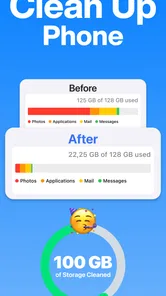
It may help you locate files that are taking up room, but the amount of space recovered depends on what is stored on your phone and what you choose to remove. Cleaning temporary data may produce only a modest change, while deleting large files can free more space. Compare your available storage before and after cleanup, and avoid expecting an app to increase your phone’s physical capacity.
Is Clean Up Phone Storage: CleanX free, and does it include ads or subscriptions?
Pricing, advertising, and premium features can differ by platform, region, and app version. Check the app’s store listing and its in-app purchase screen before starting a trial or subscribing. Pay attention to the renewal price, billing period, and cancellation instructions, since uninstalling an app does not necessarily cancel a subscription. Also review any limits placed on features available without payment.
What permissions and privacy considerations should I check before installing CleanX?
A storage-cleaning app may need access to files, photos, or other device data to scan for items it can manage. Grant only permissions that make sense for the features you intend to use, and consult the current privacy policy and store disclosures to understand how information is collected, used, or shared. Permission names and behavior may vary between Android and iOS, so review the prompts on your device.
Pros
- Helps identify files and media that may be taking up valuable storage space.
- A focused interface makes common storage-cleanup tools easy to find.
- Can help users review files before deciding what to remove.
- Useful for spotting large items that are easy to overlook.
- May make routine phone maintenance more convenient.
Cons
- Cleanup suggestions should be checked carefully to avoid deleting wanted files.
- Some features may require a subscription or in-app purchase.
- Results depend on the access permissions granted to the app.
- Cleaning storage does not necessarily make a phone run faster.
- The amount of space recovered can vary considerably by device.









