Deepsearch AI Search Assistant
- 7.33K
- 4.3
- Installs
- 10.00M
- Price
- Free

Screenshots





Analysis by Reviewed
I’m always interested in tools that can make searching feel less like digging through a pile of links. Deepsearch AI Search Assistant caught my attention because it focuses on exploring public information with AI, rather than treating every question as a hunt for one exact webpage. That approach can be handy when I know roughly what I want to learn but haven’t figured out how to ask for it yet.
Why the first week feels appealing
During the first few days, the biggest attraction is the promise of a more conversational way to explore a topic. Instead of thinking up the perfect search phrase, I can begin broadly, see what direction the results suggest, and refine my question from there. That makes the app most appealing when I’m curious but not yet sure which terms or sources will get me somewhere useful.
There’s a novelty factor, too: an assistant-style response feels more direct than a page of competing links. I’d enjoy that most for low-stakes exploration, such as learning the basic vocabulary around a new hobby or getting a starting point for a topic I want to research. The useful test is whether the result helps me decide what to look at next, not just whether it sounds polished.
Getting Started with Deepsearch AI Search Assistant
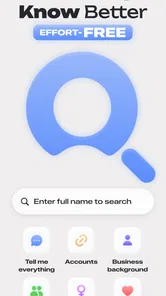
First things first, let's talk about the setup. The moment you open the app, you're greeted with a slick and intuitive interface. No unnecessary fluff, just straightforward functionality. You can feel the focus on user experience right from the get-go. Setting up your preferences is a breeze. You can tweak the settings to match your search habits, and the app learns from your interactions to refine future results. It's like it gets to know you over time, which feels pretty neat.
Search Like Never Before
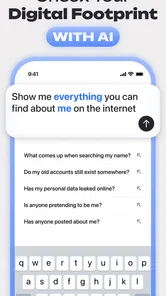
Now, let's dive into the heart of the matter—how Deepsearch AI Search Assistant transforms your search experience. Traditional search engines often bombard you with a plethora of links, leaving you to sift through them. But with Deepsearch, the AI does the heavy lifting. It analyzes context, understands nuances, and presents you with the most relevant results. It's almost like it reads your mind—spooky, but kind of awesome.
For instance, if you're searching for "best Italian restaurants around me," the app doesn't just list random restaurants. It provides a comprehensive overview, including ratings, reviews, and even special deals. It's like having a local guide in your pocket!
Features That Stand Out
One feature that really caught my attention is the voice search capability. You simply speak into your phone, and the assistant processes your query with impressive speed and accuracy. It's perfect for those moments when you're on the go and can't type out a search manually.
More From Our News Desk

Weather by Xiaomi Review: Clear at a Glance, Less Clear Up Close

X Under Pressure: Can It Recover When Posting Goes Wrong?

Clash of Clans Is Won Between the Battles

Android Auto Makes the Case for Quieter Car Software

MobiOffice: Transforming Mobile Productivity with Seamless Integration

EA SPORTS FC™ Mobile Soccer: Redefining Mobile Sports Gaming
Another nifty feature is the integration with other apps. Deepsearch can pull in data from your calendar, email, and more to provide even more personalized results. It's like all your apps are finally talking to each other, and the conversation is all about making your life easier.
The Learning Curve
Now, you might be thinking, "This sounds great, but is there a learning curve?" Honestly, not really. The app is designed to be intuitive. The more you use it, the better it gets at understanding your preferences. It's a give-and-take relationship, and the payoff is totally worth it.
For me, the key question after the first few searches is whether this way of looking things up earns a regular place on your phone. An AI-assisted search can feel refreshing when you're trying to explore a subject rather than hunt for one exact page. But the habit only sticks if its answers consistently save you effort. I’d treat it as a companion to ordinary search, not a reason to abandon a familiar search engine or go straight to a trusted source when accuracy matters.
Making It Useful Beyond the First Week
A practical way to test its staying power is to bring it questions you already know how to research. Ask about a topic you understand, then check whether the response gives you a useful starting point and whether its supporting public information is relevant. That small comparison helps you decide when to rely on the assistant for discovery and when to switch to direct browsing. It also prevents a polished answer from feeling more certain than its underlying information deserves.
For an everyday example, imagine you have a free evening and want to explore a neighborhood before meeting a friend. A conversational search can help you shape a broad question into a more focused one, then give you leads to investigate. I’d still verify opening details or other time-sensitive claims directly before making plans. The value here is in getting oriented and finding promising directions, not assuming every answer is current or complete.
This is where it differs from the usual alternatives. A conventional search engine is often better when you know the exact site, phrase, or source you want; its list of links makes it easier to compare pages yourself. An AI-oriented assistant is more appealing when your question is vague and you want help exploring it. Neither approach wins every time. If a query involves health, money, safety, or a decision that depends on precise details, I’d use the assistant to form questions and then consult authoritative sources.
One useful habit is to make searches specific about what you actually need: a comparison, a summary, or ideas to investigate. Then check whether the answer gives you enough context to follow up, rather than stopping at a confident-sounding conclusion. For public information about people, I’d also keep the purpose respectful and avoid treating a search result as a full picture of someone’s life. Finding publicly available material does not automatically make every use of it appropriate.
Where the Routine Can Wear Thin
The main trade-off is that an assistant’s convenience can encourage you to accept a neat answer without checking how it was assembled. If you need transparent, source-by-source comparison, ordinary web search may suit you better. If a query is highly specific or depends on fresh local details, double-checking can erase some of the time saved. I’d also be cautious about connecting personal accounts or sharing sensitive details with any search tool; only use integrations or enter information when you understand what you’re enabling.
That makes the app a better fit for curious people who regularly turn broad questions into follow-up searches than for someone who only looks up a quick fact now and then. Students may find it useful for getting a first outline of a topic, provided they check sources before relying on it. People who prefer to inspect original pages themselves may find a standard search engine less distracting. The best test is not whether the first answer feels impressive, but whether you return because it genuinely helps with the kinds of questions you ask every week.
Keeping the habit light
To see whether it belongs in a regular routine, I’d avoid turning every search into a test of the assistant. Pick a few recurring tasks where a broad starting point is genuinely useful, such as planning a casual outing, understanding an unfamiliar term, or collecting directions for further reading. If the result doesn’t help, switch tools rather than repeatedly rephrasing the same question. That simple boundary keeps the app from becoming another place to spend time without getting closer to an answer.
It also helps to separate discovery from decisions. I might use an AI search to generate angles I hadn’t considered, then open original sources before acting on anything consequential. For an outing, that means treating recommendations as leads and checking the practical details with the venue. For learning, it means following up with material I can assess directly. This two-step workflow preserves the assistant’s value as a starting point without asking it to carry more certainty than I would expect from a search tool.
Deepsearch AI Search Assistant is a free lifestyle app from xStudios, with optional in-app purchases priced from $6.99 to $39.99 per item. It has a 4.2 average from around 344,000 ratings, and over 5 million installs. Those figures suggest broad interest, but they can’t tell you whether its approach matches your habits. Its Teen content rating is worth noting if you’re choosing apps for a younger user, and the app is currently at version 1.2.8, with Android 7.0 or later required. It was released on April 16, 2025.
Who is likely to keep using it?
I’d recommend trying it if you often start with open-ended questions and enjoy following a trail of related ideas. It may be especially useful when you don’t yet know the terminology for a subject, because an assistant can help make the first step less intimidating. Someone who searches mainly for a known website, a specific document, or a quick factual lookup may get more dependable control from a traditional search engine.
It’s also not the right choice for anyone who wants every result to be immediately authoritative, or who doesn’t want to review and verify what they find. The app’s appeal depends on being comfortable with exploration and follow-up. If you’d rather see the original pages first and judge their credibility yourself, a conventional results page is a better fit. I’d make the decision based on your own repeat searches, not the excitement of a new interface.
Final Thoughts
In a world where information is just a click away, having a tool like Deepsearch AI Search Assistant can make a world of difference. It’s not just about finding information; it’s about finding the right information quickly and efficiently. Whether you're a student, professional, or just someone who loves to explore, this app is a game-changer.
So, if you're tired of the same old search engine routine, give Deepsearch a whirl. It's like having a brainy buddy who always has your back, ensuring you get exactly what you need, when you need it. Happy searching!
My longer-term recommendation is to give it a fair trial with ordinary, low-stakes questions and notice whether it cuts down on work rather than simply making search feel novel. If you keep having to redo queries, verify every detail, or switch back to links for the answer you wanted, that’s a good reason not to make it your default. If it helps you discover useful leads and you’re comfortable checking important claims, it may earn a place alongside your existing search tools. I’d start with the free option and consider paying only if you can identify a recurring benefit that matters to you.
For me, lasting value comes down to maintenance as much as cleverness. A search tool is easy to try and just as easy to forget if it asks me to change habits without giving a clear return. I’d keep my setup simple, review any preferences or connected services occasionally, and avoid feeding it personal context merely to make an answer feel more tailored. The less effort it adds to routine searches, the more realistic it is that I’ll keep opening it.
My lasting verdict: this is most convincing as an optional discovery tool, not a universal replacement for web search. Its first-week appeal can be real, especially for loosely framed questions, but month-to-month usefulness depends on whether its leads save time after verification is included. If that distinction suits the way you search, it may earn a modest place on your phone; if you want direct sources and precise control every time, I’d stick with the alternatives you already trust.
Deepsearch AI Search Assistant Frequently Asked Questions
Can I use Deepsearch AI Search Assistant to find anyone’s private information?
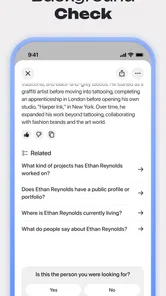
Deepsearch AI Search Assistant is presented as a tool for searching and discovering people’s public data, not as a way to access private records. Its stated purpose may appeal to users seeking context for deeper connections, but public information can still be sensitive. Use it thoughtfully, respect other people’s privacy, and avoid treating search results as permission to contact or share someone’s details.
What kind of information is Deepsearch AI Search Assistant designed to help me discover?
The app’s focus is searching and discovering people’s public data with AI, with the aim of supporting deeper connections. That makes it different from a general-purpose search tool in emphasis: it is intended for exploring information about people rather than simply browsing unrelated topics. Keep that purpose in mind before installing it, especially if you are looking for a conventional web search experience.
Is Deepsearch AI Search Assistant suitable for younger users?
Deepsearch AI Search Assistant has a Teen content rating, so families should consider whether its subject matter and people-focused search features are appropriate for a younger user. The app centers on discovering public information about people, which can raise questions about boundaries and responsible use. Parents and guardians may want to discuss those expectations before allowing a teenager to download and use it.
Does Deepsearch AI Search Assistant require an internet connection?
Because Deepsearch AI Search Assistant is built around AI-powered search and discovering public data, using its central features is likely to involve online activity. That means a connection may be needed when searching or retrieving information, and the experience could depend on network availability. If you plan to use it while traveling or with limited connectivity, consider whether that fits how you expect to use the app.
What should I know about Deepsearch AI Search Assistant before downloading it?
Deepsearch AI Search Assistant is a Lifestyle app from xStudios, built around using AI to search and discover people’s public data for deeper connections. It is free to download, though in-app purchases are available. The app is rated for Teen users, so it may not be suitable for younger children. Its focus on public information is worth keeping in mind when deciding whether it fits your needs.
Pros
- Intuitive interface for easy navigation.
- Quick responses to complex queries.
- Seamless integration with other apps.
- Customizable search preferences.
- Supports voice and text inputs.
Cons
- Occasional lag with large queries.
- Limited offline functionality.
- Subscription required for premium features.
- May struggle with niche topics.
- High battery usage during extended use.













