Camy — Live Video CCTV
- 696.00
- 4.6
- Installs
- 1.00M
- Price
- Free

Screenshots






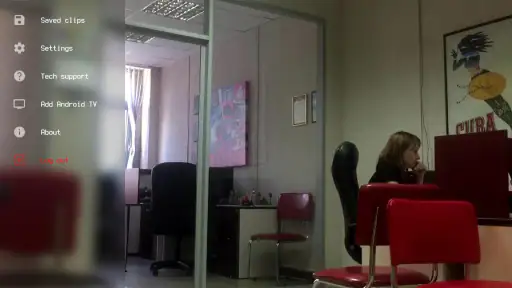

Analysis by Reviewed
I find Camy — Live Video CCTV most appealing as a practical way to reuse a phone that would otherwise sit in a drawer. Rather than buying a separate camera for a quick check on a room, you can turn two phones into a basic home-monitoring setup: one stays where you want a view, while the other lets you check in. That makes it useful for everyday peace of mind, though I’d treat it as a handy extra rather than a replacement for a dedicated security system.
What to consider before relying on an old phone
A spare phone is not automatically ready to be a camera. I’d first choose a stable spot with a clear view, test the image from the place I’m likely to check it, and make sure the camera phone can stay connected to power. A view of a doorway or a pet’s usual resting area is more useful than trying to cover an entire home from one angle. These small choices can make the difference between a feed that answers a real question and one that only shows an unhelpful corner.
There’s also a trade-off in using a phone this way: the camera device needs to remain available for monitoring, so it may not be practical if it is your only handset. For a temporary setup while visiting family or keeping an eye on a room during a short absence, that compromise may be fine. If you need continuous, purpose-built coverage or a permanent installation, I’d compare dedicated home cameras instead and decide whether their more focused role suits you better.
A useful fit for small, specific checks
One realistic use is checking on a pet while you’re picking up groceries. You can place the spare phone where it has a view of the room, then use the other phone to see whether your dog has settled or is pacing near the door. Motion alerts may help draw your attention to activity, but they are best treated as prompts to look in, not proof of what happened. A changing patch of light or movement in the room can be less meaningful than a person entering, so it’s worth testing how the alerts behave in your chosen spot before depending on them.
This is also where Camy’s multiple-camera support can help without turning setup into a major project. If you have more than one spare phone, separate views can answer separate questions—for example, one covering an entry point and another watching a pet’s usual room. I’d name or arrange the views in a way that makes sense to you and check each one individually. Adding cameras is only helpful when each angle has a clear purpose; otherwise, switching between feeds can become more work than simply checking one well-placed device.
Privacy and practical limits
Before pointing a phone camera at a shared space, think about who may be seen and whether everyone who uses that area knows it is being monitored. I’d keep the camera directed toward the part of the home I actually need to check, rather than capturing a wider area by default. Since this setup depends on internet access, a lost connection can interrupt remote viewing; it is sensible to check the feed before leaving and not assume that a phone on a shelf will remain available indefinitely.
Night vision can be useful when a room is dim, but I’d still test the actual view at night instead of assuming every corner will be clear. The same goes for recordings: having footage to review is helpful only if the phone remains in a position where it can capture the event. For anything involving urgent safety, valuable property, or a need for dependable evidence, I would not make a repurposed phone the only layer of protection.
More From Our News Desk

Weather by Xiaomi Review: Clear at a Glance, Less Clear Up Close

X Under Pressure: Can It Recover When Posting Goes Wrong?

Clash of Clans Is Won Between the Battles

Android Auto Makes the Case for Quieter Car Software

MobiOffice: Transforming Mobile Productivity with Seamless Integration

EA SPORTS FC™ Mobile Soccer: Redefining Mobile Sports Gaming
For a free app in the House & Home category, Camy offers a straightforward alternative to buying a camera when you already own a spare handset. The app is from GeoLoc, has a 4.6 average from around 22 thousand ratings, and has passed over one million installs. It is rated for everyone, with a minimum Android requirement of version 6.0. The current release is 5.2.8; the app first appeared on April 1, 2019, and optional in-app purchases range from $0.99 to $99.99 per item. I’d check the purchase details in the app before paying for anything, especially if the basic setup already covers what you need.
Its version history gives a useful point of reference, but a newer version number alone doesn’t tell me what has changed or guarantee that every older phone will behave the same way. If you already use Camy, I’d test the camera and viewing devices after updating, particularly the live feed, alerts, and recording workflow you rely on. If you’re deciding whether to start, the clearest measure is a short trial in the exact room and network conditions where you plan to use it. The app’s usefulness depends less on the number of phones you can place around a home than on whether a particular view answers a particular need.
Making the setup less fragile
One small habit I’d adopt is to treat the camera phone as a fixed appliance while it is on duty. I’d keep it on a stable surface, avoid placing it where someone might unplug it while charging another device, and make sure the lens is not likely to be covered by curtains or moved objects. A phone that has shifted a few inches can lose the doorway or bed you meant to watch, even though the app itself is still running. A quick check of the framing before leaving is more useful than discovering the problem when you open the feed later.
I’d also decide in advance what kind of activity deserves an alert. If every small movement prompts a check, notifications can become background noise and make it easier to overlook the one that matters. In a pet room, for instance, normal wandering may be frequent; in a room that should remain empty, movement might be more informative. Adjusting expectations to the room is a practical part of using motion detection, not merely a matter of choosing a setting and assuming it will interpret events perfectly.
Where a repurposed phone has the edge
Compared with buying a conventional indoor camera, the strongest case for Camy is convenience when the spare handset is already available. You can test a view without committing to another device, and the phone’s screen and camera are together in a familiar piece of hardware. That makes it appealing for temporary needs, such as checking a room while redecorating or keeping an eye on a pet during a short errand. It is less compelling if you would need to buy a phone specifically for this job; at that point, a dedicated camera may be a simpler and more suitable purchase.
There is a different trade-off against a basic baby monitor or a simple local camera. Those devices are designed around a particular monitoring role and may be easier to leave installed, while Camy makes use of phones you already understand and can reposition. I would choose the phone-based approach for flexible, occasional checks, not where I need a dependable, permanent arrangement without thinking about the handset. The saved hardware cost is useful only if the phone’s upkeep and availability do not become a nuisance.
Another useful distinction is between checking a live view and maintaining a security record. A live feed can answer “Is the room calm right now?” but that is not the same as a professionally installed system designed for consistent coverage and evidence. I’d use Camy to resolve everyday uncertainty, not to promise that an important event will always be captured. That difference matters when deciding whether the app is enough or should sit alongside a more dependable security measure.
A realistic routine for everyday use
Imagine leaving home to run a few errands while a dog is settling into a new routine. Before going out, I’d put the spare handset on a charger in a position that shows the dog’s bed and the route to the door, then open the viewing phone once to confirm the picture. If an alert arrives, I can check whether the dog is simply moving around or whether there is a reason to return. The camera is useful here because it answers a narrow question, not because it replaces a person’s attention or guarantees that every moment is recorded.
When I return, I’d close the monitoring session and put the spare phone back into ordinary use if I no longer need the view. That simple end-of-use step helps avoid leaving a camera aimed at a shared room indefinitely. For a longer absence, I’d be more cautious: confirm the feed and power arrangement, tell household members what is being monitored, and decide whether the consequences of a connection or device failure are acceptable. The same setup that is perfectly adequate for a quick check may be the wrong choice for a week away.
For people who share a home, a brief conversation about placement can prevent misunderstandings. A camera aimed at a pet’s corner is a narrower and clearer choice than one pointed across a living area used by everyone. I’d also avoid treating the presence of a camera as permission to monitor visitors without their awareness. The practical benefit of a room check is not worth creating uncertainty about who is being watched.
Who will appreciate it, and who should pass
I think Camy makes most sense for someone with a spare Android phone, a clear short-term monitoring need, and a willingness to check that the setup is working. It can suit a pet owner who wants an occasional look into a familiar room, someone keeping watch on a space during a home project, or a person who wants to test whether a camera angle is useful before buying dedicated equipment. The appeal is strongest when one well-chosen viewpoint is enough.
I’d steer away from it if you have no spare handset, need round-the-clock coverage, or cannot accept interruptions caused by a phone losing power, connectivity, or its position. It is also a poor fit for anyone who expects motion alerts to identify exactly what happened without checking the video. In those cases, a purpose-built camera or a more complete security system is the better direction, even if it costs more and takes more effort to install.
People with older Android devices should be especially practical about testing rather than assuming that a phone meeting the minimum operating-system requirement will perform identically to a newer one. The version requirement tells you whether installation is supported; it does not settle questions about battery condition, camera quality, or the reliability of a particular network. If the old handset already struggles to stay charged or run other apps, I would not choose it as the only camera in a setup I depend on.
Ever wished you could keep an eye on things at home while you're off on an adventure or just out grabbing groceries? Well, let me introduce you to Camy — Live Video CCTV, an app that turns your smartphone into a powerful surveillance tool.
What's Camy All About?
So, you're probably wondering what makes Camy stand out in the bustling world of surveillance apps. In a nutshell, it’s a super handy app that transforms your old smartphones into security cameras. All you need is a reliable internet connection, and voilà, you're in control!
Setting Up is a Breeze
First things first, setting up Camy is a walk in the park. Just download the app on both your current and old devices. The app walks you through the process with prompts that even my grandma could follow! Once set up, you can place your old phone anywhere you need surveillance. It's like giving new life to that phone you thought was just collecting dust.
Features That Pack a Punch
Now, let me dive into some cool features. Camy doesn't just give you live video feeds; it also offers motion detection alerts. Imagine being notified instantly if someone steps into your yard. Plus, it supports night vision, so even the dark can’t hide anything from your watchful eye.
What’s more, you can set multiple cameras around your house and switch between them with ease. And don't worry about missing anything—Camy records everything for you to review later. It’s like having your own personal security team on standby.
Performance and Reliability
In terms of performance, Camy holds up pretty well. The video quality is surprisingly decent, and the app runs smoothly without any hiccups. Of course, the quality of the video stream depends on your internet connection, but that's no fault of the app.
Reliability is key when it comes to security, and Camy doesn’t disappoint. The motion detection feature is quite sensitive, and the notifications are prompt, keeping you in the loop at all times. It's like having a trusty watchdog that never sleeps.
Is Camy for You?
If you're on the fence about investing in a traditional CCTV system or just want a cost-effective way to enhance your security, Camy is a fantastic choice. It’s user-friendly, efficient, and doesn't require any fancy equipment. Just your old phone and a bit of curiosity.
So, whether you're a frequent traveler, a busy parent, or just someone who wants a bit more peace of mind, give Camy a shot. It might just be the security boost you've been needing.
Camy — Live Video CCTV Frequently Asked Questions
Can I use Camy — Live Video CCTV to monitor a room while I’m away?
Camy is designed to turn phones into a live-stream video surveillance system, which can be useful when you want to check a space remotely. Place one phone where you want the view and use another to watch its feed. Think about where the camera phone will sit and whether it can remain available during the period you want to monitor.
Will Camy — Live Video CCTV work on my Android phone?
For Android, Camy requires Android 6.0 or later. Checking your phone’s operating system before downloading is a simple way to avoid compatibility surprises. The app’s House & Home focus makes it relevant to people looking for phone-based monitoring, and it turns a phone into a live-stream camera rather than requiring a dedicated CCTV camera as the starting point.
What devices do I need to use Camy — Live Video CCTV?
Camy — Live Video CCTV turns phones into a live-stream video surveillance system, so you can use one phone as the camera and another to view its feed. Before installing, check that your device runs Android 6.0 or later if you are using Android. The app is free to download, with in-app purchases available.
Is Camy — Live Video CCTV free to download?
Yes, Camy is free to download. It also offers in-app purchases, so some options may involve an additional cost. The app is rated for Everyone, and its House & Home focus makes it relevant for people looking for a phone-based way to monitor a space. Consider whether the available purchase options suit your needs before deciding to buy anything.
What is Camy — Live Video CCTV used for?
Camy — Live Video CCTV is an app designed for remote monitoring through live video feeds directly from your smartphone. It allows users to transform their devices into surveillance cameras, providing real-time monitoring and security alerts. It’s perfect for those who need to keep an eye on their home, office, or any property while away.
Pros
- Easy setup and user-friendly interface.
- Real-time monitoring with high-quality video.
- Cross-platform compatibility for access.
- Supports multiple cameras simultaneously.
- Motion detection alerts enhance security.
Cons
- Requires constant internet connection.
- Limited free features
- subscription needed.
- Some features drain battery quickly.
- Occasional lag in video playback.
- No integration with smart home devices.
- Category
- House & Home
- Version
- 5.2.8









