Logo Maker : Graphic Designer
- 1.75K
- 4.6
- Installs
- 10.00M
- Price
- Free
Screenshots
Analysis by Reviewed
If you're anything like me, you've probably found yourself in a bind needing a logo for that new pet project or side hustle. Well, let me introduce you to Logo Maker : Graphic Designer, an app for turning a rough idea into a visual draft without starting from a blank page. It's an approachable option when you need something presentable quickly, though I wouldn't mistake a convenient first design for a complete brand identity. Here's where I think it earns its keep—and where its limits show.
The first-week appeal
The appeal is easy to understand: you can browse a large collection of ready-made visual starting points instead of opening a blank canvas and inventing a brand from scratch. Prometheus Interactive LLC makes this free business app for Android, and its central idea suits a quick first pass for a club, a personal project, or a small seller who needs a recognizable mark before sharing a page or flyer. The app has a 4.6 average from around 132,000 ratings, which suggests many people find the basic idea useful, though that alone cannot tell you whether its style will suit your project.
For a realistic everyday use, imagine that a friend asks you to help name and present a weekend baking stall. I would use a template to explore a few directions, then change the lettering and colors to make the result feel less like a default. Before settling on anything, I would check the logo at the small size it will appear on a social profile; details that look attractive while editing can become hard to read when reduced. That simple check is more useful than endlessly trying new decorations.
Your Personal Design Studio
First off, Logo Maker : Graphic Designer stands out with its user-friendly interface. Whether you're a design newbie or a seasoned pro, navigating through its features feels intuitive and smooth. I appreciate how the app starts you off with a quick tutorial, ensuring you're not lost in the sea of design options.
A Wealth of Templates
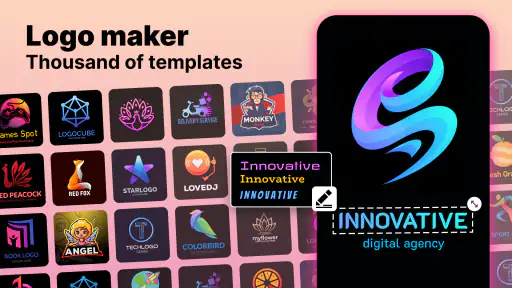
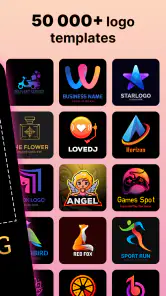
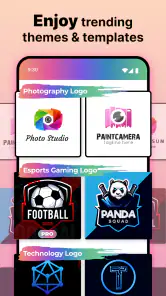
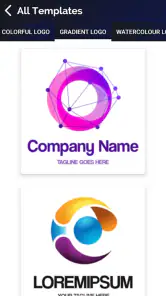
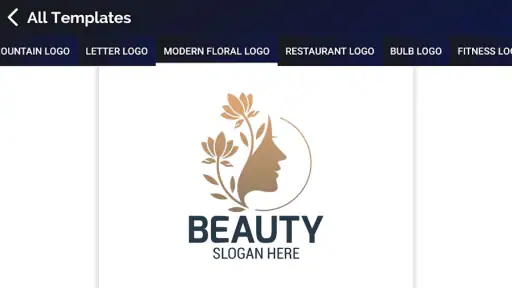
One of the standout features here is the vast array of templates. From modern and sleek to playful and quirky, there's something for every brand personality. It's like walking into a candy store where every option is just as enticing as the next. Personally, I found the "Creative" section particularly inspiring when designing a logo for a friend's art blog.
Having more than 5,000 template, icon, and font choices gives you room to compare moods, but abundance has a trade-off: browsing can become the task. I suggest deciding on two or three traits first—such as calm, handmade, or bold—and using those as a filter in your own head. That makes it easier to stop scrolling and judge whether a design actually fits the audience, rather than picking the flashiest option simply because it caught your eye.
Customization at Your Fingertips
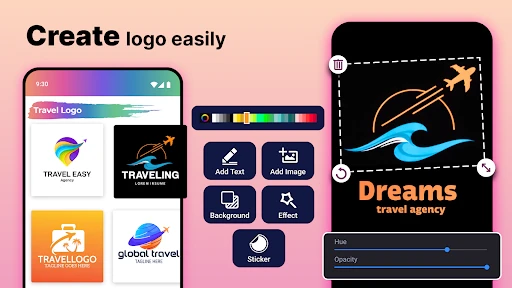
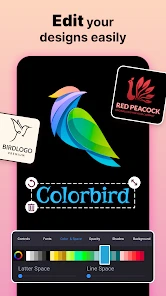
Once you've picked a template, the fun really begins. The customization options are practically endless. You can tweak fonts, colors, and layouts to your heart's content. I spent a good hour just playing around with different combinations, and let me tell you, it's addictive! The app even lets you import your own images, which is perfect for adding a personal touch to your design.
More From Our News Desk

Clash of Clans Is Won Between the Battles

Android Auto Makes the Case for Quieter Car Software

MobiOffice: Transforming Mobile Productivity with Seamless Integration

EA SPORTS FC™ Mobile Soccer: Redefining Mobile Sports Gaming

How Microsoft OneDrive Became a Mobile Productivity Giant

How Google Translate Breaks Language Barriers Effortlessly
A useful workflow is to keep one version restrained and make a second with more personality, then compare them away from the editor. This helps prevent the common trap of adding changes just because the controls invite experimentation. If you already have a clear symbol or image, importing it can make the result more personal; if you do not, a template-led design is faster, but may need extra editing to feel distinct from other logos built from similar starting points.
Making the result useful beyond the editor
A logo is not judged only on the screen where it was made. I would test a draft in the places it is likely to appear: as a small profile image, beside a short business name, or on a simple flyer. These checks reveal different problems. A fine detail might disappear at avatar size, while a long name can make a compact emblem feel cramped. For a small seller, a simple version that remains legible is usually more useful than an elaborate mark that looks impressive only when enlarged.
It also helps to decide what the logo needs to do before opening the editor. A neighborhood club may need a friendly symbol that members recognize, while a new online shop may need the name to be readable first. Those goals can lead to different choices even when both projects start from the same template collection. I would write down the intended audience and main use, then use those notes to reject designs that look attractive but send the wrong impression.
For a quick concept, this app can take you further than sketching an idea in a notes app because you can compare typography and imagery together. It is less suited to building a full visual system: a logo alone does not settle how every post, label, or document should look. If consistency matters, keep your choices deliberately simple and record them outside the app so you can refer to them later.
Month-to-month value and maintenance
A logo is usually a one-time job, so I would not expect this to become a daily habit for most people. Its lasting value is more practical: you can return when a side project changes direction, when an event needs a temporary identity, or when you want to test a different look before committing to a more involved design process. The app is free to install, but it also offers in-app purchases ranging from $0.99 to $99.99 per item, so I would check what is included before paying and avoid treating every optional extra as necessary.
Maintenance is less about constantly redesigning and more about keeping a sensible master copy and checking that the logo remains readable wherever you use it. The app is rated for Everyone, runs on Android 5.0 and later, and its current version is 2.2.7. Those details make it accessible to a broad range of Android users, but they do not remove the need to check your finished file in the context where it will appear. If the design is for regular business use, I would also keep a record of the colors and text choices so later edits stay consistent.
One practical way to avoid unnecessary repeat work is to make a short decision note when you settle on a draft: the chosen colors, the wording, and the reason that particular symbol fits. That note is useful if you revisit the design months later, when you may no longer remember why you chose one option over another. I would also keep a separate copy of any image I imported, so the source material remains easy to find if I want to revise the design.
The app's value is therefore tied to the number of small projects you actually have, not to how often you can browse it. If you help different groups or run several casual projects, having a quick logo-making option on hand can save time. If you need one mark and expect no changes, the app may be useful for a short stretch and then sit unused; that is not a flaw so much as the nature of a task-based tool.
Instant Export Options
After creating your masterpiece, you want to show it off, right? Logo Maker : Graphic Designer makes it easy with a variety of export options. Whether you need a high-resolution file for print or a quick JPEG for social media, you're covered. I found the export process to be seamless, and having multiple formats available is a real lifesaver, especially when working on different platforms.
Before relying on any export for a paid print run, I would inspect the result at its actual intended size and confirm it looks clean against both light and dark backgrounds. That small proofing step can catch contrast or legibility problems that are easy to miss while focused on the editor. For fast social graphics and early concepts, a quick export is convenient; for a polished identity that must scale across packaging, signage, and many formats, a dedicated design tool or a professional designer may be the better fit.
Another useful check is to view the design without the rest of the editing screen around it. The editor can make a composition feel finished simply because you have spent time adjusting it; seeing the exported image on its own is a better test of whether the name and mark work together. If you plan to reuse the logo in several places, keep the same version rather than making tiny untracked edits for each post. That prevents a project from slowly accumulating mismatched colors or lettering.
People often want to know whether a template-based result can be used for a serious business. My answer is that it depends on the stakes and how distinctive the identity needs to be. For a small launch, a market stall, or a temporary campaign, a carefully edited result may be entirely practical. If you expect the logo to represent a growing company across products and formal materials, I would treat an app-made draft as a starting point and seek more control before making it the permanent face of the business.
Where it fits among other design options
Compared with drawing a logo from scratch in a general graphics editor, this app gives you a faster route to a composed first draft: templates already bring text and imagery together. The trade-off is creative control. A more advanced editor is better when you need to shape a precise custom mark, but it can take longer to learn and requires you to make more decisions yourself. Hiring a designer is the stronger choice when originality and a coherent identity matter more than speed, while a template app makes sense when the budget, timeline, or scale of the project is modest.
I would not choose solely by counting available designs. The important question is whether you can make the result fit your name, audience, and intended use without piling on adjustments. If a template is close but never quite right, that is a sign to try another starting point—or to move to a more flexible tool—instead of spending an evening forcing it to work. This is one of the easiest ways to keep the process from turning into a frustrating search for a perfect preset.
When another route makes more sense
This app is best for people who need a presentable starting point without learning a full design program: hobby groups, one-off events, personal pages, and new ventures testing an idea. I would skip it if the logo must be unusually original, if you need precise control over every vector detail, or if the identity will be central to a larger company. In those cases, a professional designer or a more advanced graphics editor gives you more room to build a distinctive system instead of adapting a template.
It is also not the right choice if you already have strict brand rules and need to reproduce exact specifications across a team. A quick editor is most helpful when you can make the creative decisions yourself and accept a straightforward result. Where several people need to approve a design, or where consistency across many materials is essential, a more structured design workflow will usually save confusion later.
Logo Maker has reached over 10 million installs, and the scale is understandable: it lowers the barrier to making a first draft. Still, popularity does not make every template a fit, and the app cannot decide your brand strategy for you. The best result comes from bringing a clear purpose to the editor, choosing fewer elements, and resisting changes that make the mark busier without making it more recognizable.
Sources of fatigue
The main risk for me is not that the app is hard to approach; it is that easy access to many choices can keep a simple job open too long. You can spend more time comparing decorative variations than thinking about what someone should remember after seeing the logo. Set a stopping point: once a draft is readable, suited to its purpose, and easy to recognize at small size, pause before adding more. A short break often makes the better option clearer than another round of edits.
There is also a difference between making a logo and building a brand. A symbol and name may be enough for a personal page, but a business that communicates regularly will need decisions beyond the mark itself. This app can help with the visual starting point; it cannot replace the judgment involved in choosing a consistent tone or deciding how the identity should work across different materials. Keeping that distinction in mind helps prevent disappointment.
In conclusion, Logo Maker : Graphic Designer is a powerhouse of an app that manages to balance ease of use with advanced design capabilities. It's perfect for anyone looking to create stunning logos without the steep learning curve or hefty price tag. Give it a go, and you might just find yourself designing logos for fun! Trust me, it's worth a spot on your home screen.
Long-term verdict
My lasting verdict is more measured than the first burst of excitement: this is a handy tool to keep available when a small project needs a quick visual identity, not necessarily an app to open every week. The selection can spark ideas, and the accessible editing makes experimentation approachable, but template browsing and paid extras can become tiring if you keep chasing a perfect result. I would use it to draft and refine a modest logo, then move on once it serves its purpose. If you want a quick, low-friction start, it earns a place; if your work calls for a truly bespoke brand, choose a more specialized route.
Logo Maker : Graphic Designer Frequently Asked Questions
What should I know about Logo Maker: Graphic Designer before downloading it?
Logo Maker: Graphic Designer is a free app focused on making logos from templates, icons, and fonts. It may be a useful starting point if you want to create a visual identity without beginning with a blank canvas. Some in-app purchases are available, so consider whether you are comfortable with optional paid content before installing.
How popular is Logo Maker: Graphic Designer?
Logo Maker: Graphic Designer has an average rating of 4.6 from around 132,000 ratings, with about 1,800 written reviews and over 10 million installs. These figures suggest that many people have tried it, though individual experiences can differ. Browsing recent user feedback can help you judge whether its tools and workflow match what you want from a logo creator.
Who develops Logo Maker: Graphic Designer, and what kind of app is it?
Logo Maker: Graphic Designer is a business app developed by Prometheus Interactive LLC. It is intended for creating logos, with templates, icons, and fonts available to help shape a design. If you are looking for a dedicated logo-making tool rather than a general-purpose graphics editor, its focus may suit your needs.
What features does Logo Maker: Graphic Designer offer?
Logo Maker: Graphic Designer is packed with features that cater to both beginners and seasoned designers. Users can access a wide array of templates, customize them with various fonts, colors, and icons, and export high-quality logos for their brands or businesses. The app offers more than 5,000 logo design templates, along with icons and fonts. It also supports editing tools to fine-tune your designs to perfection.
Is Logo Maker: Graphic Designer user-friendly for beginners?
Yes, Logo Maker: Graphic Designer is designed with user-friendliness in mind. It offers an intuitive interface with easy-to-navigate menus and a drag-and-drop feature for effortless logo creation. Even without prior design experience, users can quickly get the hang of the app and create professional-looking logos in minutes.
Pros
- User-friendly interface for easy design.
- Wide range of templates available.
- Customizable elements for unique logos.
- High-quality export options.
- Supports multiple languages.
Cons
- Limited free version features.
- Occasional in-app ads.
- Requires internet for some features.
- Some templates feel generic.
- No direct customer support chat.
- Category
- Business
- Version
- 2.2.7













