Calculator
- 340.00
- 4.5
- Installs
- 10.00M
- Price
- Free

Screenshots
Analysis by Reviewed
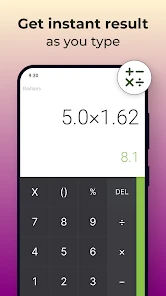
I judge a calculator by whether it makes routine sums quick and keeps more involved work within reach, and this one aims to do both. Prometheus Interactive LLC’s free education app combines a straightforward calculator layout with scientific tools, making it more capable than the basic calculator already on many phones. Its appeal is practical rather than flashy: if you regularly move between everyday arithmetic and coursework, having both in one place can save a little friction.
A practical fit for everyday calculations
For a realistic example, imagine splitting a restaurant bill, then checking a percentage for the tip. You can do that with a standard calculator, but the scientific layout gives you room to tackle more involved classwork or work-related sums without switching apps. I’d use it for quick checks while studying, estimating a shopping total, or working through calculations where I want to see earlier entries again. That history can be especially helpful if I lose track of a step: instead of repeating the whole sequence, I can refer back to what I already entered.
The app has an average rating of 4.5 from around 73,000 ratings, and it has been installed over 10 million times. Those figures suggest it has found a broad audience, though they don’t tell me whether every feature will suit a particular user. It is rated for everyone, and the free download makes it easy to try. There are in-app purchases ranging from $0.99 to $99.99 per item, so I’d check the purchase screen carefully before confirming anything rather than assuming every part of the experience is included at no cost.
Where it earns its place—and where it may not
Compared with a phone’s built-in calculator, the main reason to choose this app is the combination of scientific calculations, a saved history, and the extra tools described below. The built-in option is still the better choice if all you need is an occasional addition or quick tip calculation and you want to avoid installing another app. For serious technical work, I’d also keep expectations grounded: a phone calculator is convenient, but it is not a replacement for specialist software or a dedicated calculator when accuracy checks, detailed notation, or a carefully documented workflow matter.
One useful habit is to treat calculation history as a working trail, not as a permanent record. It can help me revisit a recent sequence, but I would copy important results into notes or a spreadsheet if I needed them later for a budget, assignment, or shared work. Likewise, when using currency conversion for trip planning or an international purchase, I’d confirm the final amount with the payment provider before relying on it. A conversion tool is handy for estimates, but the amount charged can depend on the rate and fees applied at the time of payment.
Who should give it a try
I’d recommend it to students who want scientific functions close at hand, and to people who often check figures but don’t need a full spreadsheet. It also makes sense for anyone who values a calculation history or likes adjusting the appearance of an app. If you only calculate now and then, the default phone app may already be enough. If you need extensive equation entry, financial modeling, or a reliable record of calculations for professional use, a dedicated tool is likely a better fit.
Released on January 13, 2016, Calculator has had time to build a substantial audience, but what matters day to day is whether its layout feels comfortable on your device. I would try a few real tasks before settling on it: switch between ordinary arithmetic and scientific work, revisit a previous calculation, and see whether the available controls suit your habits. That quick test is more useful than choosing on reputation alone.
More From Our News Desk

Clash of Clans Is Won Between the Battles

Android Auto Makes the Case for Quieter Car Software

MobiOffice: Transforming Mobile Productivity with Seamless Integration

EA SPORTS FC™ Mobile Soccer: Redefining Mobile Sports Gaming

How Microsoft OneDrive Became a Mobile Productivity Giant

How Google Translate Breaks Language Barriers Effortlessly
Getting Started
First off, downloading the Calculator app was a breeze. It’s available on both Android and iOS, so no matter what device you're using, you’re covered. Once I had it installed, the first thing that struck me was its user-friendly interface. It’s sleek, modern, and intuitive, which means you don’t need a degree in rocket science to get started.
Features That Stand Out
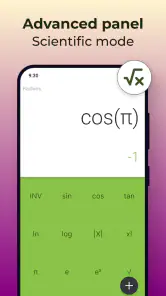
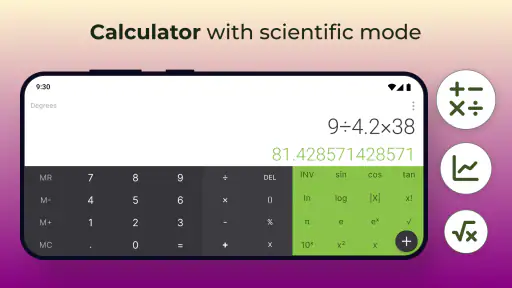
One of the standout features of this app is its scientific calculator mode. For those of you who are into advanced calculations, this feature is a lifesaver. You can easily switch between the standard and scientific modes, which is perfect for students or professionals who need to perform complex operations.
Another cool feature is the currency converter. With a tap, you can convert currencies from around the world, which is fantastic if you're a frequent traveler or dealing with international transactions. I found it incredibly useful when I was planning my last trip abroad.
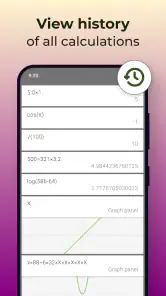
And let’s not forget the history log - it saves all your previous calculations. This feature is a game-changer because it allows you to track your calculations without having to jot them down manually. It’s like having your own personal mathematical diary.
Using the history and converter thoughtfully
The history is most helpful when a result has several stages, such as working out a discount and then adding tax. I’d enter the steps in a deliberate order and glance back at the trail before using the final figure. That makes it easier to catch a misplaced digit or a forgotten operation while the calculation is still fresh. It is less suited to auditing a long project: a visible sequence can help me retrace recent work, but it should not be treated as a labelled archive of decisions.
For currency conversions, I’d use the tool to compare rough options rather than to promise myself an exact travel budget. For example, before choosing between two prices while planning a trip, a quick conversion gives useful perspective; before paying, I would still check the amount shown by the card or payment service. This distinction matters because a calculator can simplify the arithmetic without accounting for every charge in a transaction.
Why You’ll Love It
What I love about this app is its versatility. Whether you’re a student, a business professional, or just someone who needs to do simple calculations, this app caters to all. It’s lightweight, doesn’t hog your phone’s resources, and it’s free! Plus, there are no pesky ads popping up every few seconds, which is a huge win in my book.
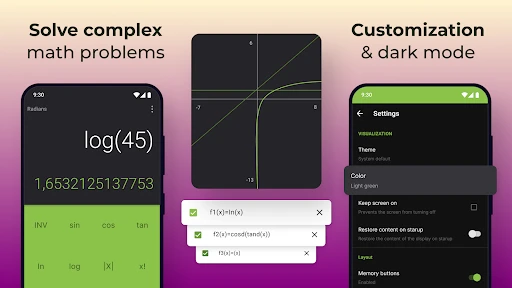
The app also offers customization options, allowing you to tweak the theme and layout according to your preference. It’s a small touch, but it makes the whole experience much more personal and enjoyable.
Small choices that make daily use smoother
I’d spend a moment adjusting the appearance before relying on the app for regular study sessions. A layout that feels comfortable can make frequent key presses less tiring, while a familiar arrangement may reduce slips when moving quickly between basic and scientific work. The trade-off is that customization is personal rather than functional: changing the look won’t make a complex expression easier to verify, so I’d prioritize legibility over decoration.
When using scientific functions for coursework, I’d also break a long problem into checkable stages instead of entering a dense chain all at once. That approach makes it easier to compare intermediate results with class notes and to notice where an error began. If the assignment requires showing a method, the app can help with arithmetic, but I would write the reasoning separately rather than assuming the calculator’s result is a complete explanation.
How it compares with other calculator choices
The practical alternative is usually the calculator already on the phone. That is faster to reach for occasional sums and avoids choosing another app, but it may not offer the same combination of scientific work, history, currency conversion, and appearance controls. This app is more compelling when those extra capabilities are part of a routine; they matter much less if a person only checks a total once in a while.
A spreadsheet is a better choice when the task involves repeated rows, changing assumptions, or figures that need to be shared and revisited. A dedicated scientific calculator or specialist software is better when notation, advanced workflows, or formal verification are central. I see this app between those options: more useful than a bare keypad for mixed everyday and study needs, but not a substitute for tools designed to preserve a full analytical record.
Who benefits most—and who should skip it
The strongest fit is someone who studies a subject involving regular calculations, wants scientific operations close by, and appreciates being able to inspect recent entries. It can also suit a traveler who wants quick currency comparisons alongside ordinary arithmetic, provided they treat the result as an estimate. For households, it is handy for splitting costs, comparing sale prices, or checking a shared bill without opening a spreadsheet for every small task.
I would skip it if the default calculator already handles everything I ask of my phone, or if I need a structured ledger rather than a temporary calculation trail. Anyone doing high-stakes financial, engineering, or scientific work should verify results with an appropriate tool and independent checks. The same caution applies to students whose class requires a particular calculator format: convenience is useful, but matching the instructor’s permitted method matters more.
Final Thoughts
In conclusion, the Calculator app is more than just your average calculator. It’s a powerful tool that fits in your pocket, ready to tackle any mathematical challenge you throw at it. Whether you're calculating tips, converting currencies, or solving equations, this app has got your back. It’s definitely worth checking out if you’re in the market for a reliable and efficient calculator app.
So, go ahead and give it a try! You might just find yourself wondering how you ever managed without it.
Calculator Frequently Asked Questions
Can I use Calculator for quick calculations without learning a complicated interface?
Calculator is presented as an easy-to-use, stylish scientific calculator, which makes it a practical choice for people who want to get started without a complicated setup. Its basic purpose is familiar, while the scientific focus gives it a broader role than a simple arithmetic tool. It may suit quick everyday sums as well as more involved calculation tasks.
How much space or setup does Calculator require before I can start using it?
Calculator is a calculator app designed for direct use, so its main appeal is having calculation tools available on a mobile device. You can download it and use it for calculations without treating it like a course or a large project. If you are comparing apps before installing, consider whether you want a straightforward calculator with a scientific focus.
Is Calculator suitable for students and everyday learning?
Calculator is an education app that can be useful for learners who need a convenient way to work through calculations. Its description presents it as an easy-to-use, stylish scientific calculator, so it is intended for more than simple arithmetic. Whether it fits a particular course depends on the functions needed, but it can serve as a handy calculation tool for study and everyday use.
Who develops Calculator, and is it suitable for all ages?
Calculator is developed by Prometheus Interactive LLC and is rated Everyone, making it suitable for a broad audience. Its straightforward calculator format can appeal to people who need help with calculations, including students and general users. The app is free to download, while optional in-app purchases are available, so it is worth checking the purchase details before completing any transactions.
What features does the Calculator app offer?
The Calculator app offers a wide range of functionalities beyond basic arithmetic operations. Users can perform complex calculations, including scientific functions like trigonometry, logarithms, and exponential calculations. It also includes a currency converter, unit conversions, and the ability to save and recall past calculations, making it a versatile tool for both students and professionals.
Pros
- Fast and responsive interface.
- Supports scientific calculations.
- Customizable themes available.
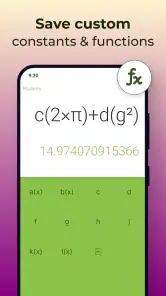
- History log for previous calculations.
- Works offline seamlessly.
Cons
- Ads can be distracting.
- Limited currency conversion options.
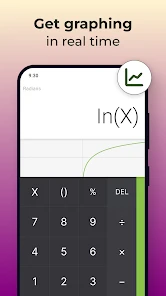
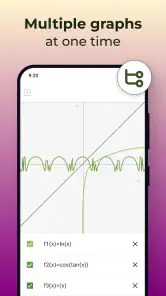
- No graphing capabilities.
- Basic UI lacks modern design.
- Occasional crashes reported.
- Category
- Education
- Version
- Varies with device