Weather Live - Radar & Widget
- 2.70K
- 4.7
- Installs
- 5.00M
- Price
- Free
Screenshots

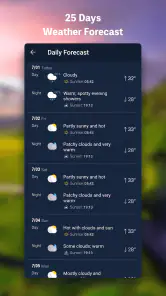
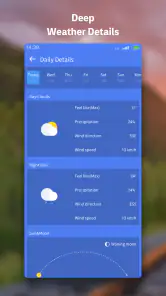
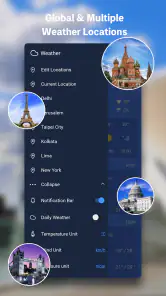
Analysis by Reviewed
I usually check the weather when I have somewhere to be, not because I want to study a forecast. The useful question is whether I can leave on foot, what to pack, and whether the plan needs a backup. Weather Live - Radar & Widget is a free weather app from Weather Forecast & Widget & Radar, built around local conditions, radar, and home-screen widgets. That combination makes sense for quick decisions, though it is worth treating any forecast as guidance rather than a guarantee.
Start with the decision, not the forecast
I get the most from a weather app when I know what I need to decide before opening it. If I’m choosing clothes, a quick look at local conditions may be enough. If I’m deciding whether to cycle, walk the dog, or carry shopping home, the radar can add useful context. Thinking in those terms keeps a quick check practical instead of turning it into a hunt for certainty that no forecast can provide.
A small routine helps: check the local view, consider how long you’ll be outside, and use the radar when rain could change the plan. Then choose a backup before you leave. That might mean packing an umbrella, taking a different route, or shifting an errand. The useful outcome is not knowing the weather perfectly; it’s having a sensible next step.
From a quick check to a practical plan
My first step with a weather app is to check the current conditions, then look at the radar if the sky or forecast seems uncertain. Here, the local view gives me a starting point, while the map helps me judge whether rain appears to be approaching or passing nearby. For a commute, that can be more useful than glancing at a single temperature: I can decide whether to carry a jacket, leave a little earlier, or switch a walk to a later time.
For example, if I’m taking a bus and walking the last stretch, I’d check the local conditions before leaving, then use the radar to see whether a shower seems likely along the way. I wouldn’t read the map as a promise about exactly when rain will hit my street. Instead, I’d use it to choose a sensible backup, such as taking an umbrella or moving an outdoor errand indoors. That small distinction is one of the most helpful habits for using radar well.
First Impressions and Features
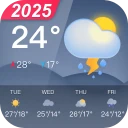
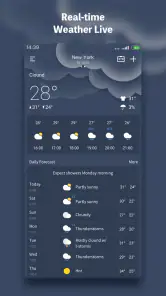
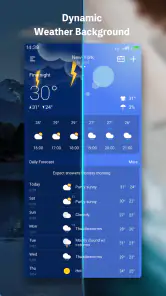
The first thing that struck me about Weather Live - Radar & Widget was its sleek design. The user interface is clean and intuitive, making it super easy to navigate even if you’re not exactly a tech wizard. As soon as you open the app, you’re greeted with the current weather conditions in your area, complete with temperature, wind speed, and a cute little icon showing whether it’s sunny, rainy, or something in between.
One of the standout features for me is the live radar. I mean, who doesn’t love feeling like a meteorologist watching those weather patterns swirl around on the map? You can zoom in and out to see weather systems in your locality or get a more global perspective. This feature is a real game-changer when you’re planning a road trip or a weekend getaway and need to dodge the rain.
More From Our News Desk

Weather by Xiaomi Review: Clear at a Glance, Less Clear Up Close

X Under Pressure: Can It Recover When Posting Goes Wrong?

Clash of Clans Is Won Between the Battles

Android Auto Makes the Case for Quieter Car Software

MobiOffice: Transforming Mobile Productivity with Seamless Integration

EA SPORTS FC™ Mobile Soccer: Redefining Mobile Sports Gaming
Making radar useful without overreading it
Radar earns its place when I’m comparing a few possible plans, rather than trying to predict the exact moment a drop will land. For a picnic, for instance, I’d use it to decide whether to move the meet-up to a covered spot or keep the original plan with an indoor alternative ready. For a short trip, I’d check again before setting off if the weather looks unsettled. These are low-effort ways to use the map without treating it like a minute-by-minute guarantee.
Zooming out can help me see whether a patch of weather is nearby or part of a larger area of activity; zooming in makes the view more relevant to the route or neighborhood I care about. I’d still avoid drawing a confident conclusion from a tiny patch on the map. Radar is most useful as one input alongside what I see outside and the local conditions shown in the app.
Widgets Galore
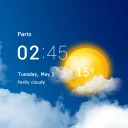
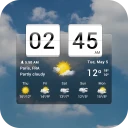
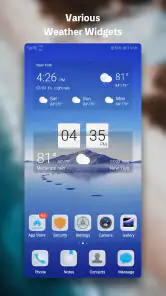
I’m a big fan of widgets, and this app doesn’t disappoint. There are several widget options to choose from, so you can have all your essential weather data right on your home screen. Whether you prefer a minimalistic look or something more detailed, there’s a widget style to suit your taste. Plus, it updates in real-time, so you’re always in the know.
A widget is most useful when it answers a repeat question without making me open the app: do I need another layer before I head out? I’d keep the home screen version focused on at-a-glance checks and open the radar for decisions that depend on changing conditions. If the widget takes up space I need for other shortcuts, the app’s main screen is still there; a widget is convenient, not essential.
Using the widget as the first handoff
For a busy morning, the widget can be the first handoff between checking the weather and getting out the door. I’d glance at it while deciding what to wear, then open the full app only if the day looks changeable or the radar could affect an outdoor commitment. That split keeps the home screen useful rather than cluttered with details I don’t need every time I unlock my phone.
If I’m checking weather for more than one person, I’d use the same glance to start a conversation rather than treating the widget as a complete plan: “It looks unsettled; should we bring a backup?” That is especially handy for school runs or meeting someone outdoors. A widget saves a step, but it cannot account for everyone’s route, tolerance for rain, or the consequences of being delayed.
Usability and Performance
As far as performance goes, I’ve found the app to be pretty reliable. It loads quickly and doesn’t have any noticeable lag, which is crucial when you’re in a hurry and need your weather update pronto. The app seems to handle updates and new data smoothly without crashing, which is always a plus in my book.
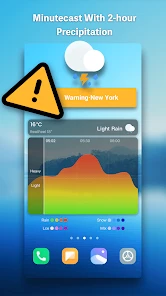
Another nifty feature is the customizable alerts. You can set up notifications for severe weather, so you’ll never be caught off guard by a sudden storm or drastic temperature drop. Trust me, this is a lifesaver if you live in an area with unpredictable weather patterns.
I’d treat alerts as a useful handoff from the app to my day, not as a replacement for checking conditions before an important trip. A notification can prompt me to reassess plans, while the radar helps me decide what to do next. For a hike, a long drive, or an event that would be difficult to pause, I’d still check a trusted local forecast close to departure and keep a backup plan. That is a sensible trade-off with any weather app, especially when timing matters.
When alerts help—and when they can interrupt
Alerts are most worthwhile when I have a clear reason to be notified, such as keeping an eye on severe weather while plans are underway. I’d choose notifications carefully rather than asking the phone to interrupt me for every change. Too many alerts can become background noise, and once I stop paying attention, even a useful warning is easier to miss. The best setup is the one that gives me a reason to check again without making me feel that I need to monitor the app constantly.
If I’m planning an important outdoor event, I’d also agree in advance on a fallback: a sheltered location, a later start, or a decision point before leaving. The app can help prompt that conversation, but it cannot make the choice for a group. That distinction matters most when other people are depending on the plan or when changing it at the last moment would be difficult.
Price, fit, and everyday trade-offs
The app has a 4.7 average from around 89 thousand ratings, and it has been installed over 5 million times. It is rated for Everyone, runs on Android 6.0 and up, and its current version is 1.7.6. The basic download is free, with in-app purchases ranging from $4.99 to $9.99 per item. I’d start with the free experience and only consider paying if I found a specific paid option useful in my routine; I wouldn’t assume that a purchase is necessary to make a basic weather check.
That makes it easy to try without committing to a purchase. Before spending anything, I’d use the app for the kinds of checks I actually make: a morning glance, a radar look before an outdoor errand, and a notification if severe weather is relevant. If those habits don’t make the day easier, paying is unlikely to change the basic fit. If a paid option catches your eye, I’d first decide what problem you expect it to solve rather than assuming every extra is essential.
Compared with a phone’s built-in weather view, this app’s appeal is the pairing of radar and widgets in one place. A simple default forecast may be enough if I only want the temperature once a day, while someone who likes checking passing weather may prefer having the map close at hand. On the other hand, people who need specialist forecasting for work or outdoor safety should choose a service designed for that level of decision-making rather than relying on a general-purpose app alone.
Who will get the most out of it
I’d point this app toward people whose ordinary plans change with the weather: walkers, commuters who cover part of their journey on foot, parents organizing a school run, or anyone who likes a quick home-screen check before leaving. Its mix of local conditions, radar, widgets, and alerts supports a useful chain from noticing a possible change to choosing what to do about it.
I’d be less likely to recommend it to someone who only checks the temperature occasionally and is already happy with the phone’s built-in forecast. I’d also steer people away from depending on a general weather app alone for decisions where specialist forecasts or formal safety guidance matter. That is not a flaw unique to this app; it is a limit of using a convenient everyday tool for a high-consequence decision.
A realistic day with the app
Imagine I have an outdoor errand after work and a walk between the bus stop and home. In the morning, I’d glance at the widget to get a general sense of the day. Before leaving the office, if conditions seem unsettled, I’d open the app and look at the radar. If rain appears to be a concern, I can bring an umbrella or choose a covered stop, then check any alert as a prompt to reconsider rather than a command to cancel.
That workflow has a natural handoff: the widget helps me notice, the full app gives me more context, and my own judgment turns that context into a plan. It also leaves room to change course if the sky outside disagrees with what I expected. For an everyday errand, that level of support is useful; for a remote trip or a serious weather concern, I’d add a dependable local source rather than asking one app to carry the whole decision.
Where the flow can break
The main friction is that a forecast and radar view still require interpretation. Someone expecting a precise answer about whether rain will hit their exact location at a particular moment may find the map less decisive than hoped. I’d use it to compare broad options—go now, wait, or take a backup—rather than to settle a close call with certainty.
There is also a difference between having information available and acting on it. A widget can be overlooked, and an alert can arrive when I’m busy; neither guarantees I’ll see it in time. If a plan cannot tolerate a weather-related delay, I’d check before departure, keep a fallback, and consult a more specialized or local source when the stakes justify it. That is the sensible boundary for a convenient general-purpose weather tool.
The developer, Weather Forecast & Widget & Radar, has made a straightforward option for people who want local weather, a map, and quick home-screen access without turning every check into a project. I’d recommend trying it if you regularly plan walks, school runs, or errands around changing conditions. If you rarely check the weather, or you need highly specialized guidance, a simpler default app or a dedicated professional source may suit you better.
Final Thoughts
Overall, I’d say Weather Live - Radar & Widget is a solid app for anyone looking to stay one step ahead of the weather. Its combination of live radar, customizable widgets, and real-time alerts make it a versatile tool for both everyday use and special occasions. While there are in-app purchases, the basic free version is more than enough for casual users.
If you’re tired of being caught unprepared by Mother Nature’s whims, give this app a try. Who knows, it might just become your new favorite weather buddy!
Weather Live - Radar & Widget Frequently Asked Questions
Does Weather Live - Radar & Widget need an internet connection to show current conditions?
Weather Live - Radar & Widget is designed to provide local forecasts and real-time radar, so an internet connection is important for getting current information and refreshing weather updates. If you are offline, information already loaded in the app may remain visible for a while, but it may not reflect changing conditions. Connect again before relying on the latest forecast or radar view.
Can I add more than one city to keep track of the weather?
Weather Live - Radar & Widget is useful when you want to check conditions beyond your current location. You can follow other places as well, which can help when planning a trip or checking on family in another area. Consider adding the locations you regularly need so you can compare their forecasts without changing your main location each time.
Can I use Weather Live - Radar & Widget on my device?
Weather Live - Radar & Widget is a weather app for Android devices running version 6.0 or later. It is rated Everyone, so its content is suitable for a broad audience. Before downloading, check that your device meets the minimum operating-system requirement; this helps ensure the app can be installed and used as intended.
What features does Weather Live - Radar & Widget offer?
Weather Live - Radar & Widget provides users with real-time weather updates, detailed forecasts, and interactive radar maps. It includes customizable weather widgets for your home screen, severe weather alerts, and sunrise/sunset times. The app also offers comprehensive weather statistics like humidity, wind speed, UV index, and feels-like temperature, making it a robust tool for anyone needing detailed meteorological information.
Is Weather Live - Radar & Widget free to use?
Weather Live - Radar & Widget is available as a free download, offering basic features and weather updates without any cost. However, it also offers in-app purchases priced from $4.99 to $9.99 per item. Check the purchase details in the app before buying, and consider whether the free experience meets your needs first.
Pros
- Real-time weather updates
- Customizable widgets
- Comprehensive radar maps
- Accurate forecasts
- User-friendly interface
Cons
- Ads in free version
- Occasional loading delays
- Requires internet connection
- Limited free features
- Battery consumption
- Category
- Weather
- Version
- 1.7.6