Weather Forecast: Live Weather
- 6.76K
- 4.8
- Installs
- 10.00M
- Price
- Free
Screenshots
Analysis by Reviewed
I rely on a weather app most when a small forecast decision can change my day: whether to walk, take a jacket, or leave extra time for a wet commute. Weather Forecast: Live Weather puts its radar view at the heart of that decision. Rather than only giving me a number for the day, it offers a map-based way to check how weather is moving around my area, which is useful when conditions look unsettled and I need more than a quick glance.
Why the radar view is useful
A radar map is most helpful when I treat it as a planning aid, not a promise. I can look at the local picture before heading out, then compare it with the forecast and decide whether I should carry an umbrella or shift an outdoor errand. That extra visual context can be easier to interpret than a row of hourly symbols, especially when I’m trying to judge whether rain is nearby or likely to affect a particular trip.
It also gives the app a different feel from the simplest built-in weather tools. Those are often fine for checking the current temperature and a basic outlook, but a map can make changing conditions easier to understand at a glance. I wouldn’t use a consumer forecast as the only source for a safety-critical decision, though; for severe weather, I’d also check official alerts and local guidance.
How I would use it during a busy day
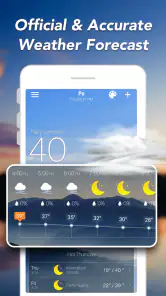
Picture a morning with a school run, a walk to work, and an outdoor appointment later on. I’d check the current conditions first, then use the radar to see whether the weather around my route appears to be changing. The hourly view can help me choose when to leave, while the wider forecast gives a rough sense of what the rest of the day may bring. I find that sequence more useful than repeatedly reopening an app just to check the temperature.
A practical habit is to check once before making plans and again shortly before leaving if the sky looks different from the forecast. Weather changes, and a map view should be read as a snapshot rather than a guarantee. If I’m planning a long drive or an activity where conditions matter, I’d treat the app as one input and verify important warnings through a trusted local source.
Where it fits among weather apps
Weather Forecast: Live Weather is a free weather app from Weather Forecast - WaiWao Studio. It has an average rating of 4.8 from around 159,000 ratings, and it has passed 10 million installs. That level of adoption suggests it has found an audience, but the better test for me is whether its mix of forecast views and radar suits my routine. The app is rated for Everyone, and the current version is 1.115.0.
Compared with a basic phone weather panel, this app is aimed at people who want to explore conditions rather than only read a single summary. Compared with specialist meteorology tools, it is more approachable for everyday planning, though people who need detailed professional analysis may prefer a service built for that purpose. I’d also think about whether I want another weather app on my home screen: if my built-in forecast already answers my daily questions, switching may not add enough value.
More From Our News Desk

Weather by Xiaomi Review: Clear at a Glance, Less Clear Up Close

X Under Pressure: Can It Recover When Posting Goes Wrong?

Clash of Clans Is Won Between the Battles

Android Auto Makes the Case for Quieter Car Software

MobiOffice: Transforming Mobile Productivity with Seamless Integration

EA SPORTS FC™ Mobile Soccer: Redefining Mobile Sports Gaming
The app is free to install, with in-app purchases ranging from $2.99 to $4.99 per item. I’d start with the free experience and decide whether any optional purchase is worthwhile only after checking which parts I actually use. It first appeared on February 17, 2019, and its minimum OS requirement is Android 6.0, so it may suit people using older Android devices as well as newer ones.
Features That Shine
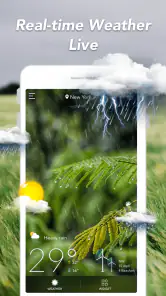
Starting with its user-friendly interface, the Weather Forecast: Live Weather app makes checking the weather as easy as pie. You don’t need to be a tech wizard to navigate through it. The main screen gives you a clear view of the current weather along with a neat little graphic that represents the conditions outside. It’s like having your own personal meteorologist in your pocket.
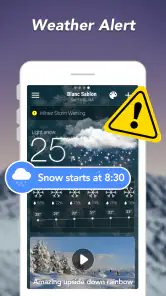
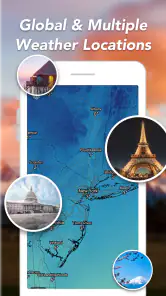
One of the standout features has to be the real-time updates. Imagine getting a notification about a sudden weather change before it even hits. Whether it's a sunny day or a stormy night, you're always in the loop. Plus, it covers a wide range of locations. So, whether you’re planning a trip abroad or just heading to the next city, you can get accurate forecasts no matter where you are.
Rain or Shine, It’s Got You Covered
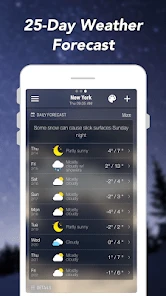
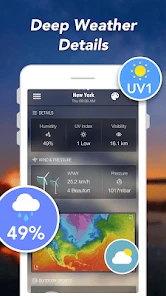
This app isn’t just about telling you if it’s going to rain. It gives you detailed insights into wind speeds, humidity levels, and even UV indexes. So, if you’re planning a day at the beach, you’ll know exactly how much sunscreen to pack. And for those who like to keep things organized, the app offers a handy 7-day forecast. It’s perfect for planning your week ahead.
Another sweet touch is its weather radar feature. This allows you to see weather patterns on a map in real-time. It’s like having a bird’s-eye view of Mother Nature’s mood swings. And trust me, it’s as fascinating as it sounds.
Personal Touches That Matter
What really sets this app apart are the customization options. You can choose to get daily weather reports in the morning or evening, depending on what suits your schedule. And if you’re someone who likes a bit of flair, there are different themes available to change the look of the app. It’s these little personal touches that make the app feel like it’s tailored just for you.
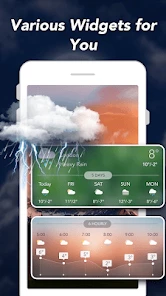
And let's not forget about the widgets. If you're a fan of quick glances, the app offers sleek widgets that sit right on your home screen, giving you the weather details at a glance. No need to even open the app!
Using the map without over-reading it
For me, the useful question is not simply whether a colored patch appears nearby, but whether the map changes a decision. If I have a flexible errand, I can compare the radar with the hourly outlook and decide whether to go now or wait. If my plans are fixed, I can use the same check to choose practical clothing and allow for a slower walk. That keeps the map useful without making me chase every passing change.
I also find it sensible to separate a short-range check from a longer-range plan. The radar is the part I’d consult when I’m about to leave; the daily and hourly forecasts are better suited to deciding whether an outdoor plan is worth arranging in the first place. A forecast several days ahead is a guide, not a firm appointment with the weather, so I would revisit it as the day gets closer rather than making one early check and assuming nothing will change.
A small routine for trips and outdoor plans
When visiting another town, I’d first select the destination rather than relying on conditions at home. Before departure, I’d check its forecast and then use the radar closer to the time I expect to be outdoors. This matters because a pleasant morning where I live says little about what may be happening at the destination. For a beach visit, a walk, or an outdoor lunch, the combination of the broader forecast and a map gives me a more useful basis for packing than either view alone.
For a week away, I’d use the longer outlook to make a rough packing list, then wait until nearer the trip to settle details such as footwear or whether to bring rain gear. That is a simple but worthwhile trade-off: the app can help me prepare early, but I would avoid treating an early forecast as precise enough to dictate every activity. If a forecast shifts, I can adjust the plan instead of feeling that the app has failed to keep a promise it never made.
What to expect from the free option
The free starting point makes it easy to try the app alongside the weather tool already on a phone. I’d spend a few ordinary days checking whether I actually open the radar, use the hourly view, or rely on the widget before considering an optional purchase. A feature that sounds appealing in theory is not automatically worth paying for if it does not fit my routine. Since purchases are offered within the app, I’d review the choice carefully and make it only if the added value is clear to me.
That approach also answers a practical question: do I need to pay just to see whether this suits me? I would begin with the free experience and judge the everyday basics first. The app is designed for a general audience, and its Everyone age rating makes it suitable for family use in that sense, but I would still show children how to interpret a forecast sensibly rather than treating a screen as a guarantee. For alerts that affect safety, I’d rely on official local information as well.
Where a different weather tool may be better
If I only want the temperature and a quick glance at today’s conditions, the phone’s built-in panel may be enough and may be faster because it is already in my routine. If I want to understand how nearby weather may affect a walk or a short trip, this app’s radar and hourly view give me more context than a single summary. Someone who studies weather professionally or needs specialist analysis may want a dedicated meteorology service instead; this is a practical everyday app, not a substitute for expert tools or emergency guidance.
There is also a personal trade-off in adding another app: more choices can help, but they can make a simple decision feel needlessly complicated. I’d keep this one if its map changes what I do, or if the widget and forecast views save me repeated searches. I’d skip it if I never look beyond the current temperature, or if I already have a weather service whose forecasts and alerts I trust and understand. The best comparison is not the number of screens; it is whether the extra context is useful in my day.
Final Thoughts
In a world where weather can be as unpredictable as a toddler's tantrum, having a reliable weather app is crucial. The Weather Forecast: Live Weather app doesn’t just tell you the weather, it prepares you for it. From its intuitive design to its wealth of information, it’s clear this app was designed with the user in mind. So, whether you’re a weather enthusiast or just someone who likes to stay dry, this app is definitely worth a download.
My recommendation is strongest for someone who wants a visual check before heading out, especially when a rain shower could disrupt a commute or an outdoor plan. I’d install it, try the radar alongside the hourly forecast, and see whether that combination helps me make quicker choices. If it does, the extra detail earns a place on my home screen; if I keep returning only for the temperature, a simpler option is probably the better fit.
Weather Forecast: Live Weather Frequently Asked Questions
What does Weather Forecast: Live Weather do, and who might find it useful?
Weather Forecast: Live Weather is a weather app for checking local conditions and viewing daily and hourly forecasts, with weather radar as part of its feature set. It may suit people who want weather information in one place for planning everyday activities or keeping an eye on changing conditions. The app’s short description is simply “Weather Forecast,” so its main focus is clear.
Who develops Weather Forecast: Live Weather, and is it a well-established app?
Weather Forecast: Live Weather is published by Weather Forecast - WaiWao Studio. It has been available since February 17, 2019, and has attracted more than 10 million installs. That history and reach may be useful context when deciding whether to try it, though popularity alone cannot tell you whether its layout and forecast features match your preferences.
Is Weather Forecast: Live Weather available for my device, and what age group is it for?
Weather Forecast: Live Weather is a weather app for Android devices running Android 6.0 or later, and it is rated for Everyone. It is published by Weather Forecast - WaiWao Studio. Before downloading, check that your device meets the minimum operating-system requirement so the app can be installed and used.
What features does the Weather Forecast: Live Weather app offer?
The Weather Forecast: Live Weather app provides real-time updates on weather conditions, including temperature, humidity, precipitation forecasts, and wind speed. It also offers detailed radar maps, severe weather alerts, and a 7-day forecast. Users can customize notifications to receive weather updates relevant to their location or chosen areas.
Is the Weather Forecast: Live Weather app free to use?
Yes, the Weather Forecast: Live Weather app is free to download and use. However, it offers in-app purchases for premium features such as an ad-free experience, advanced radar features, and extended forecast options. Users can choose to upgrade to the premium version for a more enhanced experience.
Pros
- Accurate weather updates
- User-friendly interface
- Customizable alerts
- Detailed forecasts
- Supports multiple locations
Cons
- Ads can be intrusive
- Requires internet connection
- Limited free features
- Battery draining
- Occasional loading delays
- Category
- Weather
- Version
- 1.115.0












