Live Weather: Weather Forecast
- 8.09K
- 4.8
- Installs
- 10.00M
- Price
- Free
Screenshots
Analysis by Reviewed
I judge a weather app by how quickly it helps me make a useful decision, not by how many numbers it can put on screen. Live Weather: Weather Forecast is aimed at everyday planning, with hourly and daily outlooks that help answer practical questions such as whether to bring a coat or shift an outdoor errand. It is a free weather app from Weather Forecast - WaiWao Studio, rated for Everyone, and it runs on Android 6.0 and later. Its 4.8 average from around 185,000 ratings and more than 10 million installs suggest broad appeal, though popularity alone cannot tell you whether its presentation suits your needs.
Readability and navigation
First things first, the app greets you with a clean and straightforward interface. Navigating through Live Weather: Weather Forecast is a breeze, no pun intended. With just a few taps, you get access to a detailed weather forecast. The app's layout is intuitive, making it super easy for anyone to find the information they’re looking for without getting lost in a maze of menus.
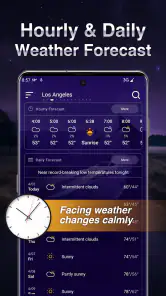
That simple structure is most useful when you are checking the forecast in a hurry: before leaving home, while deciding when to walk the dog, or when planning an outdoor lunch. Hourly and daily views serve different jobs. I would use the hourly outlook to choose a departure time and the daily view to decide whether a weekend plan needs a backup. That is more helpful than treating a single current condition as a promise about the whole day.
For a practical routine, check the forecast at the same points in your day rather than repeatedly opening it for reassurance: once while planning the morning and again before a weather-sensitive trip. Forecasts are guidance, not guarantees, so a plan involving a long drive, exposed terrain, or a time-critical event deserves a fresh check close to departure. This app is best understood as a convenient planning aid, not a substitute for judgment when conditions matter.
Features That Stand Out
This app isn’t just about telling you if it’s going to rain or shine. The feature list is quite robust:
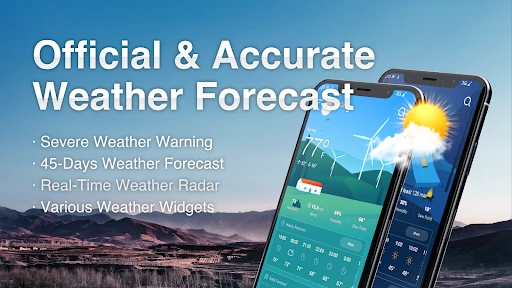
- Real-time Weather Updates: You get up-to-the-minute updates, which is perfect for planning your day.
- Hourly and Weekly Forecasts: Whether you’re planning an afternoon picnic or a weekend getaway, you’ve got all the info you need.
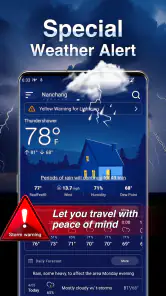
- Severe Weather Alerts: The app ensures you’re never caught off guard by sudden weather changes, sending timely alerts for your safety.
For readers deciding whether a dedicated app is worth adding, the key question is how often timing changes your plans. If you only want to know whether it is raining right now, the weather panel already on your phone may be enough. If you regularly need to compare the next few hours with a commute, school pickup, dog walk, or outdoor appointment, the dedicated hourly and daily outlooks give you a more deliberate place to make that choice. I would not install another weather app just to collect more numbers; I would use this one when its forecast views help me act.
A useful small habit is to look at the hours surrounding the time you expect to leave, not only the hour you open the app. A shower forecast for one short interval may matter less if your trip is later, while a dry current reading can be misleading if conditions are expected to change before you get home. This is a simple way to turn the hourly view into a planning tool instead of a snapshot, and it avoids the common mistake of treating “now” as the answer to “what will it be like when I’m outside?”
More From Our News Desk

Weather by Xiaomi Review: Clear at a Glance, Less Clear Up Close

X Under Pressure: Can It Recover When Posting Goes Wrong?

Clash of Clans Is Won Between the Battles

Android Auto Makes the Case for Quieter Car Software

MobiOffice: Transforming Mobile Productivity with Seamless Integration

EA SPORTS FC™ Mobile Soccer: Redefining Mobile Sports Gaming
Motor and sensory considerations
A straightforward layout can reduce the effort of finding a forecast, especially for someone who prefers a quick glance over navigating a complicated set of menus. I also value the option to adjust notification settings: keeping only the alerts I care about can reduce interruptions and make important notices easier to notice. If notifications are distracting, I would start with a restrained setup and add only what proves useful.
Weather information is inherently visual, and that can be a limitation for people who find screen text, contrast, motion, or dense displays difficult to process. I would try the app in the conditions where I actually need it—indoors and outdoors, in bright light, and with the phone set to my preferred system text size—before relying on it as my only source. A simple interface helps, but it does not automatically make every screen comfortable for every person.
For someone with limited dexterity, the value of a clean layout is practical rather than cosmetic: fewer places to hunt through can mean less repeated tapping when one hand is occupied or movement is uncomfortable. I would set up the app while seated and unhurried, choose only useful notifications, and then see whether the routine remains manageable one-handed. If reaching controls or reading small details is frustrating, a quick glance at the phone’s built-in weather panel or asking a household member to check may be the easier choice. I would not assume that a simple first screen guarantees every control is equally easy to operate.
Sound and attention matter too. A person who is sensitive to frequent alerts may prefer to keep notifications limited, while someone who misses visual prompts may need to pair weather checks with a regular daily routine instead of relying on a banner to arrive at the right moment. That trade-off is personal: more prompts can feel reassuring to one user and intrusive to another. I would treat alert settings as part of making the app usable, not as something that has to be switched on wholesale.
Situational access and everyday trade-offs
On a busy morning, the useful workflow is not to study every detail: check the day, compare the next few hours with the time you need to be outside, then decide whether to carry rain gear or move an errand. If plans are flexible, an hourly view can help you choose a less inconvenient window. If you are coordinating with someone else, share the decision in plain language rather than assuming they have the same app or interpret the forecast the same way.
Imagine I have a grocery trip planned after work and a walk pencilled in before dinner. I would check the daily outlook earlier to see whether the day looks broadly workable, then look at the relevant hours before choosing which activity to do first. If the weather looks unsettled, I can move the walk or bring suitable clothing rather than letting a single current-condition reading decide for me. This workflow is useful precisely because it stays modest: it supports a practical choice without pretending to remove uncertainty.
Compared with a basic phone weather panel, a dedicated forecast app can make hourly and daily planning feel more central. Compared with a specialist weather service, this one is better suited to people who want a direct everyday check than to users who need technical maps or highly specific professional detail. The useful trade-off is simplicity: fewer steps can make a routine check easier, but people who need more analytical tools may prefer a more specialized alternative.
There is also a difference between checking weather for convenience and checking it for safety. For a flexible walk, a general forecast can help me decide when to go. For a hike, a long drive through changing terrain, or work that keeps someone outdoors, I would look beyond a single general-purpose app and consult relevant local guidance. That is not a knock against this app; it is a matter of matching the tool to the consequence of getting the decision wrong.
Performance and practical limits
Performance-wise, the app is pretty solid. It loads quickly, and the information refreshes almost instantaneously. I didn’t experience any crashes or hiccups, which is always a plus. It’s lightweight, so it doesn’t hog your phone’s resources, ensuring that your device runs smoothly even with multiple apps open.
Forecast accuracy can vary with location and changing conditions, so I would not treat an alert or hourly prediction as certainty. For severe or rapidly developing weather, follow official local guidance as well; a general-purpose phone app should not be your sole safety plan. The app is a sensible fit for daily decisions, but someone who needs dependable specialist forecasting for work, travel, or outdoor risk should compare it with tools designed for that purpose.
One question worth considering before installing is whether the forecast is useful in the places you actually go. A local outlook can be convenient at home but less helpful if your day regularly crosses several areas or if you need a very precise reading for a specific destination. I would test it against the places that shape my routine—home, work, and a regular outdoor spot—rather than judging it from one familiar location. If its forecasts do not help with those real decisions, a different service may be a better fit even if its interface is less simple.
Another practical limitation is that a forecast can only help when you remember to check it. I would connect the habit to an existing decision, such as choosing what to wear in the morning or packing before leaving, rather than opening the app repeatedly throughout the day. That keeps weather checking useful instead of turning it into a source of needless worry. For an urgent warning, I would pay attention to local official notices and not assume that a phone alert alone covers every risk.
Personal Touch
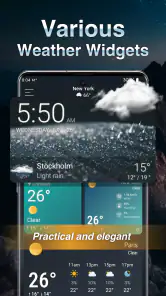
One thing I really appreciate is the ability to customize the app. You can set it up to display weather information in the format you prefer, be it Celsius or Fahrenheit. You can also adjust notification settings so you only get alerts that truly matter to you. This personalization aspect makes the app feel like it’s tailored just for you.
It is free to download, with in-app purchases priced from $2.99 to $4.99 per item, so I would check what an optional purchase offers before paying rather than assuming it is needed for basic use. The current version is 1.1.42, and the app was released on February 22, 2023. Those details are useful when deciding whether it fits an older device or whether you want to review purchase choices before installing. Its 8.1K reviews give prospective users a substantial body of feedback to consult, although individual needs and local forecasting results still matter more than a score.
The free starting point makes it easy to try the everyday workflow before deciding whether an optional purchase is worthwhile. I would first see whether the standard forecast and the settings I need suit my routine, then consider paying only if a specific paid option solves a problem I actually have. That is more sensible than buying on the assumption that every extra will improve accuracy or accessibility. The app’s value is strongest when its core forecasts already answer the ordinary questions I ask.
If you are installing it on an older Android phone, the stated minimum operating system is Android 6.0, so checking your device’s software version is a useful first step. The app is also rated for Everyone, which makes it suitable for a broad audience in that respect, but that rating says nothing about whether its visual presentation will work for a particular person. I would still test text size, visibility, and the effort needed to reach the forecast on the device that will be used day to day.
To wrap it up, Live Weather: Weather Forecast is more than just a run-of-the-mill weather app. It’s a handy tool for anyone who wants to stay a step ahead of the weather. Whether you’re a planner or just someone who likes to know what’s going on outside, this app delivers all the info you need in a user-friendly package. So next time you’re pondering the weather, give this app a whirl. You might just find it becomes an indispensable part of your daily routine.
Who it suits—and who may want another option
I would recommend it to someone who wants quick local checks, a view of how the day may change hour by hour, and control over which alerts interrupt them. It is also a reasonable starting point for a household member who finds elaborate weather dashboards overwhelming. If screen readability or hands-free access is essential, test it directly on your device first; the clean layout is promising, but personal comfort varies.
I would skip it as a sole source if your decisions depend on highly specialized meteorological information, or if you need a guaranteed accessible interface without first checking it yourself. For ordinary plans—choosing when to run an errand, deciding whether to pack a light layer, or finding a better time for a walk—it offers a practical balance of quick access and useful forecast horizons. My advice is to keep the daily view for broad planning and use the hourly view when timing is the real question.
For a household, it can be a useful shared reference even when only one person checks it. Instead of sending a screenshot or expecting everyone to interpret the same symbols, I would pass along a clear takeaway such as “let’s leave earlier to avoid the rain” or “bring a layer for the evening.” That approach helps when family members use different phones, have different comfort levels with apps, or simply want the decision rather than another screen to learn.
My inclusive verdict is favorable but conditional. The straightforward approach and adjustable preferences may lower the effort of routine weather checks, yet accessibility depends on the person, device, and setting. I would recommend trying it during a real daily task before making it the main source of weather information. If it is easy to read and operate in that context, it can earn a place in a simple planning routine; if not, the phone’s built-in option or a more specialized service may be kinder to your needs.
Live Weather: Weather Forecast Frequently Asked Questions
Is Live Weather: Weather Forecast suitable for everyday use?
Live Weather: Weather Forecast is designed for checking local conditions and viewing hourly and daily forecasts, so it can be useful for routine planning, such as deciding what to wear or whether to adjust plans around the weather. Its focus is straightforward: open the app when you want a current picture or a forecast for the hours and days ahead.
What age group is Live Weather: Weather Forecast intended for?
Live Weather: Weather Forecast has an Everyone content rating, making it suitable for a broad audience. As with any weather app, the information may be helpful for family planning and day-to-day decisions, but it should not replace official guidance during dangerous conditions. The app is free to download, and optional purchases are available for users who choose them.
Which devices can run Live Weather: Weather Forecast?
Live Weather: Weather Forecast is a weather app for Android devices running Android 6.0 or later. Checking your device’s operating system before downloading can help avoid installation issues. It is free to download, though optional in-app purchases are available. The app is rated for Everyone, making it suitable for a broad audience.
Who develops Live Weather: Weather Forecast, and what is it designed to do?
The app is developed by Weather Forecast - WaiWao Studio and focuses on local weather conditions. Its short description is “Live Weather,” while its main purpose is to provide current hourly and daily forecasts. It may be a useful option if you want weather information in one app, whether you are checking conditions for the day ahead or planning further out.
What features does the Live Weather: Weather Forecast app offer?
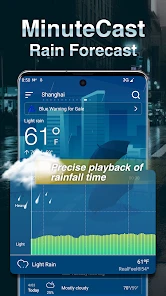
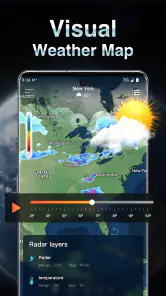
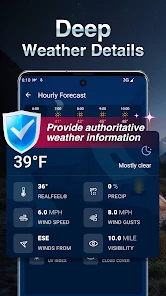
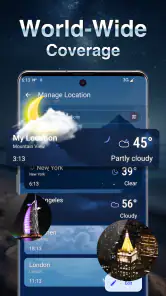
The Live Weather: Weather Forecast app provides real-time weather updates, including temperature, humidity, wind speed, and precipitation forecasts. It offers hourly and weekly forecasts, along with radar maps for tracking storms. The app also includes severe weather alerts and can be customized to show weather data for multiple locations worldwide.
Pros
- Accurate weather predictions.
- User-friendly interface.
- Customizable alerts.
- Detailed radar maps.
- Global coverage.
Cons
- Ads can be intrusive.
- Requires internet connection.
- Limited free features.
- Occasional location errors.
- Battery-intensive.
- Category
- Weather
- Version
- 1.1.42












