USB Connector Cast Phone to TV
- 415.00
- 3.7
- Installs
- 1.00M
- Price
- Free
Screenshots
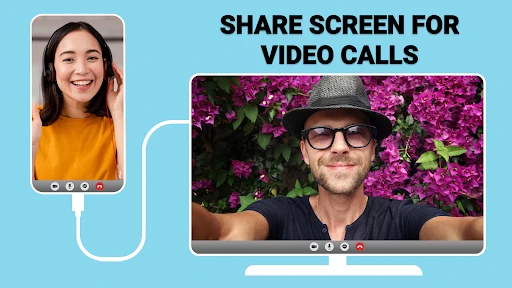
Analysis by Reviewed
I look at USB Connector Cast Phone to TV as a tool for a practical, specific job: getting content from a phone onto a television without making the connection process feel like a technical project. It sits in the libraries and demo app space, and Vidmark Inc. has kept it at version 2.0.3 after its May 2018 release. That gives prospective users a useful frame: this is an established utility, not a brand-new screen-sharing experiment. It is free to install, rated for Everyone, and has an average rating of 3.7 from around 10,000 ratings, with over 1 million installs.
What to expect from the current app
The app’s central appeal is convenience, but I would treat “connect to a TV” as a goal rather than a guarantee that every phone and television will behave identically. Screen sharing depends on the devices and connection method available to you. Before relying on it for a meeting or a family gathering, I’d check the TV’s input options and try a short connection at home. That quick test can reveal whether your setup is suited to a wired link or a wireless route, and it avoids discovering a compatibility snag when everyone is waiting.
For a casual evening, the workflow I’d aim for is simple: choose a photo or clip on the phone, connect using the option your equipment supports, then confirm the image is visible on the television before handing the phone around. A larger display makes shared pictures easier to enjoy, while a cable can keep the phone close by and reduce dependence on a crowded Wi-Fi network. Wireless viewing is more convenient when you want to move around, though it may be more sensitive to network conditions. Those are different trade-offs, not interchangeable promises of identical performance.
Where it fits among screen-sharing choices
Compared with a TV’s built-in casting feature, this app is worth considering when you want a phone-side route to explore connection options in one place. Built-in casting can be the simpler choice if your television and phone already work smoothly together, since it avoids installing another utility. A direct cable or adapter may suit someone who values a physical connection and has compatible hardware, but it can mean checking connectors and carrying extra equipment. I’d choose this app when I want to try a straightforward bridge first, not when I need a guaranteed professional presentation setup with no time for testing.
One useful habit is to test more than one kind of content before settling on a method. A still image, a short locally stored clip, and a presentation can place different demands on the connection; success with one does not automatically tell you how another will look or respond. If a video stutters, I’d first simplify the setup—move nearer to the router for wireless use, close other heavy network activity, or try a cable if the phone and TV support it. For a slideshow, I’d also keep the phone charged and set the screen timeout long enough to avoid interruptions.
Simple connections, with realistic expectations
Have you ever found yourself wanting to watch your favorite phone videos on a bigger screen? Or perhaps you’ve been itching to share a hilarious video with friends and family during a gathering, but crowding around a small phone screen just doesn’t cut it. Enter the USB Connector Phone to TV app, the perfect solution for all your screen-sharing needs. Let’s dive into what makes this app a must-have for tech enthusiasts and casual users alike.
Seamless Connection with a Click
First off, let’s talk about the installation process. It’s as straightforward as they come. With just a few clicks, the USB Connector Phone to TV app is up and running, ready to transform your viewing experience. The app’s interface is user-friendly, ensuring that even the least tech-savvy among us can navigate through it with ease. Once installed, connecting your phone to the TV feels almost magical. It’s like waving a tech wand and watching your phone’s content come alive on the big screen.
Compatibility and Performance
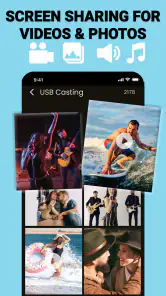
One of the standout features of this app is its compatibility. Whether you’re using an Android or iOS device, the app supports a wide range of phones and TVs. This versatility means you don’t have to worry about whether your devices will work together—they just will. The performance is smooth, with minimal lag or buffering, ensuring that your viewing experience is as enjoyable as possible. Streaming videos, photos, and even presentations is a breeze, making it perfect for both entertainment and professional use.
Why You’ll Love It
Now, let’s chat about why this app is worth your attention. Imagine being able to effortlessly showcase vacation photos or stream the latest blockbuster from your phone straight to your TV. No more squinting at tiny screens or dealing with cumbersome cables. The app uses your existing USB cables, which most of us have lying around, eliminating the need for additional purchases. Plus, the connection is stable and reliable, ensuring that your media plays without hiccups.
Moreover, the app’s design is sleek and aesthetically pleasing, aligning with modern tech standards. It doesn’t bombard you with unnecessary ads or pop-ups, which is a relief in today’s app market. It’s clear that the developers focused on providing a smooth user experience, and it shows.
What existing users should weigh
If you already use a built-in casting option successfully, there may be no reason to switch. The practical gain here is having another route to test when the usual method is awkward, not replacing every TV feature. The app is free to try, but in-app purchases range from $9.99 to $99.99 per item, so I’d look carefully at any purchase prompt and decide whether the specific option is useful before spending. The 3.7 average suggests experiences are mixed enough that a quick trial with your own devices is more sensible than assuming it will be flawless.
Limits, setup checks, and who should pass
I would not make this my first choice for someone who needs a dependable work presentation under time pressure. In that situation, the TV’s native casting, a tested adapter, or a laptop-to-display connection may be easier to verify in advance. Likewise, if your only goal is watching a streaming service, using that service’s TV app can avoid keeping a phone involved at all. This utility makes more sense for occasional photos, clips, or mirroring attempts than for a household that already has a reliable, familiar setup.
A small but useful precaution is to check the phone’s battery and the TV’s selected input before troubleshooting the app. A cable connection can involve more than plugging in a lead: device ports and TV inputs have to support the intended connection. With wireless use, make sure the phone and television are on a suitable network, then test whether menus and playback respond acceptably. These checks narrow down the source of a problem instead of prompting repeated reconnects without a clear reason.
How the version history affects the decision
The app arrived on May 23, 2018, and its current version is 2.0.3. Those facts establish its age and present release, but they do not tell me what changed between versions, so I would not treat them as evidence of a particular new capability or improved performance. For an existing user, the useful question is whether the current installation still works with the phone and television in regular use. For someone new, I’d install it only when I have time to test, rather than counting on an update history to guarantee support for a particular device combination.
It is also worth separating a connection tool from a media player. The app can be part of a route for showing phone content, but the viewing experience still depends on what the television accepts and how the content behaves when mirrored. If menus appear on the TV but a particular video does not, that may be a content or playback limitation rather than a reason to keep changing cables at random. For important viewing, I’d test the exact kind of content beforehand and keep a second option ready.
Questions worth answering before you install
A common practical question is whether this is useful when the television is not connected to the same home network as the phone. I would not assume that every connection route works in that situation: wireless mirroring can rely on the devices and network being compatible, while a wired setup depends on supported ports and equipment. If you’re visiting someone else, ask what the TV can accept and bring the cable or adapter you know works with your own phone. That is more reliable than treating the app itself as a substitute for compatible hardware.
Another question is whether it can replace a streaming device or the TV’s own apps. For regular viewing of subscription services, I’d usually use the television’s native app or a streaming device. That approach keeps playback independent of the phone and avoids draining its battery or tying up its screen. This app is a more natural fit when the content is already on your phone—such as family photos, a short video, or a document you want to show—rather than when you are building a permanent home entertainment setup.
If the connection does not appear on the first attempt, I’d avoid changing several things at once. Confirm the selected TV input, check that the phone’s connection method matches the television’s capabilities, and then try a simple photo or menu before testing a demanding video. This step-by-step check helps distinguish a setup issue from a content-specific problem. It also makes the app easier to assess fairly: a failed test with an unsupported connection does not tell you whether a compatible route would work.
Final Thoughts
In conclusion, the USB Connector Phone to TV app is a game-changer for anyone looking to enhance their media viewing experience. Its ease of use, compatibility, and reliable performance make it a standout choice among screen-sharing apps. Whether you’re tech-savvy or just looking for a simple solution to connect your devices, this app is a fantastic choice. So, if you’re ready to elevate your screen-sharing game, give this app a try. Trust me, you won’t be disappointed!
My more measured recommendation is to treat it as a convenient experiment, especially if you regularly share photos or short clips and want to see whether your existing phone-and-TV setup works well with it. It is less compelling if your devices already cast reliably or you need predictable results for an important event. Check the purchase options before approving anything, try the content you actually intend to show, and keep the TV’s own casting or a tested wired alternative in mind. That small amount of preparation is what turns a promising connection attempt into a useful part of your routine.
USB Connector Cast Phone to TV Frequently Asked Questions
Does USB Connector Phone to TV work without a cable or Wi-Fi?
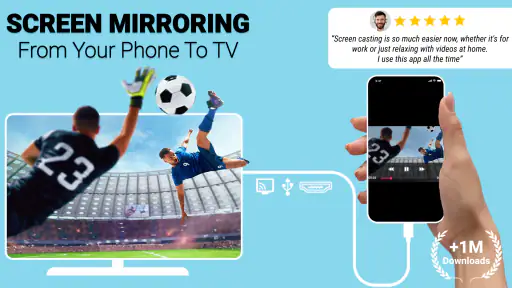
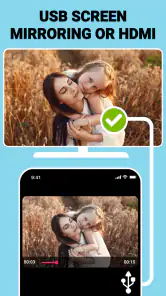
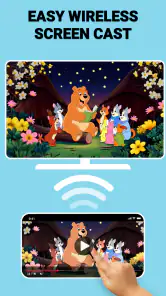
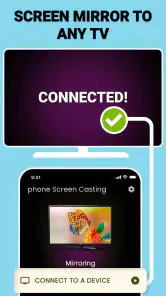
The app’s store description mentions HDMI, USB, and Wi-Fi screen mirroring, so it is presented as a tool for more than one connection approach. The USB option requires a cable and compatible devices; Wi-Fi mirroring uses a wireless connection. Which method is suitable depends on your phone, TV, and the connection setup you want to use.
What Android version do I need to install USB Connector Phone to TV?
USB Connector Phone to TV requires Android 8.0 or later. Before downloading, check your device’s operating system version in its settings. The app is free to install, and its content rating is Everyone. It is published by Vidmark Inc. and is listed in the Libraries & Demo category, which can help you understand its general purpose.
What is USB Connector Phone to TV and how does it work?
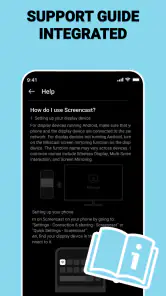
USB Connector Phone to TV is an app designed to help users connect their smartphones to their TVs using a USB cable. The app serves as a bridge, allowing your phone to transmit video and audio content to your television. Users simply need to follow the in-app instructions to establish a connection, making sure their phone and TV are compatible with USB connections.
Is USB Connector Phone to TV compatible with all smartphones and TVs?
While USB Connector Phone to TV supports a wide range of devices, not all smartphones and TVs may be compatible. The app generally works with phones that have USB-OTG support and TVs that have USB ports capable of reading input from external devices. It's crucial to check the specifications of your devices to ensure compatibility before downloading the app.
What are the key features of USB Connector Phone to TV?
This app offers several features, including the ability to mirror your phone's screen on your TV, high-quality video and audio transmission, and a user-friendly interface that guides you through the connection process. It also provides customization options for display settings, ensuring an optimal viewing experience. Additionally, it supports various media formats, enhancing its versatility.
Pros
- Easy screen mirroring
- High-quality video streaming
- User-friendly interface
- Supports various formats
- Quick setup process
Cons
- Requires stable Wi-Fi
- May have latency issues
- Limited to compatible devices
- Some features need premium
- Occasional connection drops
- Category
- Libraries & Demo
- Version
- 2.0.3


