Mirror Link Car Display
- 15.00
- 3.9
- Installs
- 100.00K
- Price
- Free
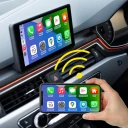
Screenshots
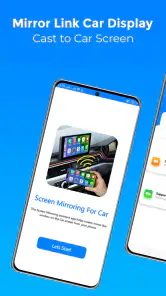
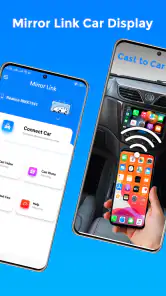
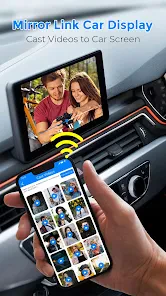
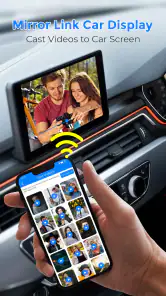
Analysis by Reviewed
I see Mirror Link Car Display as a practical idea with one important condition: it is only useful if your phone and car can work together. It is a free Android app from Facelover in the Libraries & Demo category, intended to put a phone’s display on a car dashboard. That promise can make a trip simpler, but it shouldn’t be mistaken for a universal replacement for a car’s built-in system.
Compatibility comes before convenience
Before relying on screen mirroring for a journey, check whether your car’s infotainment system supports Mirror Link and whether your phone can connect to it. The app’s purpose depends on that pairing, so installing it alone does not guarantee that the dashboard will show your screen. I’d test the connection while parked, before a commute or road trip, rather than troubleshooting beside the road.
Connection details can also matter. A cable and a wireless connection do not always behave the same way across different vehicles and phones, and the app’s basic premise should not be taken as proof that every connection method works with every setup. If you already know your car’s preferred connection method, start there and keep the first test simple: connect, confirm that the display appears, then check whether the controls you need are usable.
A useful first test is more than checking for a picture. Try the exact sequence you expect to use: connect the phone, open the screen you need, and see whether the image stays visible when you switch tasks. Do this with the car parked and give yourself time to notice where the controls appear. A successful connection is only the starting point; the practical question is whether you can use the result without hunting through menus.
Making mirroring useful without adding distraction
When the pairing works, mirroring can be useful for a narrow, familiar set of tasks: looking at a route, choosing audio before setting off, or checking a screen without holding the phone in your hand. In a realistic everyday case, I’d choose the destination and playlist while parked, connect the phone, and then leave the device alone once the car is moving. That routine makes the dashboard connection a convenience rather than an invitation to browse while driving.
There is a trade-off to consider: seeing a phone interface on a larger display does not automatically make every phone app suitable for driving. Small controls, busy screens, and notifications can still pull attention away from the road. I would keep interaction brief and use voice control only when it is supported by the connected setup and safe to do so. If a task needs extended reading or typing, stopping in a safe place is the better choice.
For a regular commute, I’d prepare the phone before leaving: close anything I do not need, set the route, and pick audio while parked. This simple routine matters because a mirrored screen can expose more of the phone’s ordinary interface than a purpose-built car display. It also gives me a chance to spot a connection problem while I still have time to choose another option, rather than discovering it after I’m already on the road.
More From Our News Desk

Clash of Clans Is Won Between the Battles

Android Auto Makes the Case for Quieter Car Software

MobiOffice: Transforming Mobile Productivity with Seamless Integration

EA SPORTS FC™ Mobile Soccer: Redefining Mobile Sports Gaming

How Microsoft OneDrive Became a Mobile Productivity Giant

How Google Translate Breaks Language Barriers Effortlessly
For occasional trips, the value may be different. Someone borrowing a compatible car could use a familiar phone-based layout instead of learning a separate interface, but only if the setup is tested beforehand and the vehicle owner is comfortable with the connection. I would disconnect at the end and check that the phone is no longer presenting content on the dashboard. Treating the connection as part of the trip’s setup and wrap-up keeps it from becoming an unattended source of distraction.
How it compares with built-in car platforms
Compared with a car’s native interface, mirroring may feel more familiar because the content comes from the phone you already use. That can be helpful when the built-in system lacks an app or layout you prefer. The downside is that the experience depends on the compatibility and stability of both devices, while a well-integrated factory system can be more predictable and easier to operate from the car’s own controls.
It also differs from simply mounting a phone on the dashboard. A mount avoids the compatibility step and leaves the phone’s display in view, but it can still require reaching toward the device and may be less convenient to glance at. Mirror Link can make the dashboard the viewing point when it works; it cannot remove the need for a careful setup or make every app a good driving companion.
In practice, I’d choose among these options based on what already works reliably in the car. A built-in platform is usually the more sensible choice if it offers the navigation and audio functions I need with controls designed for driving. A phone mount can be a straightforward fallback if mirroring is not supported, though it does not turn a phone interface into a safer one. This app has a narrower role: it is worth testing when the car and phone are compatible and a familiar screen would genuinely help.
There is also a difference between displaying a phone screen and having a car-specific interface. A larger view may make a map easier to see, but it does not necessarily reorganize the phone’s apps around driving or simplify their controls. I would judge the result by whether the particular task is easier at a glance, not by how much of the phone appears on the dashboard.
Who should try it—and who may be better served elsewhere
I’d consider it if your vehicle supports Mirror Link, you want to use a familiar phone display in the car, and you are comfortable testing the connection before depending on it. It is less compelling if your car already has a reliable system that covers your needs, or if you expect a download to make an incompatible vehicle mirror a screen. Drivers who want a dependable, hands-free experience above all may prefer the car’s built-in interface when it offers the functions they need.
The app is free and rated for Everyone, which makes it easy to try without a purchase decision. Its average rating is 3.9 from around 2,500 ratings, and it has over 100,000 installs. Those figures suggest that people are using it, but they do not tell me whether it will work with a particular dashboard; compatibility is still the deciding factor.
It is currently version 1.1.2 and was released on June 24, 2024. The minimum operating system is Android 9, so I would check that a phone meets that requirement before attempting setup. Facelover’s app is best approached as a compatibility-dependent tool, not as a promise that any Android phone can take over any car screen.
The clearest reason to skip it is a mismatch in expectations. If you want a universal adapter, a complete replacement for a factory infotainment system, or a guarantee that every phone app will be easy to use while driving, this is not the right answer. Likewise, if the vehicle does not support the required mirroring connection, installing an app cannot make that capability appear. In those situations, the built-in system or a carefully positioned phone mount is a more realistic alternative.
What is Mirror Link Car Display?
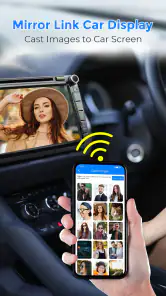
Picture this: You're driving down the highway, and you want to switch playlists or check a new route. With Mirror Link Car Display, your smartphone screen is mirrored onto your car's display, allowing you to access your apps without taking your eyes off the road for too long. It’s like having your phone’s interface on your car’s dashboard, making it super convenient and, more importantly, safer for drivers.
I’d phrase the benefit more cautiously: putting the phone’s screen on a dashboard can reduce the need to hold the phone, but it does not make interaction automatically safe. The useful outcome depends on the car’s support, the phone’s connection, and the app or screen being shown. I would still set up anything important before moving and avoid tapping around while driving.
Getting Started
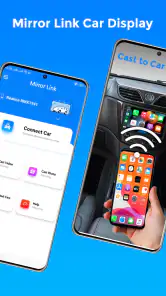
The setup process is pretty straightforward. You’ll need to download the app from your phone’s app store and ensure your car’s infotainment system supports Mirror Link. Once you’ve got the app, connect your phone to your car using a USB cable or Bluetooth, and voila! Your phone’s screen is now displayed on your car’s infotainment screen. The interface is user-friendly, with big icons that are easy to tap even when you’re on the move.
I would treat the connection method as something to verify for the specific car and phone rather than assume that cable and Bluetooth behave identically. Start with the method the vehicle normally uses, keep the car parked, and confirm that the display and the controls respond as expected. If a connection fails, checking the setup calmly before the trip is more useful than repeatedly trying different approaches once you need to leave.
It also helps to think about what you want visible before connecting. A navigation screen or audio controls are easier to use as a single, planned task than a stream of incoming alerts. If the phone is shared with work or family notifications, reducing interruptions before the drive can make the mirrored display less cluttered. That preparation is a small but worthwhile trade-off: the screen may be familiar, yet it still reflects a phone that was designed for many situations beyond driving.
Features That Stand Out
One of the coolest things about this app is its ability to integrate seamlessly with a variety of apps. Whether you’re a Google Maps enthusiast or can’t live without Spotify, Mirror Link Car Display has got you covered. The app supports a wide range of applications, so you can navigate, stream music, or even check messages without hassle.
For me, the practical question is not how many phone apps can appear, but which ones remain useful on a car display. A route or a playlist chosen before departure has a clear purpose; browsing messages is a different matter because it can invite more attention than a drive allows. I would use the mirrored view to make a planned task easier, not as a reason to bring every part of the phone into the car.
That distinction also helps answer whether this is a good fit for long trips. It can be useful if the connection works and the phone supplies something the car’s own system does not, especially when the driver prepares the route and audio in advance. If the trip depends on frequent screen interaction, though, a purpose-built car interface with controls that suit the vehicle may be the more comfortable option.
Another neat feature is the voice control option. You can dictate commands and have your phone obey without lifting a finger. This is particularly handy when you want to keep your focus on the road. Plus, it supports multiple languages, ensuring no one is left out.
Voice interaction can be helpful, but I would not build a driving routine around it until I had tried it while parked and confirmed what the connected setup actually responds to. A voice feature is only useful when it recognizes the task and does not require follow-up touches. If a command fails or needs visual correction, I would wait until safely stopped rather than repeat the interaction while moving.
Performance and the limits of a mirrored screen
On the road, the app performs admirably. The screen mirroring is smooth, with minimal lag, which is crucial when you’re relying on real-time navigation. The audio quality is crystal clear, making phone calls and voice commands a breeze.
Even when the image appears responsive, I would separate screen performance from the broader experience of using it in a car. A stable picture does not guarantee that every app is easy to read from the driver’s seat, or that phone controls will feel natural through the vehicle’s display. I’d test the specific route, audio, and controls I actually plan to use rather than judge the setup from a quick glance at the home screen.
However, it’s worth noting that the performance can vary depending on your phone model and car’s infotainment system. Some users have reported occasional connectivity issues, but these are usually resolved with a quick restart of the app or a simple reconnection.
For a smoother routine, I would make one connection attempt before setting off and avoid treating repeated disconnects as something to fix while driving. If the display drops, use the car’s normal controls or stop somewhere safe before reconnecting. That is the main practical limitation of a phone-to-dashboard setup: the convenience is real when it works, but it relies on two devices continuing to cooperate.
My verdict
All in all, Mirror Link Car Display is a game-changer for those who spend a lot of time in their cars. It combines convenience with safety, making it a must-have app for modern drivers. While it’s not perfect and occasionally hiccups, the overall experience is positive and definitely worth a try if you want to make your driving experience more enjoyable.
I’d recommend a more measured expectation than calling it essential. It is an option to try when a compatible car and phone are already available, and when mirroring solves a specific inconvenience. Its strongest case is a familiar screen for a planned task; its weakest is relying on it as a universal, hands-free system without checking how the setup behaves first.
So, if you’re tired of fiddling with your phone while driving, give Mirror Link Car Display a go. It’s like having your smartphone as a co-pilot, ensuring you keep your eyes on the road and hands on the wheel.
Before making it part of a daily commute, I’d run through a short parked test, confirm the connection method, and decide which screen I actually need. If that goes smoothly, it may earn a place in your routine. If not, there is little reason to force it: the better choice is the car interface or phone setup you can operate predictably and with minimal distraction.
Mirror Link Car Display Frequently Asked Questions
Is Mirror Link Car Display free, and what kind of app is it?
Mirror Link Car Display is a free app in the Libraries & Demo category, designed around connecting a phone with a car dashboard display. Its short description is “Mirror Link,” while its summary presents it as a connector for sharing your screen with a car dashboard. The app is rated for Everyone, so it is presented as suitable for a broad audience.
What is Mirror Link Car Display and how does it work?
Mirror Link Car Display is a feature that allows you to connect your smartphone to your car's infotainment system. By mirroring your phone's display onto the car's screen, you can access apps, music, navigation, and more directly from your car's dashboard. This is achieved through a compatible connection, typically via USB or Bluetooth, enabling seamless integration for safer, hands-free operation while driving.
Is Mirror Link Car Display compatible with all smartphones and vehicles?
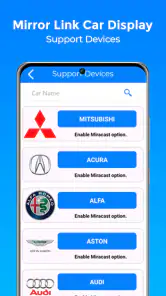
Compatibility is a crucial aspect of Mirror Link Car Display. Not all smartphones and vehicles support this feature. Generally, it is compatible with Android devices, particularly those from manufacturers like Samsung, HTC, and Sony. As for vehicles, many of the latest models from brands like Volkswagen, Toyota, and Honda support Mirror Link. It's essential to check the compatibility of both your device and vehicle before considering using this feature.
What are the benefits of using Mirror Link Car Display?
Mirror Link Car Display offers numerous benefits, including enhanced safety and convenience. It allows for hands-free operation, meaning you can control your smartphone apps directly from the car's dashboard, reducing distractions. Additionally, it provides access to navigation apps, music streaming, and call management, helping to improve the driving experience. The integration promotes a seamless connection between your phone and car, making it easier to stay connected while on the road.
Are there any limitations or issues with Mirror Link Car Display?
While Mirror Link Car Display is a convenient feature, it does have some limitations. One major issue is its limited compatibility with certain devices and cars, which can be frustrating for users. Additionally, not all apps are supported, which can limit functionality. Connectivity issues and lag can also occur, affecting user experience. It's important for potential users to consider these factors before relying on this feature extensively.
Pros
- Seamless integration with car systems
- Real-time navigation updates
- Supports multiple smartphone brands
- User-friendly interface
- Enhances driving safety
Cons
- Limited app compatibility
- Requires stable internet connection
- Potential data privacy concerns
- Occasional connectivity issues
- May drain smartphone battery quickly
- Category
- Libraries & Demo
- Version
- 1.1.2










