Update Software App: Updates
- 52.00
- 4.4
- Installs
- 1.00M
- Price
- Free
Screenshots

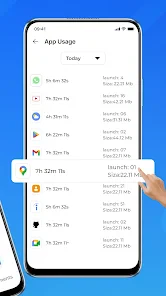
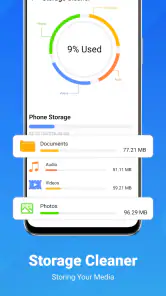
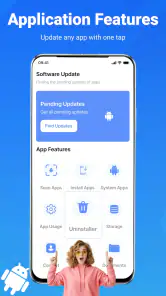
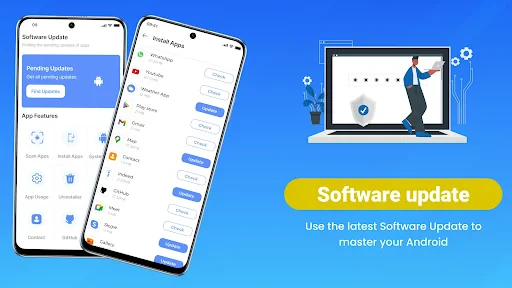
Analysis by Reviewed
My view of Update Software - Upgrade is that it is most useful as a prompt to check for app updates, not as a tool that can make an older phone feel new. That distinction matters: it can help me notice maintenance I might otherwise postpone, but updates do not guarantee faster performance. If you want a simple nudge to review what needs attention, it has a clear purpose; if you expect a one-tap repair or automatic phone-wide tune-up, I would look elsewhere.
Where it fits in an Android routine
Phone Software Update Quick Checker is a free app from Vidmark Inc. in the Libraries & Demo category, and its central job is to help me keep track of app updates. I would treat it as a convenient place to start checking, rather than assume it replaces Android’s built-in app store or the phone’s system update settings. Those are still the places I would use to review and install updates through the usual official routes.
The distinction between app updates and Android system updates is worth keeping in mind. An app checker is relevant when I want to see whether my installed apps need attention; a system update is handled through the device settings. If your main concern is a new Android version or a manufacturer’s security update, go straight to Settings instead of expecting an app-update checker to manage the operating system.
Useful as a reminder, not a repair tool
For a realistic routine, I would open a checker like this while connected to a reliable network, look through the app names it flags, and then decide which ones I actually want to update. That small pause is useful: I might choose to update a frequently used messaging app promptly, while leaving a rarely used app for later. I would still use the official store to complete the installation and check the app’s own update notes when the change matters to me.
This approach is especially handy for someone who manages a busy phone but does not remember to check every app individually. It is less compelling for a person who already has automatic updates enabled and is happy with that arrangement. In that case, the phone’s existing settings may be enough, and another checker could simply add an extra step. I would also avoid treating any scan as proof that every app is current at that exact moment; update availability can change, so a later check may show something new.
How it compares with built-in options
The everyday alternative is to open the official app store and check for updates there. That route is more direct when I already know which app needs attention, and it keeps discovery and installation in one familiar place. A separate checker is more appealing when I want a reminder to review several installed apps rather than remember to visit the store on my own. The trade-off is that it adds a step: I may use the checker to spot what needs attention, then move to the official store to inspect and install it.
I would not choose this app as a replacement for automatic updates if I prefer the phone to handle routine maintenance without my involvement. Nor would I rely on it for operating-system maintenance; Android’s system update controls remain the better fit for that. Its value is in serving as an extra checkpoint for someone who wants to be more deliberate, not in making every update happen invisibly or taking control away from the user.
More From Our News Desk

Weather by Xiaomi Review: Clear at a Glance, Less Clear Up Close

X Under Pressure: Can It Recover When Posting Goes Wrong?

Clash of Clans Is Won Between the Battles

Android Auto Makes the Case for Quieter Car Software

MobiOffice: Transforming Mobile Productivity with Seamless Integration

EA SPORTS FC™ Mobile Soccer: Redefining Mobile Sports Gaming
A small workflow that avoids rushed updates
One useful habit is to check app updates at a calm moment rather than when I am about to leave home or start a call. I can review the names first, decide whether anything I depend on deserves attention, and leave less important changes until a convenient time. This is a modest distinction, but it can prevent an update prompt from interrupting a task or encouraging me to install changes without thinking.
For example, if I notice a checker while preparing for a busy day, I would focus on apps I use for communication or essential errands and leave entertainment apps for later. I would then complete those updates through the official store, not assume that the checker itself has installed them. If the phone is short on time or connectivity, I can postpone the review rather than turn an update check into a last-minute chore.
Why Bother with Updates?
First off, let's talk about why updating your software is crucial. We all know how tempting it is to hit the "Remind Me Later" button when that update notification pops up. But, truth be told, these updates are vital for keeping your device in tip-top shape. They bring in security patches, fix bugs, and sometimes even add cool new features. With Update Software - Upgrade, you can manage these updates hassle-free.
What the app is good for
Phone Software Update Quick Checker is a free app from Vidmark Inc. in the Libraries & Demo category, and its central job is to help me keep track of app updates. I would treat it as a convenient place to start checking, rather than assume it replaces Android’s built-in app store or the phone’s system update settings. Those are still the places I would use to review and install updates through the usual official routes.
The distinction between app updates and Android system updates is worth keeping in mind. An app checker is relevant when I want to see whether my installed apps need attention; a system update is handled through the device settings. If your main concern is a new Android version or a manufacturer’s security update, go straight to Settings instead of expecting an app-update checker to manage the operating system.
Features That Make It Stand Out
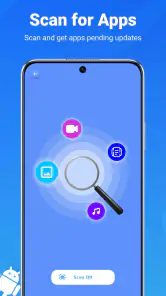
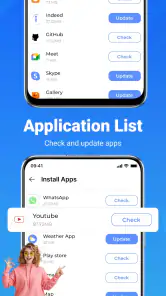
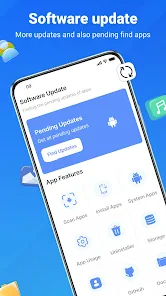
One of the standout features of this app is its user-friendly interface. Even if you're not tech-savvy, navigating through the app is a breeze. It automatically scans your device to check for available updates, saving you the time and effort of doing it manually. Plus, it gives you a comprehensive list of all apps that need updating, so you can tackle them all in one go. Talk about efficiency!
Another feature worth mentioning is the app's ability to schedule updates. Let's face it, nobody wants their phone to start updating in the middle of an important task or while you're enjoying your favorite game. With this app, you can set a convenient time for updates to occur, ensuring minimal disruption to your daily routine.
A practical routine, with a few caveats
For a realistic routine, I would open a checker like this while connected to a reliable network, look through the app names it flags, and then decide which ones I actually want to update. That small pause is useful: I might choose to update a frequently used messaging app promptly, while leaving a rarely used app for later. I would still use the official store to complete the installation and check the app’s own update notes when the change matters to me.
This approach is especially handy for someone who manages a busy phone but does not remember to check every app individually. It is less compelling for a person who already has automatic updates enabled and is happy with that arrangement. In that case, the phone’s existing settings may be enough, and another checker could simply add an extra step. I would also avoid treating any scan as proof that every app is current at that exact moment; update availability can change, so a later check may show something new.
Smooth Sailing with Regular Updates
What I really appreciate about Update Software - Upgrade is how it keeps my phone running smoothly. Since I've started using it, I've noticed a significant improvement in my device's performance. Apps launch quicker, and I've experienced fewer crashes and glitches. It's like giving your phone a regular tune-up without the hassle of visiting a service center.
The app also provides detailed information about each update, so you know exactly what improvements or fixes are being made. This transparency is reassuring, especially for those of us who like to know what's happening under the hood of our devices.
What to expect before installing
I would keep expectations modest about performance. An app update can fix a particular bug or change how that app behaves, but updating everything is not a guaranteed way to make a phone faster, and an older device may still feel slow for unrelated reasons. If you are troubleshooting one problem, checking that specific app and its update notes is more useful than assuming a general update scan will solve it.
The app is rated for Everyone, has an average rating of 4.4 from around 17 thousand ratings, and has been installed over a million times. It was released on November 10, 2022, and version 2.0.2 is the current version. It is listed as free, with optional in-app purchases ranging from $2.99 to $48.99 per item. I would check the purchase details in the app before paying for anything and decide whether the free update-checking routine already meets my needs.
It supports devices running Android 7.0 or later, which makes it relevant to people using a range of Android phones. It is not the right choice for iPhone owners, nor for someone specifically looking for an iOS updater. If you are on Android and want a reminder to review installed apps, it may suit you; if your goal is to install updates without any review or to manage system software, the built-in settings and official app store are the more direct options.
Who is likely to find it worthwhile?
I would put this app on the shortlist for Android users who like to make update decisions themselves but occasionally forget to check. It can also suit someone helping a family member keep a crowded phone in order: a shared check-in can turn a vague “your apps may be old” concern into a short review of what is actually flagged. The important part is to keep the task understandable and use the official store for the final step.
It is a weaker fit for someone who rarely installs apps, has automatic updates working as intended, or wants one tool to solve slow performance, storage trouble, and system-update issues. Those are different problems. I would also skip it if I were looking for an iPhone utility, since its stated Android support does not make it an iOS update manager.
Questions worth considering before relying on it
Will it install updates for me? I would not build my routine around that assumption. Treat it as a way to identify apps to review, then use the official store to handle installation. Can it update Android itself? No: the operating-system update is a separate task in the phone’s settings. Does checking once mean everything is current? Not necessarily, because new releases can become available later, so a fresh check is sensible when timing matters.
Is it worth paying for an in-app option? I would first try the basic checking routine and only consider a purchase if the specific paid option clearly adds something I want. The presence of optional purchases does not make them necessary for every user, and I would avoid paying simply because an update prompt feels urgent. For ordinary app maintenance, compare what the app offers with the update controls already available on your phone.
Wrapping It Up
In a nutshell, Update Software - Upgrade is a must-have for anyone looking to keep their smartphone in optimal condition. It's simple, effective, and takes the guesswork out of managing updates. Whether you're a tech enthusiast or just someone who wants their phone to run smoothly, this app has got you covered.
So, next time your phone nudges you for an update, don't hit "Remind Me Later." Instead, let Update Software - Upgrade do the heavy lifting for you. You won't regret it!
My recommendation is narrower than that enthusiastic sign-off: I would try it if I often forget to check app updates and want a straightforward reminder-style workflow. I would skip it if built-in automatic updates already work well for me, or if I need system-update management rather than app checks. Used with that distinction in mind, it can be a useful extra checkpoint, but the final decision to update—and the official installation process—should remain in my hands.
Update Software App: Updates Frequently Asked Questions
Does Update Software App: Updates update apps automatically, or do I choose what to update?
Update Software App: Updates is presented as a quick checker to help you keep phone apps up to date. An update checker can help you identify apps that may need attention, while the actual update process may involve the app store and your confirmation. If you prefer to decide which apps to update, review the prompts shown on your device before proceeding.
Will this app update my Android operating system as well as my installed apps?
The app’s stated purpose is to help keep phone apps up to date, and its short description is “Update Software.” Those phrases may sound broader than app updates alone, so it is useful to distinguish app updates from Android system updates. System software updates are handled through your device’s own settings, where you can review and install options made available for your phone.
Is Update Software App: Updates free to download, and are there any in-app purchases?
Update Software App: Updates is free to download, so you can try its update-checking tools without paying upfront. It also offers in-app purchases, with individual items priced from $2.99 to $48.99. Check the purchase details in the app before confirming anything, and review your device’s purchase settings if you want to prevent accidental transactions.
Which devices can run Update Software App: Updates?
The app is listed for Android devices, with Android 7.0 as its minimum operating-system requirement. Before downloading, check your phone’s Android version in its settings to make sure it meets that requirement. Compatibility can also depend on the device and the version available through its app store, so use the store’s compatibility details for your particular phone.
Who makes Update Software App: Updates, and what is its age rating?
Update Software App: Updates is developed by Vidmark Inc. and has an Everyone content rating, making it suitable for a general audience. It is an app in the Libraries & Demo category, focused on helping people check for phone software updates. As with any download, it is sensible to review the app’s permissions and privacy details before installing it.
Pros
- User-friendly interface for easy navigation
- Supports a wide range of Android devices
- Regular updates to enhance performance
- Lightweight app
- doesn't affect device speed
- Efficiently checks for outdated software
Cons
- Requires internet for checking updates
- Limited features in the free version
- Some ads in the free version
- May not detect all updates accurately
- Occasional compatibility issues with older devices
- Category
- Libraries & Demo
- Version
- 2.0.2











