All Video Downloader Master
- 194.00
- 3.9
- Installs
- 10.00M
- Price
- Free

Screenshots
Analysis by Reviewed
If you've ever found yourself scrolling through social media, spotting a video you wanted to save for later, but had no way to download it, then All Video Downloader Master might just be the app you've been dreaming of. It's like having a magical net that scoops up all those precious clips and lets you keep them for when you need a good laugh, a quick tutorial, or just a moment of nostalgia.
Checking a clip before you save it
That basic use case is where I see the clearest value: keeping a clip handy for a time when you expect to be offline, or saving a tutorial so you can revisit it without searching through a busy feed. I’d treat downloading as a deliberate step rather than a way to collect everything I see. A small, purposeful library is easier to browse later and less likely to become a pile of forgotten files.
Before relying on a saved video, I’d check that the source allows downloading and that keeping a copy fits the creator’s terms. A downloader can make a file available on your device, but that does not automatically grant permission to repost it or use it outside its original context. That distinction matters especially for music, creator clips, and material shared privately.
Easy Peasy Lemon Squeezy
Let's talk about how user-friendly this app is. The interface is as straightforward as it gets – you don't need to be a tech wizard to figure it out. When you open the app, you're greeted with a clean and simple home screen. No clutter, no unnecessary buttons, just the essentials. You can download videos from a plethora of platforms – think of all the big names, and they're probably on the list. The app supports a wide range of formats, so whether you're into MP4s or prefer a different file type, All Video Downloader Master has got you covered.
Readability and navigation in everyday use
A simple-looking screen can make the first visit less intimidating, particularly if you only want to save a clip occasionally. I’d still recommend taking a moment to follow the app’s own prompts rather than assuming every video page behaves alike. Social platforms change how content is presented, and a downloader’s available options can depend on the source. If a clip does not appear as expected, checking the original post and trying its share or copy option is a sensible next step, not a reason to tap every button at random.
For anyone who finds dense menus tiring, the practical question is whether the main action is easy to spot and repeat. Here, the uncluttered approach described in the app makes the basic task approachable, but it does not remove every decision: you still need to choose what to save and where you will find it afterward. I’d use consistent file names or a simple folder routine if I planned to keep more than a handful of clips, because saved media is only useful when I can locate it again.
Speedy Gonzales of Downloading
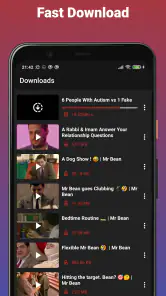
One of the standout features of this app is its download speed. I mean, blink and you might miss it! It's like having the speed of light at your fingertips. The app promises high-speed downloads, and boy, does it deliver. The best part? You can download multiple videos at once without any significant lag. So, if you're the kind of person who likes to multitask, this app will fit right into your routine.
More From Our News Desk

Weather by Xiaomi Review: Clear at a Glance, Less Clear Up Close

X Under Pressure: Can It Recover When Posting Goes Wrong?

Clash of Clans Is Won Between the Battles

Android Auto Makes the Case for Quieter Car Software

MobiOffice: Transforming Mobile Productivity with Seamless Integration

EA SPORTS FC™ Mobile Soccer: Redefining Mobile Sports Gaming
When speed is useful—and when it is not
Batching a few clips can be convenient when I’m preparing for a commute or collecting several short lessons before a trip. But a fast queue is not automatically the best choice on a limited data plan or when device storage is tight. I’d prioritize the clips I genuinely need, use a trusted connection when practical, and check available storage before starting a larger batch. That avoids discovering too late that a download session has left no room for photos or other everyday files.
This is also where the app differs from simply bookmarking or using a platform’s own saved-items feature. A bookmark is often quicker and keeps the creator’s page attached, but it may not help when I’m offline. A local copy can be more convenient away from a connection, while requiring more storage and more care about usage rights. If I only want to find a post again online, the platform’s own save function is usually the tidier option.
Quality Over Quantity
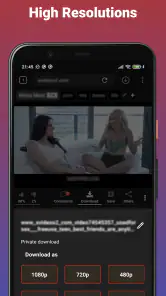
Now, let's talk quality. Ever downloaded a video only to find out it's blurrier than a foggy morning? Well, that's not something you'll have to worry about here. The app offers high-definition downloads, ensuring that crispness and clarity are never compromised. It's perfect for those moments when you want to indulge in high-quality content without being online.
For a practical check, I would open a saved clip before leaving home rather than assume it will suit a particular screen or situation. A short test also helps confirm that the file plays as expected and that I chose a useful format. If the goal is a quick reference, a smaller file may be a better trade-off than the highest available quality; for detailed demonstrations, clarity may matter more. The right choice depends on how I intend to use the video, not just on the largest option available.
Moreover, the app doesn’t just stop at video downloads. You can also extract audio! This is a lifesaver if you come across a video with a killer soundtrack that you want to listen to on repeat. The audio quality is top-notch, matching the video quality every step of the way.
Motor and sensory considerations
For someone who prefers fewer steps and less visual clutter, the straightforward presentation can make occasional use feel manageable. I would avoid starting a batch while distracted or in a hurry, though: choosing the wrong clip or format is easier when tapping quickly, and fixing a mistake costs time. If small controls or extended screen use are uncomfortable, it is worth trying one short download first and deciding whether the interaction suits you, rather than committing to a long session.
Audio extraction can be useful when listening is more convenient than watching, such as revisiting spoken instructions while doing a simple task. It is not a substitute for captions or a transcript when those are what you need, and extracting a soundtrack does not guarantee that speech or music will be separated. I’d use it for a straightforward listening copy, not for accessibility features it does not claim to provide.
Ad-Free Experience
One of the things I love the most about All Video Downloader Master is its ad-free experience. Let’s be honest, nothing ruins an app experience faster than those pesky pop-ups. With this app, it’s smooth sailing from start to finish. You can focus on what you came for – downloading awesome content.
Cost, compatibility, and expectations
The app is free to install, though optional in-app purchases range from $2.99 to $49.99 per item. I’d begin with the free experience and only consider paying if a specific limitation affects a task I do often; there is little reason to spend before understanding my own routine. Its current version is 2.6.15, and it requires Android 6.0 or later. Vidmark Inc. is the developer, and the app is rated for Everyone, which describes its content rating rather than guaranteeing that every interaction will suit every person.
Its 3.9 average from around 64,000 ratings and more than 10 million installs suggest that many people have tried it, but popularity alone does not tell me whether it fits my needs. I’d also keep my expectations tied to the individual source: a downloader cannot make every online video available in the same way. If my priority is dependable playback of content from one service, that service’s own offline option may be a better fit. If I want a general-purpose way to keep permitted clips locally, this app is more relevant.
Situational access: choosing the right workflow
The useful question is not simply whether a video can be saved, but when a local copy will genuinely help. For a student revisiting a permitted demonstration, a traveler preparing for patchy connectivity, or someone who wants to replay a short how-to without reopening a feed, a download can reduce friction. For a clip that is easy to find and watch online, saving it may add file-management work without much benefit.
I’d also decide where I expect to use the file before choosing quality or format. A brief spoken explanation may be easier to revisit as audio, while a visual repair step needs the picture. If I am gathering material for a group or workplace, I would check the relevant permissions first rather than assume that a personal download can be shared. These small choices make the app more useful and help avoid keeping copies that do not serve a clear purpose.
Remaining barriers and practical workarounds
Simple navigation does not guarantee that every person will find the experience comfortable. Someone who relies on captions, high-contrast presentation, voice control, or a particular screen-reader workflow should test the actions they need before depending on the app. I would not assume that extracting audio, for example, makes a clip accessible: it may remove visual context without adding captions or a transcript.
There is also a difference between an app being easy to open and a saved file being easy to manage later. A growing collection can become difficult to search, and large, high-quality clips can compete with other files for device space. I’d make the habit sustainable by saving only material I expect to use, checking playback right away, and periodically removing clips that have outlived their purpose. If managing local files feels like a burden, bookmarks or a service’s own offline tools are likely a better match.
Where it fits, and where I’d choose something else
I’d recommend trying it if you often save short, permitted videos for travel, reference, or later viewing and are comfortable managing files on your phone. It is less appealing if you mainly want to organize links, avoid storing media, or stay entirely within a platform’s built-in tools. Those alternatives keep the original context and may be simpler, while a downloader’s advantage is having a local copy when online access is inconvenient.
For an ordinary day, imagine finding a repair demonstration during lunch and wanting it available later in a place with unreliable service. I’d save only that clip, check that it plays before heading out, and use the audio option only if listening is more practical than watching. That small workflow makes the app useful without turning every passing video into permanent clutter.
A measured inclusive verdict
In conclusion, All Video Downloader Master is a must-have for anyone who enjoys curating their own library of videos and music. It's efficient, reliable, and incredibly easy to use. Whether you're a social media junkie, a music enthusiast, or someone who just likes to keep things handy, this app is definitely worth a try. So go ahead, give it a whirl, and never miss out on saving your favorite content ever again!
My more measured recommendation is to treat it as a practical tool, not a universal answer to offline access. Its simple presentation and combination of video saving and audio extraction may suit people who want a direct workflow, while storage limits, source differences, and the need to respect creators’ rights remain real considerations. Try one permitted clip first; if the steps feel comfortable and the result meets your needs, then build the habit around the videos you genuinely expect to use.
All Video Downloader Master Frequently Asked Questions
Is All Video Downloader Master available for iPhone and iPad?
All Video Downloader Master is an Android app, so the version described here requires an Android device rather than an iPhone or iPad. If you use Apple devices, check the relevant app store for an app with a similar name and review its developer and features carefully before installing. Do not assume that an app with a similar title is the same product.
How much storage should I set aside for downloaded videos?
The space required depends on the videos you choose to save and how many you keep on your device. Before downloading, it is sensible to check your available storage and make room if needed, especially if you plan to collect several videos for offline viewing. You can also remove saved files you no longer need to free up space.
Is All Video Downloader Master suitable for children?
The app has an Everyone content rating, so its stated age classification is broad. That rating does not change the need for parents and guardians to consider how a child will use a downloader, which websites they may visit, and whether downloaded material is appropriate. Set expectations about safe browsing and saving content responsibly before letting a child use the app.
Does the app need an internet connection to download videos?
Downloading a video requires access to the internet so the app can reach the source. Once a video is saved locally, you can play that copy without a live connection, which can be useful when travelling or away from reliable service. The ability to download still depends on the source website’s restrictions and on whether the content is permitted to be saved.
Can I choose where downloaded videos are saved?
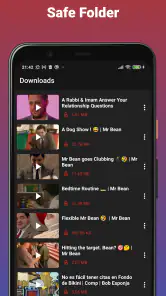
It is worth checking the app’s settings and your device’s file-management options after installation to understand where saved videos are kept. The precise location can depend on the app and Android device. Knowing where files are stored makes it easier to find, play, or remove them later, and to keep track of the storage space they occupy.
Pros
- Supports multiple video formats.
- Fast download speeds.
- User-friendly interface.
- Allows batch downloading.
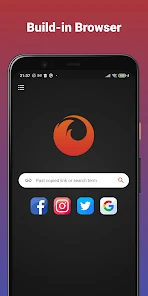
- Built-in browser for easy searching.
Cons
- Contains ads.
- Limited features in free version.
- Occasional download failures.
- No option for 4K downloads.
- Requires Android 5.0 or higher.
- Category
- Tools
- Version
- 2.6.15









