Ripple & 3D Live Wallpaper
- 40.00
- 4.4
- Installs
- 1.00M
- Price
- Free

Screenshots


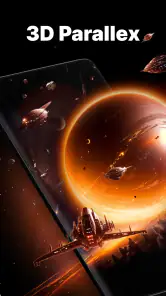
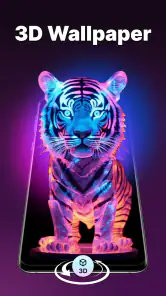
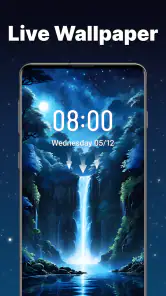
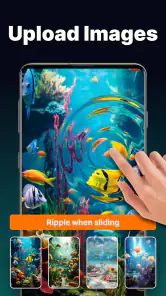
Analysis by Reviewed
I judge a live wallpaper by more than its first splash of color: I want to know whether it stays comfortable to look at, whether I can reach the controls without a fuss, and whether it fits the way I actually use my phone. Ripple & 3D Live Wallpaper is a personalization app from Coocent built around touch-responsive ripple effects and dimensional-looking backgrounds. Its appeal is immediate, but the moving visuals also make it a more specific choice than a simple picture wallpaper.
Choosing a wallpaper for real use
I’d treat the first setup as a small experiment rather than choosing the most dramatic preview and leaving it there. Put a design on the screen, then check the home screen with your usual icons, folders, and widgets in place. This is where an attractive background has to prove itself: if its detail lands behind app names or makes familiar icons harder to pick out, a quieter option may work better day to day.
It is also worth deciding what you want the wallpaper to do for you. If you mainly want a fresh look when unlocking your phone, a restrained effect may be enough. If you enjoy tapping the screen and watching the image respond, the interactive quality is more central. I would not choose a busy design just because it looks impressive in a preview; the best fit is the one that still feels comfortable after repeated glances.
Getting Started with Ripple & 3D Live Wallpaper
First things first, diving into the Ripple & 3D Live Wallpaper app is as easy as pie. Once you install it, you're greeted with a user-friendly interface that guides you through the setup process. The app offers a plethora of live wallpapers that are not just visually appealing but also interactive. You can literally touch and play with the ripples and watch them respond in real-time. How cool is that?
Readability and everyday navigation
Because the wallpaper sits behind icons and text, I’d choose a design by checking how clearly my usual home-screen labels stand out, not just how attractive the preview looks. A high-contrast or busy image can make app names harder to scan, especially when the screen is already crowded. I’d try a calmer background first, then add stronger movement only if it doesn’t compete with the parts of the screen I need to read.
The app is free to install, rated for Everyone, and has reached over a million installs. It has a 4.4 average from around 6,400 ratings, while the current version is 1.1.8 and requires Android 7.0 or later. Those figures suggest a well-established option, but they don’t tell me whether every visual will suit every person; the practical test is how it looks on your own display and with your icon layout.
Feature Galore!
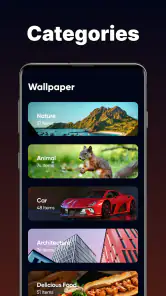
This app isn't just about a pretty face; it's got the brains too. The collection of wallpapers ranges from serene landscapes to abstract designs that cater to all kinds of tastes. What I love is how you can customize the effects – from the intensity of the ripples to the depth of 3D effects, making it truly your own. Plus, it doesn’t hog your phone’s resources, so no worries about battery drain or performance issues.
More From Our News Desk

Weather by Xiaomi Review: Clear at a Glance, Less Clear Up Close

X Under Pressure: Can It Recover When Posting Goes Wrong?

Clash of Clans Is Won Between the Battles

Android Auto Makes the Case for Quieter Car Software

MobiOffice: Transforming Mobile Productivity with Seamless Integration

EA SPORTS FC™ Mobile Soccer: Redefining Mobile Sports Gaming
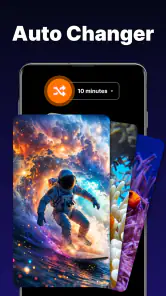
One nifty feature is the app’s ability to change wallpapers automatically. You set the time interval, and voila! Your screen will surprise you with a new look every time you glance at it. It’s like having a personal phone stylist!
Touch, motion, and sensory comfort
The interaction is part of the fun, but it also means this is not a static background: a touch can trigger visible movement. If animation feels distracting, I’d keep the ripple effect restrained or use a less visually busy design. That small adjustment can make the screen feel more settled while preserving a little depth. For someone who prefers a completely still display, an ordinary image wallpaper is the clearer choice.
For motor comfort, the appeal is that the screen reacts to a casual tap rather than asking you to play a game or repeatedly navigate a complex tool. Still, the effects are optional entertainment, not a necessary way to use the phone, so I wouldn’t rely on them as an accessibility aid. If precise touch is uncomfortable, the visual benefit may not justify making extra gestures just to see the ripples.
Making motion work with your routine
Automatic changes can be enjoyable, but they change more than the decoration: they can also change the visual landmarks you use to orient yourself on the home screen. If you rely on a particular background to make the phone feel familiar, I’d leave automatic switching off or choose a slower interval. If you like novelty and do not depend on one fixed look, scheduled variety can be a pleasant way to refresh the screen without regularly selecting a new image by hand.
There is a useful middle ground between a still image and a highly animated look. I’d begin with a design whose main shapes are easy to recognize, then adjust the effect rather than immediately moving to the most active presentation. That makes it easier to tell whether the ripple itself is enjoyable or whether the background’s color and composition are doing most of the work. It also gives you a practical way to reduce visual activity without giving up the app’s distinctive idea.
Situational access and choosing a setup
I can imagine setting a quiet, low-clutter design before work and choosing something more expressive for personal time. Automatic wallpaper changes may help keep the screen feeling fresh without manually revisiting the selection, but I’d pick the interval with care: frequent changes can be unwelcome if you depend on a familiar background to locate icons quickly. A useful approach is to settle on one design for a normal day, then test a change schedule only if variety genuinely helps.
On a commute or in a dim room, moving effects can draw attention when you only meant to check a notification. That’s a reason to favor a subdued look for a phone used in meetings, quiet spaces, or at night. If you want a visual accent that you notice when you unlock the screen, rather than animation competing for attention throughout the day, the app’s customization gives you room to make that trade-off.
How it compares, and where it fits
Compared with a standard wallpaper picker, this app is for people who want the background to react and appear dimensional, not simply display a favorite photo. Compared with a broad collection of static backgrounds, its distinctive value is the ripple interaction; the trade-off is that motion and effects may be less comfortable or practical than a fixed image. I’d recommend it to anyone who enjoys tactile visual details and likes adjusting a home screen. I’d skip it if a plain, distraction-free background matters more than animation.
A realistic way to decide is to use it through an ordinary day: check your messages in the morning, open your most-used apps, and glance at the screen in different lighting. Notice whether labels remain easy to read and whether the movement feels pleasant or simply pulls your eyes away. That quick trial tells you more than choosing a wallpaper from its thumbnail alone.
Who is likely to enjoy it
This is a better match for someone who sees the home screen as a place for a little visual expression, enjoys interactive details, and does not mind spending time comparing designs. It can also suit a person who likes changing the phone’s appearance with the mood of the day, provided those changes do not make navigation feel unfamiliar. The useful question is not whether the effects are impressive once, but whether you still enjoy them after the novelty wears off.
I’d point someone toward a normal static wallpaper instead if they use a crowded home screen, want the least distracting background possible, or prefer their display to remain visually unchanged. A still image is also the more straightforward choice for anyone sensitive to motion or uncomfortable with touch-triggered effects. Ripple’s appeal depends on liking movement; there is no need to force that style if it makes routine phone use less comfortable.
Why You Should Give It a Go
Now, I know what you might be thinking: "Do I really need another wallpaper app?" Trust me, this one's different. The immersive experience it offers is next-level. The interaction combined with the stunning visuals keeps the home and lock screen fresh and engaging. The app’s lightweight nature means you can enjoy all these features without compromising your phone’s performance.
And let’s not forget the sheer joy of personalization. Whether you’re into calming ocean waves or edgy geometric patterns, there’s something here to suit your vibe. It’s not just about aesthetics; it’s about expressing yourself every time you unlock your phone.
Small decisions that improve the experience
One practical way to judge a design is to look at the places where your icons sit, rather than focusing on the center of the wallpaper. A clear central image can still leave a busy area behind important labels. I’d also check a screen with notifications or widgets visible, since those are the moments when the background has to share attention with useful information. If it feels crowded, changing the image may help more than increasing the effect.
If you are deciding whether the app is worth paying for, I’d first spend time with the free version and identify what you actually want more of. In-app purchases range from $1.99 to $49.99 per item, so I would not treat an optional purchase as necessary just to try the core idea. The app is free to install, which makes a cautious first test sensible: see whether the wallpaper improves your everyday screen before spending anything.
Remaining trade-offs and practical details
Automatic changes and touch response are the features I’d test before committing to this as my everyday look. A moving background can make a phone feel more personal, but it can also add visual activity where a static picture would be quieter. I’d keep a still alternative in mind for days when I need a calmer screen, and I wouldn’t assume that a live wallpaper will suit every display or routine equally well.
The app is free, with in-app purchases ranging from $1.99 to $49.99 per item. I’d explore the free experience first and decide whether the available choices and controls already meet my needs before considering a purchase. It was released on December 16, 2024, and Coocent’s current version is 1.1.8. The developer’s focus here is personalizing the screen through live visual effects, rather than replacing the phone’s usual wallpaper controls or offering a general accessibility solution.
A Few Parting Words
In a sea of wallpaper apps, Ripple & 3D Live Wallpaper certainly makes a splash. Its blend of interactive features and stunning graphics makes it a must-try for anyone looking to add a dash of excitement to their screen. So go ahead, give it a whirl, and watch your phone come alive!
Remember, life’s too short for boring wallpapers. Happy customizing!
My inclusive verdict
I see this as a personal style choice, not an app that will automatically work well for every person or situation. Its strongest fit is someone who enjoys responsive visual effects, can comfortably tap the screen, and is willing to tune the look so icons stay legible. If motion, contrast, or touch interactions make phone use harder, a still background is likely the kinder option. For everyone else, trying a restrained design first is a sensible way to see whether the extra movement makes the home screen more enjoyable.
My overall recommendation is to approach it as a customizable visual extra, not as a tool that should suit every user or solve a practical phone problem. The useful test is simple: can you read your screen easily, and does the motion make unlocking feel more enjoyable rather than more demanding? If both answers are yes, the app has a clear place in your personalization choices. If either answer is no, a familiar static background is not a compromise; it is probably the better design for your needs.
Ripple & 3D Live Wallpaper Frequently Asked Questions
Is Ripple & 3D Live Wallpaper suitable for younger users?
Ripple & 3D Live Wallpaper is listed for Everyone, so its content rating is suitable for a broad audience. It is a personalization app for people who want to give their device a more animated look, with water effects, 3D visuals, and HD backgrounds. As with any app, parents can review its available features and any purchase options with younger users before downloading.
What is Ripple & 3D Live Wallpaper and how does it enhance my device?
Ripple & 3D Live Wallpaper is an innovative app designed to bring your device's background to life with stunning ripple effects and immersive 3D animations. By using this app, users can transform their static wallpapers into dynamic visual experiences, enhancing the aesthetic appeal of their devices. It offers a range of customizable options, allowing users to adjust the intensity, speed, and style of the ripple and 3D effects to match their personal preferences.
Is Ripple & 3D Live Wallpaper compatible with all Android and iOS devices?
Ripple & 3D Live Wallpaper is compatible with most modern Android and iOS devices. However, users should ensure that their device meets the app's minimum system requirements before downloading. Some older devices may not support the advanced graphical features, which could affect performance. It's always a good practice to check the app's compatibility on the respective app store to ensure a smooth user experience.
Does using Ripple & 3D Live Wallpaper significantly drain battery life?
While Ripple & 3D Live Wallpaper is designed to be efficient, using live wallpapers can consume more battery than static ones due to the constant animation. The app includes settings to help manage battery usage, such as adjusting the animation speed and effects intensity. Users concerned about battery life can experiment with these settings to find a balance between visual appeal and power consumption.
Can I customize the ripple and 3D effects to my liking?
Yes, Ripple & 3D Live Wallpaper offers extensive customization options. Users can personalize the ripple effect’s intensity, color, and speed, as well as choose from a variety of 3D animations. This level of customization ensures that everyone can create a unique and personalized wallpaper experience that suits their style and preferences, making each device truly one-of-a-kind.
Pros
- Stunning 3D visual effects.
- Customizable themes and animations.
- Interactive touch response.
- Low battery consumption.
- Frequent updates with new designs.
Cons
- Limited free options available.
- Ads can be intrusive.
- Requires internet for downloads.
- Compatibility issues on older devices.
- Some designs lack depth.
- Category
- Personalization
- Version
- 1.1.8













