Bass Booster & Equalizer
- 12.80K
- 4.5
- Installs
- 10.00M
- Price
- Free
Screenshots

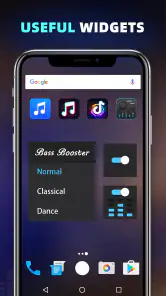
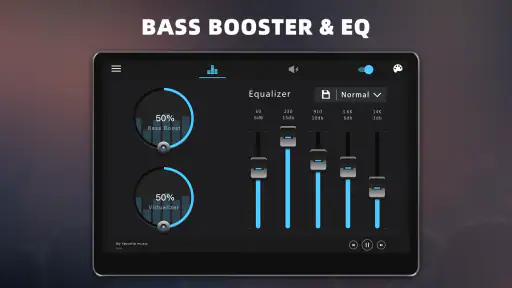
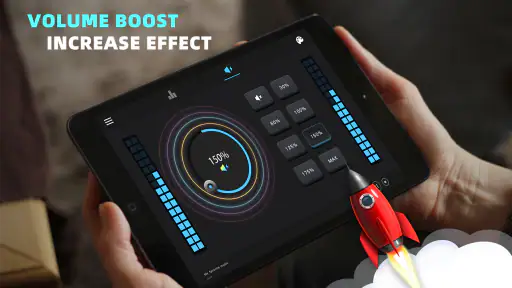
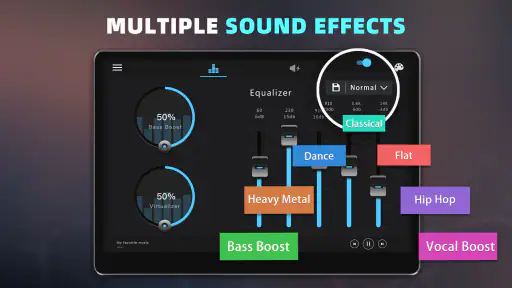
Analysis by Reviewed
Have you ever been jamming out to your favorite tunes and thought, "I wish this bass could hit just a little harder"? Well, you're in luck! Let me introduce you to the Bass Booster & Equalizer app, a nifty tool that's got your back when it comes to enhancing your music experience. Let's dive into what makes this app a must-have for any music lover.
Elevate Your Sound Experience
When I first downloaded the Bass Booster & Equalizer, I wasn’t entirely sure what to expect. But, boy, was I pleasantly surprised! The first thing I noticed was how intuitive the interface was. You don't need a degree in sound engineering to figure this one out. With just a few taps, you can easily navigate through its features.
Simple Yet Powerful
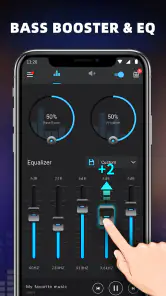
The app's main draw is its ability to enhance the bass output of your device. Whether you’re listening through headphones or blasting music out loud, the bass booster feature packs a punch. Suddenly, my usual playlist felt like a live concert in my ears. The audio quality is noticeably improved, making every beat feel more vibrant.
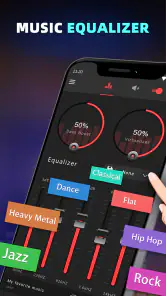
What’s more, the equalizer is fully customizable and comes with a variety of presets. Whether you want to boost those treble notes or give your music a bit more warmth, the app has got you covered. I particularly enjoyed the "Rock" preset which gave my guitar-heavy tracks an extra edge.
Features That Stand Out
Beyond the bass and equalizer adjustments, the app offers a few other cool features. There’s a virtualizer effect that gives your music a surround sound feel. I found this particularly immersive when listening to cinematic soundtracks or live recordings.
Another feature worth mentioning is the app's compatibility with streaming services. It seamlessly integrates with popular platforms, so you can enhance your Spotify or Apple Music sessions without any hassle. It’s like having your own personal sound technician tweaking your tunes in real-time.
A Few Considerations
While the app is generally a breeze to use, it does come with a few ads here and there. They’re not overly intrusive, but it’s something to keep in mind if you’re not a fan of interruptions. There’s an option to upgrade to a premium version to remove ads, which may be worth it if you find yourself using the app frequently.
Battery consumption is another aspect to consider. Like most audio-enhancing apps, it does tend to drain the battery a bit faster than usual. It’s a trade-off for that enhanced audio experience, but definitely something to be aware of if you’re planning a long day out with your music.
In conclusion, the Bass Booster & Equalizer app is a fantastic tool for anyone looking to take their music to the next level. With its user-friendly interface and powerful features, it’s a no-brainer for audiophiles and casual listeners alike. So, if you’re ready to feel every beat and immerse yourself in superior sound quality, give this app a try. You might just find it becomes an indispensable part of your music routine!
Pros
- Enhances audio quality efficiently.
- User-friendly interface design.
- Customizable sound profiles.
- Compatible with various music apps.
- Minimal battery consumption.
Cons
- Contains ads in free version.
- Some features are premium-only.
- Occasional app crashes.
- Limited settings for advanced users.
- Requires Android 4.3 and up.
- Category
- Music & Audio
- Version
- 1.9.4