PayPal Business
- 9.63K
- 3.9
- Installs
- 10.00M
- Price
- Free

Screenshots
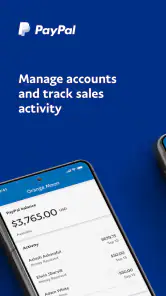
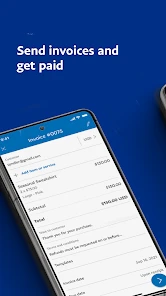
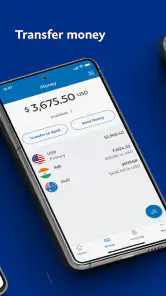

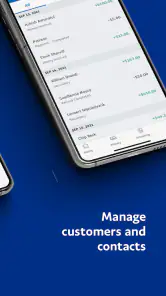
Analysis by Reviewed
My main takeaway is that PayPal Business is most useful when I want to handle routine payment tasks away from a desk, rather than replace every tool a business might need. It brings invoicing and payment activity together in a mobile app, which can make a busy day feel less scattered. I’d recommend it to independent sellers and small service businesses already comfortable using PayPal, while treating it as one part of a broader bookkeeping routine.
Where the mobile workflow earns its place
The biggest practical advantage is not that every business task happens in one place; it is that a few time-sensitive tasks are easier to do at the moment they come up. When a client asks for an invoice after a call, or a buyer wants confirmation before I hand over an order, being able to deal with the payment side from my phone can prevent a small delay from turning into another round of messages.
Consider a repair professional finishing a job at a customer’s home. They can prepare an invoice before leaving, then check for a payment update while travelling to the next appointment. That does not replace a proper record of the work or a written agreement about the job, but it can shorten the gap between completing the work and getting the payment process moving.
For a seller, the useful habit is to separate “payment activity looks promising” from “this order is ready to fulfil.” I would open the relevant transaction, compare it with the order details, and make sure the status fits the next step before shipping. That modest check is more reliable than acting on a notification alone, particularly when a busy day makes it easy to mix up one customer’s payment with another’s.
Setting Up and First Impressions
Jumping into PayPal Business is surprisingly straightforward. The app’s interface is clean and intuitive, which is crucial when you're trying to handle business transactions on the fly. Setting up was a breeze; I was able to link my bank account and get started in no time. There's a certain peace of mind knowing that you have a reliable platform for your business transactions at your fingertips.
That convenience matters most when a customer needs an invoice while I’m away from my computer or when I want to check whether a payment has arrived before completing an order. It is a business app from PayPal Mobile, and the focus is practical: keep key payment tasks close at hand instead of making me wait until I’m back at a desk. I would still take time to review the account and payment details carefully during setup; speed is useful, but accuracy matters when business money is involved.
Before relying on any mobile payment workflow during a rush, I’d spend a quiet moment getting comfortable with the account and invoice screens. A quick practice run with a real, low-stakes task can help me learn where I need to check details, without leaving an invoice half-complete while a customer is waiting. I’d also decide in advance how I’ll name or describe common services so entries remain recognizable later, rather than inventing a new wording each time.
More From Our News Desk

Weather by Xiaomi Review: Clear at a Glance, Less Clear Up Close

X Under Pressure: Can It Recover When Posting Goes Wrong?

Clash of Clans Is Won Between the Battles

Android Auto Makes the Case for Quieter Car Software

MobiOffice: Transforming Mobile Productivity with Seamless Integration

EA SPORTS FC™ Mobile Soccer: Redefining Mobile Sports Gaming
A sensible first-use question is whether the app fits the way customers already pay me. If most clients expect PayPal, its role is easy to understand. If they mostly pay through a different channel, the app may still be handy for some transactions, but it is less likely to simplify the whole routine. I would judge it by the payment and invoicing tasks I actually need to handle, not by the appeal of having another business app installed.
Features That Stand Out
One of the features I found particularly handy is the invoicing tool. You can create and send invoices directly from the app, which is a lifesaver when you're on the go. Plus, you can customize these invoices to match your brand, keeping everything professional and consistent.
A useful habit is to prepare invoice details consistently before sending them: clear descriptions make it easier for a client to understand what they owe and for me to recognize the transaction later. For recurring work, keeping wording and item descriptions consistent can also make invoices easier to scan. I would treat the app as a way to send and manage invoices, not as a substitute for a separate system that tracks every expense, tax obligation, or stock item.
One non-obvious benefit of that consistency is that it helps with the handoff between payment management and bookkeeping. If I describe the same kind of work in a similar way from one invoice to the next, I have a clearer trail when I later review transactions and match them to my own records. I would still keep the underlying paperwork and business notes where they belong, but predictable invoice language makes that cross-check less of a guessing game.
Another highlight is the ability to accept a variety of payment methods. From credit cards to bank transfers, PayPal Business handles it all. This flexibility is a game-changer, especially if you're catering to a diverse clientele. And let's not forget about the transaction notifications. They keep you updated with every payment or refund, so you're always in the loop.
Notifications are helpful as prompts, not as a complete reconciliation process. If I receive one after a customer pays, I’d still open the transaction and check the details before marking an order as settled. That small pause can help avoid confusing a payment update with a refund or another account event. For a sole trader juggling client messages and deliveries, that quick check can be more practical than logging into a desktop dashboard every time.
A useful way to avoid notification fatigue is to treat alerts as a reminder to review, not as a reason to keep checking the phone. I’d build payment checks into natural pauses in the day—after a job, before dispatch, or while updating records—rather than interrupting every task to react immediately. The app is most helpful when it reduces uncertainty; constant checking can undo that benefit.
Compared with a bank’s basic payment tools, this app is more appealing if customers already use PayPal or if sending a branded invoice is central to the workflow. A dedicated accounting app may be a better fit for someone who needs deeper expense tracking, reporting, or tax preparation. I see the choice less as one app replacing another and more as matching the tool to the task: mobile payment management here, detailed financial records elsewhere when needed.
It also differs from a full invoicing or accounting platform in what I would expect it to organize. A specialist tool may be preferable when I need a broader picture of unpaid bills, costs, and business performance; a bank app may be enough if I only need to check a balance or move money. PayPal Business makes most sense in the middle: for someone who wants to handle PayPal-related customer payments and invoices without treating a general-purpose finance app as the whole business system.
When deciding whether the invoice workflow is enough, I’d ask how often I need to reuse details and how much work happens after an invoice is sent. If the main task is creating a clear bill and monitoring its payment, the mobile approach is sensible. If I need to build a detailed forecast, track materials against each project, or prepare records across multiple payment channels, I would pair it with dedicated tools rather than force those jobs into a payment-focused app.
Security and Reliability
Security is a big deal, especially when money is involved, and the app doesn’t disappoint. It offers robust security features, including encryption and fraud detection, to ensure your transactions are safe. Knowing that my money is secure gives me the confidence to focus on other aspects of my business without the constant worry about financial mishaps.
I’d still keep sensible account habits in place and verify unusual activity rather than relying on any payment app to make every decision for me. For a business that ships goods, I would check the transaction itself before dispatching an order; for a service provider, I’d confirm the payment against the invoice before closing out the job. The app can make payment activity easier to follow, but the final operational checks remain mine.
That distinction matters because a payment record and a business decision are not the same thing. A transaction update can help me decide what to inspect next, but it does not tell me whether the delivery address is correct, whether the agreed work is complete, or whether I have filed the supporting documents I need. I would keep those checks in my normal order or project process, with the app serving as one source of payment information.
For a small business with more than one person handling orders, I would also agree on a simple routine for who checks payments and when. The point is not to add bureaucracy; it is to avoid two people acting on the same notification or assuming someone else confirmed an order. If that kind of coordination becomes a major requirement, a more comprehensive business platform may be a better central system, with this app retained for the payment tasks it suits.
The User Experience
Overall, using PayPal Business feels like having a personal business assistant in your pocket. The app is responsive, rarely glitches, and provides all the essential tools to manage a business efficiently. However, it does take a little time to explore all its features fully, especially if you're new to business apps.
Its audience is broader than online sellers, but not universal. A freelance designer, tutor, or repair professional who invoices clients and wants payment updates while out on jobs may find the mobile-first approach genuinely convenient. Someone whose work depends on complex approvals, detailed team controls, or extensive accounting workflows may be better served by specialist software, using PayPal only where it fits their payment process.
I would be particularly comfortable recommending it to a solo operator whose work is already organized around client jobs and straightforward invoices. A tutor can send a bill after a lesson; a designer can follow up on a project payment between meetings; a market seller can check activity without returning to a laptop. The common thread is not a particular industry, but the need to handle payment tasks in small pockets of time.
It is a weaker fit for a business that needs one shared workspace to coordinate a team, reconcile several payment providers, and produce detailed financial reports. In that situation, a dedicated accounting or operations system should be the main tool, and a mobile payment app should fill only a defined gap. Choosing the more specialized system is not a knock against PayPal Business; it is simply a better match when the work extends well beyond sending invoices and following transactions.
Readers may also wonder whether it can replace a bookkeeping routine. I would not use it that way. It can help me manage payment activity, but I would keep separate records for expenses, tax-related paperwork, stock, and the other details needed to understand the whole business. The practical answer is to decide what belongs in the app and what must be recorded elsewhere before relying on it as a daily tool.
The app is free, rated for Everyone, and has an average rating of 3.9 from around 107,000 ratings, with more than 10 million installs. It was released on November 28, 2016, and version 2025.04.24 requires Android 6.0 or later. Those figures suggest a well-established option, though popularity alone cannot tell me whether it suits a particular business; the deciding factor is whether its payment and invoice workflow matches the way I work.
A practical fit, not a complete back office
For someone comparing choices, I’d start with the everyday bottleneck. If it is the wait between finishing a job and getting an invoice to a client, or the need to check a payment before sending an order, this app addresses a clear part of that problem. If the bottleneck is chasing receipts, analyzing margins, or coordinating staff, an accounting or business-management tool is likely to bring more value.
There is also a useful trade-off in keeping payment activity on the phone: quick access is convenient, but it can encourage business decisions in the middle of distractions. I’d use the app to move a payment task forward, then return to my normal records and workflow when I have time to review the wider picture. That balance lets the phone help without turning every alert into an urgent instruction.
The platform has a 3.9 average from roughly 107,000 ratings, but I would not use that number as a promise about any individual experience. A rating can reflect a wide mix of businesses and expectations. I’d make the decision based on whether PayPal is already useful to my customers, whether I need mobile invoicing, and whether I am comfortable keeping broader bookkeeping in a separate place.
In conclusion, if you’re looking for a reliable and versatile app to manage your business transactions, PayPal Business is definitely worth checking out. It's not just about facilitating payments; it’s about providing a comprehensive tool that supports your business growth. So, go ahead, give it a whirl and see how it can streamline your operations. Happy transacting!
My more specific recommendation is to try it if your daily friction is sending invoices, checking incoming payments, or keeping up with refunds while away from your desk. I would skip it as a primary business hub if you need one place to handle accounting, inventory, and team processes in depth. Used for the job it does best, it can save small-business owners a few interruptions without pretending to replace their whole financial setup.
In practical terms, I’d give it a place in my routine when mobile access removes a real delay, not simply because it is available. I’d keep my invoice descriptions clear, check each important transaction before acting on it, and maintain separate records for the financial work that needs more depth. With those boundaries, PayPal Business is a useful companion for an independent business; without them, it is easy to expect a payment app to do the work of an entire office.
PayPal Business Frequently Asked Questions
Can PayPal Business help me decide whether a business app is the right choice for my work?
PayPal Business is a business-focused app from PayPal Mobile, with a store summary centered on sending invoices and managing business activity. Before downloading, consider whether those tasks match the way you handle your business payments and day-to-day work. The app is rated for Everyone, and its business focus may make it more relevant to people managing business activity than to those looking only for personal payment tools.
Is PayPal Business available for both Android and iOS?
PayPal Business is an app for business tasks, but its availability and device requirements depend on the platform and the store where you find it. On Android, it requires Android 6.0 or later. Check the app page for your device before installing, and make sure the developer is shown as PayPal Mobile so you select the intended app.
Does PayPal Business have an age rating, and who is it intended for?
The app has an Everyone content rating, while its features are aimed at managing business activity, including sending invoices. That rating can help families assess whether the app is suitable for a device, but it does not mean every feature is relevant to every user. Consider whether you need business-oriented tools before installing it, especially if you are looking for an app for personal use.
Is PayPal Business free to download, and what devices can run it?
PayPal Business is free to download and is intended for business tasks such as sending invoices and managing business activity. The app requires Android 6.0 or later on Android devices. Before installing, check that your device meets that requirement and that you are downloading the app published by PayPal Mobile.
Who develops PayPal Business, and how current is the app?
PayPal Mobile develops PayPal Business, an app for managing business transactions and activity. Its current version is 2025.04.24, and it was released on November 28, 2016. The app is rated for Everyone and is listed in the Business category. These details can help you identify the intended app and decide whether it suits your device and work needs before downloading.
Pros
- Easy integration with online stores
- Offers multi-currency support
- Provides detailed transaction reports
- Supports recurring payments
- Secure and reliable payment processing
Cons
- Higher fees compared to some competitors
- Customer support can be slow
- Account freezes can occur unexpectedly
- Limited customization for invoices
- Mobile app lacks some desktop features
- Category
- Business
- Version
- 2025.04.24













