PDF Scanner app - TapScanner
- 14.04K
- 4.6
- Installs
- 100.00M
- Price
- Free

Screenshots
Analysis by Reviewed
I find the most useful thing about PDF Scanner app - TapScanner is the way it turns a phone camera into a quick route from a loose sheet of paper to a document I can keep and send. That sounds simple, but it matters when I’m away from a printer or laptop and need a readable copy rather than a photo tilted across a desk. Tap AI makes this business app, and its focus on automatic document enhancement is a practical fit for that everyday job.
Why automatic cleanup matters
A camera photo often includes perspective distortion, uneven lighting, or a distracting background. A scanner app’s edge detection and image adjustment are intended to make the page easier to read and more useful as a document. In my experience, the real benefit is not making every scan look polished; it is reducing the small fixes I would otherwise have to do before sharing a page.
I still take a moment to check the result. A pale receipt, a curled corner, or a page with faint print can challenge automatic enhancement, so I would not assume every capture is ready without a quick review. For important paperwork, I make sure the full page is in frame and the text is legible before I send it. This extra check is faster than discovering later that a signature or a line of small print was missed.
What to check before sharing
Automatic cleanup is most useful when the paper and its surroundings are easy to distinguish. I place the page on a surface that contrasts with its edges, keep the phone as steady as I can, and avoid letting my hand cast a shadow over the text. These simple choices give the app a clearer image to work with; they also make it easier for me to spot a crop that has cut too close to a margin.
For a form with boxes, signatures, or handwritten notes, I zoom in on those areas before I consider the scan finished. The page can look convincing at thumbnail size while a small mark is blurred or clipped. If the document is important, I would rather retake one page immediately than send a file that someone else has to question or ask me to replace.
A useful routine for paperwork on the move
Imagine I’m leaving a meeting with a signed form and need to send a copy before I get home. I can capture the page with my phone, check the crop and clarity, then save or share a PDF instead of relying on a photo buried in my camera roll. For receipts, the same habit can help me keep records together rather than collecting scraps in a wallet. The value is less about dramatic editing and more about having a document ready at the moment I need it.
For multi-page paperwork, I would scan in a deliberate order and review the pages before exporting. That small step makes the final file easier for someone else to follow and avoids mixing up a cover page or attachment. A phone scanner is also handy for a single page from a book or a notice on a bulletin board, though a flatbed scanner remains the better choice when consistent color, fine detail, or large batches matter.
More From Our News Desk

Weather by Xiaomi Review: Clear at a Glance, Less Clear Up Close

X Under Pressure: Can It Recover When Posting Goes Wrong?

Clash of Clans Is Won Between the Battles

Android Auto Makes the Case for Quieter Car Software

MobiOffice: Transforming Mobile Productivity with Seamless Integration

EA SPORTS FC™ Mobile Soccer: Redefining Mobile Sports Gaming
Making a scan easier to find later
A useful scan is not only readable when it leaves the camera; it should also be easy to identify when I need it again. I use a plain, descriptive filename that says what the document is and, when useful, who or what it relates to. That habit matters especially for receipts and signed forms, where several files can look nearly identical in a camera roll. It also reduces the temptation to open each file just to work out which one I need.
When I am scanning several related pages, I decide first whether they belong in one PDF or should stay as separate files. A contract and its attached page may make sense together, while unrelated receipts are easier to review individually. The right choice depends on how the recipient will use the file, so I think about the person opening it rather than simply exporting everything in one batch.
Seamless Scanning Experience
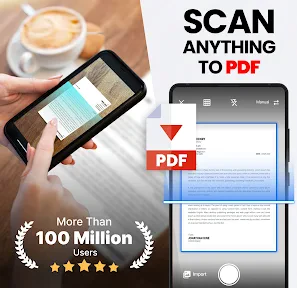
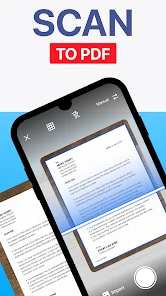
First off, the PDF Scanner app - TapScanner is super user-friendly. I’m not the most tech-savvy person out there, but the app’s interface is intuitive enough that I didn’t need a tutorial to get started. You just point your phone’s camera at the document you want to scan, and voila! The app recognizes the edges and adjusts the perspective automatically. The scans come out crisp and clear every time, without any hassle.
Quality and Versatility
One thing I love about this app is how versatile it is. Whether it’s a receipt, a page from a book, or an important document, TapScanner handles it all like a pro. The quality of the scans is top-notch, and the app even allows you to enhance the images if needed. Plus, you can choose from a variety of filters to make sure your scans look just the way you want them to.
I would treat those filters as a choice to test, not a guarantee that one setting suits every page. A high-contrast look can make printed text stand out, but it may also flatten a shaded mark or make faint handwriting harder to distinguish. For a document where the appearance matters, I compare the result with the original before settling on an adjustment. Keeping the image natural is often more useful than making it look dramatically processed.
Organize and Share with Ease
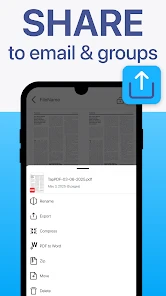
After scanning, organizing the documents is a breeze. You can save them into folders, and the app even lets you add tags for easier search and retrieval later on. Sharing the scans is also straightforward. You can email them or send them directly to other apps. I often find myself using the cloud integration feature, which is incredibly convenient for accessing documents from any device.
For work documents, convenience should not be the only thing guiding where a file goes. Before sharing a scan through an account or another app, I consider whether the document contains personal details, financial information, or a signature, and whether that destination is appropriate. If the file is sensitive, I follow the rules of the organization or the person who issued it rather than treating a quick share option as permission to send it anywhere.
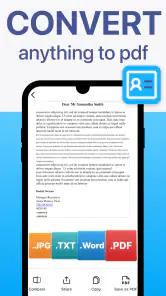
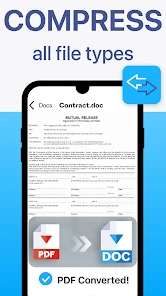
Another cool feature is the ability to export your scans as PDFs or images, depending on what you need. This flexibility is something I didn’t know I needed until I started using TapScanner. It’s just so practical!
Choosing the right format for the recipient
I use a PDF when the goal is to send a page as a document that should keep its shape and be easy to read across devices. An image can be more convenient when someone only needs to view or insert a single page, but it may be less tidy for a bundle of paperwork. Before exporting, I consider what the recipient is likely to open and whether several pages should stay together. That small decision can prevent a follow-up message asking me to resend the same material in a more useful form.
A scanner app is not a replacement for every step in a paperwork process. If someone needs to edit the words inside a scan, a clean image or PDF may still not be enough; I would check whether the receiving workflow accepts it as-is. Likewise, if a form must be completed digitally, scanning a paper copy is a different task from filling in an electronic form. TapScanner is most valuable when I need a faithful, shareable copy of what is already on paper.
Subscription Worth the Cost?
Now, let’s talk about the subscription. While TapScanner offers a free version, it does come with ads and some feature limitations. I decided to go for the premium version, and honestly, the ad-free experience and additional features have been worth it for me. If you’re someone who uses scanning apps frequently, you might find the investment worthwhile.
I would not pay simply because a scan app seems useful in theory. I would first use the free option on the actual paperwork I handle and notice whether the restrictions interrupt a regular task. The cost makes more sense to someone scanning for work or study every week than to someone digitizing a few receipts now and then. The available in-app purchases range from $1.49 to $99.99 per item, so I would read the offer and its terms in the app before committing rather than assume every purchase is the same kind of plan.
TapScanner is free to download, rated for everyone, and runs on devices with Android 9 or later. Its current version is 3.0.91, and it has an average rating of 4.6 from around 2.8 million ratings, with more than 100 million installs. Those figures suggest it has reached a broad audience, but what matters more to me is whether its quick capture-and-share workflow fits your paperwork habits. In-app purchases range from $1.49 to $99.99 per item, so I’d check the options in the app before paying; the free route may be enough if you only scan occasionally.
Where it fits—and where it doesn’t
Compared with taking ordinary camera photos, TapScanner is better suited to pages you want to crop, enhance, and keep as a document. Compared with a dedicated office scanner, it is more convenient for one-off pages and less compelling for high-volume scanning or jobs where exact color reproduction matters. I would also choose a secure, organization-approved workflow for confidential work documents rather than sending sensitive files through personal accounts or services without checking the relevant rules.
There is also a practical difference between a phone scanner and using the camera app with no extra processing. A regular photo is fine when I only need a visual reminder, such as a notice I will read once. When I want a page that looks like a document, is cropped for reading, and can be shared as a PDF, TapScanner has a clearer purpose. The trade-off is that the app adds a step: I need to check the crop and the result instead of assuming the camera has captured everything correctly.
Who will get the most from it
Students, freelancers, and people who need to submit forms while away from a desk are likely to get the most from it. Someone who scans only once in a while can try the free version first and see whether its limits are acceptable. If you regularly process stacks of paperwork, need consistent archival quality, or prefer a completely hands-off filing system, a desktop scanner or a more specialized document-management setup may suit you better. My advice is to test it on the kind of page you actually handle—especially small print or faint receipts—before relying on it for an important deadline.
It is particularly helpful for people who encounter paperwork in small bursts: a freelancer collecting a signed approval, a student saving a handout, or a traveler who needs a copy of a form before leaving a counter. The app can turn those moments into a scan-and-send task without waiting to reach a computer. On the other hand, anyone whose main need is searchable archives, automatic business filing, or dependable batch processing should compare it with tools built around those broader workflows rather than expect a phone scanner to manage the whole records process.
One question worth asking is whether a phone scan will be accepted by the person requesting the document. For many ordinary copies, a clear PDF is convenient, but requirements vary. If a form needs an original, a certified copy, or a specific method of submission, scanning it does not replace that requirement. I check the instructions first, especially for official or time-sensitive paperwork, so a readable file does not create a false sense that the submission is complete.
Overall, TapScanner has proven to be a reliable and efficient tool in my digital arsenal. Whether you’re a student, a professional, or just someone who likes to keep things organized, this app is definitely worth checking out. It’s made managing documents so much simpler and less time-consuming.
So, if you’re on the lookout for a handy scanning app that does more than just the basics, give TapScanner a try. It’s made my life easier, and I bet it will do the same for you!
PDF Scanner app - TapScanner Frequently Asked Questions
What does TapScanner do, and what kinds of documents can I scan?
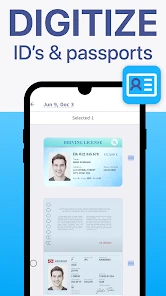
TapScanner is a business app for turning captured documents into PDFs, with AI-powered scanning and automatic enhancement intended to produce clearer results. It can be useful for digitizing everyday paperwork, such as work or study documents, so you can keep digital copies on your phone. Before downloading, consider whether a mobile scanning workflow and PDF output fit the way you handle documents.
Will TapScanner work on my phone, and which operating systems does it support?
TapScanner is a mobile app for scanning documents and creating PDFs. The Android version requires Android 9 or later, so check your device’s software before downloading. TapScanner is also described as an app for Android and iOS, but the version and compatibility details can vary by platform. The app is free to download, with optional in-app purchases, so you can explore its scanning tools before choosing to pay for anything.
Does PDF Scanner app - TapScanner work on both Android and iOS?
TapScanner is a mobile app for scanning documents and creating PDFs. Before downloading, check that your device runs a compatible operating system; the Android version requires Android 9 or later. The app is free to download, with optional in-app purchases, so you can consider whether its scanning tools suit your needs before choosing to pay for anything.
What are the main features of the PDF Scanner app - TapScanner?
The PDF Scanner app - TapScanner offers a range of features designed to make document scanning easy and efficient. Key features include auto-detection of document edges, high-quality PDF output, multiple filters to enhance document clarity, and the ability to share scanned documents directly from the app. It also supports cloud integration, allowing users to save documents to their preferred cloud storage service.
Is the PDF Scanner app - TapScanner free to use?
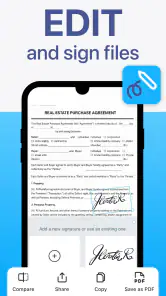
Yes, the PDF Scanner app - TapScanner offers a free version, which includes basic functionalities suitable for most users. However, to access premium features such as advanced editing tools, cloud storage options, and an ad-free experience, users need to subscribe to the premium version. This provides a more comprehensive scanning and document management experience. Optional in-app purchases are available, with prices ranging from around $1.49 to $99.99 per item.
Pros
- Fast and efficient scanning capabilities.
- High-quality output with clear text.
- Easy document management and organization.
- Supports multiple file formats for export.
- User-friendly interface with intuitive navigation.
Cons
- Contains ads in the free version.
- Limited cloud storage options.
- Requires in-app purchases for some features.
- May have occasional scanning errors.
- No OCR support in free version.
- Category
- Business
- Version
- 3.0.91













