Vault - Hide Pics, App Lock
- 55.90K
- 4.3
- Installs
- 100.00M
- Price
- Free

Screenshots


Analysis by Reviewed
For a first-time user, Vault - Hide Pics, App Lock is easiest to understand as a private space for selected photos, videos, and apps, rather than a replacement for every privacy tool on a phone. I’d consider it when I want a straightforward way to keep particular items out of casual view. The key is to decide what belongs there before moving files: a small, intentional collection is easier to manage than a rushed attempt to hide everything.
Who gets the most from a dedicated vault
I think this app makes the most sense for someone who occasionally lends a phone to a friend or family member, shares pictures from the regular gallery, or simply wants a little separation between everyday media and a few personal files. It is not a substitute for a screen lock: anyone who can use an already-unlocked phone may still interact with other parts of it. The value here is a distinct, locked destination for selected content, not a complete privacy shield for the device.
That distinction helps set sensible expectations. If your goal is to stop a curious person from casually browsing a chosen photo, a separate vault can be useful. If you need protection against a determined attacker, a managed work device, or a carefully organized archive accessible from several people’s accounts, I would look at the phone’s broader security settings or a different storage approach instead. A focused tool is often easier to use, but it should be matched to the problem it actually solves.
The Latest on Vault - Hide Pics, App Lock
Getting from setup to a useful first result
Vault is a free business app from Wafer Co., with optional in-app purchases priced from $0.99 to $30.99 per item. It is rated for Everyone, and its version 6.9.13.06.22 requires Android 6.0 or later. Its average rating is 4.3 from around 1.3 million ratings, with roughly 56,000 reviews and over 100 million installs. Those figures suggest that it is widely used, but they don’t tell me whether its particular approach fits your habits; that depends on how you handle private files and access on your own device.
What to expect when you open it
Right off the bat, Vault - Hide Pics, App Lock greets you with a clean and intuitive interface. No unnecessary frills or complicated menus here. It’s straightforward and gets the job done. Setting it up was a breeze. I just had to create a PIN or use my fingerprint, and voilà, I was in. The simplicity in design makes it easy for anyone to navigate, even if you're not a tech whiz.
For a calm first run, I’d set a PIN I can reliably remember and try the app with one unimportant image before moving anything I can’t afford to lose. That small test gives me a chance to see how the hide and restore steps fit my routine. It also avoids the common mistake of treating the app as a place to dump files without first understanding how I’ll retrieve them.
Making the first move without losing track
For that test, I would choose an image I can easily recognize and make a note of where I usually find it before hiding it. Then I’d open the vault, confirm the image is there, close the app, and return to it once more. The point is not to create a complicated checklist; it is to learn the path in both directions while the stakes are low. If I later need the file quickly, I already know whether I should look in the vault or restore it to the regular gallery.
More From Our News Desk

Android Auto Makes the Case for Quieter Car Software

MobiOffice: Transforming Mobile Productivity with Seamless Integration

EA SPORTS FC™ Mobile Soccer: Redefining Mobile Sports Gaming

How Microsoft OneDrive Became a Mobile Productivity Giant

How Google Translate Breaks Language Barriers Effortlessly

Why Google Sheets Is the Ultimate Mobile Productivity Tool
One small habit makes a noticeable difference: decide whether a file is meant to stay private or is only being tucked away temporarily. If it is temporary, I would restore it as soon as I have finished the task that prompted me to hide it. That keeps the vault from turning into a second, poorly labeled gallery. It also makes it easier to notice when something has been moved by mistake, since the collection remains short enough to recognize.
Choosing a lock and understanding its limits
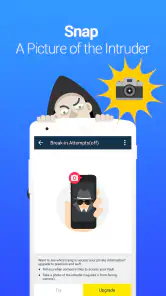
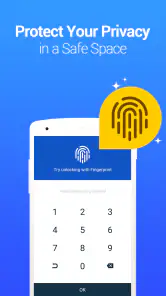
Now, onto what really matters - security. This app offers multiple options to lock your media or apps. You can choose from a PIN, password, or fingerprint lock. What I love about it is the break-in alert feature. If someone tries to access your vault without your consent, the app snaps a picture of them. How cool is that? You also have the option to set up a fake vault, which is like an extra layer of security for those extra paranoid moments.
I’d treat those options as practical layers, not a reason to assume that every privacy risk is solved. A fingerprint is convenient when I’m the only person using my phone, while a memorable PIN may be simpler to manage if I switch between devices or don’t want to rely on biometrics. A fake vault can be useful in a pressured situation, but it makes sense to understand how I’ll keep track of what I placed in each space. The app is less suitable for someone who wants a single, automatic system with no habits to maintain.
There is also a trade-off between convenience and discretion. A lock you can open quickly is easier to live with during ordinary use, but it still depends on you keeping access details safe and not sharing them casually. I would not choose a PIN that is easy for someone close to me to guess, nor would I assume a fingerprint option solves every situation where another person has access to my device. The best choice is the one I can use consistently without making access so awkward that I start leaving private files outside the vault.
For the break-in alert and fake-vault options, I would think through the real scenario before relying on either. An alert may be useful if someone makes an unsuccessful attempt while I am away, but it is not a way to prevent someone from using a phone that is already open. A decoy space may help in a particular moment, yet it can also create confusion if I forget which content I placed where. These are features to use deliberately, not settings I would enable and then never consider again.
Another noteworthy feature is the cloud backup. You can back up your hidden files to the cloud, so even if you change phones, your private media stays safe. Just make sure to remember your login details, or you might end up locked out of your own vault!
Before relying on backup, I’d make a deliberate decision about which files need it and keep the account details somewhere secure. A useful first check is to confirm that a test item is available after the backup step, rather than assuming the word “backup” means every file is already protected. If keeping media only on the current phone matters more to you than having a recovery route, think through that trade-off before turning backup into part of your routine.
Cloud backup is a choice, not a shortcut
For a person who changes phones or worries about losing access to important personal media, backup can be an important part of the workflow. I would still treat it as a separate decision from hiding a file: placing something in a vault and having a recoverable copy are different goals. Start with one low-stakes item, check what the app shows after the backup process, and keep the account credentials somewhere you can retrieve without storing them alongside the protected content.
If your priority is keeping a file only on one device, cloud storage may not be what you want. If your priority is being able to recover selected items after changing phones, it may be worth considering. Either way, I would not move a whole collection until I understand the backup behavior that matters to me. This is also a good moment to consider whether the app’s optional purchases are relevant to your needs: the app is free to install, while in-app purchases are available, so I’d check what is included before deciding to pay for anything.
A simple everyday workflow
In terms of performance, the app runs smoothly without any noticeable glitches. I didn’t experience any lag while switching between apps or accessing my hidden files. The developers seem to have put in some solid work here, ensuring that the app runs efficiently without draining your battery.
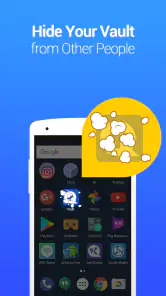
Usability is another area where this app shines. Adding files is as simple as selecting them and tapping the hide button. Plus, if you ever need to unhide something, it’s just as easy. The app also supports hiding app icons, which is a neat feature if you want to keep the existence of your vault a secret.
Here’s the kind of routine I’d use: after taking a personal photo I don’t want appearing while someone browses my gallery, I’d move that one image into the vault, then check that it is no longer where I usually see it and that I can still open it from inside the app. Later, when I need to share it, I’d retrieve it deliberately rather than searching through several folders. That extra check is a small but helpful way to avoid confusion about where a file went.
A more realistic day-to-day case
Imagine I am handing my phone to someone to scroll through vacation pictures. I can keep a few unrelated personal images out of the usual browsing flow, then open the vault myself when I want them. I would not move every photo from the trip: doing so would make sharing and finding ordinary shots needlessly cumbersome. Instead, I’d select only the items that have a clear reason to be private, test that they are accessible inside the app, and leave the rest in the normal gallery.
The same selective approach works for short-lived situations, such as keeping a personal image out of view while someone helps with a phone task. Once that need has passed, I’d decide whether to restore the image or keep it protected. That final choice matters because the app does not remove the need to remember where I put things. A quick personal inventory, even just knowing what belongs in the vault, is more useful than hiding files on impulse.
Where it fits among privacy options
Compared with relying only on a phone’s ordinary gallery organization, a dedicated vault gives me a separate place to access selected media and a lock for that space. Compared with a general file manager, its appeal is the privacy-focused workflow rather than broad file handling. I would still use built-in device security as the foundation for protecting the whole phone; this app is more useful for adding a separate boundary around chosen content than for replacing that foundation.
It may not be the right pick if you mainly need to share files across a team, sort a large archive, or avoid remembering another PIN or account. In those cases, a standard cloud storage service or the phone’s own privacy controls may fit better. For someone who wants a focused, manually managed place for a few personal items, the simplicity is an advantage—but the responsibility to remember access details and manage files stays with the user.
Questions worth settling before you rely on it
If you are wondering whether the app is suitable for a first-time user, I’d say yes if you are comfortable following a simple routine: choose a lock, hide one test file, and make sure you can retrieve it. The interface is approachable, but you still need to be intentional about access details and file locations. If you want protection that works entirely in the background without any maintenance, this manual approach may feel like extra work.
If you are asking whether you should hide an entire gallery, I would not start there. A small selection is easier to check, restore, and keep organized. If you are asking whether backup makes the vault automatically safe after a phone change, I would test the process with a file that is not important before trusting it with anything irreplaceable. And if you need to share content regularly, consider whether repeated hiding and restoring will be more cumbersome than using a normal shared storage option.
For someone deciding between this and built-in phone privacy controls, I would use the device’s own lock and security settings for the whole phone, then consider Vault only when I want a separate place for selected media or app access. For someone deciding between Vault and ordinary cloud storage, the question is whether private, on-device organization matters more than easy sharing and broad file management. Those are different jobs, so the better choice depends on the way you actually handle your files.
My recommendation
All in all, Vault - Hide Pics, App Lock is a fantastic choice for anyone looking to keep their personal media and apps secure. It combines ease of use with robust security features, making it a go-to for privacy enthusiasts. Whether you’re hiding photos from a nosy sibling or just want to keep your personal stuff private, this app has you covered.
So, if you're in the market for a reliable vault app, give this one a shot. Just remember to keep your PIN or password safe, or you might find yourself locked out of your own stuff!
Vault - Hide Pics, App Lock Frequently Asked Questions
How many people have downloaded Vault, and is it still actively available?
Vault has been available since December 16, 2011, and has over 100 million installs. That long-running presence makes it a familiar option for people looking for a place to hide photos and videos or lock apps. Its current version is 6.9.13.06.22, so check that the version offered for your device is compatible before installing.
What is the age rating for Vault, and is it suitable for general users?
Vault has an Everyone content rating, so it is presented as suitable for a general audience. Its purpose is to help users keep personal photos, videos, and apps private, which may be useful for adults and families alike. As with any privacy tool, consider who will use the device and choose a password that is not easy for others to guess.
Does Vault cost anything to download, and are there optional purchases?
Vault is free to download, so you can try its privacy tools without paying upfront. The app also offers in-app purchases, with options ranging from $0.99 to $30.99 per item. Consider whether you need any paid extras before purchasing, and review the purchase details shown in the app so you know what each option includes.
What is Vault - Hide Pics, App Lock and how does it work?
Vault - Hide Pics, App Lock is a privacy-focused application designed to secure your personal photos, videos, and apps from prying eyes. It works by creating a secure, password-protected environment where you can store sensitive files. The app also offers an app lock feature, allowing users to lock individual apps to prevent unauthorized access. Its store summary also highlights cloud backup as a feature for keeping a copy of your protected content.
Is Vault - Hide Pics, App Lock safe to use for protecting my photos and videos?
Yes, Vault - Hide Pics, App Lock is designed with security in mind, offering robust encryption to ensure your photos and videos are safe from unauthorized access. The app uses advanced security protocols to encrypt your data, ensuring that your privacy is maintained even if your device is compromised. However, always ensure to keep your app and operating system updated for better security.
Pros
- Easy-to-use interface for quick navigation.
- Strong encryption ensures data security.
- Supports a wide range of file formats.
- Customizable lock settings for user preference.
- Offers cloud backup for data safety.
Cons
- Contains ads that can be intrusive.
- Some features require in-app purchases.
- May slow down older devices.
- Limited free cloud storage available.
- Occasional crashes reported by users.
- Category
- Business
- Version
- 6.9.13.06.22











