TeamViewer Remote Control
- 19.99K
- 4.4
- Installs
- 100.00M
- Price
- Free

Screenshots

Analysis by Reviewed
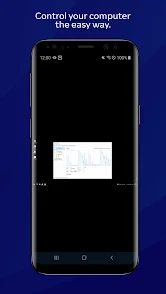
I think of TeamViewer Remote Control as a way to handle a small, specific job on a computer I cannot reach in person, not as a replacement for sitting at that computer. That distinction matters: a phone can be a convenient remote window onto a desktop, but it is still a phone. Used with a clear purpose and a little preparation, the app can save a trip back home or help me guide someone through a computer problem.
A practical workflow for remote access
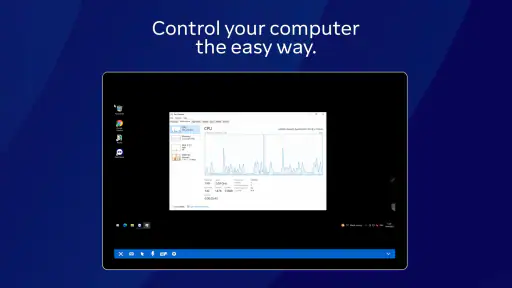
I find remote control most useful when I treat it as a planned way to reach a particular computer, rather than a substitute for carrying a laptop everywhere. For example, if I leave a document open at home and need to check a detail while out, I can connect from my phone, navigate to the relevant window, and read or update what I need. On a small screen, the sensible goal is a quick, focused task; editing a long document or doing precise design work is still more comfortable at a desk.
TeamViewer is a business app developed by TeamViewer, and its appeal is that it connects a mobile device with a computer instead of limiting remote access to one type of device. The app is free to download, has an Everyone age rating, and offers in-app purchases ranging from $0.99 to $610.80 per item. It has a 4.4 average from around one million ratings and over 100 million installs, which suggests it has become a familiar choice for people who need to reach devices remotely.
A useful everyday example is realizing on the way to a meeting that a file is saved on the computer at home, not on the phone. I would connect, confirm I have reached the right desktop, retrieve or check the needed item, and disconnect once finished. That is a much better fit than trying to rewrite a presentation or make detailed layout changes using touch controls while walking between places.
It can also be useful when helping a family member who can describe a problem but struggles to explain which menu is open. With permission and a clear understanding of what they want changed, remote control can make it easier to see the same desktop and work through the issue. For sensitive accounts or files, I would keep the person involved and avoid treating access as a reason to browse beyond the task.
Getting Started with Ease
One of the first things I noticed about TeamViewer Remote Control is how straightforward it is to set up. Whether you're a tech newbie or a seasoned pro, you'll appreciate the intuitive interface. Just download the app on your mobile device and install the corresponding software on your desktop or laptop. The app provides a unique ID and password for each session, ensuring your connection is secure. I found this particularly reassuring, knowing that my data is protected while being accessible from anywhere. The setup process was a breeze, and I was up and running in no time.
Settings and habits worth checking
Before relying on remote access for an important task, I recommend connecting once while you are physically near the computer. That lets you confirm the target device and get comfortable with the on-screen controls before you need them in a hurry. I also make a habit of checking which computer I am about to connect to, especially if I use more than one. A moment spent verifying the destination is better than changing settings on the wrong machine.
More From Our News Desk

Weather by Xiaomi Review: Clear at a Glance, Less Clear Up Close

X Under Pressure: Can It Recover When Posting Goes Wrong?

Clash of Clans Is Won Between the Battles

Android Auto Makes the Case for Quieter Car Software

MobiOffice: Transforming Mobile Productivity with Seamless Integration

EA SPORTS FC™ Mobile Soccer: Redefining Mobile Sports Gaming
Remote access depends on the computer being reachable, so I would not assume a phone app can help if the computer is unavailable. Test your usual setup ahead of time and make sure you know how you will sign in. Treat session details as sensitive: remote control gives access to the computer itself, so use it only with devices and accounts you are authorized to access. These small routines matter more than trying to rush through a connection when something has gone wrong.
I would also decide in advance what counts as a successful session. For a quick check, that might mean finding one document and confirming a detail, rather than exploring the desktop or changing several things. This helps keep the task short and makes it easier to notice if I have opened the wrong computer or taken an unexpected path.
When the connection is for someone else’s device, I find it sensible to agree on the task before starting and explain what I am doing as I go. Remote access can feel disorienting to the person at the computer because the pointer may move without their hand on the mouse. A little communication makes troubleshooting more comfortable and reduces accidental clicks.
Features That Stand Out
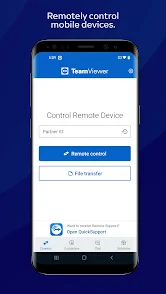
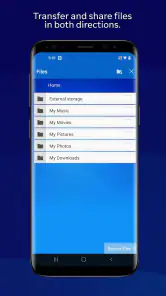
What truly sets TeamViewer apart is its rich feature set. Not only can you control your computer remotely, but you can also transfer files seamlessly between devices. Imagine working on a document on your desktop and needing to access it on your phone while on the go. With TeamViewer, it's as easy as dragging and dropping the file into the app. The app also supports multi-monitor setups, which is a lifesaver for those of us who like to maximize productivity.
Moreover, TeamViewer's cross-platform compatibility is impressive. Whether you're using Windows, macOS, Android, or iOS, this app has got you covered. It even supports remote printing, which means you can print documents from your mobile device directly to your home or office printer. Talk about convenience!
File transfer is most valuable when I treat it as a separate, deliberate part of the job. If I only need a finished document on my phone, moving that file is usually more practical than opening it remotely and trying to work inside it. Conversely, if I need to use a program that exists only on the computer, remote control may be the useful part and transferring a copy may not solve the problem.
Remote printing is similarly task-specific. It can help when a document must come out of a printer connected to the remote setup, but it is not a reason to assume every printer will be available in every situation. I would test the particular arrangement before depending on it for something time-sensitive, and keep a second way to obtain the document if the print job is essential.
Faster patterns for everyday tasks
For recurring work, I get more value by keeping each connection focused: open the computer I need, complete one clear task, transfer only the file I need, and then end the session. That approach keeps phone-based control manageable and reduces the chance of leaving a remote desktop in a confusing state for the next person using it. File transfer is especially handy when the goal is moving a finished item, rather than trying to do all the work through a touch screen.
Multi-monitor support can also change how I approach troubleshooting. If a window seems to have disappeared, checking the other display is more useful than repeatedly clicking around the visible desktop. This is a practical benefit for helping someone who works across screens, but it does not make a phone display as spacious as a full monitor. When the task involves lots of precise clicking, I would switch to a tablet or computer if one is available.
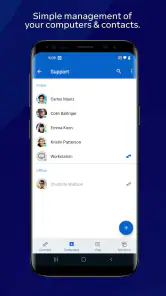
For repeat visits, I get the best results by keeping my own routine consistent rather than relying on memory under pressure: identify the computer, connect, do the agreed task, confirm the result, and leave the session. That simple sequence is especially helpful if I use the app for several different machines. It avoids the common mistake of assuming that the last computer I used is automatically the one I need now.
If a job involves copying a file, I decide which direction it needs to travel before connecting. That sounds obvious, but it cuts down on fumbling through a small interface while trying to remember whether the original is on the phone or the remote computer. I also prefer to transfer only the item needed for the task, rather than turning a quick remote session into an untidy file-handling exercise.
Performance and Reliability
In terms of performance, TeamViewer Remote Control delivers a smooth and responsive experience. The connection quality adapts to your network speed, ensuring minimal lag and a crisp display. I was pleasantly surprised by how well it handled video streaming and graphic-intensive applications. It's like having your computer in the palm of your hand, literally!
Reliability is another area where TeamViewer shines. I experienced no crashes or unexpected disconnections during my time with the app. It's consistently stable, which is crucial when you're relying on it for work or personal tasks. Plus, the customer support is top-notch, ready to assist you should you encounter any hiccups along the way.
Even when a session feels responsive, I would not use a small touch screen for work where a missed click could have a serious consequence. A phone is fine for checking a setting or locating a file, but the risk of mis-tapping rises when the desktop is dense or the task involves a long sequence of precise actions. In those cases, I would wait until I could use a larger screen and a mouse.
It is also worth separating app reliability from access reliability. The app can be stable while a particular computer is unavailable or the connection is unsuitable for the moment. If I need a file for a deadline, I make sure there is a local or otherwise accessible copy rather than treating remote access as the only route.
Where another approach may work better
Compared with using a built-in remote desktop option, TeamViewer is appealing when I need a familiar route between different kinds of devices, or when file transfer and remote printing are part of the job. A platform-specific tool may be a better fit if I only need to connect within one operating system and prefer to stay with its existing tools. Likewise, if I need extended, precise work, a laptop or desktop is more comfortable than controlling a computer through a phone.
I would also be cautious about choosing it for a task that depends on uninterrupted access without first testing the connection in the place and network where I will use it. Remote control is only as useful as the computer’s availability and the connection between devices. For occasional help with a relative’s computer, checking a home machine, or retrieving a file, that trade-off is often reasonable; for work that cannot tolerate a failed connection, I would keep a local alternative ready.
The choice between TeamViewer and a built-in remote option comes down to what I need to connect and how often. If I am staying within one platform and want the simplest arrangement, the existing tool may be enough. If I move between mobile and desktop devices from different ecosystems, or value file transfer as part of the workflow, TeamViewer has a stronger case. I would compare the actual setup I use rather than choosing based on a feature list alone.
It is not the right pick for everyone. Someone who rarely needs to reach another computer may find that installing and maintaining a remote-access routine is more effort than it saves. People who want to avoid remote control altogether, or who need dependable access to a computer that is often shut down or offline, should choose a workflow that does not depend on reaching that machine. And for extended editing, a conventional computer remains the more comfortable tool.
One practical question is whether the app is useful if I only need to retrieve a file. It can be, especially when the file is on a computer I can reach and I want to transfer it rather than work on it from the phone. If the file is already available through another service or device, that simpler route may be quicker. I use remote access when it solves the specific gap, not just because it is available.
Another question is whether it is suitable for occasional family support. I think it can be, provided the other person agrees, the correct computer is selected, and the task is clearly limited. For a confusing or sensitive change, I would slow down and have them follow along rather than making unexplained alterations remotely. If the person needs hands-on instruction or the problem is physical, remote control cannot replace being there.
Wrapping Up My Experience
In conclusion, TeamViewer Remote Control is a robust and versatile app that meets the demands of modern-day connectivity. Whether you're a business professional needing to access files on the go or a tech-savvy individual looking to manage multiple devices, this app has something for everyone. It's user-friendly, packed with features, and reliable—what more could you ask for?
The current version is 15.72.19, and the app requires Android 8.0 or later. It has been available since June 14, 2011, and that long history helps explain why it is a recognizable name in remote access. For me, the best fit is someone who wants one mobile way to reach a computer across common platforms, with file transfer and multi-monitor support as useful extras. Someone who only needs occasional, same-platform access—or who prefers not to manage a remote session—may be happier with a simpler built-in option.
So, if you're on the hunt for a remote control app that ticks all the boxes, give TeamViewer a try. Trust me, it won't disappoint!
TeamViewer Remote Control Frequently Asked Questions
Do I need an account to use TeamViewer Remote Control?
Before downloading, consider how you expect to connect and whether you are ready to set up the access needed on both devices. TeamViewer Remote Control is built around connecting devices, and the setup can vary with the device and the way TeamViewer is configured. Keep the device owner involved so access is arranged with their knowledge and permission.
Can I use TeamViewer Remote Control to help someone who is not nearby?
The app is intended to keep you connected to devices wherever you go, so remote assistance is one practical use. The other device must be prepared to accept a connection, and the people involved should coordinate so the connection can be approved and used appropriately. Whether it suits a particular support task depends on the devices and how TeamViewer is set up.
Can TeamViewer Remote Control be used without installing it on the device I want to access?
TeamViewer Remote Control is designed for connecting devices, so the device being accessed needs to be set up to accept a remote connection. The experience depends on the device and how TeamViewer is configured there. Before downloading, consider whether you can install or prepare the necessary TeamViewer software on the other device and whether its user can approve the connection.
Who develops TeamViewer Remote Control, and what should I expect from the app?
TeamViewer Remote Control is developed by TeamViewer and is a business app intended to help people stay connected to their devices wherever they go. It can be useful for accessing a computer or another supported device remotely, whether you need to provide assistance or manage work away from your desk. Its suitability depends on the devices and tasks involved.
What is TeamViewer Remote Control and how does it work?
TeamViewer Remote Control is a software application that allows users to remotely access and control another computer or mobile device. It works by establishing a secure connection between devices, enabling users to perform tasks such as troubleshooting, file transfers, and remote management. The app supports cross-platform compatibility, meaning you can connect between different operating systems seamlessly.
Pros
- Easy remote access setup
- Supports cross-platform connections
- Stable and reliable connection
- Secure data transmission
- User-friendly interface
Cons
- Free version has limited features
- Requires good internet speed
- Occasional connection drops
- Complex for non-tech savvy users
- High resource consumption
- Category
- Business
- Version
- 15.72.19












