Origami World: Learn & Play
- 87.00
- 3.4
- Installs
- 1.00M
- Price
- Free

Screenshots
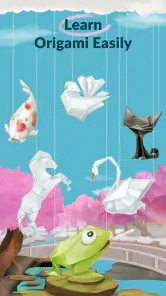
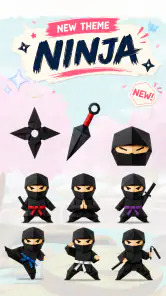
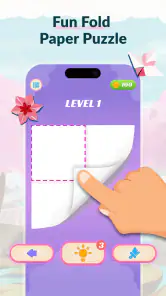
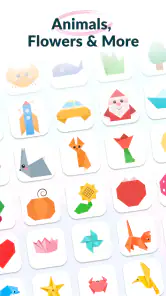
Analysis by Reviewed
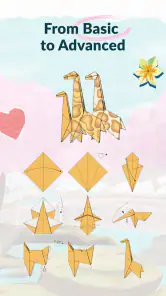
I like paper crafts most when the instructions make the first fold feel manageable rather than turning a relaxing idea into a test of patience. Origami World: Learn & Play is aimed at that beginner-friendly space: it is an art and design app built around guided paper folding, with playful elements alongside the lessons. My overall impression is that it suits people who want a small creative activity on their phone, especially when they are curious about origami but do not yet know how to read traditional diagrams.
That focus also sets expectations. This is not a substitute for a table, real paper, and a patient video instructor when you want to master a complicated model. Its value is in making it easier to start, practise a sequence, and decide whether folding is a hobby you want to pursue further. If that sounds appealing, the app is worth considering; if you already know what you want to make and need highly detailed, advanced instruction, a specialist tutorial may serve you better.
What the app offers today
A gentle route into paper folding
Developed by Neli Creative, the free app presents origami as something to learn in approachable steps rather than as a craft that demands prior knowledge. Its current version is 1.3.8, and the product is rated for Everyone. That combination makes it an easy option to consider for a casual first attempt, a family activity, or a short creative break. The key question is not whether it replaces paper craft resources, but whether its guided approach helps you get from curiosity to your first successful folds.
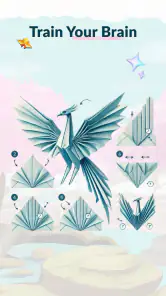
In practice, a digital guide is most useful when I can keep my attention on the shape and the order of operations. Origami has a low cost of entry, but a small mistake early on can make later folds confusing. A good lesson reduces that friction by showing what to do next and giving a learner room to follow at their own pace. The app’s emphasis on easy guidance is therefore a sensible starting point, though it should not be confused with a promise that every model will be effortless.
The playful side may be a useful nudge for people who would otherwise abandon a craft lesson after a few steps. It gives the experience a lighter feel than opening a dense diagram collection, which can be intimidating if you have never folded anything beyond a paper plane. I would approach that playfulness as an invitation to practise, not as a replacement for the patience and precision that real paper requires.
How it compares with common alternatives
Compared with free-form origami videos, an app-led lesson can feel easier to revisit: you are already in a focused learning space, rather than searching through clips and trying to remember which point in a video showed a particular crease. Videos still have an advantage when you need to see a fold from multiple angles or watch how hands position the paper. A printed diagram, meanwhile, is convenient when you want to keep a reference beside your work without looking back and forth at a screen.
For a beginner, the strongest choice depends on the kind of confusion you encounter. If the difficulty is knowing what step comes next, a guided app is a natural fit. If you understand the sequence but cannot tell how a fold should look in three dimensions, a well-shot video or an in-person demonstration may be clearer. For experienced folders seeking precise models or specialist techniques, a dedicated origami reference is likely to offer more depth. I see this app as a friendly on-ramp rather than the final destination for every paper-folding interest.
A practical tip is to treat each guide as a sequence to learn, not a race to finish. Before starting, use paper that is easy to crease and keep a flat surface nearby. If a step goes wrong, unfolding one move and checking the shape is usually more helpful than pressing ahead and hoping the later stages will fix it. That simple habit matters because digital instructions can guide your hands, but they cannot correct a crease you have already made.
Who is likely to enjoy it
I would recommend giving it a try if you are new to origami, want a low-pressure craft activity, or are looking for a screen-based prompt that leads to something made with your hands. It could also work well for a parent or caregiver who wants an activity to try alongside a child, provided an adult is comfortable helping with tricky folds. The Everyone age rating is reassuring as a broad content classification, but the actual experience still depends on the child’s patience, dexterity, and ability to follow steps.
It is less suited to someone who expects an exhaustive library of advanced models, detailed theory, or the same flexibility as a human teacher. If your main goal is to produce a particular complex figure, check that the app’s available guidance meets that need before relying on it. And if you dislike learning from a phone while handling paper, a book or printed instructions may feel more comfortable. The best reason to choose this app is that its guided, playful framing makes the first few attempts feel approachable.
A realistic way to use it in everyday life
One easy scenario is a short break at home: I would open a lesson, gather a few sheets of paper, and set aside a quiet stretch rather than trying to fold while walking or multitasking. For a family activity, it can help to let one person follow the on-screen steps while another handles the paper, then swap roles. That turns the instructions into a shared project and makes it easier to spot when a fold has gone off course.
Another useful approach is to make a small practice pile instead of saving the best paper for a first attempt. The first sheet can be used to understand the sequence; the next can be the more careful version. This is a simple but often overlooked trade-off with any digital origami guide: the screen can make a model look straightforward, while the feel of the paper and the accuracy of your creases still determine the result. Practising once without pressure can make the second attempt much more satisfying.
Cost, audience, and the current release
The app is free to install, with in-app purchases listed from $2.49 to $35.99 per item. That range is worth bearing in mind if you are deciding whether to explore beyond the free experience. I would first see whether the included guidance matches your interests, then consider any paid option only if it clearly adds the lessons or access you actually want. This avoids spending simply because a purchase is available, especially when free videos, library books, or paper diagrams may already meet your needs.
Its 3.4 average comes from around 7.8 thousand ratings, while the app has over 1 million installs. Those figures suggest a sizable audience but also a mixed reception, so I would not assume the experience will suit everyone equally. The smaller pool of written reviews—about 87—offers less room for detailed consensus than the rating count alone might imply. For a prospective user, the fairest approach is to judge the app by whether its teaching style fits your learning habits rather than treating popularity as a guarantee of quality.
The release information places the app’s debut on June 29, 2026, with version 1.3.8 as the current release. That establishes a clear point in its product history, but a version number by itself does not tell me what changed between releases. I would not read it as proof of a particular new feature or improvement. For someone already using the app, the useful takeaway is simply to check that their installed version is current before troubleshooting a difference in how the experience behaves.
What existing users should weigh
Continuity matters more than the version number
If you already use the app, the current version gives you a reference point, not a reason to expect a dramatic redesign. The practical effect of an update is best judged by the lessons and controls you rely on: do your usual guides remain easy to find, can you still follow the steps comfortably, and does the app continue to work on your device? Those are the questions that matter more than assuming that a higher version number means a larger or better collection.
The minimum operating-system requirement is version 9, which helps establish compatibility for people deciding whether an older device can run it. If your phone is near that threshold, check its system version before planning a craft session around the app. Even on a compatible device, the size of the screen and how comfortably you can see a fold are relevant. A larger display can make it easier to compare the paper in your hands with what is shown, while a small screen may require more careful positioning.
One non-obvious workflow improvement is to prepare the physical workspace before opening a lesson. Keep the paper aligned, clear enough table space to turn it, and decide whether you are following the screen or mirroring it with another person. This reduces the awkward cycle of putting down a half-folded model to find the next instruction. It is not an app feature, but it makes the guided format substantially more useful in real life.
Where the experience can still feel limited
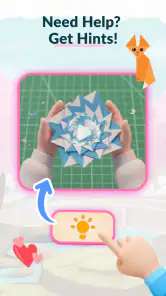
Step-by-step guidance is only as helpful as its clarity for the individual learner. Some people understand a crease from a still image or simple cue; others need a moving demonstration, verbal explanation, or an instructor to point out the exact edge being moved. If a model becomes confusing, repeating the same step without changing your approach may not help. Pause, compare the shape from another angle, and consider using a video reference for that particular fold rather than assuming you are doing something wrong.
There is also an unavoidable difference between learning on a screen and learning with paper. An app can show a sequence, but it cannot feel whether your paper is too thick, tell you that a crease is uneven, or help you recover from a badly aligned corner. Beginners may need a few attempts before the diagrams or prompts make sense. I would call that a limitation of the format rather than a reason to dismiss the app, but it does mean that patience and practice are part of the experience.
The purchase range creates another decision point. Free access makes it easy to explore, but paid items can become less attractive if you only want one occasional activity. Before buying, think about whether you are likely to return to the material and whether the added content addresses a real gap for you. If you are only curious about folding one simple model, borrowing a book or finding a suitable free tutorial could be the more sensible choice.
What I would look for next
For future updates, I would pay attention to whether the app continues to feel clear for first-time folders and whether its available guidance serves different levels of experience. Those are meaningful signals for this kind of product: a beginner needs unambiguous steps, while a returning user needs enough variety to stay interested. I would also look for practical improvements that make it easier to resume a lesson or recover when a fold goes wrong, without assuming that any particular change is already planned.
If you are considering installing it, my recommendation is straightforward: try it as a low-pressure introduction to paper folding, use ordinary practice paper, and give each instruction your full attention. The app is free to start, but optional purchases make it worth checking what you will actually use before paying. With a 3.4 average, it is not an automatic recommendation for every learner; still, its combination of guided crafting and play may be just right if you want a gentle push to make something away from the usual scroll.
My verdict: Origami World is a reasonable first stop for curious beginners who want structure and a light tone, especially for short solo or family craft sessions. I would skip it if you need advanced, highly detailed instruction or know you learn best from live demonstrations. For everyone in between, approach it as a practice companion: let it introduce the sequence, let real paper teach you the feel of each fold, and move to a book or video when a step needs a different explanation.
Origami World: Learn & Play Frequently Asked Questions
What is Origami World: Learn & Play?
Origami World: Learn & Play is an educational craft app focused on teaching users how to make origami, the art of folding paper into shapes and figures. It is intended for beginners as well as people who already enjoy paper crafts and want new projects to try. The app’s exact collection of models and features may vary by version, so check its store listing before downloading.
Is Origami World: Learn & Play suitable for children and beginners?
Origami can be a fun way for children and adults to practise patience, concentration, and following instructions, and the app’s learn-and-play concept may appeal to first-time folders. However, ease of use depends on how clearly each project is explained and the difficulty of the available designs. Younger children may need an adult to help interpret steps and handle paper safely.
Does the app require an internet connection?
Whether Origami World: Learn & Play works offline can depend on the app version and how its lessons are delivered. Some apps keep instructions available on the device, while others may need a connection to load content, display advertisements, or access additional features. If you plan to use it while travelling or away from Wi-Fi, check the store description and test a lesson before relying on offline access.
Is Origami World: Learn & Play free, and does it include ads or in-app purchases?
The price, advertising, and in-app purchase arrangements can differ by platform, region, and release version. A free download does not necessarily mean every lesson or feature is free, so review the app-store listing for any stated purchases, subscriptions, or ads before installing. On a child’s device, it is also sensible to check the store’s purchase controls and parental settings.
What do I need to start making origami with the app?
You will generally need suitable paper and a flat surface; beginner projects can often be attempted with ordinary square paper, though some designs may work better with paper of a particular size or thickness. Follow the materials and preparation notes shown for each model, if provided. Before beginning, make sure the instructions are visible on your device and that you have enough room to fold comfortably.
Pros
- Step-by-step folding instructions make projects easier to follow.
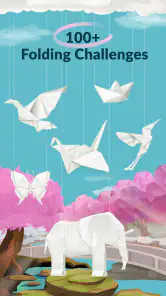
- A range of designs offers options for different skill levels.
- Origami activities can help develop patience and fine motor skills.
- Finished models provide a fun way to share creations with others.
- The learning-and-play format can make paper folding engaging for kids.
Cons
- Some folds may be difficult to understand on a small screen.
- Beginners may need extra practice to complete certain designs.
- Paper quality and size can affect how well models turn out.
- Screen time may be required throughout the folding process.
- The app may appeal less to users looking for advanced origami techniques.

- Category
- Art & Design
- Version
- 1.3.8