Nexus - AI Video Generator
- 349.00
- 3.7
- Installs
- 10.00M
- Price
- Free

Screenshots

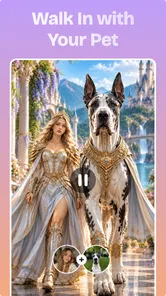



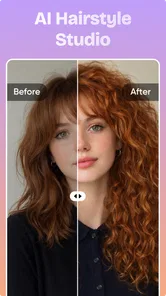

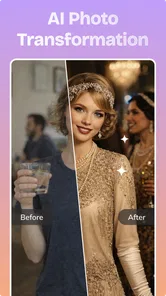
Analysis by Reviewed
I’d approach Nexus as a quick creative workshop rather than a replacement for a full video editor. It is an AI video and photo app from DQL TechLab, aimed at turning an idea into a piece of visual content without making you build every frame by hand. That makes it most appealing when I want something eye-catching to share, but do not have the time or skills for a detailed editing session.
The important distinction is that AI generation is not the same as precise editing. An app in this space can help you get from a prompt or creative direction to a finished-looking result, but the outcome still depends on choosing a clear idea and judging what the tool produces. I would use Nexus to explore concepts, make social content, or create a starting point—not assume that every output will be ready for a client, campaign, or polished personal project without review.
Where it fits among creative apps
It helps to decide what kind of tool you are comparing Nexus with. A conventional photo editor starts with an image and gives you direct control over adjustments; a video editor typically centers on trimming, arranging, and refining footage. An AI generator takes a different route: it can help you explore a visual direction, but it is not a substitute for those hands-on controls. I would choose it when the blank page is the problem, not when I already have footage and need exact edits.
That makes it a better match for informal creators, curious beginners, and people who need a visual spark than for anyone with a tightly specified production brief. If you are deciding whether to install it, ask yourself whether you want to make something new from an idea or polish material you already have. The first points toward Nexus; the second usually points toward a regular editor.
Start with a clear idea, then judge the result
I start with a specific purpose rather than an elaborate prompt: deciding who the visual is for and where it will appear makes the first result easier to judge. In this section, I’d focus on a simple workflow that separates exploring an idea from choosing something worth sharing, so the next section can look at which creation choices deserve attention before I invest more time.
A baseline workflow that keeps experiments useful
My first step would be to decide what the image or video needs to do. “Make something dramatic” is a loose brief; “a quiet, dreamlike scene for a short post” gives me a more useful target. This matters with AI tools because an attractive result can still miss the point. A simple goal—mood, subject, and intended use—gives me a better basis for judging whether a generation is worth keeping.
I would then treat the first attempt as a draft, not a final. If the result is close, I would adjust one part of the idea at a time rather than rewriting everything. Changing the subject, mood, and visual direction all at once makes it difficult to tell which change helped. That small habit turns casual trial and error into a repeatable process and makes it easier to learn what kinds of instructions work for my own projects.
More From Our News Desk

Weather by Xiaomi Review: Clear at a Glance, Less Clear Up Close

X Under Pressure: Can It Recover When Posting Goes Wrong?

Clash of Clans Is Won Between the Battles

Android Auto Makes the Case for Quieter Car Software

MobiOffice: Transforming Mobile Productivity with Seamless Integration

EA SPORTS FC™ Mobile Soccer: Redefining Mobile Sports Gaming
For a realistic everyday use, imagine I have a few minutes before sharing a post and want a visual that feels more distinctive than a plain photo. I could use Nexus to explore a stylized direction, compare the result against the tone of the post, and keep only what actually fits. If the generated material feels inconsistent with the message, I would rather use a straightforward photo or a conventional editor than force an AI-made image into place.
The same approach helps when creating a short visual concept for a group chat, a personal project, or an early social post. I would keep the request focused and check the result at the size where people will actually see it. Fine details that look interesting on a larger screen may disappear on a phone, while an image that reads clearly as a thumbnail can be more useful than a busier one.
Settings and choices worth checking before you commit
Before spending time on an idea, I would look carefully at the choices the app presents for creating and saving content. In a generator, small decisions about style or output can have a bigger impact than a long prompt. I would make one test first, inspect the result, and only then invest in refining a more ambitious concept. This is especially useful if I am unsure whether the visual language I have in mind suits the app’s generation tools.
I would also check the cost implications before building a regular workflow around it. Nexus is free to install, but it offers in-app purchases ranging from $9.99 to $89.99 per item. That spread makes it sensible to explore what the free experience can do before deciding whether a paid option is worthwhile. I would not buy anything just because I am in the middle of an experiment; first I would establish that the app reliably helps with a task I expect to repeat.
Another practical check is whether I need a still image or a video for a particular job. They are not interchangeable deliverables. A generated photo can work well as a post or a visual reference, while a video is more suitable when movement is central to the idea. If I need exact timing, a carefully controlled sequence, or a specific edit, I would compare the result with a conventional editor rather than assume the generation step can provide that level of control.
It is also worth thinking about where the result will go before I make it. A piece intended for a personal experiment can be judged mainly on whether it is fun or evocative. Content for a business, public campaign, or important announcement needs closer checks for visual errors, consistency, and suitability. I would review the complete output rather than relying on a preview, and I would keep a separate original or alternative if the content matters.
Faster habits for repeatable creative work
Once I find a direction that works, I would save the useful wording outside the app or keep a short note of the choices I made. That creates a personal prompt recipe without pretending the app has a built-in template or shortcut. I can then reuse the parts that describe the look I like and change only the subject or context. It is a simple way to avoid starting from scratch every time.
A second speed-saving habit is to define a stopping point. AI generation can invite endless tweaking because there is always another variation to try. I would decide in advance whether I am looking for a quick shareable result or a more polished concept, then stop once the output meets that need. For a casual post, one strong result may be enough; for a design reference, a few contrasting directions may be more useful than one highly refined image.
I would also separate exploration from delivery. During exploration, I can try unusual visual ideas and accept imperfect results because the purpose is to discover a direction. Before sharing, I would inspect the final choice for unwanted details, awkward composition, or a mismatch with the intended audience. This two-stage routine is more reliable than treating every generated output as publishable the moment it appears.
For recurring content, consistency is often more valuable than novelty. I would keep the same core visual brief across related posts and vary a limited number of elements. That gives me a better chance of maintaining a recognizable feel, even when each result is generated separately. If the app does not produce consistent enough outcomes for the project, that is a signal to switch to a workflow with more direct control rather than spending time trying to make variation disappear.
Where AI generation reaches its limits
The main trade-off is control. A generated visual can be surprising and useful, but surprise can also mean that the result is not exactly what I asked for. If I need precise positioning, consistent characters across several pieces, exact typography, or a carefully timed edit, I would use a dedicated design or video-editing tool. Nexus makes more sense when I value speed and creative exploration more than detailed control over every element.
There is also a difference between a visually appealing result and a dependable asset. If I am preparing something that represents a brand or communicates important information, I would check it closely and avoid trusting the generation process with details that must be accurate. AI-created content can be a starting point, but a human review remains necessary—particularly where a small visual mistake could confuse viewers or make the work look careless.
Phone compatibility is another practical consideration. The current version is 3.3.0, and the minimum operating system is Android 8.0. That gives older Android devices a chance to run the app, but compatibility alone does not guarantee that every device will feel equally comfortable for creative work. I would consider screen size and how often I need to inspect fine details; a larger screen or a separate editor may be preferable for careful finishing.
Nexus is free, has an Everyone age rating, and has drawn an average rating of 3.4 from around 5,100 ratings, with over 5 million installs. I read that reception as a reason to set measured expectations: it has attracted a substantial audience, but it is not universally satisfying. I would try it for a specific creative task and judge the actual results on my device rather than assuming that popularity guarantees a smooth fit.
Who will get the most from it
I think Nexus is best suited to people who enjoy experimenting and want an accessible route to AI-made photos or videos. It can be a useful companion for a casual creator who needs fresh visual ideas, someone making informal posts, or a beginner who wants to see what a prompt-driven creative tool can produce. Its appeal is less about replacing established software and more about lowering the effort involved in trying a visual concept.
I would skip it—or use it only as an occasional idea generator—if my work depends on exact composition, repeatable output, extensive manual adjustments, or predictable video editing. Artists who want to control every mark may prefer drawing or design software. Creators who need a precise timeline and dependable editing tools are better served by a traditional video editor. The right choice depends on whether the job rewards spontaneity or precision.
It also may not suit someone who dislikes iteration. Even a promising generation can take a few rounds of refinement, and the app’s value depends on being willing to assess alternatives rather than expecting a perfect result from one attempt. If that process sounds enjoyable, the app can make experimentation feel approachable. If it sounds like extra work, a ready-made template or a manually edited photo may be faster.
My verdict after weighing the workflow
For me, Nexus is worth considering as a lightweight creative tool for visual experiments and quick content ideas. I would begin with a small, low-stakes project, learn which directions produce results I actually like, and establish a simple repeatable brief before relying on it regularly. I would also review purchase options only after finding a clear use for the app beyond casual testing.
The strongest reason to try it is the chance to move from a rough idea to an AI-generated visual without committing to a full editing workflow. The strongest reason to be cautious is that convenience does not equal precision: generated content still needs selection and, sometimes, another tool to finish it properly. DQL TechLab’s app feels most useful when I treat it as a creative assistant, not an automatic substitute for judgement.
Overall, I would recommend giving Nexus a try if you want to explore AI-generated visuals and are comfortable refining what you get. I would not make it my only tool for work that demands exact results. Used with a clear brief, a quick quality check, and a sensible stopping point, it can be a handy way to turn spare minutes into a visual idea worth keeping.
Nexus - AI Video Generator Frequently Asked Questions
What is Nexus - AI Video Generator?
Nexus - AI Video Generator is an app designed to turn prompts or other supported inputs into AI-generated videos. The exact creation options can vary by app version, so check the current listing and in-app menus to see which tools are available, such as text-to-video, image animation, or templates. It is best viewed as a creative tool for producing short visual clips rather than a replacement for a full video-editing suite.
Is Nexus - AI Video Generator free to use?
Pricing and access may depend on the version offered in your region. The app may provide free features or trial access while reserving some generations, export options, or advanced tools for a subscription or in-app purchase. Before creating a video, review the app’s store listing and its purchase screen carefully, including renewal terms and any generation limits, so you know what is included and whether charges may apply.
How do I create a video with Nexus - AI Video Generator?
Typically, you begin by choosing an available creation method, entering a descriptive prompt or supplying supported media, and then selecting any offered style or settings before starting generation. Clear, specific instructions can help communicate the subject, mood, and visual details you want, but AI results can still differ from your description. Generation time and the available controls may vary, so allow for experimentation and review the result before sharing it.
Can I use videos made with Nexus for social media or commercial projects?
That depends on the app’s current terms, the rights attached to generated content, and any restrictions applying to material you provide. Read the terms of service and privacy policy before using a result in advertising, client work, or other commercial projects. Also make sure you have permission to use uploaded images, likenesses, music, or other source material, and check whether exports include a watermark or other limitations.
What should I know about privacy before uploading content to Nexus?
If the app lets you upload photos, videos, or prompts, review its privacy policy to understand how that information is processed, stored, and potentially shared with service providers. Avoid submitting sensitive personal information or images of other people without their permission. Also check whether generated projects are saved online, how to delete them, and what permissions the app requests on your device before granting access.
Pros
- Turns text prompts into short videos with little editing required.
- AI-generated visuals can help bring abstract ideas to life.
- Useful for quickly creating social media clips and concept previews.
- A simple workflow makes video generation approachable for beginners.
- Can spark creative ideas when you're unsure how to visualize a concept.
Cons
- Generated scenes may not match the prompt precisely.
- Video quality and consistency can vary between generations.
- Fine details
- text
- and hands may appear distorted.
- Creating a polished result can take several prompt revisions.
- Check for usage limits or paid features before relying on it regularly.













