Lynix: AI Photo & Video Maker
- 58.00
- 3.4
- Installs
- 5.00M
- Price
- Free

Screenshots


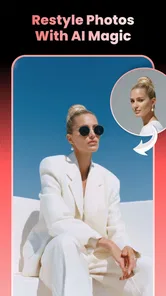
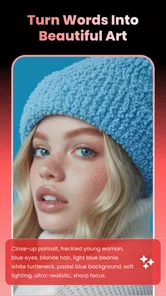
Analysis by Reviewed
When I want a quick visual idea for a social post, I don’t always want to open a full editing suite and build an image from scratch. Lynix: AI Photo & Video Maker is aimed at that in-between moment: starting with a photo or a prompt for a particular look, then using an AI template to make something more stylized. It is an art and design app from DQL TechLab, and its appeal is speed rather than fine-grained control.
I’d consider it when I have a picture worth transforming but no clear editing plan. The template-led approach gives the process a direction, which can be more useful than a blank canvas when I’m making a casual post, a playful image for a chat, or a short visual to share. The trade-off is that the result depends heavily on whether the available template suits the subject and the look I have in mind.
From a rough idea to a shareable image
I’d begin with one photo and a clear purpose, rather than opening Lynix and browsing styles at random. In this section, I focus on how choosing the subject and intended audience first can make the creative process more useful, even when the first result isn’t the one I keep.
Start with the picture you actually want to use
Before opening Lynix, I’d choose a source photo with a clear subject and a composition that still makes sense after a visual makeover. A face that is well lit and not hidden behind objects gives an AI treatment a better starting point than a distant, crowded shot. That’s not a special trick unique to this app; it’s a practical way to avoid blaming a template for a source image that gives it little to work with.
I’d also decide what the finished image is for. A playful portrait for friends can tolerate a more dramatic transformation than a profile image where recognizability matters. Having that distinction in mind helps me avoid spending time on styles that look striking in isolation but don’t fit the way I plan to use the result.
Lynix is free to install, and its audience is broad: its content rating is Everyone. The app has reached over five million installs, with an average rating of around 3.4 from roughly 4,300 ratings. I read that as a reason to try it with modest expectations, not as a promise that every template will suit every person. Its current version is 3.7.0, and it runs on Android 8.0 or later.
Choose a template before chasing perfection
The core idea is to use AI templates to turn a starting image or concept into a more finished-looking photo or video. That changes the usual editing sequence. Instead of adjusting exposure, contrast, and color one control at a time, I’d first browse for a visual direction and then see how well it works with my source. For a quick creative task, that’s a sensible shortcut.
More From Our News Desk

Weather by Xiaomi Review: Clear at a Glance, Less Clear Up Close

X Under Pressure: Can It Recover When Posting Goes Wrong?

Clash of Clans Is Won Between the Battles

Android Auto Makes the Case for Quieter Car Software

MobiOffice: Transforming Mobile Productivity with Seamless Integration

EA SPORTS FC™ Mobile Soccer: Redefining Mobile Sports Gaming
My practical tip is to compare the result against the purpose, not just against the original. If I’m making a fun post, an unexpected interpretation may be a success. If I need a natural-looking headshot, the same amount of transformation may be a drawback. Keeping the intended audience in mind also makes it easier to decide whether a result is ready to share or needs another attempt with a different look.
Template-based creation is helpful when I can describe the mood more easily than the technical edit: polished, whimsical, cinematic, or otherwise distinct. It is less compelling if I already know precisely how I want every element placed. In that case, a conventional photo editor with direct controls is usually the better tool, because a preset-led workflow can make the creative decision for me rather than let me shape every detail.
Make the handoff from photo to video deliberately
The inclusion of both photo and video creation makes Lynix more flexible than a simple filter app. Still, I’d treat those as related but different jobs. A transformed still image is easy to judge at a glance; a video has to hold together over time and remain suitable for the place I intend to post it. I would review the finished clip from beginning to end before sharing, rather than assuming that a promising preview guarantees a coherent final result.
A realistic use case is preparing a small set of visuals for a birthday message. I might start with a portrait, try a more playful treatment, and then make a short video version if that suits the message better. The useful part is being able to explore a visual idea without first learning a timeline editor. The limitation is that a template-driven result may not give me the precise pacing, framing, or finishing control I’d want for a polished event montage.
For a post that needs to move between apps, I’d keep the workflow simple: create the visual, inspect it at the size where people will see it, and then share or move it into the platform where I’ll add the caption. That last handoff matters. A design that looks good full-screen can feel crowded when a social app places interface elements around it, so I’d leave important details away from the edges whenever the composition allows.
Judge the result by consistency, not novelty
AI images can be immediately eye-catching, but novelty is not the same as usefulness. When I compare a few attempts, I’d look for whether the subject remains recognizable, whether the style fits the message, and whether the image feels clean enough to send without explanation. If one version is fun but another communicates more clearly, I’d choose the clearer one.
For a creator who posts regularly, the real question is whether Lynix can help maintain a recognizable visual voice. Templates can make it easy to produce something with personality, but relying on whichever look is most dramatic can make a feed feel inconsistent. I’d use it for occasional experiments or a defined series, then check that the finished visuals still sit comfortably beside my usual photos and graphics.
Compared with a general photo editor, Lynix puts more emphasis on AI-led transformations than on manually tuning an image. Compared with a design app built around layouts and text, it is better suited to changing the visual treatment of a photo than constructing a carefully arranged poster from components. That distinction helps set expectations: it can be a fast creative starting point, but it isn’t automatically a replacement for tools designed for detailed layout or retouching.
Where the workflow can lose momentum
The main friction is creative fit. If none of the templates matches the picture or the result I’m aiming for, a fast workflow can turn into repeated trial and error. That is especially frustrating when the source image matters and I don’t want an exaggerated interpretation. I’d switch to a more hands-on editor when I need predictable corrections, subtle retouching, or precise control over the final composition.
Cost is another point to consider before building a routine around it. Lynix is free, but it also offers in-app purchases ranging from $6.99 to $79.99 per item. I’d try the free experience first and decide whether the available creation options are enough for my needs before spending. The broad price range makes it especially sensible to check what an individual purchase unlocks in the app rather than assuming every user will need the same thing.
There is also a difference between making a visual and preparing a finished piece of communication. If my image needs carefully placed lettering, brand colors, or a specific arrangement for a campaign, I would likely finish it in a dedicated design tool. Lynix makes most sense earlier in that process, when I’m exploring a look or trying to give an ordinary photo a more distinctive treatment.
Who I’d recommend it to
I’d recommend Lynix to someone who wants a low-effort way to experiment with AI-styled photos and videos, especially for informal sharing. It may suit casual creators who value quick inspiration more than exact control, or someone who wants to see whether a portrait can work in a different visual style before committing to a longer edit.
I’d skip it as my main tool if I needed reliable, repeatable output for client work, detailed manual adjustments, or layouts with exact text placement. It may also be a poor fit if I’m attached to keeping a photo natural, since AI-led styling is most useful when I’m open to a visible transformation. For those needs, a traditional editor or a layout-focused design app gives a more direct route to the intended result.
Overall, I see Lynix as a quick creative detour rather than a complete production studio. Its strongest use is moving from “I have a photo, but it feels ordinary” to “I have a few distinct directions worth considering.” The best results come from choosing a suitable source image, matching the template to the audience, and checking the finished work before handing it off elsewhere. If that sounds like the kind of help you want, it is worth trying; if you need exact edits, I’d choose a more controllable alternative.
A low-stakes way to test whether it fits your routine
I’d make the first test small and specific: pick one photo that is already suitable for sharing, decide who will see it, and try only a couple of visual directions that match that purpose. This keeps the experiment useful even if the result misses. Instead of browsing indefinitely for the most dramatic treatment, I’d ask whether a particular version makes the original image more fitting for the message. If the answer is no, I’d stop rather than treating every new template as a likely improvement.
That approach is especially handy when I’m making something between errands or during a short break. I can start with a snapshot from a family gathering, explore a lively style for a private message, and judge the output on my phone before sending it. If I want to share it publicly, I’d check the crop and leave room around the main subject so that a platform’s interface doesn’t obscure the important part. The useful outcome is not necessarily a perfect image; it may simply be a fresh option that feels more personal than sending the unedited photo.
Think about the next tool before you begin
A practical question is whether the finished piece needs anything beyond the AI treatment. If I only need an expressive portrait or a short visual to pass along, Lynix’s focused approach may be enough. If I know I’ll need a headline, carefully aligned type, or several images arranged together, I’d plan to hand the result to a layout app afterward. Treating Lynix as one stage in a workflow makes its strengths clearer and prevents me from expecting it to solve design tasks that belong to another kind of editor.
I’d also keep an untouched copy of a source photo when I’m experimenting with a picture I care about. That is a simple workflow safeguard, not a special app feature: it lets me compare the generated look with the original and switch direction without losing the image I started with. For a small business or a creator developing a repeated style, I’d test a treatment on a few different subjects before using it across a batch. A look that flatters one portrait may not translate equally well to another, so checking consistency can save time later.
What to expect before committing
People deciding whether to install it may wonder if it is aimed at professionals or casual users. I see it as more approachable for casual experimentation: the template-first idea helps when I want a starting direction, while the lack of emphasis on exact manual adjustments makes it less suitable as my only production tool. The right choice depends less on how creative I feel and more on how much control the final job demands.
Another sensible question is whether paying is necessary. I’d begin with the free option and only consider an in-app purchase after checking which specific capability I want and whether it solves a recurring problem. Purchases run from $6.99 to $79.99 per item, so I would not treat the existence of paid items as a reason to buy before trying the workflow. For an occasional greeting or one-off social image, the free experience may be all I need; for frequent use, the value depends on the options available to me and how often I actually use them.
With a 3.4 average from around 4,300 ratings, I would approach expectations thoughtfully rather than assume a universally smooth experience. The app has been released for Android, and the minimum supported system is version 8.0; those details matter if I’m checking compatibility before installing. It is marked for Everyone, but that age classification is separate from whether its creative style suits a particular child, family, or project, so I’d still look at the output before sharing it in a context where tone matters.
My bottom line is to treat Lynix as an idea generator with a practical route to a shareable result, not as a promise of precise art direction. It is a reasonable choice when I have a photo, want to explore a different mood, and can accept some trial and error. If the job calls for subtle retouching, consistent campaign assets, or exact control over text and composition, I’d move to a dedicated editor sooner. For casual creative experiments, though, its focused workflow can help me get from a familiar snapshot to a visual that feels newly worth sharing.
Lynix: AI Photo & Video Maker Frequently Asked Questions
What is Lynix: AI Photo & Video Maker, and what can I create with it?
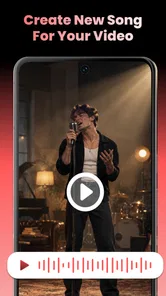
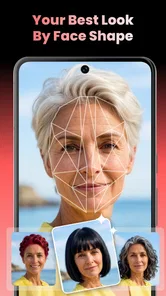
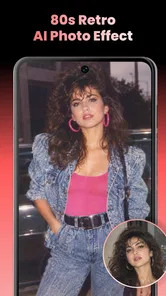
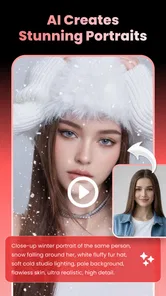
Lynix is a creative app designed to use AI tools to transform photos and make video-style content. Depending on the features available in your version, you may be able to apply visual effects, generate stylized images, animate pictures, or create short clips. Check the app’s current feature list and examples before downloading, since available tools can vary by version, device, and subscription plan.
Is Lynix: AI Photo & Video Maker free to use?
The app may be free to download while reserving some features, effects, or generations for paid access. Before using it extensively, review the pricing details shown in the app store and inside the app, including any trial period, recurring subscription, usage limits, and renewal terms. If you start a trial, note its end date and manage or cancel it through your Apple or Google account settings when necessary.
Do I need an internet connection to use Lynix?
AI photo and video processing often relies on online services, so an internet connection may be required to upload an image, generate a result, or access certain effects. Some basic editing or viewing options may work locally, but offline availability should not be assumed. For smoother use, connect to a reliable network and check whether the app explains how it handles uploads, processing time, and mobile data usage.
What photos or permissions does Lynix need, and is my content private?
To edit or animate pictures, Lynix may request access to selected photos, the camera, or saved media. Grant only the permissions needed for the task, and use your device’s limited-photo-access controls if available. Before uploading personal or sensitive images, read the app’s privacy policy to understand what data may be collected, how images are processed or retained, and whether content can be used to improve its services.
Will Lynix: AI Photo & Video Maker work on my device, and how do I save or share creations?
Compatibility depends on your operating system version, device hardware, and the app’s current requirements, so check the store listing before installing. AI effects can take longer on older devices or with large files. Once a creation is ready, the app may offer options to save it to your device or share it elsewhere; review export quality, file format, and any watermark or paid-feature restrictions before starting a project.
Pros
- Combines photo and video creation tools in one app.
- AI effects can make ordinary images more visually distinctive.
- Useful for creating shareable content for social media.
- Offers a quick alternative to editing every detail manually.
- A range of creative styles makes experimentation easy.
Cons
- AI-generated results may vary in quality from image to image.
- Some features or effects may require a paid subscription.
- Processing can take longer for complex edits or videos.
- The app may need access to photos and media to work.
- Results may not match the original image or prompt exactly.













