Local Weather Alerts - Widget
- 17.24K
- 4.9
- Installs
- 10.00M
- Price
- Free

Screenshots
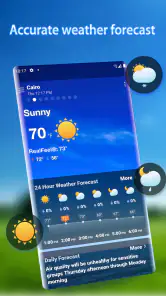
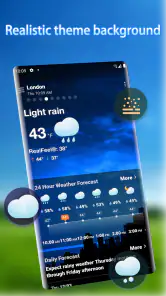
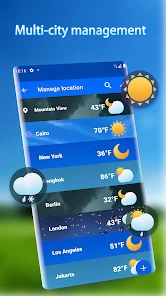
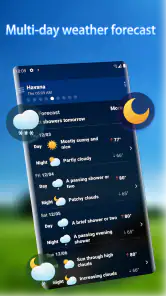
Analysis by Reviewed
I judge a weather app less by how much information it can display than by whether I can make a sensible decision with it when I’m already running late. Local Weather Alerts - Widget is built around that everyday moment: checking nearby conditions, noticing a change that might affect plans, and deciding what to do next. Its widget-focused approach makes it a natural fit for quick checks, though it is not automatically the best choice for every kind of forecast or every way of using a phone.
Readability when time is short
Weather information is most useful when I can understand it quickly, and the widget-first approach makes a short check feel more direct than opening a general-purpose weather service and digging through several screens. The app is made by Vitality App Studios, and its focus is straightforward: local conditions, forecasts, and alerts. The store summary points to daily changes being easy to grasp, which fits the kind of quick planning this app is aimed at. I would still take time to read the forecast rather than treating a glance at the home screen as a complete picture, especially when the weather could affect a longer trip.
The visual forecast can help people who prefer scanning a graphic over reading a block of figures, while the text and labels remain important for anyone who needs more context. For a practical routine, I’d check the hourly view before leaving and use the weekly view to spot days that may need a different plan. Those views are useful for orientation, but a weekly outlook is better treated as a planning guide than a promise about conditions several days away.
A useful way to judge whether the presentation works for you is to check it at the size and distance you normally use your phone, not only while holding it close in a quiet room. If a chart or label is hard to distinguish on your home screen, opening the app may give you more room to take in the forecast. I would also compare a quick visual reading with the text before making a decision that depends on a particular time or condition; speed is valuable, but clarity matters more than speed when plans are consequential.
A widget for different routines and abilities
On a busy morning, I’d place the widget where I can see it without hunting through folders, then use its forecast as a prompt to decide whether to carry a jacket or shift an outdoor errand. That small workflow is particularly handy for people who check the weather repeatedly during the day. It may also suit someone who wants local alerts without relying on a full news or mapping app for every quick check.
For someone with limited dexterity, reducing the number of taps needed to see a basic forecast can make a phone routine easier. Still, widgets vary in how they respond to a particular home-screen layout, and a quick glance is not a substitute for opening the app when more detail is needed. People who depend on screen readers, enlarged text, or specific contrast settings should check how the app behaves on their own device rather than assuming every chart or notification will work equally well for them.
That distinction matters because a widget is part of the phone’s home screen, not a universal shortcut that behaves identically for everyone. Its usefulness depends on where it sits among other items and whether its contents are easy to pick out at a glance. I’d try it in the place I naturally look when checking the time, then see whether it remains readable with my usual display settings. If I need to open the full app every time to interpret the forecast, the widget may not save me much effort.
More From Our News Desk

Weather by Xiaomi Review: Clear at a Glance, Less Clear Up Close

X Under Pressure: Can It Recover When Posting Goes Wrong?

Clash of Clans Is Won Between the Battles

Android Auto Makes the Case for Quieter Car Software

MobiOffice: Transforming Mobile Productivity with Seamless Integration

EA SPORTS FC™ Mobile Soccer: Redefining Mobile Sports Gaming
For sensory comfort, alerts deserve the same consideration as the visual layout. A notification can be helpful when it calls attention to a meaningful change, but repeated interruptions can become noise during work, rest, or a shared activity. Rather than turning on every alert immediately, I’d begin with the types most likely to affect my day and adjust once I know whether they are useful. This is a practical compromise: fewer interruptions, without making the alert feature irrelevant.
Everyday weather decisions
Right off the bat, the app feels like having a personal meteorologist at your fingertips. The Local Weather Alerts - Widget provides real-time updates that are incredibly detailed. From temperature fluctuations to wind speed and humidity levels, it covers all the bases. The interface is clean and intuitive, making it easy to navigate even when you're in a hurry. Just a quick glance at the widget on your home screen, and you're ready to face the day, rain or shine.
That quick-glance promise works best when I treat the home screen as a starting point. Imagine getting ready for a commute and seeing a change that could affect the walk to a bus stop. I would use the widget to notice that something deserves attention, then look at the forecast before deciding whether to leave earlier, bring another layer, or change an outdoor plan. The value is not that a widget makes the decision for me; it is that it can make checking feel easy enough to become part of the routine.
It can also help with planning that happens in stages. I might use the weekly view when choosing which day to run errands outside, then return to the hourly forecast on the day itself. That two-step habit avoids treating an outlook several days ahead as settled while still letting me make a rough plan. For anyone coordinating with other people, the same check can be useful before suggesting a picnic, school pickup arrangement, or outdoor meeting, with the understanding that each person may experience different conditions across town.
Alerts that support, rather than replace, judgement
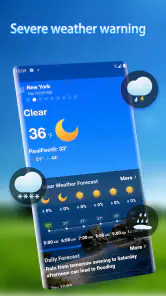
One of the standout features is its alert system. Imagine having a heads-up about severe weather conditions right when you need it the most. Whether it’s a thunderstorm warning or a heatwave alert, the app ensures you’re never caught off guard. It sends timely notifications that allow you to plan your activities accordingly. Trust me, being prepared has never felt this good.
For a useful habit, I’d treat a notification as a cue to reassess plans, not as a guarantee that every nearby street will have identical conditions. If I were arranging a walk, for example, I’d check the alert and the forecast together before deciding whether to go. This is especially important when someone’s work, travel, or health makes weather changes more than a minor inconvenience.
There is a broader trade-off with any local alert system: a notification is only helpful if I notice it, understand what it means for my plans, and have time to respond. Someone who keeps their phone muted or limits notifications may not experience alerts as a dependable prompt. In that situation, a deliberate check before leaving is a better routine than assuming the app will interrupt at exactly the right moment.
Making the widget and notifications work for you
Another thing I absolutely love is the customization options. You can tailor the notifications to your preferences, choosing which types of weather you want to be alerted about. Plus, the widget itself can be customized to match your phone’s theme, which is a nice touch for those who like their apps to blend seamlessly with their style. It’s the little things that make a big difference, right?
There is a sensible trade-off here: narrowing alerts to the conditions that matter to you can make notifications more relevant, but filtering too aggressively may mean missing a warning you would have wanted to see. I’d start with the alerts that affect my normal routines, then adjust after seeing how often they help. If notifications are distracting in a shared or quiet setting, choosing fewer alert types may make the app easier to live with.
I’d also avoid changing several settings at once. Start with the widget placement and a manageable set of alerts, then use the app through an ordinary week before deciding what to alter. That makes it easier to tell whether a notification was useful or whether the widget simply wasn’t visible when you needed it. If the forecast is mainly for a regular commute, keep the setup focused on conditions that could change the trip; if you spend long periods outdoors, you may want to review more often instead of relying on a broad set of alerts to cover every situation.
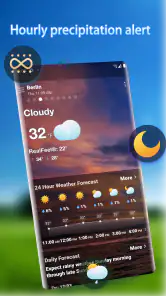
Also, for those who love a bit of tech flair, the hourly and weekly forecasts are presented in a visually appealing way. The graphics are not just eye-catching but also informative, providing a quick overview without overwhelming you with data.
Compared with the usual alternatives, this app’s appeal is its combination of a home-screen widget and weather alerts, rather than a broad suite of maps, news, or specialist tools. That focus can be a plus if all you want is an at-a-glance local check. If you need to study conditions across a route, compare several locations in depth, or rely on highly detailed visual data, a more specialized weather service may suit you better. I’d use this app for everyday decisions and consult another source when the stakes or complexity are higher.
That makes it especially suitable for someone who wants a lightweight daily companion rather than a weather workstation. A person who plans a weekend drive across different areas, for instance, may need a map-based forecast and a closer look at conditions along the way. Someone deciding whether to carry an umbrella for the trip to a nearby shop has a simpler question, and a local widget can be a more convenient first stop than a larger service with many screens to navigate.
Comfort, access, and everyday friction
Let’s talk about performance. The app runs smoothly without any hiccups. It loads quickly, and the transitions between different sections are seamless. You won't find yourself waiting around for updates, which is crucial when you're in a rush. It's like the app understands the value of your time and respects it. That's something I can definitely get behind.
It is free to install, with optional in-app purchases priced from $2.99 to $4.99 per item. The app is rated for Everyone, and its current version is 1.7.1, with Android support starting at version 6.0. Its average rating is 4.9 from around 327,000 ratings, alongside about 17,000 written reviews, and it has over 10 million installs. Those figures suggest it has found a large audience, though they can’t tell me whether its presentation will suit my own device or needs.
The free starting point makes it easier to try the basic routine before deciding whether any optional purchase is worthwhile. I’d first work out whether the widget is readable on my home screen, whether its forecast fits the decisions I make, and whether alerts feel helpful rather than intrusive. A large audience can be reassuring when choosing an app to try, but it does not settle personal questions about accessibility, comfort, or whether a focused forecast is enough for a particular lifestyle.
For a typical weekday, I’d check the widget before getting dressed, glance at the hourly forecast before an outdoor meeting, and keep relevant alerts enabled in case conditions shift. That makes it a good fit for commuters, parents planning school runs, and anyone whose day includes time outside. Someone who needs extensive accessibility controls, detailed radar work, or a specialist forecast for demanding outdoor activities may be better served by a different tool or by using this alongside one.
The app’s main friction is that weather information is only helpful when it is easy for you to perceive and interpret. A graphic can be faster than text for one person and harder to follow for another; notifications can be reassuring but disruptive if they arrive at inconvenient times. I’d spend a few minutes arranging the widget and choosing alert types, then see whether the forecast remains comfortable to read in the situations where I actually use it. That is a more reliable test than judging it from a single glance.
There are also times when I would not make this my only weather source. If a decision depends on conditions over a long journey, a specialist activity, or several separate places, the convenience of a local widget may not provide the depth I need. Similarly, anyone who finds visual forecasts difficult to interpret should test the presentation before building a routine around it. The right choice depends less on the number of screens an app offers than on whether its information is accessible and sufficiently detailed for the decision at hand.
Who will get the most from it
I’d recommend giving it a try if your weather questions are usually practical and local: what to wear, whether an outdoor errand needs a new time, or whether conditions may interrupt a daily commute. Its widget-and-alert emphasis is easy to understand, and the option to tailor alerts gives people some room to make the experience less distracting. It is less compelling for people who want extensive maps, route comparisons, or specialist detail, and it may take testing to establish whether its graphics and notifications work well with an individual’s access needs.
In conclusion, if you're looking for a reliable weather app that keeps you informed and prepared, Local Weather Alerts - Widget is worth checking out. It rolls everything you need into one handy package and delivers it with a user-friendly experience. So go ahead, give it a try, and never let the weather catch you by surprise again!
Local Weather Alerts - Widget Frequently Asked Questions
What should I check before installing Local Weather Alerts - Widget?
Local Weather Alerts - Widget is a weather app developed by Vitality App Studios, and it is free to download. It is rated for Everyone and supports Android devices running version 6.0 or later. The app includes optional in-app purchases, so you can start with the free offering and review any purchase choices before deciding whether they suit you.
Does Local Weather Alerts - Widget require a particular Android version?
Yes. Local Weather Alerts - Widget supports Android devices running version 6.0 or later. Check your phone or tablet’s operating system before downloading to make sure it meets that requirement. The app is rated for Everyone, making it suitable for a broad audience, although device compatibility is still important for anyone considering installing it.
Is Local Weather Alerts - Widget suitable for everyday weather checks?
Local Weather Alerts - Widget is a weather app for people who want to check local conditions and follow daily changes. Its summary emphasizes an accurate forecast and weather changes that are easy to grasp, while widgets put information on the home screen for quick reference. It is available for free, with optional in-app purchases.
What features does Local Weather Alerts - Widget offer?
Local Weather Alerts - Widget is designed to provide real-time weather updates and alerts directly on your device's home screen. It offers customizable widgets that display current weather conditions, forecasts, and severe weather alerts. The app also offers radar maps, detailed weekly forecasts, and the ability to set personalized alerts for specific weather conditions, making it a comprehensive tool for staying informed about the weather.
Is Local Weather Alerts - Widget free to use?
Local Weather Alerts - Widget offers a free version with basic features such as current weather updates and standard widgets. However, to access premium features like ad-free experience, detailed radar maps, and advanced alert customization, users may need to purchase a subscription plan. Pricing details can vary, so it is recommended to check the app store listing for the latest information. In-app purchases are available, so review the purchase options in the store before deciding whether to buy anything.
Pros
- Accurate local weather forecasts.
- Easy-to-use interface with widgets.
- Real-time severe weather alerts.
- Customizable notification settings.
- Minimal battery and data usage.
Cons
- Ads in free version can be intrusive.
- Limited features without premium.
- Occasional syncing issues noted.
- Requires constant GPS access.
- Widget customization is limited.
- Category
- Weather
- Version
- 1.7.1












