Lightroom Photo & Video Editor
- 16.07K
- 4.6
- Installs
- 100.00M
- Price
- Free

Screenshots
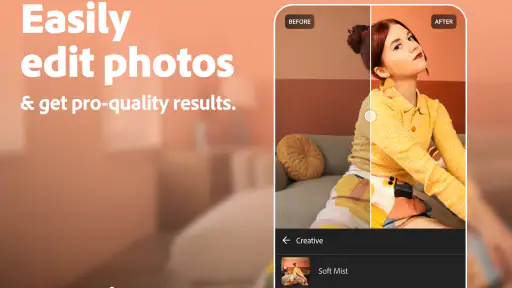



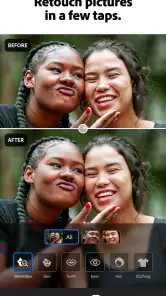



Analysis by Reviewed
I think Lightroom Photo & Video Editor works best when you want more control over an image than a quick filter can offer, but still want to edit on your phone. It brings photography-focused adjustments together with video editing, so it can cover a range of everyday creative work. The trade-off is that its broad toolset takes some patience to learn, and not every useful option is necessarily part of the free experience.
Where Lightroom earns its place
First off, let's talk about usability. Lightroom is designed with an intuitive interface that even beginners can navigate smoothly. You don't have to be a tech wizard to understand its features. Trust me, I was initially overwhelmed by all the tools, but once I got the hang of it, it felt like second nature.
The app offers a plethora of tools for editing photos and videos. From basic adjustments like exposure and brightness to more advanced features like color grading and effects, it's all there. What's really cool is the ability to create presets. So, if you've got a favorite look you love to apply to all your photos, you can save it and use it anytime. How convenient is that?
The Latest on Lightroom Photo & Video Editor
Advanced features for careful edits
For those who are a bit more advanced, Lightroom doesn’t disappoint. The app allows for detailed editing with features like selective adjustments and healing brushes. You can focus on specific areas of your photo to edit, which is perfect for those tricky shots where you want to highlight a subject or correct a flaw. And for video enthusiasts, the app also offers video editing capabilities, which are quite robust for a mobile platform.
And let's not forget about the cloud storage feature. With Adobe Creative Cloud, your work is synced across all your devices. So, if you start a project on your phone, you can pick up right where you left off on your tablet or computer. It's seamless and saves a ton of time.
Learning from other photographers
One aspect of Lightroom I absolutely love is the community and the learning resources available. Within the app, there's a section dedicated to tutorials and tips from other users and professionals. It's like having a personal mentor guiding you through your creative journey. Plus, you can share your work and get feedback from a global community of creatives. It's super inspiring to see what others are creating and to get ideas for your own projects.
Another thing worth mentioning is the app's ability to handle RAW files. If you're serious about photography, you know how important this is. RAW files contain more data than JPEGs, allowing for more flexibility in editing. Lightroom handles these files with ease, making it a go-to app for serious photographers.
More From Our News Desk

Android Auto Makes the Case for Quieter Car Software

MobiOffice: Transforming Mobile Productivity with Seamless Integration

EA SPORTS FC™ Mobile Soccer: Redefining Mobile Sports Gaming

How Microsoft OneDrive Became a Mobile Productivity Giant

How Google Translate Breaks Language Barriers Effortlessly

Why Google Sheets Is the Ultimate Mobile Productivity Tool
A practical workflow for everyday photos
A useful way to approach an ordinary set of pictures is to choose one image as a reference before editing the rest. I would first correct its overall light and color, then save a preset only if the look suits the whole batch. Presets are a starting point, not a promise that every photo will match: indoor lighting, bright skies, and skin tones can react differently, so I still check each image and adjust it rather than applying the same treatment blindly.
Selective adjustments are especially handy when a global change makes one part of a picture worse. For example, brightening a dim portrait can wash out a window or pale background; working on the subject separately gives more control than pushing the entire image. I also treat the healing brush as a finishing tool for small distractions, not a way to repair every complicated object. That distinction saves time and helps keep edits believable.
For video, I would think of Lightroom as a convenient place to work on clips alongside still images, particularly when I want a consistent visual feel. It makes the app more useful for a social post that mixes formats, but someone who needs a dedicated timeline, layered titles, or intricate sound work may be better served by a specialist video editor. Photo-first controls are valuable, but they do not make every mobile video task equally comfortable.
Making edits that still look like your photos
One subtle advantage of a hands-on editor is that it can help you build a recognizable look without making every picture feel processed in exactly the same way. I would keep a saved preset restrained, then make small adjustments to each frame for its actual lighting. This is especially useful for a run of travel or food photos: the set can feel coherent, while a cloudy street scene and a warmly lit dinner still retain their different atmospheres.
I also recommend keeping an untouched original in mind while editing. When I have been adjusting contrast and color for a while, it is easy to mistake “more dramatic” for “better.” A brief pause and comparison can reveal that shadows have become too heavy or that a natural skin tone has shifted. The point of selective controls is not to use every control, but to correct the specific thing that distracts from the subject.
Who will get the most from it
I’d recommend it to people who take photos regularly and want to learn why an edit works, rather than simply tap a filter and move on. A casual user can begin with exposure and brightness, while a more experienced photographer can use RAW files and selective work for extra flexibility. Adobe is the developer, and the app sits in the photography category; its combination of image controls, video editing, tutorials, and syncing makes most sense for someone who expects to return to edits over time.
Imagine taking a few pictures at a family gathering, including one portrait that looks too dark and several outdoor shots with inconsistent color. I’d adjust the portrait on its own, establish a restrained look on one outdoor image, then use a preset as a shortcut for the others while checking them individually. That is a more dependable workflow than applying a dramatic filter to everything, and it illustrates why the app’s mix of quick reuse and detailed correction is useful.
It is also a sensible choice for someone who takes photos on a dedicated camera and wants a phone-based way to work with RAW images between longer editing sessions. That can be handy on a trip: I can select a few frames, make a careful first pass, and decide later whether they need more attention on another device. For a person who only photographs occasionally and keeps everything as casual snapshots, that extra control may not justify learning a larger editing interface.
By contrast, if you only want an instant decorative effect and rarely revisit a picture, a simpler filter app may feel faster and less demanding. Lightroom asks you to make choices about tone and color; that control is its strength, but it can also slow down a quick share. Its interface may feel busy at first, and the depth that appeals to enthusiasts can be unnecessary for someone who wants one-tap results.
How it compares with other mobile editing choices
Compared with a typical filter-first photo app, Lightroom puts more emphasis on adjusting the image itself than on choosing a finished style from a short menu. That difference matters when the photo has a specific problem, such as a face that is too dark or a distracting spot that a broad filter will not solve. A simpler editor remains the better choice when speed and playful effects matter more than fine control; I would not open Lightroom just to add a novelty treatment and post immediately.
Against a desktop photo editor, its appeal is convenience rather than replacing every part of a studio workflow. Touch editing works well for a quick correction or a small batch, and syncing can help carry work between devices. But when I need a larger screen for detailed inspection or a more involved production process, a computer-based tool is still more comfortable. Lightroom is strongest in the middle ground: more deliberate than a one-tap app, less cumbersome than moving every small edit to a desktop.
Cost, compatibility, and practical trade-offs
Lightroom is free to download, with in-app purchases ranging from $1.99 to $119.99 per item. I would start with the free experience and decide whether a paid option addresses a real need in your own workflow, rather than assuming every tool must be unlocked. It is rated for Everyone, has a 4.6 average from around 3.4 million ratings, and has been installed over 100 million times. Those figures suggest a widely used app, but they cannot tell you whether its editing style suits your taste.
The app was released on January 14, 2015, and requires Android 8.0 or later. It is worth checking that requirement before planning to use it on an older Android device. If you also work on a tablet or computer, syncing can make it easier to continue a project elsewhere; if you prefer to keep every step on one phone, that cross-device benefit may matter less. In either case, keep an eye on the storage and data involved in the files you choose to edit and sync.
A practical question is whether you need to pay before you can decide if the editing style suits you. I would try the free version with a few photos that represent your normal use, rather than judging it on a single perfect shot. See whether you enjoy making adjustments, whether the results feel natural, and whether any paid option solves a concrete limitation you have encountered. That approach keeps the decision tied to your own habits instead of the size of the toolset.
Another useful question is whether the app fits a phone-only routine. It can be used for mobile edits, and the syncing feature may help if you move between devices, but the benefit depends on how you prefer to manage your pictures. If you rarely switch devices, do not treat syncing as a reason on its own to choose it. If you often begin an edit away from your computer and want to continue later, it is more compelling. For older Android phones, check the operating-system requirement before making it part of your workflow.
My verdict on the balance of control and effort
In conclusion, whether you're editing photos for social media, working on a professional project, or just exploring your creativity, Lightroom Photo & Video Editor is a fantastic tool to have in your arsenal. It's user-friendly, packed with features, and backed by a supportive community. So why not give it a try and see how it can elevate your editing game? Happy editing!
My recommendation is strongest for anyone willing to spend a little time learning a repeatable photo workflow, especially if RAW files, selective corrections, or syncing fit into their routine. If your priority is the fastest possible filter or advanced video production, another kind of app may be a better match. For everyone between those extremes, Lightroom offers a thoughtful balance: enough depth to improve a picture with intention, without requiring a desktop editing setup for every small job.
Lightroom Photo & Video Editor Frequently Asked Questions
Can Lightroom help me prepare photos for social media?
Yes. Lightroom is designed to edit photos and videos, and its store summary specifically highlights creating winter social posts. You can adjust your media before sharing it, using straightforward edits or exploring more detailed controls. If your goal is a particular platform or visual style, consider trying the free editing options first to see whether the results suit the look you want.
Can I use Lightroom without an internet connection?
Lightroom is a mobile editing app, but how it behaves offline can depend on the feature and content you want to use. Basic editing on media already available on your device may be different from cloud-related features that rely on an internet connection. If you expect to edit while traveling or away from Wi-Fi, it is sensible to open the app and check that the photos and tools you need are available beforehand.
Is Lightroom suitable for beginners, or is it mainly for experienced editors?
Lightroom Photo & Video Editor can suit both newcomers and people who already edit regularly. Its filters and adjustment tools let beginners make straightforward changes, while its more advanced editing options provide room to refine an image or video with greater control. You can start with simple edits and explore additional tools as you become more comfortable using the app.
What is Lightroom Photo & Video Editor?
Lightroom Photo & Video Editor is a powerful app developed by Adobe, designed for both amateur and professional photographers and videographers. It offers a wide range of editing tools and features, including filters, color correction, and advanced editing capabilities, allowing users to enhance and transform their photos and videos directly from their mobile devices. It is a photography app with a free download and optional in-app purchases.
Is Lightroom free to use?
Lightroom offers a free version with basic editing tools and features available to all users. However, to access premium features such as advanced editing tools, cloud storage, and cross-platform synchronization, users need to subscribe to a paid Adobe Creative Cloud plan. This subscription provides a more comprehensive editing experience. In-app purchases range from $1.99 to $119.99 per item, so check the available options in the app before making a purchase.
Pros
- User-friendly interface for beginners
- Powerful editing tools for professionals
- Supports RAW file format
- Seamless cloud syncing across devices
- Wide range of filters and presets
Cons
- Requires subscription for premium features
- Can be resource-intensive on older devices
- Limited video editing features
- Occasional app crashes reported
- In-app purchases can be costly
- Category
- Photography
- Version
- Varies with device












