 About Google Translate
Google Translate Review: A Pocket Tool for the Small Frictions of Travel
The awkward part of travel is rarely the grand misunderstanding. It is the ten-second stall at a station sign, the menu item you cannot confidently order, or the message from a host that leaves you guessing what to do next. Google Translate is useful because it deals with those small points of friction quickly, in the place where they happen. It is not a substitute for a skilled human translator, but as a pocket tool for getting on with ordinary life across language barriers, it is one of the easiest recommendations I can make.
Its value comes from having several ways to translate gathered in one app. You can type or paste text, speak a phrase, point the camera at printed words, or download languages for use without a connection. That range matters more than any single clever feature: a translation tool is only helpful if it fits the situation in front of you. Google Translate usually does.
One app, several ways past the language barrier
Typing remains the dependable fallback. Enter a word or sentence, choose the source and target languages, and the translation appears without a complicated setup. For a phrase you may need again, you can save it; for a pronunciation question, tap the audio control where available. This is a simple workflow, and that simplicity is a real strength when you are trying to ask a question while keeping a queue moving.
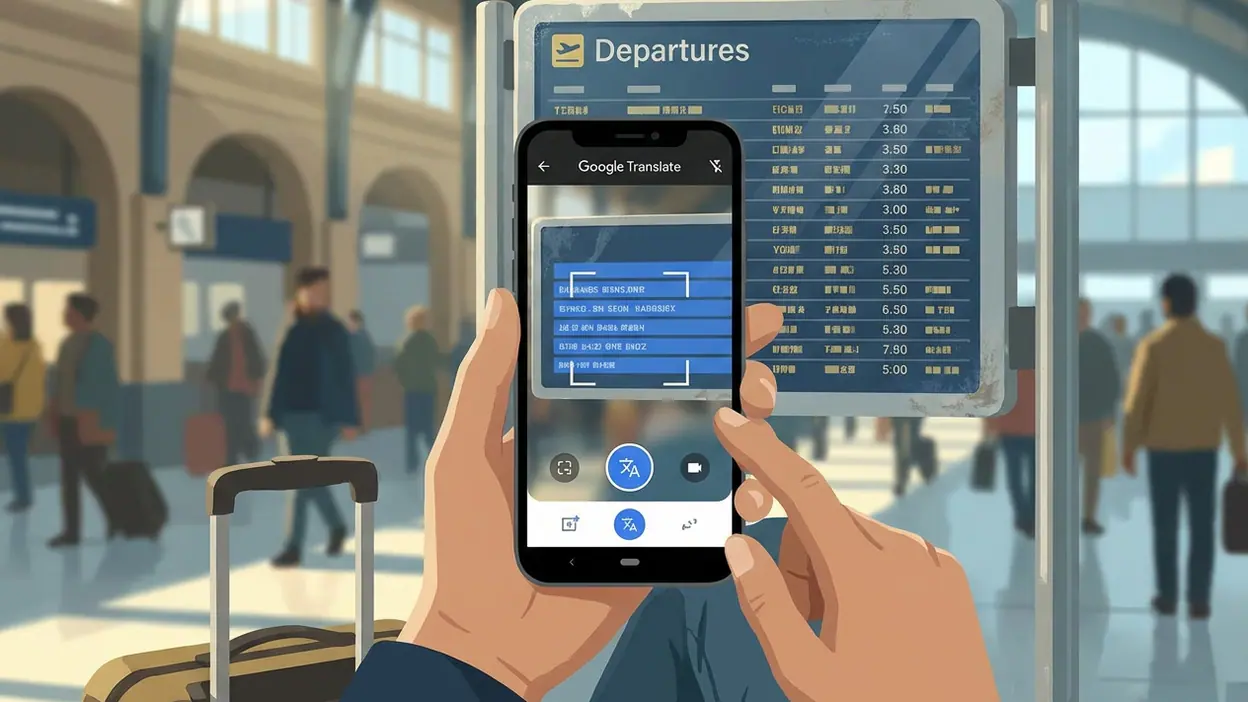
The camera mode tackles a different problem: text that is right in front of you but inconvenient to type. Point the camera at a sign, label, or menu and the app can recognize and translate the writing. Depending on the language pair and conditions, it may show translated text over the image or let you capture the text for a closer look. It is not magic. Small print, decorative fonts, glare, and unusual layouts can confuse recognition. Still, it often gets you from “I have no idea what this says” to a useful sense of the page in seconds.


Conversation tools make the app more practical between people. You can speak into the microphone and have the result translated, or use conversation-oriented features to take turns speaking. The exact controls and availability can vary by device, language, and app version, so it is worth checking the interface before you rely on it in a high-stakes moment. For a basic exchange about directions, food, or a pickup time, though, it removes much of the pressure to invent a phrase from scratch.
Offline language downloads are the feature I would set up before leaving home. Once downloaded, supported languages can be used without mobile data, which is useful on a train, in an underground station, or while roaming costs are a concern. Offline translations may not match the quality or capabilities available online, and not every feature works the same way without a connection. But having a workable translation ready is much better than watching a loading indicator while someone waits for an answer.
The everyday jobs it handles best
At a restaurant, the camera is often the fastest first pass over a menu. It can help identify ingredients or distinguish one dish from another, but I would not treat it as an allergy-safety tool: machine translation can miss nuance, and a dietary restriction deserves direct confirmation with staff. For ordinary ordering, it reduces the number of unknowns and gives you a better starting point for asking a follow-up question.
Latest News



On public transport, a quick camera translation of a notice or platform sign can save a detour. In a hotel or rental, typed translation is handy for understanding check-in instructions and writing a concise reply. In a shop, it can help with packaging or basic product details. These are small tasks, but they recur throughout a trip. The app earns its place not through one dramatic rescue but through a steady run of modest assists.
At home, the use cases are less obvious and just as real. A translated email, a note from a school, a product label, or a short message from a neighbor can be enough to get a task moving. If you communicate with family or colleagues in another language, the app can help you draft the first version of a message, then check how a reply reads. For anything sensitive, legal, medical, or emotionally delicate, a machine translation should be treated as a guide rather than the final authority.
Time saved is mostly hesitation removed
A good utility does not always save a dramatic amount of time. It saves the little pauses that accumulate: opening a browser, searching for a phrase, copying text between apps, trying a second search when the first result is unclear. Google Translate keeps the common actions close together. You can switch from typing to speech or camera use without having to decide in advance exactly what kind of language problem you have.
That flexibility is why I find it more useful than a single-purpose phrase list. A phrasebook can be reassuring, but it may not cover the wording on a particular notice or the question someone just asked. Search can help with research, but it is less direct when you need a short translation now. Google Translate is at its best as an immediate bridge: get enough meaning to decide what to do next, then move on.
It also removes social friction. Speaking to someone in an unfamiliar language can feel like a performance, especially when you are worried about making a mistake. Having a translation ready gives both people something concrete to react to. The app cannot make a conversation warm by itself, and a translated sentence may sound stiff, but it can lower the barrier to starting one.
Set it up before you need it
There are a few small preparations that make the app much more dependable. Download the languages you are likely to need while you have reliable Wi-Fi. Check that the language pair is available for the features you plan to use, since camera, voice, and offline support are not identical across every language. Give the app camera and microphone access only if you intend to use those features, and take a moment to locate the controls before you are standing in front of a crowded ticket machine.
For recurring phrases, use saved translations rather than typing the same request repeatedly. Keep the source and target languages set correctly before entering a longer passage; automatic language detection is convenient, but short words and mixed-language text can be ambiguous. If a translation looks odd, simplify the source sentence and try again. Short, direct wording usually gives a machine translator less room to misread your intent.
One practical habit helps more than any setting: use the app to understand the gist, then verify important details. A translated sign can point you toward the right platform, but check the destination and time. A translated menu can narrow your options, but ask about an allergy plainly and confirm the answer. This is not a flaw unique to this app; it is sensible handling of a tool that makes probabilistic language guesses.
Where it falls short
Translation quality varies by language pair, sentence structure, and context. Idioms, jokes, slang, and culturally specific references can come out flat or misleading. A fluent-looking result can still be wrong, which is more dangerous than an obvious failure because it invites confidence. For a casual exchange that is usually manageable; for a contract, diagnosis, or delicate conversation, use a qualified translator or a fluent speaker.
The camera is also at the mercy of the physical page. Poor light, motion, glare, curved packaging, and tightly packed text all make recognition harder. Voice translation can stumble over background noise, accents, or people speaking quickly, and handing a phone back and forth is not always the most natural way to talk. The interface has many capabilities, so a first-time user may need a minute to learn where each mode lives.
Google Translate also benefits from a connection for some of its strongest features, while offline mode is more limited. That makes the pre-trip download important rather than optional. I would also like more obvious guidance when a translation is uncertain, because users should not have to infer reliability from a sentence that simply appears on screen.
Who should install it first?
Frequent travelers are the clearest audience, especially anyone who has ever needed to read a sign or ask a basic question while short on time. It is also worth installing for people who regularly receive messages or documents in another language, students who want a quick aid while reading, and households where relatives use different languages. If you only translate an occasional word, a web search may be enough. If language uncertainty repeatedly interrupts your day, keeping a dedicated app ready is more convenient.
Google’s other tools can complement it without replacing its core job. Google Lens is useful for recognizing and exploring what a camera sees, while Google Translate focuses the task on understanding language. Gboard can translate as part of typing in supported workflows, which is handy when composing a message, but the standalone app offers more direct access to camera, conversation, and offline tools. Each is useful in its own context; the dedicated translator is the one I would reach for when the immediate question is simply, “What does this say?”
Its best feature is the amount of uncertainty it clears with almost no ceremony. It will not make every translation natural, and it should never be trusted blindly for high-stakes details. But for signs, menus, short conversations, travel logistics, and everyday messages, Google Translate turns a stalled moment into a next step. Install it, download the languages you need before you go, and treat its answers as practical help rather than unquestionable fact. That is a modest promise, and the app fulfills it often enough to deserve a place on the home screen.