 About Real Piano
Real Piano Review: A Pocket Keyboard for Quick Practice
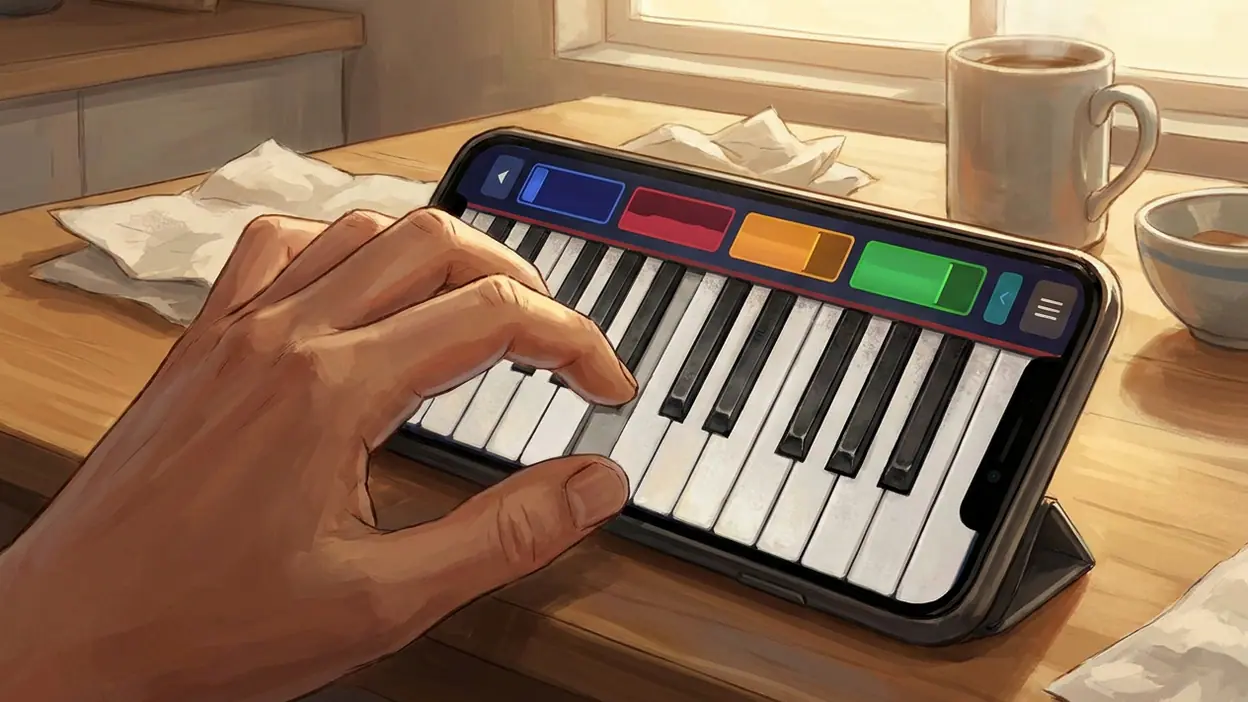
A piano is easy to want and awkward to keep nearby. It takes space, costs money, and asks for a real stretch of uninterrupted practice; a phone is already in your hand between meetings, on the bus, or after dinner. Real Piano makes that mismatch useful: it turns the screen into a quick keyboard for trying a melody, building finger familiarity, or simply making music for a few minutes. It is not a substitute for a full instrument, but a shift toward short, phone-sized sessions has made this kind of tool feel more relevant than its modest premise suggests.
Why a pocket keyboard matters now
Mobile habits have become more fragmented. People learn in short bursts, keep creative hobbies in the gaps between obligations, and expect their phones to handle more than messages and scrolling. A piano app fits that pattern neatly. There is no instrument to set up and no lesson to schedule: open it, tap a key, and hear a note. That immediacy is the point, especially for someone who wants to explore music but is not ready to commit to lessons or equipment.
The timing is also cultural rather than purely technical. Short-form video has made musical snippets part of everyday conversation. A tune heard in a clip can prompt the desire to pick out its opening notes; a familiar song can become a small challenge to recreate. The phone is already the place where people discover those sounds, so an on-screen keyboard offers a low-friction way to respond. Real Piano belongs to that modest, increasingly common impulse: do something with the music instead of only watching it pass by.
The behavior shift: less setup, more small experiments
Older routes into piano tend to begin with a purchase, a borrowed keyboard, or a lesson. Those remain better paths for serious progress, but each carries a threshold. A mobile keyboard removes most of the ceremony. A curious beginner can test whether they enjoy finding notes before buying anything, while a returning player can remind their hands of a simple pattern without hauling out a larger instrument.


That change favors experimentation over formal practice. A few taps may be enough to test a melody, compare a high note with a low one, or work out a rhythm by ear. The session can stop as quickly as it began. This does not make the app a structured music course, and it should not be mistaken for one. Rather, it makes the first step so small that a person is more likely to take it.
What makes the app timely
Real Piano is timely because its basic appeal matches how people now use utility apps: not necessarily for an all-day workflow, but for one specific task at exactly the moment it occurs. The task here is immediate sound-making. When a melody is in your head, or a quiet pause opens up, the app gives that impulse somewhere to go.
Its usefulness does not depend on a social feed, a streak, or a complicated learning plan. That restraint can be refreshing. Language apps such as Duolingo: Language Lessons turn spare time into guided lessons, while Real Piano leaves more room for self-directed play. It asks less of the user, though that also means it provides less direction. For a person who simply wants to touch keys and listen, that is a sensible trade.
Latest News


Where it helps immediately
The first benefit is access. A beginner can get a feel for the layout of piano keys and discover how notes rise and fall across the keyboard. Someone with a tune in mind can try to locate its contour, even if they cannot yet identify every note. And a player with some experience can use the app for a quick memory jog or a casual run through a familiar phrase.
The tactile loop is simple and satisfying: tap a key, hear its pitch, adjust, and try again. A melody that sounded vague in your head starts to take shape as a sequence of choices. On a touchscreen, that loop is immediate enough for a short break and forgiving enough for a novice. It can also make music feel less intimidating. You do not need to know notation before you can begin exploring sound.
There is a small but real creative payoff in that freedom. A phone keyboard is not only for reproducing a song accurately; it can be a place to play with rhythm, test a chord-like combination, or invent a few notes without worrying about an audience. The best use is often unambitious. Two minutes of curious tapping can be more valuable than an elaborate practice plan that never gets started.
Who is adopting it fastest
The natural audience is broader than aspiring pianists. Beginners who are curious but uncertain have the clearest reason to try it: the app lowers the cost of finding out whether piano interests them. Casual musicians may appreciate a keyboard that is always nearby, while children and families can use it for unstructured sound play. It also suits people who already spend their downtime on a phone and would like an occasional creative alternative.
More advanced players may use a mobile keyboard as a rough reference or a convenience, but they are unlikely to mistake it for a practice instrument. Their hands know the difference between physical keys and glass, and they may want control over touch and dynamics that a phone cannot fully reproduce. The faster-growing appeal is likely among people at the edge of music-making: interested enough to try, not yet committed enough to buy hardware.
Why it feels easier than older options
The advantage is not that Real Piano can do everything a real piano can. It is that the app skips the parts that often prevent someone from starting. There is no need to clear a table, connect equipment, or remember where a keyboard is stored. Compared with carrying a small instrument or finding a piano in a public place, tapping a virtual keyboard is an almost frictionless first move.
That convenience has a different character from an all-purpose phone tool. Google Play Books & Audiobooks helps fill a commute with reading and listening; Microsoft SwiftKey AI Keyboard speeds up typing. Real Piano makes the phone less administrative and more playful. The contrast matters: this is a use for idle moments that produces a sound rather than another message, page, or stream.
Where the experience still feels rough
The screen is also the main limitation. Glass does not give fingers the travel, resistance, or clear physical boundaries of piano keys. On a phone, the keyboard is cramped, and large hands can find quick passages awkward. On a tablet, the extra width helps, but it still cannot recreate the feel of a weighted instrument. If you are practicing technique, learning expressive control, or preparing for a performance, those differences are not minor.
Touchscreen play also makes accuracy harder as tempo rises. It is easy to strike the wrong neighboring key, and the sound alone cannot tell you whether your finger movement is developing good habits. Without a clear lesson structure, beginners may enjoy noodling without knowing what to learn next. That is a limitation of this kind of app, not a reason to dismiss it: Real Piano is most convincing as an accessible keyboard and a sketchpad for sound, not as a complete teacher.
Expectations matter. If you download it hoping for the depth of a full digital piano, you may focus on what is missing. If you want a convenient way to hear notes, test a tune, and make a few minutes feel creative, the trade-offs are easier to accept. The experience is strongest when treated as a doorway, not the destination.
What this says about mobile life
The appeal points to a wider change in how people define useful software. Utility does not have to mean work, organization, or a task with a measurable result. A tool can earn its place by making a small action possible at the moment someone feels like doing it. Real Piano turns a phone from a passive screen into a simple instrument, if only briefly.
That is a more interesting role for a mobile device than simply absorbing spare time. The phone may still be a compromise instrument, but it can make a creative impulse easier to act on. Dominoes makes an idle moment social and game-like; a piano app makes it exploratory. Neither use needs to be profound to be worthwhile. The change is that mobile time can include a little practice, play, or discovery alongside consumption.
How long the relevance may last
This kind of utility is unlikely to depend on a short-lived trend. As long as people discover music on phones and carry those devices through their day, an instant keyboard will have a place. Its relevance may grow whenever interest in casual learning or low-cost creative hobbies rises, but the basic appeal is durable: sound is rewarding, and a quick first attempt can be enough to bring someone back.
Still, its staying power will depend on whether users find reasons to return beyond the novelty of tapping keys. Beginners often need a next step, and players need enough control to make practice satisfying. The app can start the habit, but a real keyboard, lessons, or a more structured learning tool may eventually take over for anyone who wants measurable improvement. That is not a failure. A useful introduction can do its job by making the next commitment feel worthwhile.
The verdict
Real Piano is an easy recommendation for curious beginners, casual players, and anyone who wants a keyboard within reach without buying one first. Its immediacy makes it a timely fit for the small gaps in modern mobile life, and the simple tap-and-listen loop can turn a passing musical thought into a playable idea. Its limitations are plain: cramped touchscreen keys, little of a physical piano’s feel, and no replacement for structured practice.
Use it for exploration, quick melody tests, and the pleasure of making a few notes appear from silence. Move to a physical keyboard when you want technique, dynamics, or serious progress. That boundary makes the app more useful, not less: Real Piano is a pocket-sized invitation to play, and for many people, getting started is the part that matters most.