 About Shazam: Find Music & Concerts
Shazam’s Best Trick Is Turning a Song Into a Night Out
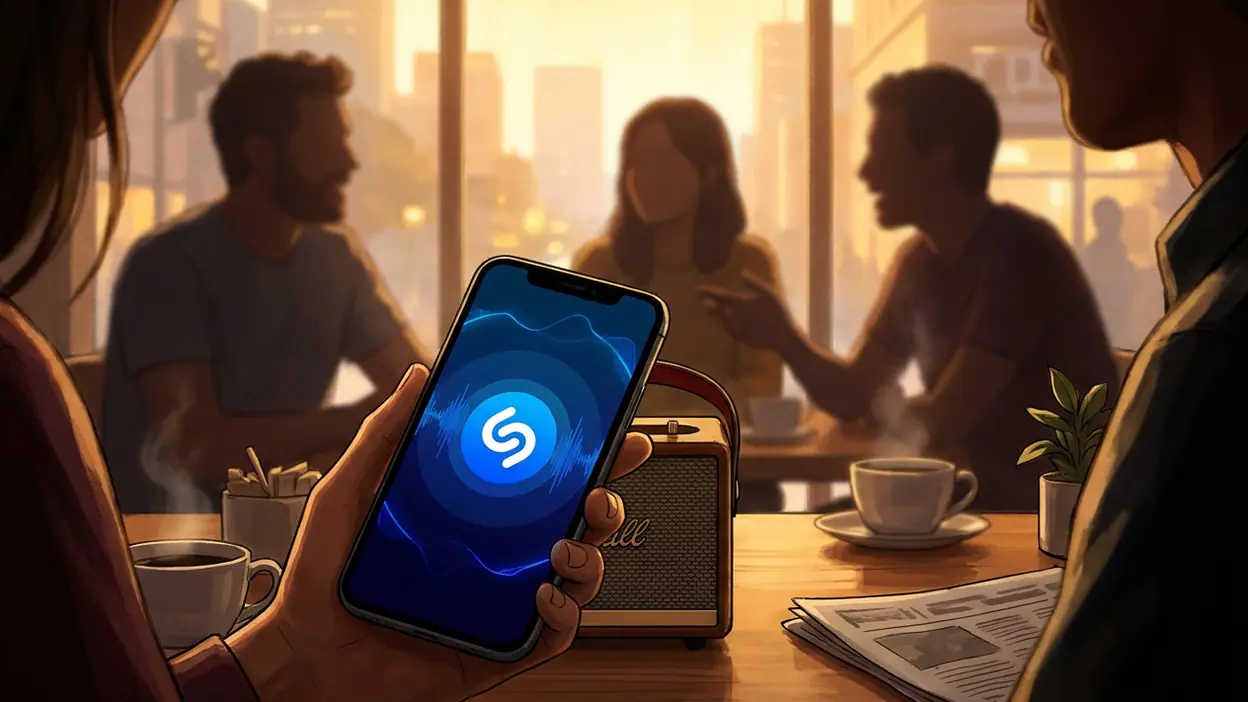
A song can vanish before you learn its name. It slips through a café speaker, a taxi radio, or the credits of a film, leaving behind one stubborn melody and the suspicion that you have heard it before. Shazam’s promise is almost absurdly small: hold up your phone, wait a moment, and get an answer. The bigger story is that the answer rarely ends the encounter. It can become a saved track, a link to a streaming service, or a nudge toward a concert. Shazam turns fleeting sound into something you can act on.
That makes Shazam: Find Music & Concerts more than a novelty button, though its central trick is still the reason to install it. The app is at its best when music arrives without context and you want to keep it from disappearing. It is less compelling as a place to listen all day or manage a library. Its strength is not replacing a music service; it is bridging the gap between hearing and remembering.
The few seconds that changed the question
Music recognition once sounded like a technical party trick. Now the useful question is not simply whether a phone can identify a song, but what it can do with the discovery. Shazam’s familiar blue interface keeps the first step direct: tap the central button and let the app listen. A successful match gives you an artist and track, with routes to hear more and save the result. The exchange is quick enough to feel almost invisible, which is exactly why it has become part of how people deal with music in the wild.
The app’s appeal has widened beyond the person standing in a shop trying to remember a chorus. A track can be identified from a video, a passing car, a friend’s playlist, or the room at a party where nobody wants to interrupt the conversation. Shazam has made an awkward social moment—“What is this song?”—a private, low-friction action. That small change matters. It turns curiosity into a habit without demanding that the user become a music expert.


And the habit has a satisfying payoff: a history of discoveries. A match that would once have evaporated becomes a record you can revisit. That list can serve as a memory aid, a rough map of your listening life, or a collection of tracks you meant to investigate later. It is not a carefully curated library, and it does not pretend to be. Its charm comes from catching the songs that found you first.
A recognition button with a longer reach
At the center, Shazam remains a focused utility. Open it, start recognition, and let it analyze the audio. In ordinary conditions, the process is impressively fast; the point is not to spend time inside the app but to get back to the song. A clean match typically leads to useful context: the recording, the artist, and options to play or save it through supported services. The design understands that the app is often opened in a hurry, with sound already fading.
Automatic recognition adds another layer. Auto Shazam can keep listening for songs while you go about something else, rather than asking you to launch a fresh search for every track. It is useful at a gathering, in a shop, or during a long video session when several songs pass by. But it also changes the bargain: you are asking the app to listen continuously, and you need to remember that the feature is on. Shazam’s best convenience still depends on a clear choice by the user.
Latest News


Beyond identification, concert information gives a discovery some forward motion. Finding the artist is one thing; noticing that they are playing nearby is another. The app can connect the track to artist details and live-event information, making the route from “I like this” to “I could go see them” feel unusually short. Availability and relevance can vary by location, and concert listings are not a replacement for checking a venue or ticket seller. Still, the idea gives the app a purpose beyond answering a single question.
This is the point at which Shazam’s name can undersell its ambition. It is not building a complete destination for music fans, and that restraint is sensible. The app works as a switchboard: recognition is the entry, while listening, saving, and live discovery happen elsewhere or in supporting sections. That arrangement keeps the core task brisk, but it also means the quality of the handoff depends on the services and listings available to you.
Why attention rises, and where it catches
Shazam’s bursts of attention often make sense in the moment. A song goes viral, a television scene sends viewers searching, or a new release starts turning up in unexpected places. When many people hear the same mystery track, recognition becomes a shared activity. Shazam’s charts and discovery features can make those searches visible, translating a collection of private “what is this?” moments into a snapshot of what people are finding.
There is a pleasing reversal here. Music platforms usually begin with a user choosing what to play. Shazam begins with the world choosing for them. The song is already in the air; the app steps in after the fact. That makes it particularly good at capturing accidental discovery, the sort that recommendation feeds can struggle to reproduce because nobody knew to ask for it yet.
The most surprising detail is how much the match itself is only the opening act. A successful identification has little value if it lands in a dead end. The real usefulness comes from the chain that follows: check the artist, replay the track, save it, explore related music, or see whether a live date is worth pursuing. Shazam’s modest interface hides a larger editorial question: can a quick answer create a lasting relationship with a song? Often, yes—but only if the user follows the trail.
That is also where friction appears. Recognition is not magic in every room. Loud background noise, a distant speaker, a very short clip, or an unusual live arrangement can complicate the match. A song playing clearly from a nearby source is the app’s natural territory; a muffled snippet beneath conversation is not. When Shazam misses, the user gets a reminder that the phone is interpreting sound, not reading musical intent.
There is a second tension around attention. The app can make a room full of music feel searchable, but constant scanning is not always what a listener wants. Auto Shazam can be handy, yet it asks users to think about permission, battery use, and whether they want a continuous record of what is playing around them. Shazam should be used deliberately, particularly when listening in the background rather than responding to a specific song.
What the alternatives make clear
The neighboring apps in the music category solve different problems, and that difference helps define Shazam. Samsung Music and Lark Player:Music Player & MP3 are oriented toward playing and organizing audio already available on a device. JioSaavn - Music & Podcasts is built around streaming and discovery within a listening service. StarMaker: Sing Karaoke Songs turns songs into a performance activity. Those are destinations or tools for music you have chosen to hear.
Shazam takes the opposite route: it starts with music you did not choose, then helps you identify it. That narrow focus is a competitive advantage, not a missing feature. A music player has little reason to tell you what is coming from a nearby café; a karaoke app is not designed to turn a film’s closing song into a saved track. Shazam earns its place by being unusually good at the moment before deliberate listening begins.
It does, however, borrow much of its downstream value from those other services. If you prefer one streaming platform, the handoff needs to work with it; if you want a full listening history, Shazam is not the strongest home for that collection. The app is most convincing as a companion rather than a center of gravity. That may sound less dramatic than declaring it an all-in-one music hub, but it is a more accurate account of why people keep it installed.
What feels genuinely new is not the act of recognizing a recording on its own. It is the normalization of recognition as a background reflex. People no longer have to memorize a lyric, ask a stranger, or search a guess and hope the results are right. They can capture a track at the instant curiosity strikes, then decide later whether it deserves more attention. Shazam has helped turn a fleeting sound into a bookmark.
That bookmark can reveal something about the listener, too. A list of Shazams is often messier and more honest than a finished playlist: a song from a passing shop, a theme heard once, a track a friend insisted on playing. It records moments of interest rather than a polished identity. There is a quiet cultural value in that. Music discovery is not always a deliberate hunt; sometimes it is simply noticing what is already around you.
For all its reach, Shazam is not a substitute for a streaming subscription, a music library, or the pleasure of asking someone about a song. Its recognition can fail, its broader features can feel secondary, and the concert path is only as useful as the local information behind it. Those limits are clear once the first burst of excitement passes. Yet they do not undermine the central utility. A tool does not need to own the whole experience to improve the crucial moment.
What matters is the speed and confidence of that first answer. When a track is playing and the name escapes you, Shazam removes a small but persistent irritation. When the match leads to a new artist, a saved song, or a show you might actually attend, the app has done more than identify audio: it has helped curiosity survive long enough to become a choice.
That is the quiet power behind Shazam: Find Music & Concerts. It does not need to keep you inside its own world. It needs to catch the song before it disappears and open the right door next. In a crowded music ecosystem, that is a sharper job than trying to do everything—and a surprisingly memorable one.